Anycubic Photon Mono 4 Review – Does 10K Actually Matter?
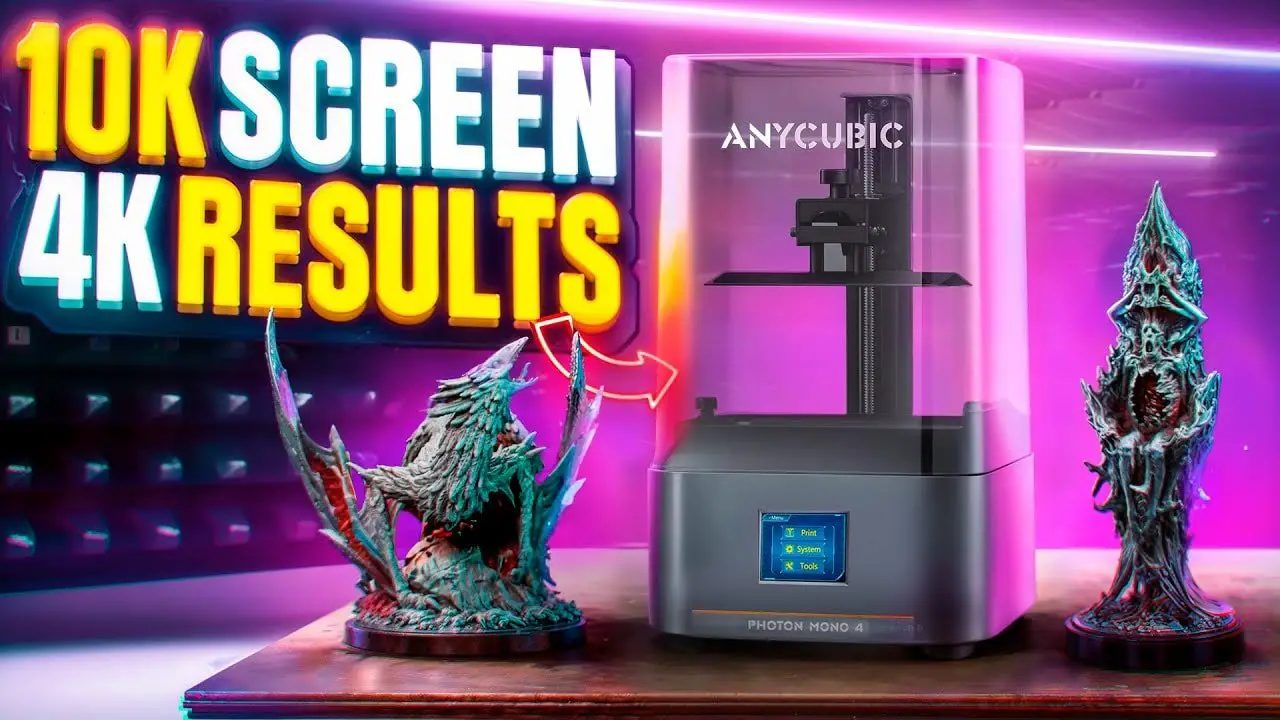
If you are shopping for an entry-level resin printer, the Anycubic Photon Mono 4 is exactly the sort of machine that will catch your eye. It is compact, affordable-looking, covered in big-number marketing, and positioned as a beginner-friendly route into miniature and model printing. On paper, it sounds like a very easy recommendation.
In practice, the Anycubic Photon Mono 4 is a bit more complicated than that. It does work. It is easy to set up. It produces perfectly respectable prints. For many people, that alone will be enough. But once you look past the “10K” badge and start judging the printer by actual output rather than headline specs, a more interesting question appears: did this machine really need to exist in this form at all?
That is the heart of this review. Rather than getting swept up by marketing labels, we are going to look at the Anycubic Photon Mono 4 as a real hobby tool: what it is like to unbox, how simple it is to level, what the design gets right, what corners have clearly been cut, and most importantly, whether the print quality justifies the spec sheet.
For anyone wanting to check current availability, you can find the printer here: Anycubic Photon Mono 4.
This article is part of the wider search for the best 3D printer for miniatures, and the Anycubic Photon Mono 4 sits very much in that “cheap, capable, beginner machine” category. The issue is that capable and compelling are not always the same thing.
Please Note: This site uses affiliate links. Our Affiliate Partners are shown below
(Affiliate links will result in compensation to the site on qualifying purchases)
Click this link & buy your hobby stuff from Element Games for the UK & Europe to support FauxHammer.com – Use Code “FAUX2768” at the checkout for double reward points.


Our Affiliates / Hobby Stores
- UK: Element Games, The Outpost, Wayland Games, Mighty Lancer, Goblin Gaming, Forbidden Planet, Model Scenery Supplies, eBay, Amazon
- US/Canada: MTechCave, GameKastle, eBay (US), eBay (CA), Amazon
- Germany: Taschengelddieb
- Europe: eBay (DE), eBay (FR), eBay (ES), eBay (IT), Amazon
- Australia: eBay, Amazon
- Global: RedGrass Games, Warcolours
- 3D Printers: Phrozen 3D, Elegoo, Anycubic
FauxHammer – Latest Video on YouTube
Anycubic Photon Mono 4 – Summary
The short version is simple. The Anycubic Photon Mono 4 is a decent entry-level resin printer that prints well enough for most hobby use, but it is also a machine that feels slightly misjudged.
Its strengths are clear:
Simple setup
Clean and modern styling
Accessible user interface
Useful maintenance access
Solid enough print quality for miniatures and general hobby work
Its weaknesses are just as clear:
Very light chassis with slippery plastic feet
A mediocre resin vat spout that encourages mess
Small build volume
Marketing emphasis on 10K resolution that does not translate into notably sharper output
Print quality that feels closer to older lower-resolution machines than the numbers suggest
So no, this is not a bad printer. But the Anycubic Photon Mono 4 is also not the slam-dunk “best beginner printer on the market” it could have been. With a few smarter design choices, and perhaps a less spec-led approach, it might have been a much stronger proposition.
Anycubic Photon Mono 4 – Why This Printer Is Interesting
The reason the Anycubic Photon Mono 4 is worth talking about is not because it is revolutionary. Quite the opposite. It is interesting because it highlights a problem that is becoming more common in resin printing: raw specification numbers are no longer enough to meaningfully describe print quality.
For a long time, buyers were told to look at “K” ratings and pixel sizes. More pixels, smaller pixels, better detail. That logic made sense when screen resolution was one of the biggest limiting factors. But resin printers are now reaching the point where those headline numbers alone no longer tell the full story.
The Anycubic Photon Mono 4 claims 10K, which sounds massively impressive for a cheap machine. But if the rest of the optical system is not equally refined, then that number becomes less useful. You may gain pixels on paper while seeing little to no meaningful improvement in dimensional accuracy or visible sharpness in real prints.
That is really the argument this printer ends up making. Not that 10K is fake, but that 10K alone does not guarantee a superior result.
Anycubic Photon Mono 4 – Unboxing and First Impressions
As with many compact resin printers, unboxing the Anycubic Photon Mono 4 is very straightforward. Lift the cardboard shell, slide the unit out, and there it is. No drama, no complicated assembly, no sense that you have bought something intimidating.
That matters more than it sounds. For beginners, first impressions set the tone. An entry-level printer should feel approachable, and this one does.
Visually, the machine is rather smart. Anycubic’s newer design language leans toward a cleaner, more professional aesthetic than some of the older hobby-box styling still hanging around the market. The grey-and-orange colour scheme works nicely, and the printer looks more polished than its price bracket might suggest.
The problem appears the moment you put your hands on it. The Anycubic Photon Mono 4 is very light. Usually that sounds like a positive, but here it contributes to one of the more annoying practical flaws on the machine: plastic feet with too little grip. On a smooth work surface, the printer can slide around too easily. It can even twist when you are trying to loosen or tighten the build plate bolt.
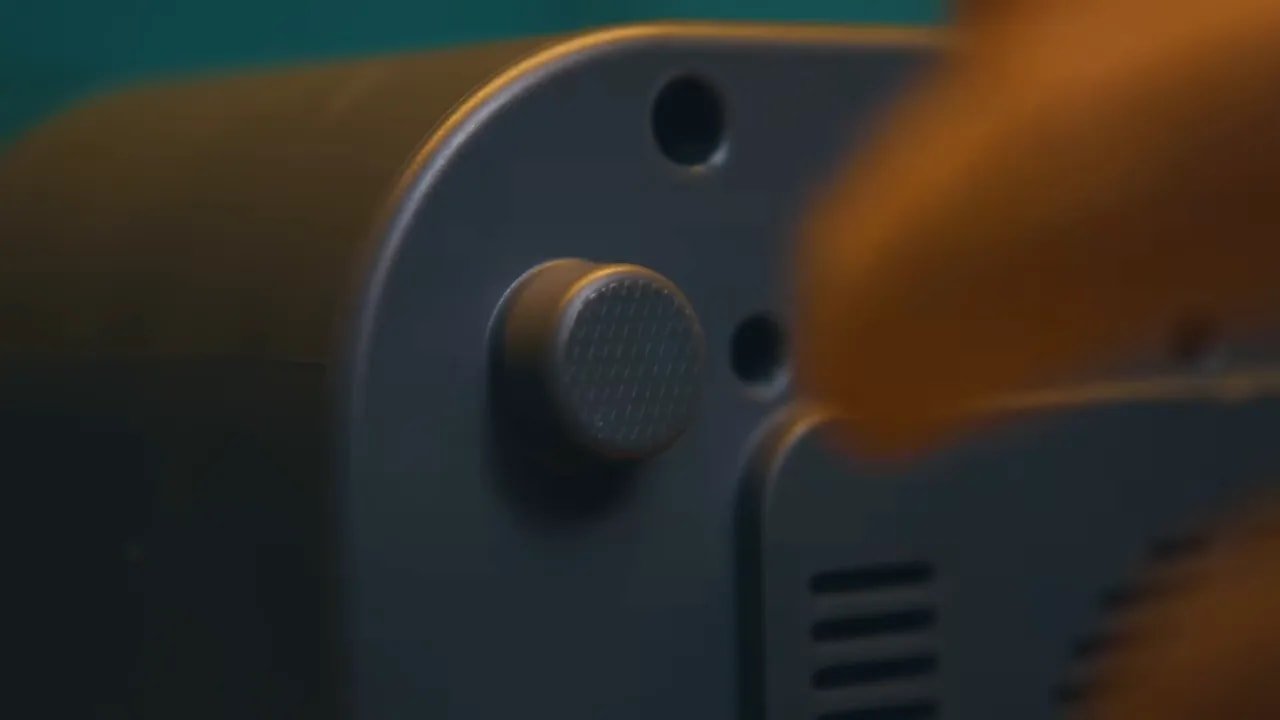
That is not a deal-breaker, but it is the sort of cheap compromise that immediately makes the machine feel less well considered. A simple set of rubberised feet would have made the experience better every single time the printer is used.
If you buy one, put it on a silicone mat. It is one of those tiny quality-of-life fixes that will make the printer less irritating to live with. A simple silicone cleaning mat is a very sensible addition under a resin setup anyway.
Anycubic Photon Mono 4 – Design and Hardware
The hardware layout on the Anycubic Photon Mono 4 is quite basic, but mostly sensible. Power and the rocker switch are on the rear, with the USB port placed on the right-hand rear side. That is not especially exciting, but for a stripped-back machine there is not much to complain about there.
One thing Anycubic deserves genuine credit for is maintenance access. There is a detachable side door giving access to much of the internal hardware. More brands should do this. Too many printers are treated like sealed appliances right up until the moment you need to troubleshoot them. Easy access is not glamorous, but it is one of the most genuinely useful features for long-term ownership.
The lid is a basic lift-off plastic cover, guided into place by rubber stoppers. It does the job, though it certainly does not feel premium. Still, on a machine at this level that is expected.
The build plate is laser-etched, which helps with adhesion. That is standard now, but still welcome. The vat is appropriately sized for the machine and includes clear ACF film. That is a positive, especially when comparing this model with other printers in the range. The vat itself, however, feels cheap enough that it is hard to tell whether it is made from low-grade metal or plastic-like alloy, and the pour spout design is poor.
This is one of those annoyances you only fully appreciate after real use. Without a properly shaped spout, resin tends to run down the edge of the vat and collect underneath the corner. That means extra wiping, more mess, and a generally sloppier workflow than necessary. Again, not catastrophic, but it is another sign that the practical details have been under-prioritised.
Anycubic Photon Mono 4 – Setup and Levelling
The setup process on the Anycubic Photon Mono 4 is very beginner-friendly, largely because it forces you to engage with the levelling process properly.
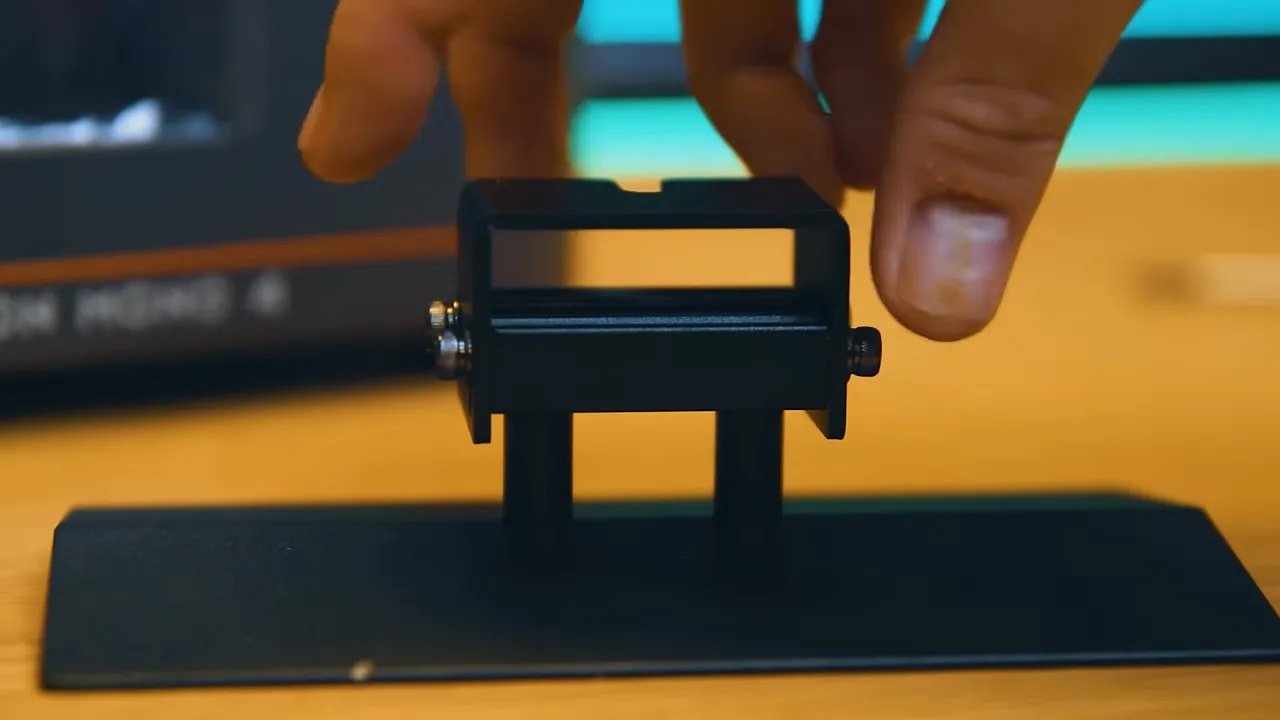
Out of the box, the build plate cannot simply be attached and used. To fit it onto the Z-arm, the bolts need to be loosened first. That sounds minor, but it is actually a good thing. Too many people assume a printer is pre-levelled, start printing immediately, and then spend the next hour wondering why the first attempt failed.
Here, the machine effectively pushes you into the correct workflow:
Loosen the bolts on the build plate.
Attach the plate to the Z-arm using the top bolt.
Send the bed to the home position through the interface.
Hold the plate flat while tightening the bolts in alternating corners.
Set Z=0 before leaving the menu.
That last step is worth emphasising. Some people skip it. Some people say you do not need to do it. But there are enough cases where failing to set Z=0 causes problems that it is simply not worth gambling. It takes seconds, does no harm, and removes one potential point of failure. Just do it.
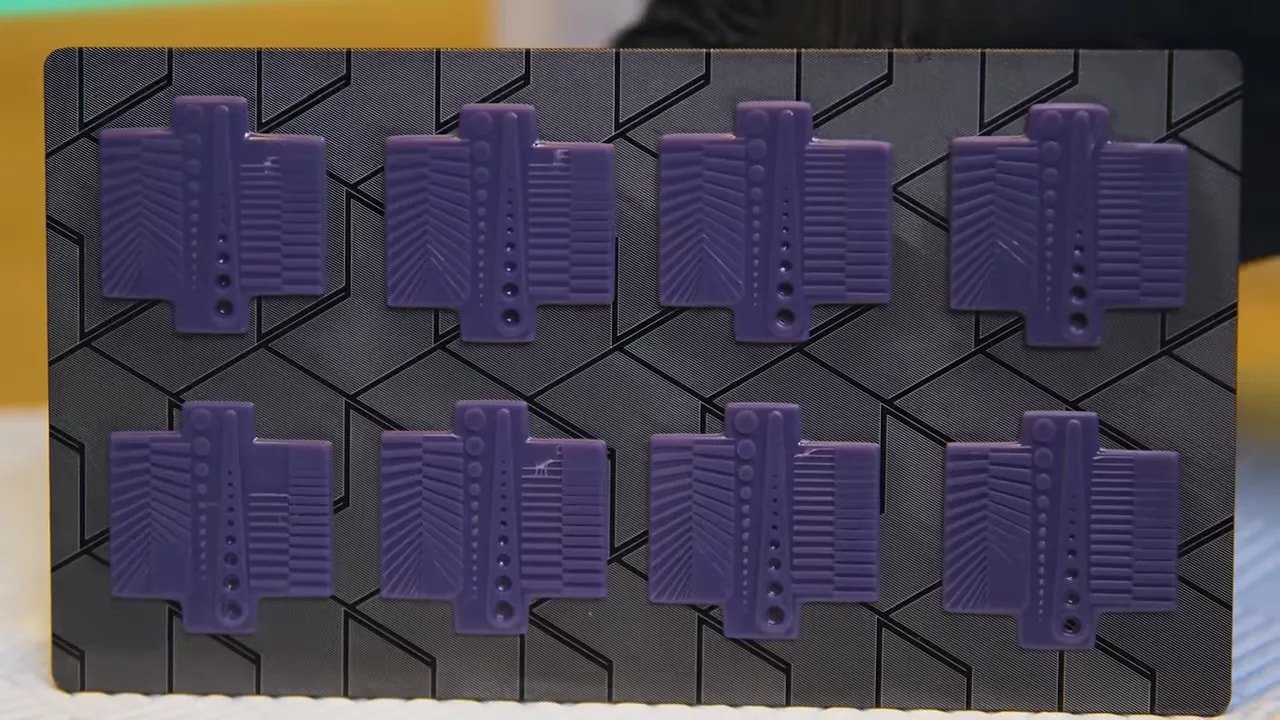
This is also a good place to mention calibration. The machine supports Anycubic’s RERF feature, which allows exposure testing across multiple values in a single run. That is extremely useful when trying to dial in a new resin. Using this approach, exposure could be tuned quickly, with Phrozen Hyperfine resin landing around 1.2 seconds per 20-micron layer.
If you want a deeper process for calibrating exposure on any resin printer, the Photonsters XP Range Finder is a helpful tool, and there is also a useful beginner resin printing guide covering how to get printers working reliably from the start.
Anycubic Photon Mono 4 – Screen, Resolution and the 10K Question
This is where the Anycubic Photon Mono 4 becomes far more interesting than the average budget resin printer.
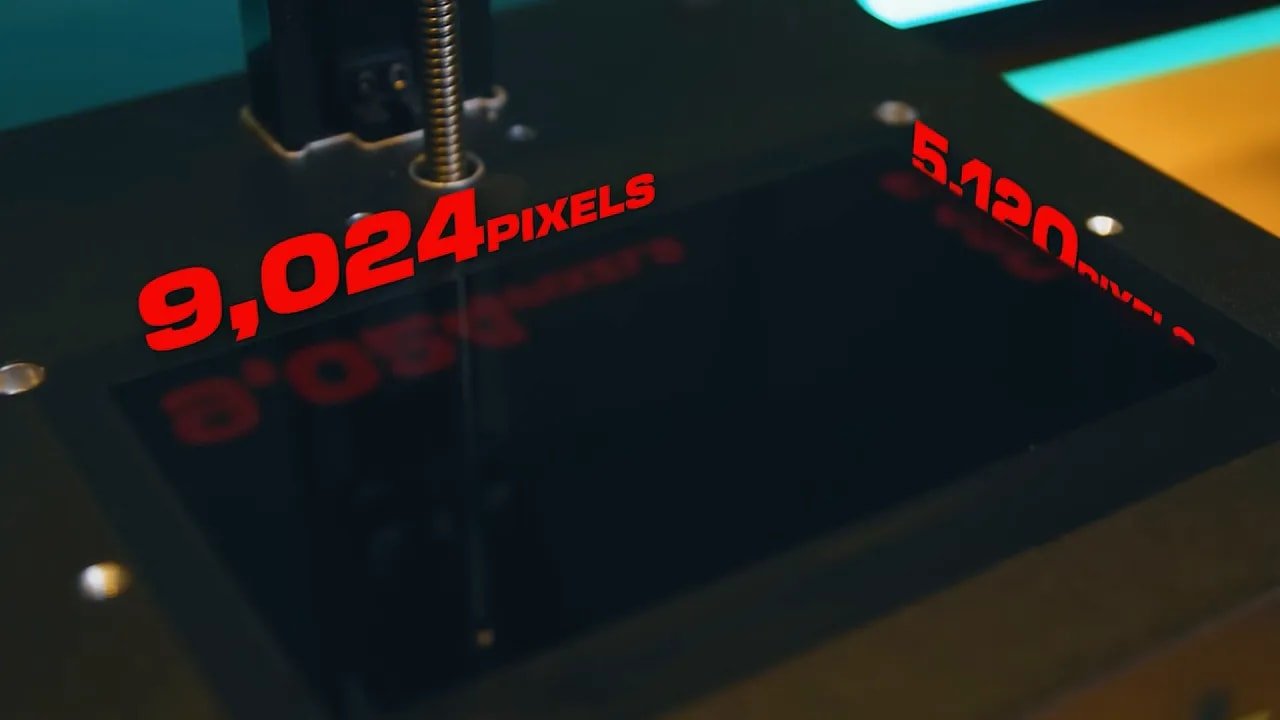
Anycubic markets the machine as 10K. In practical terms, the screen resolution is 9024 by 5120, which is not truly 10,000 pixels across in the way the marketing shorthand suggests. That is hardly unique to this printer; consumer tech marketing has been playing this game for years. Still, if we are being honest, this is closer to 9K than true 10K.
What matters more than the label is the resulting pixel size, which is about 17 microns. On paper, that sounds excellent. Very small pixels should mean very crisp detail.
But this is exactly where spec-sheet thinking starts to break down.
The issue is not just the LCD. The full optical path matters. The Anycubic Photon Mono 4 appears to rely on an older-style matrix LED light source rather than a more direct COB light source or a setup incorporating additional optical refinement like a Fresnel lens. That matters because the more diffuse the UV light, the more bleed and bloat you can get during curing.
So yes, the printer may have a very high-resolution screen, but if the light is not being delivered as cleanly and directly as it could be, some of that advantage is lost. In extreme cases, chasing higher screen resolution without improving the rest of the system can lead to worse practical results than a cheaper, lower-resolution screen paired with better optics.
That sounds counterintuitive, but this printer makes the point rather well.
Anycubic Photon Mono 4 – Build Volume and Day-to-Day Use
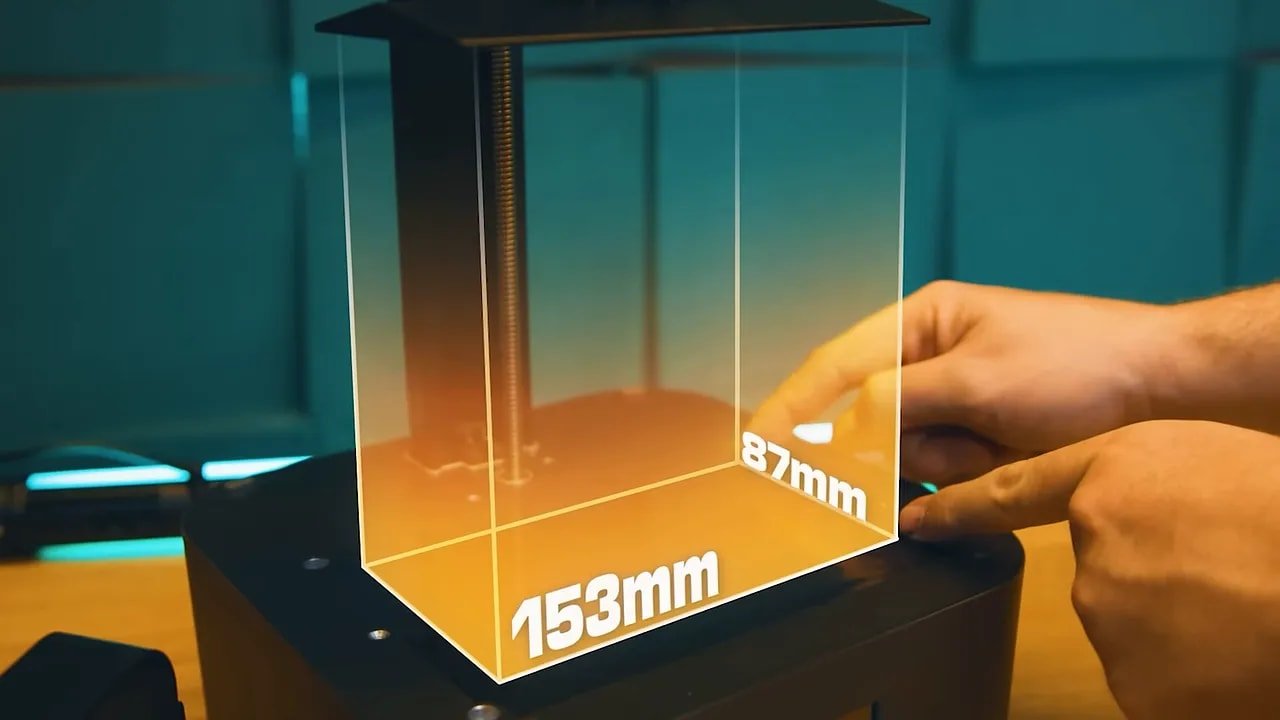
The build area on the Anycubic Photon Mono 4 is 153 by 87 mm, with a build height of 165 mm. That places it firmly in the small desktop resin printer category. For miniatures, bits, accessories, test files, and small busts, it is absolutely usable. For larger scenery pieces or batch production, less so.
As an entry-level machine, that limitation is acceptable. Small printers often make sense because they are cheaper, easier to maintain, and simpler to fit into hobby spaces. The challenge is that the market now includes several compact printers with either more thoughtful features or sharper real-world performance.
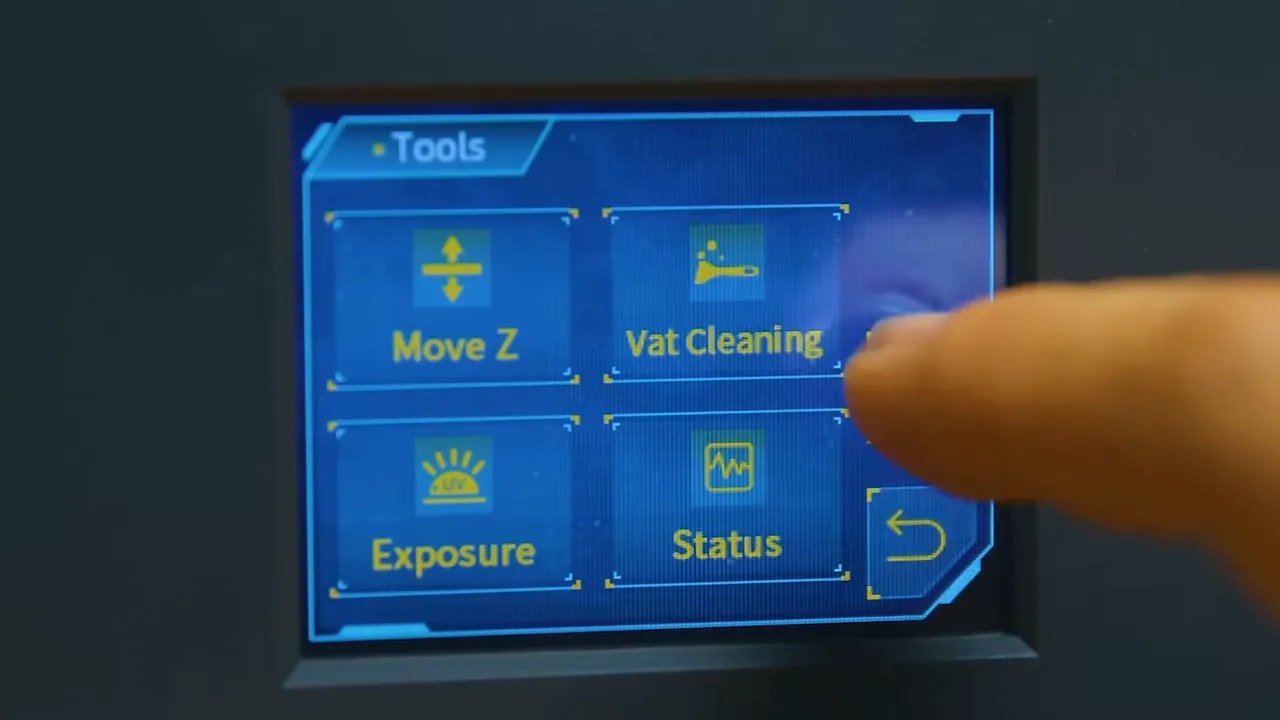
In everyday use, the user interface is classic Anycubic. It is simple, clear, and reasonably attractive. Print controls, movement options, and test functions are easy to find, which is exactly what you want on a starter machine. There is also the handy ability to change print settings from the printer itself. That can be genuinely useful if a print fails and you know a small exposure adjustment is needed. It saves going back to the slicer and preparing files all over again.
The one interface gripe is the mid-print screen. It prioritises a render of the current layer over the information that is arguably more useful at a glance, such as the remaining print time. It is not a huge issue, but from a few feet away the data you actually want is not as visible as it should be.
Anycubic Photon Mono 4 – Print Quality for Miniatures
Now for the thing that matters most. How good are the prints from the Anycubic Photon Mono 4?
The answer is that they are good. More than good enough, in fact, for most hobby users. Miniatures come out clean, presentable, and detailed enough to satisfy the vast majority of people buying a budget resin printer. If you put prints from this machine on the table, very few people are going to complain.
But good enough is not the same as class-leading.
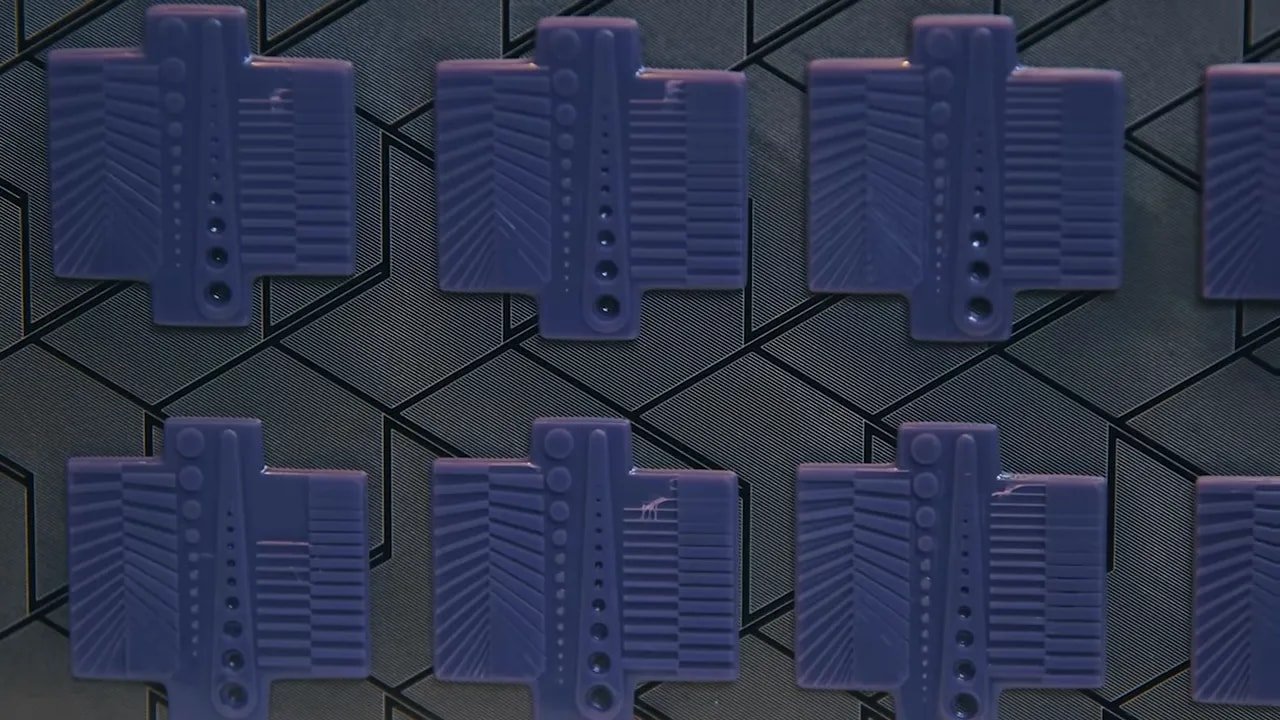
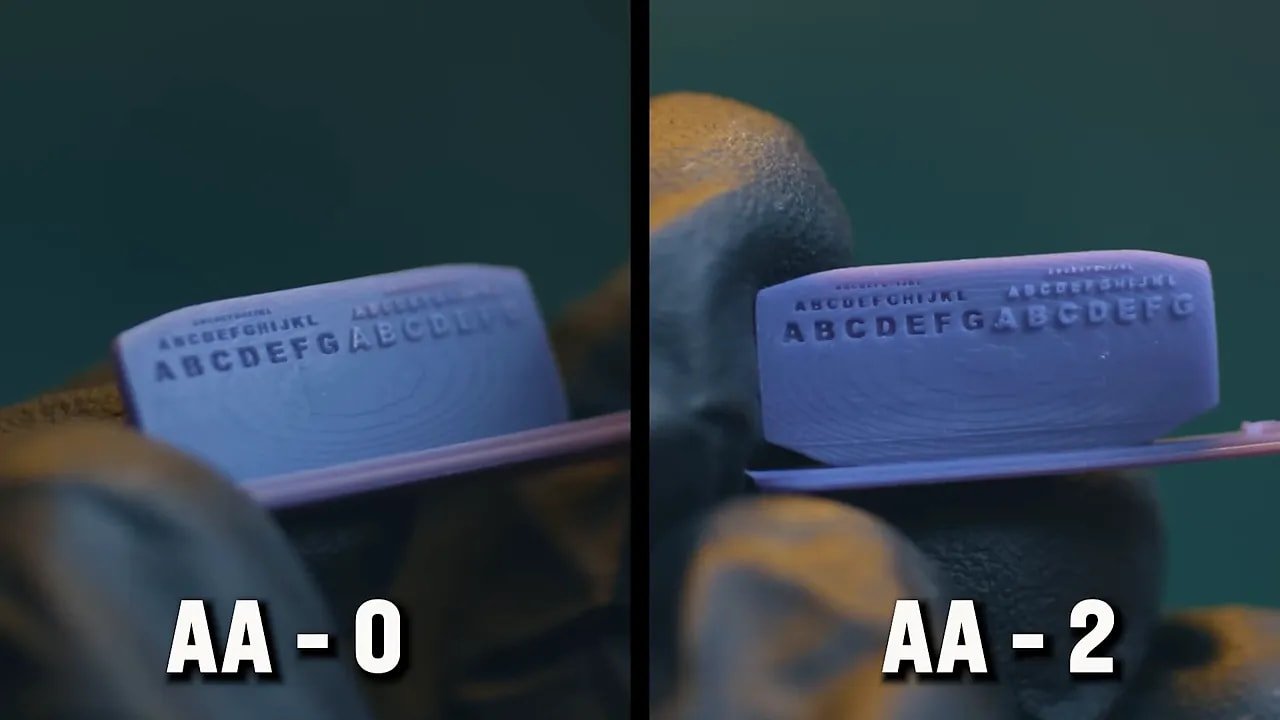
When compared against established test prints and judged against older machines, the output does not look dramatically sharper than the old Mono 2 despite the jump from 4K to “10K.” Recessed details can appear bloated or partially filled, and the overall crispness is not what the marketing number encourages you to expect.
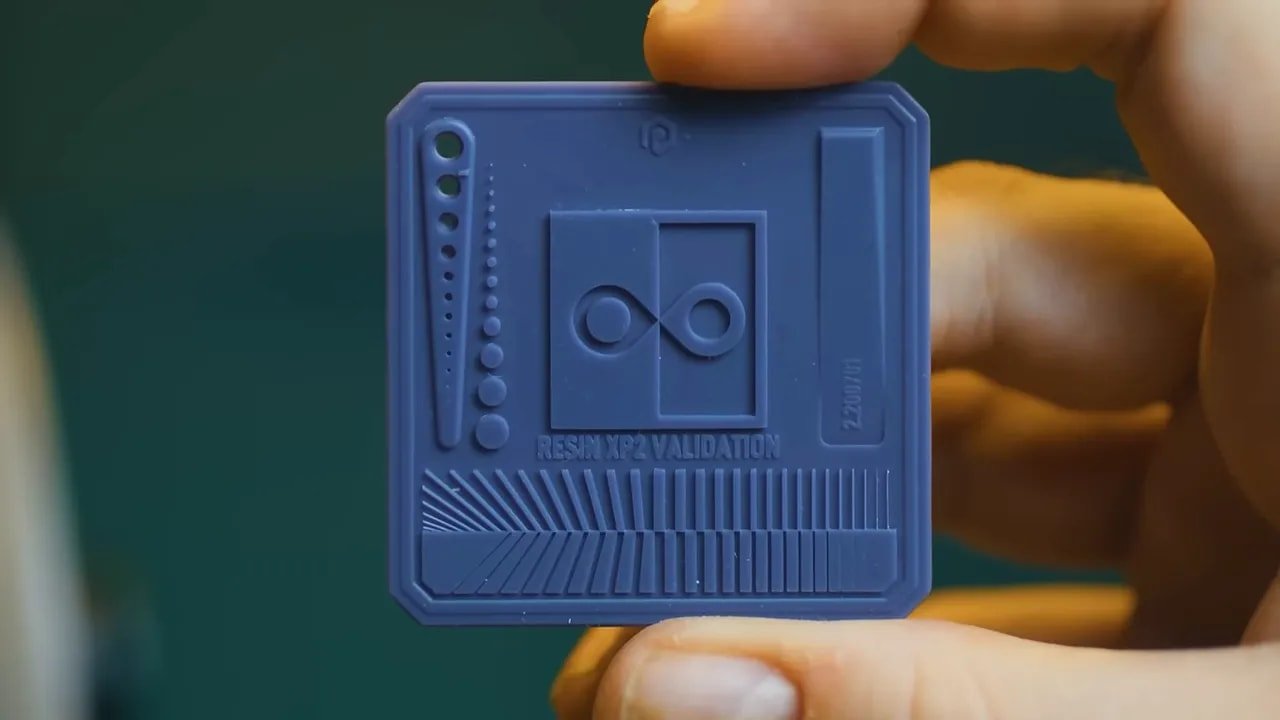
That does not mean the machine performs badly. It means the return on added screen resolution is not showing up in the final object in the way you might hope.
This is why comparisons based only on K-rating or pixel size are becoming less useful. They are base metrics, not complete measures of printer performance. What people actually care about is dimensional accuracy, edge sharpness, consistency across the plate, and how well fine recessed details survive. The Anycubic Photon Mono 4 proves that a higher-resolution panel alone does not guarantee superiority in those areas.
At this point in resin printing, we are well into diminishing returns. The difference between “good” and “better” often has more to do with optics, tuning, and overall machine design than another leap in screen marketing.
Anycubic Photon Mono 4 – What Anycubic Should Have Done Instead
This is really where the criticism of the Anycubic Photon Mono 4 lands.
It is not that the printer is poor. It is that it feels like Anycubic spent money in the wrong place.
A more sensible version of this machine might have looked like this:
A cheaper 4K screen
Better optics or a COB light source
Rubber feet instead of slippery plastic ones
A resin vat with a genuinely usable pour spout
A lower price or better value proposition
That machine might have delivered equal or even slightly sharper practical output while being easier and cleaner to use. It would also have leaned into what an entry-level printer should be: affordable, robust, well thought out, and honest about what matters.
Instead, the Anycubic Photon Mono 4 seems to chase a bigger number because bigger numbers are easier to market. And that is frustrating because the market is becoming mature enough that buyers deserve more meaningful specifications than “more K equals more better.”
Anycubic Photon Mono 4 – Test Prints and Model Impressions
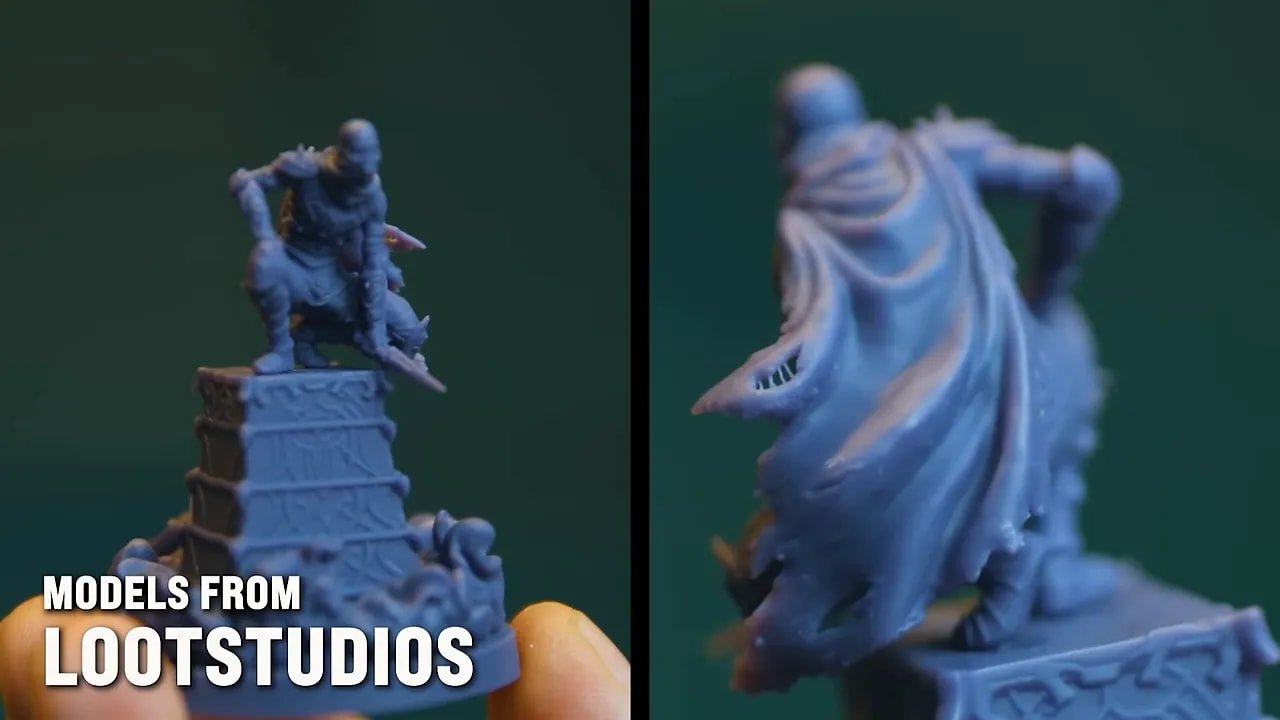
For model testing, a mixture of exposure tests and miniature files were used, including models from Loot Studios’ upcoming Malediction campaign. The idea behind that project is particularly interesting: a game that can be played using standees from the box or upgraded by printing high-quality miniatures yourself. It is the sort of hybrid approach that feels like a very plausible future for tabletop games.
In terms of what that means for the Anycubic Photon Mono 4, it is actually a good fit for this style of hobby use. If your plan is to print character minis, monsters, skirmish game pieces, accessories, and occasional display models without spending a fortune, this machine will absolutely do that.
And it is worth stressing again that the output is not bad. Quite the opposite. The prints look good. They paint well. They are the sort of result most people would have been thrilled with only a short while ago.
The issue is expectation management. When a machine is sold heavily on 10K resolution, people expect a step-change in sharpness. The Anycubic Photon Mono 4 does not deliver that kind of leap. It delivers “fine, and often pretty damn good,” but not “clearly beyond what came before.”
Anycubic Photon Mono 4 – Pros and Cons
Here is the Anycubic Photon Mono 4 boiled down into the main positives and negatives.
Anycubic Photon Mono 4 – Pros
Easy to unbox and set up
Beginner-friendly levelling process
Good-looking modern design
Useful maintenance access panel
Supports RERF exposure testing
Produces good, usable miniature prints
On-printer print setting adjustments are genuinely handy
Anycubic Photon Mono 4 – Cons
Too light and too slippery on smooth surfaces
Plastic feet are a poor choice
Vat spout is messy and underdesigned
Build volume is modest
“10K” marketing oversells the real-world benefit
Print sharpness is not meaningfully ahead of cheaper lower-resolution predecessors
Feels like money was spent on headline specs instead of practical improvements
Anycubic Photon Mono 4 – Who Should Buy It?
The Anycubic Photon Mono 4 makes the most sense for people in a fairly specific category.
You should consider it if:
You want a simple first resin printer
You mainly print miniatures, small figures, or hobby parts
You care more about “good enough and easy” than chasing ultimate fidelity
You can get it at a competitive price
You may want to look elsewhere if:
You are specifically buying because of the 10K claim
You expect clearly class-leading sharpness from the resolution bump
You value practical design details like stability and cleaner resin handling
You already own something like a Mono 2 and are expecting a major visual upgrade
For buyers just entering the hobby, this machine can still be a perfectly pleasant introduction. For more experienced users, the compromises are harder to ignore.
Anycubic Photon Mono 4 – Final Verdict
The Anycubic Photon Mono 4 is a decent printer trapped inside a slightly misguided product strategy.
It is easy to use, nice to look at, and capable of producing good miniature prints. If all you want is a straightforward, compact resin printer that does the job, this machine succeeds. There is nothing fundamentally wrong with it, and many users will be perfectly happy with the results.
But it is difficult to shake the feeling that this printer could have been smarter. The headline 10K specification sounds impressive, yet the real-world output does not move the needle enough to justify making that the centrepiece. Meanwhile, the areas that most affect daily use, grip, stability, mess control, and general refinement, feel undercooked.
That leaves the Anycubic Photon Mono 4 in an awkward but not disastrous place. It is fine. More than fine, really. It is pretty good. But in a market full of increasingly capable resin printers, “pretty good” is not the same as “best in class.”
If the price is right, the Anycubic Photon Mono 4 is a reasonable buy. Just do not buy it because a big number on the box convinced you it must be dramatically better than what came before.
Anycubic Photon Mono 4 – FAQ
Is the Anycubic Photon Mono 4 a good beginner resin printer?
Yes. The Anycubic Photon Mono 4 is easy to set up, the interface is simple, and the levelling process is straightforward. It is a beginner-friendly machine, even if it is not the most exciting value proposition in its class.
Does the Anycubic Photon Mono 4 really print better because it is 10K?
Not in the dramatic way the marketing suggests. The Anycubic Photon Mono 4 produces good prints, but the jump in sharpness over older lower-resolution machines is not especially obvious in practice.
What is the biggest problem with the Anycubic Photon Mono 4?
The biggest issue is not a fatal flaw but a mismatch of priorities. The Anycubic Photon Mono 4 focuses on a big resolution number while missing smaller practical improvements like better feet, better vat design, and potentially better optics.
Is the Anycubic Photon Mono 4 better than the Mono 2?
In terms of obvious real-world print sharpness, it does not appear dramatically better. That is one of the more surprising conclusions from using the Anycubic Photon Mono 4. Despite the higher resolution, the visual difference is minimal enough that the older machine remains a relevant comparison.
What resin settings were used successfully on the Anycubic Photon Mono 4?
With Phrozen Hyperfine resin, exposure was dialled to roughly 1.2 seconds per 20-micron layer using the RERF test function. As always, exact settings will vary depending on resin, room temperature, and your full setup.
Should I put the Anycubic Photon Mono 4 on a mat?
Yes, absolutely. The Anycubic Photon Mono 4 is very light and the plastic feet slide too easily on smooth surfaces. A silicone mat underneath is strongly recommended.
Anycubic Photon Mono 4 – Additional Resources
If you want to compare this machine against other top options, check the best 3D printer for miniatures guide.
If you prefer buying through Amazon, here is the Amazon listing for the Mono 4.
For broader brand options and bundles, you can also browse the Anycubic store.
For miniature-focused resin, there is also WARGAMER resin.
For more hobby articles and reviews, visit the FauxHammer website.
If you want to support the channel directly, there is also the membership page.
The Anycubic Photon Mono 4 is a good reminder that printing quality is no longer just about who can print the biggest number on the box. Resolution matters, but only as part of a larger equation. As the hobby matures, the printers that stand out are going to be the ones that combine sensible engineering, honest specifications, and real-world usability. This one gets part of the way there. It just does not quite go far enough.
Please Note: This site uses affiliate links. Our Affiliate Partners are shown below
(Affiliate links will result in compensation to the site on qualifying purchases)
Click this link & buy your hobby stuff from Element Games for the UK & Europe to support FauxHammer.com – Use Code “FAUX2768” at the checkout for double reward points.
Our Affiliates / Hobby Stores
- UK: Element Games, The Outpost, Wayland Games, Mighty Lancer, Goblin Gaming, Forbidden Planet, Model Scenery Supplies, eBay, Amazon
- US/Canada: MTechCave, GameKastle, eBay (US), eBay (CA), Amazon
- Germany: Taschengelddieb
- Europe: eBay (DE), eBay (FR), eBay (ES), eBay (IT), Amazon
- Australia: eBay, Amazon
- Global: RedGrass Games, Warcolours
- 3D Printers: Phrozen 3D, Elegoo, Anycubic