Bambu H2S vs H2D vs H2C Review – Why Spending More Can Actually Get You Less
Last Updated on May 12, 2026 by FauxHammer
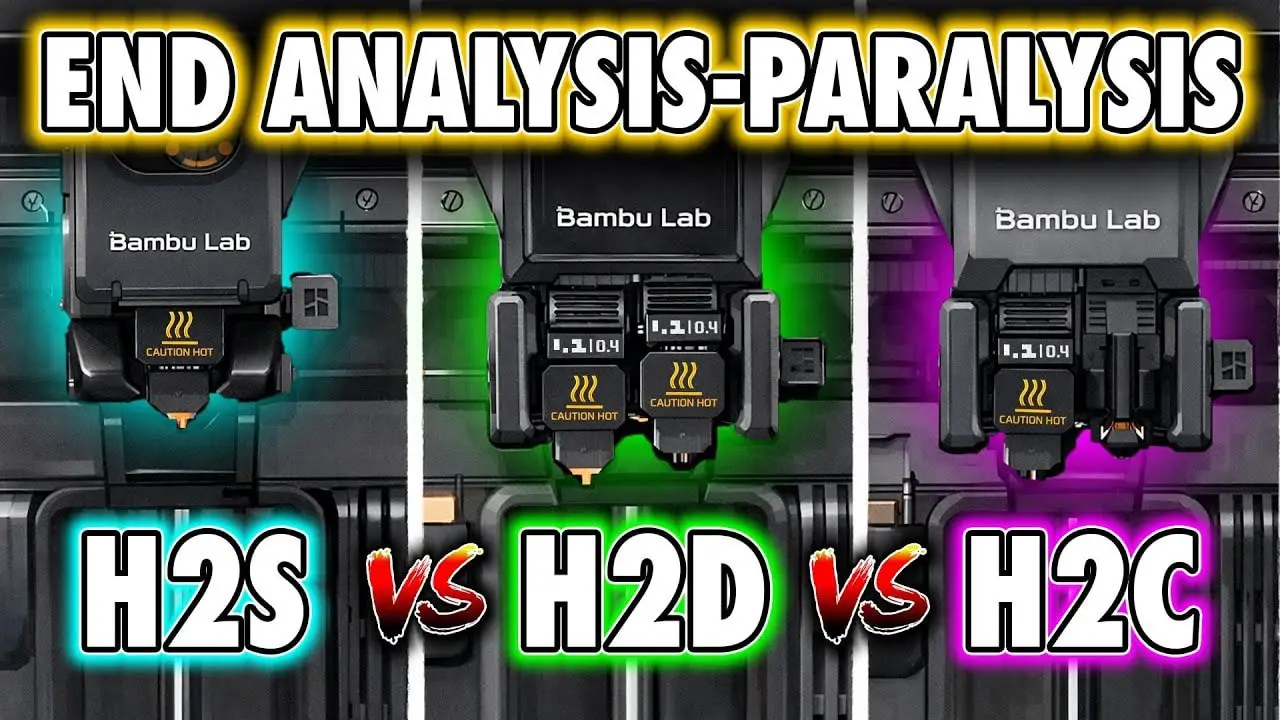
Bambu Lab’s H2 range should have been an easy recommendation.
For years, Bambu built a reputation on making 3D printers feel less like hobby kits and more like appliances. The company’s lineup was never exactly tiny, but it was at least mostly understandable. You picked the machine that fit your budget and your needs, and there was a decent amount of consistency across the range in things like plates, nozzles, workflow and ecosystem.
The H2 series changes that.
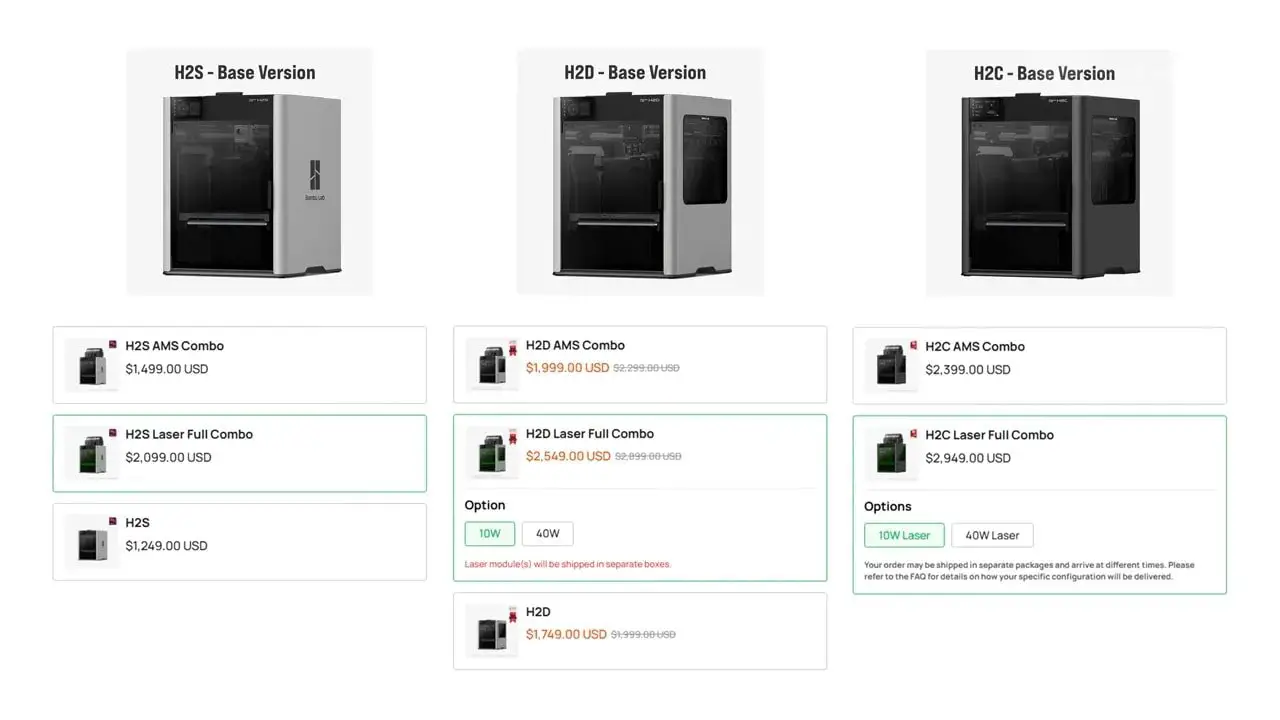
On paper, there are three machines: the H2S, H2D and H2C. In reality, once you account for laser variants, combo packages, optional AMS configurations and the enterprise-focused Pro model, the decision becomes much murkier. Worse still, this isn’t a simple case of “pay more, get more.” In several important ways, paying more can actually mean giving something up, especially when it comes to usable build volume.
That’s the real frustration with the H2 lineup. These are all very good printers. But they don’t form a neat ladder of increasing value. They’re a set of trade-offs.
This articleis here to make that choice easier, or just watch the video below.
Please Note: This site uses affiliate links. Our Affiliate Partners are shown below
(Affiliate links will result in compensation to the site on qualifying purchases)
Click this link & buy your hobby stuff from Element Games for the UK & Europe to support FauxHammer.com – Use Code “FAUX2768” at the checkout for double reward points.


Our Affiliates / Hobby Stores
- UK: Element Games, The Outpost, Wayland Games, Mighty Lancer, Goblin Gaming, Forbidden Planet, Model Scenery Supplies, eBay, Amazon
- US/Canada: MTechCave, GameKastle, eBay (US), eBay (CA), Amazon
- Germany: Taschengelddieb
- Europe: eBay (DE), eBay (FR), eBay (ES), eBay (IT), Amazon
- Australia: eBay, Amazon
- Global: RedGrass Games, Warcolours
- 3D Printers: Phrozen 3D, Elegoo, Anycubic
FauxHammer – Latest Video on YouTube
At a Glance – What Are the Bambu H2 Printers?
Ignoring laser versions for a moment, the core lineup looks like this:
- H2S – the single-nozzle machine
- H2D – the dual-nozzle machine
- H2C – the colour-focused dual-nozzle machine with Bambu’s Vortex system
Then each of those has a laser variant, identifiable by the green safety glass doors. At the time covered here, there was also an H2D Pro, which is really an enterprise configuration rather than a normal consumer option. Its standout features are network-focused: WPA2 Enterprise Wi-Fi, Ethernet and a network kill switch. For most people, it’s not the model to worry about, especially as it is quote-only rather than a standard shop listing.
So for normal buyers, the practical choice is between the three core machines, and whether or not you want laser capability and an AMS combo.
Laser, Plotter and Cutter Modules – Useful Extras, But Not the Main Decision
The first thing to do when narrowing the H2 range is decide whether you even care about the add-ons.
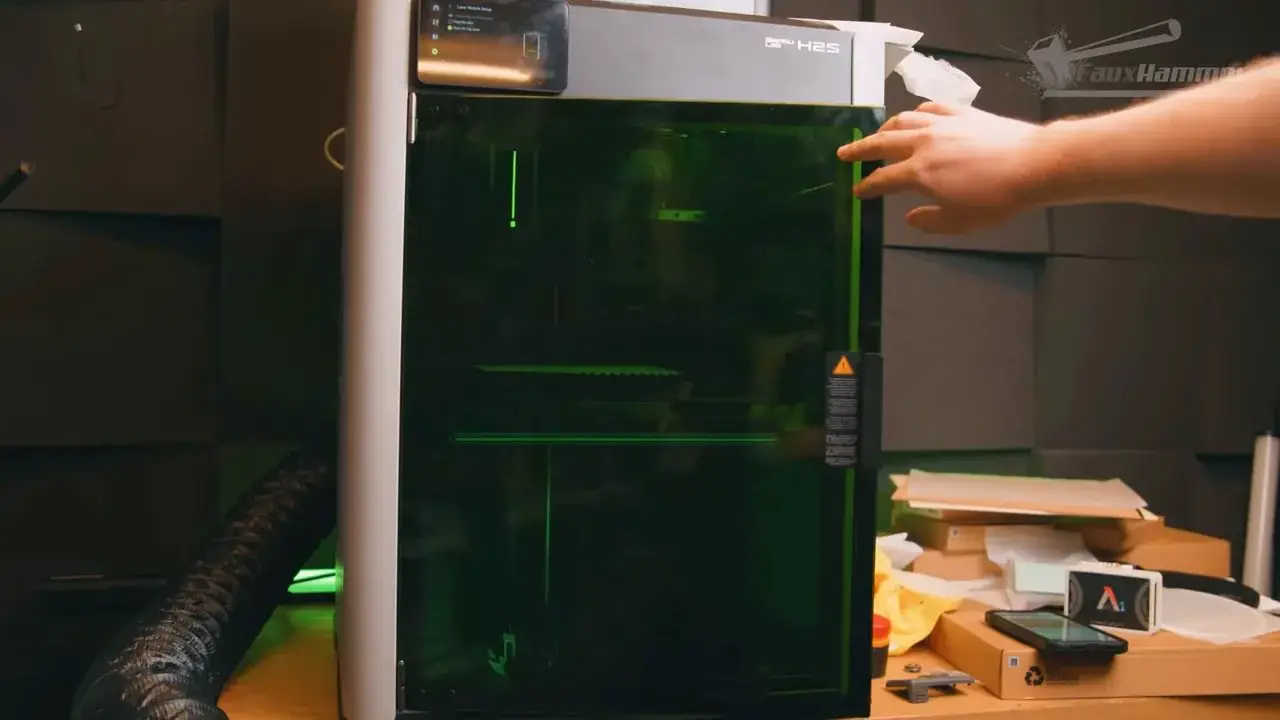
Each H2 printer can be bought in a laser version, and the laser implementation appears to be genuinely solid. The software side in Bambu Studio is considered particularly good, to the point that it compares favourably with brands dedicated solely to lasers. That said, the usual caveat still applies: laser engraving and cutting create smoke, soot and debris, and if you intend to do lots of laser work, a dedicated laser machine still makes more sense.
As an occasional extra feature, though, it’s hard to complain.
See more about the lasers and how they work in the video below
The same is broadly true of the plotter and cutter module. It’s a nice add-on if you want the functionality, but it shouldn’t drive the entire printer purchase unless you know you will use it. One detail worth knowing is that, at least in the configuration discussed here, using the cutter and plotter setup pretty much requires the bird’s-eye camera (which comes as standard in the laser machines, but is an add-on for the non laser units). That camera looks down from above and helps map the work area. It is separate from the normal front-mounted timelapse camera included on all machines.
Without the birds eye camera you are manually estimating the work area, or you can use the bambu handy app to snap a photo of the bed and import this to the software.
You can learn more about these modules in the dedicated video below
Bambu has indicated software updates may reduce that dependency later, but as things stand, the bird’s-eye camera comes with laser variants or can be purchased separately alongside the cutter/plotter kit.
The important practical point is this: if you are not interested in laser or cutting/plotting, ignore them completely and simplify the buying decision.
What “Combo” Means on the H2 Range
Bambu offers these printers as standalone units or as “combo” packages.
In Bambu language, combo usually means the printer includes an AMS 2 Pro in the box. That matters because the AMS is central to Bambu’s whole convenience-first ecosystem.
The AMS 2 Pro is a four-spool external material system. You load in four reels, the printer and slicer know what’s available, and you can then:
- print with any of the loaded materials without manually swapping spools
- set up automatic failover if one spool runs out
- run multi-colour or multi-material jobs
- dry filament inside the AMS thanks to built-in heaters and ventilation
Bambu also sells the AMS HT, which is smaller and, in some ways, arguably the more practical unit. It includes a front readout for temperature and humidity, takes up less space and can be handy for simpler setups. In fact, if you are mostly printing in single colour and just want runout protection, smaller AMS HT units can make a lot of sense.
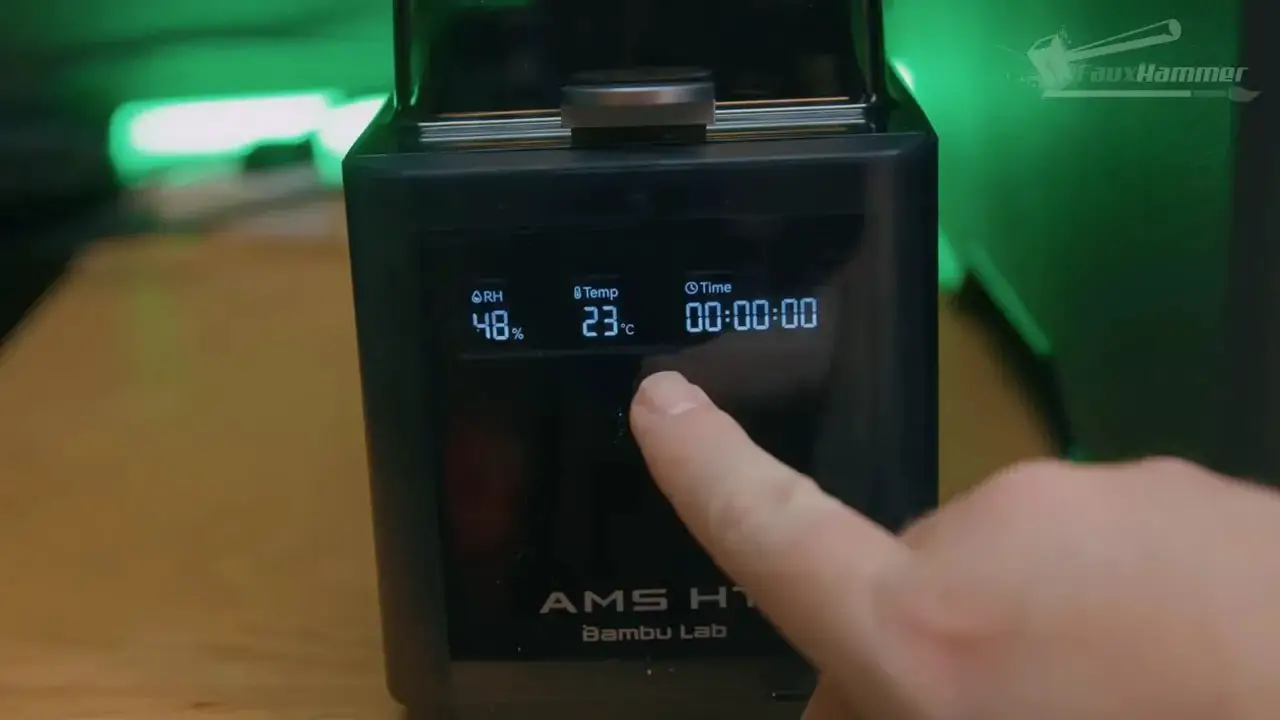
There is one major advantage to buying combo rather than adding an AMS later: the combo discount. If you know you want an AMS, buying it as part of the original printer purchase is usually the financially sensible option.
That said, non-combo machines still work perfectly fine. You can simply mount a spool on the side holder and feed filament manually through the PTFE path.
AMS Reality Check – Convenience, Drying and TPU Limitations
The AMS systems are excellent for convenience, but they are not magic.
The best thing about them is arguably not even multi-colour printing. It is automated loading. Put reels into the AMS, tell the printer what is there, and stop walking over to the machine every time you want to switch materials.
The drying function is another major improvement. Humidity matters a lot in FDM printing, and having a system that can actively heat and maintain low humidity in the filament enclosure is a genuinely useful feature rather than marketing fluff.
But there is a material limitation that matters a lot: TPU.
Flexible filament does not reliably play nicely with AMS systems because it is too soft to be pushed long distances through PTFE tubing. TPU generally wants the shortest and straightest path possible from spool to extruder. So if your dream printer is a high-convenience, multi-colour TPU machine, this lineup is not really it.
This is worth stressing because Bambu’s ecosystem is so slick that it is easy to assume it solves every use case. It does not.
Externally, the H2S, H2D and H2C are very similar. That’s part of why the differences can be so easy to misunderstand. A quick glance at the machines does not reveal how significant the internal distinctions really are.
Across all three, you get:
- an enclosed chassis
- rear and top vents that can open or close to manage chamber temperature
- a front-left camera for remote monitoring and timelapses
- a USB port in the top-left corner for timelapses and job transfer
- a glass door that opens fully out of the way
- an angled front display
- a rear safety key/pin, originally more relevant for laser use but present on all models
- a status light bar beneath the bed indicating idle, complete, paused or error states
All of them also share a similar internal chamber layout with:
- a bed lifted by three lead screws
- a side-mounted part cooling fan
- a rear exhaust fan with replaceable carbon filter
- a purge chute on the left side for expelled material during changes
In short, the broad user experience remains recognisably Bambu. The challenge is not in the basic quality of the printers. It is in understanding what each one is optimised to do.
Bambu H2S Review – The Simple One, and Probably the Best Choice for Most People
The H2S is the baseline machine, and in many ways it is the easiest recommendation of the lot.
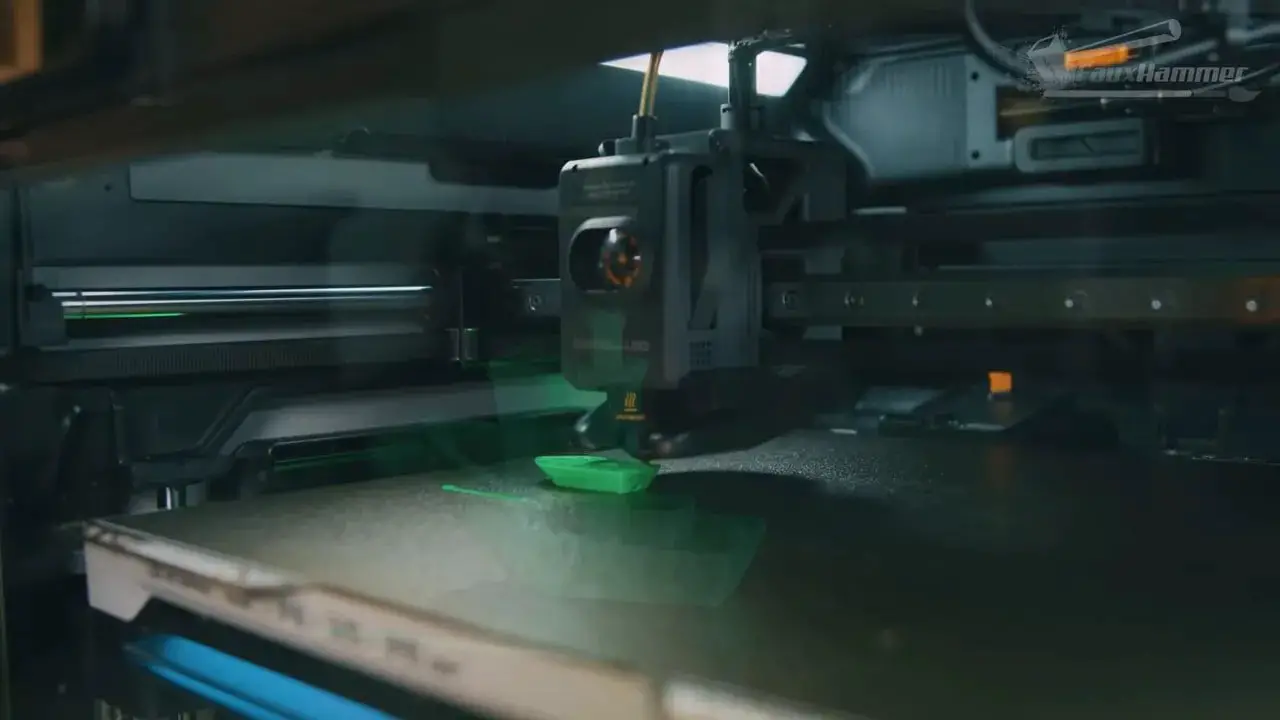
This is a straightforward single-nozzle printer. One nozzle, one filament path, no extra complexity in the toolhead. It behaves much like the Bambu printers that came before it, just with the larger H2-format body and some sensible refinements.
The nozzles are quick-swappable, which is a meaningful quality-of-life improvement. Instead of treating nozzle changes like a chore, the machine is designed to make them a routine part of use.
You can still do multi-colour or multi-material printing on the H2S if you pair it with an AMS. But it uses the standard single-nozzle method: retract one filament, feed the next, purge the old colour until the new one is clean, then continue. That means the usual downsides:
- it is slow
- it generates a lot of waste
- the more colour changes a print has, the worse those downsides become
For that reason, the H2S is best understood as a large-format, single-colour workhorse that can occasionally do multi-colour jobs, rather than a dedicated colour printer.
Its build volume is the cleanest and least confusing in the range:
- 340mm wide
- 320mm deep
- 340mm tall
No awkward caveats. No nozzle reach penalties. No hidden loss of usable area depending on how you print. That alone is a huge strength.
And here is the key buying insight: for the average home user, this is probably the one to get.
It is cheaper, simpler and gives you the largest straightforward build area. If what you really wanted from Bambu for the last few years was “an X1-style machine, but bigger and more mature,” the H2S is very close to that.
Bambu H2D Review – The Balanced Middle Ground
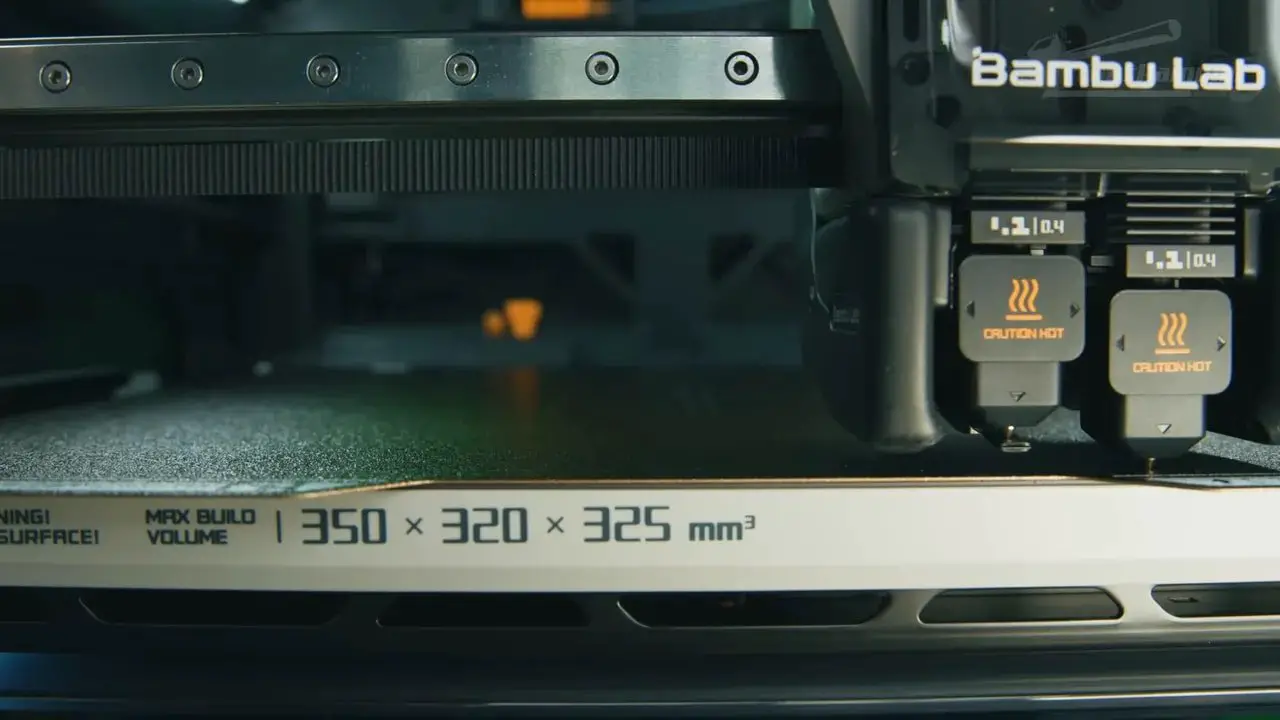
The H2D adds a second nozzle to the print head.
This matters because it changes the type of multi-material printing the machine is good at. Instead of forcing every change through one nozzle, you now have two dedicated paths. That means if you are switching between the two nozzles, you do not need the same heavy purge process you get on a single-nozzle colour swap. Waste is reduced to what is effectively a prime tower, used to stabilise pressure and material flow before returning to the print.
This makes the H2D excellent for two-colour or two-material printing.
Its most compelling use case is not flashy colour prints, but practical dual-material work. A great example is using PLA in one nozzle and dedicated support interface material in the other. That lets you produce cleaner undersides and support-contact surfaces than you would get from PLA-on-PLA supports.
That is a real quality advantage, not a gimmick.
As a buying proposition, the H2D makes the most sense for someone who wants capability and flexibility without going fully into the colour-specialist direction of the H2C.
There are, however, two major catches.
1. It is a little slower for normal single-colour printing
Using Bambu’s standard profiles, the H2D and H2C are a bit slower than the H2S in simple single-colour jobs. The likely reason is the heavier toolhead, which needs more conservative motion to maintain print stability.
2. The build volume is more complicated than it looks
On paper, the H2D advertises:
- 350mm wide
- 320mm deep
- 325mm tall
That sounds larger than the H2S. But this is where the “more you spend, the less you get” argument really starts to bite.
The full width is not equally reachable by both nozzles.
- The left nozzle cannot reach the final 25mm on the right side
- The right nozzle cannot reach the final 25mm on the left side
So in single-nozzle mode, your practical width becomes 325mm. And in many dual-nozzle scenarios, the genuinely usable width is effectively 300mm.
To make matters more annoying, the slicer does not always handle this in the smartest possible way. If you want to claw back some of that space, manual arrangement may be required. In day-to-day use, many people will just rely on auto-arrange, which pushes them into the more conservative usable zone.
So yes, the H2D costs more than the H2S. Yes, it gains dual-material capability. But it also loses simple, unrestricted print area and some speed.
Bambu H2C Review – The Specialist Colour Machine
The H2C is the most unusual and arguably the most interesting machine in the range.
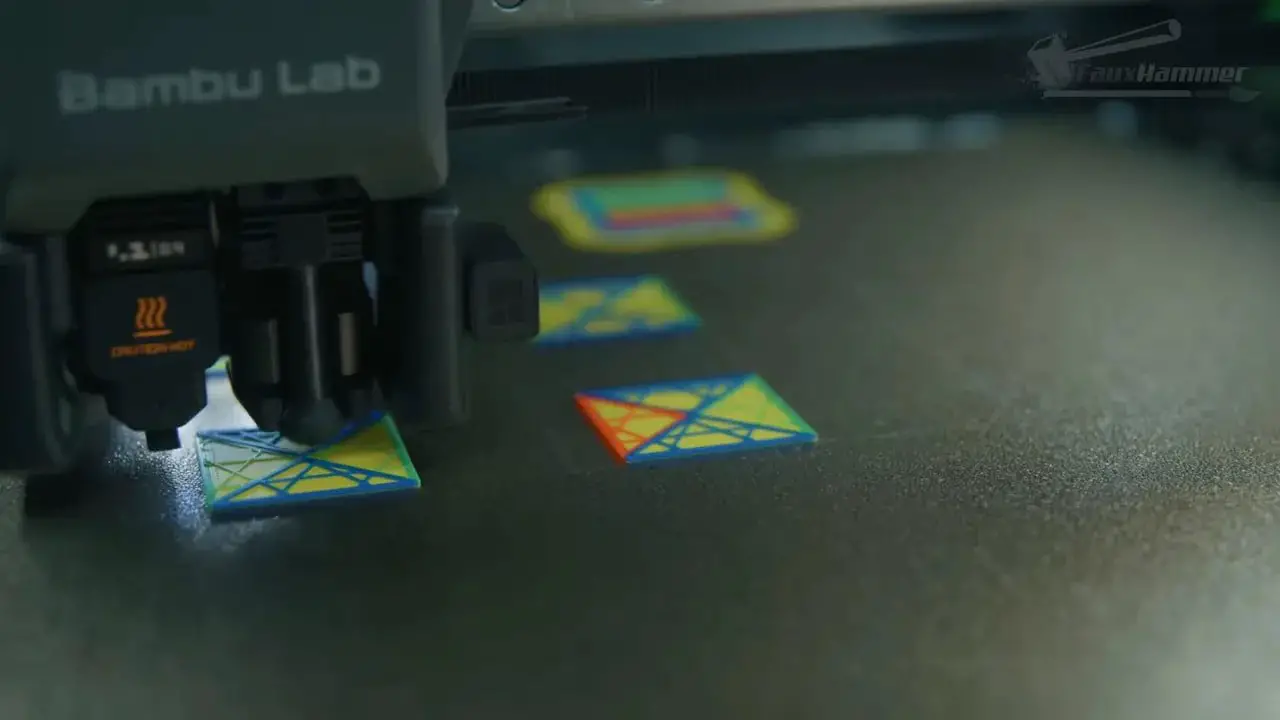
Like the H2D, it has two nozzles. But the real difference is the Vortex system on the right-hand side. This automates nozzle changing in a way that is designed specifically to improve multi-colour and multi-material printing efficiency.
The left nozzle is fixed and functions much like the nozzles on the other H2 printers. The right nozzle, however, is built for automated material-change use. During a colour change, the printer still needs to cut and retract the filament and feed in a new one, but it no longer has to purge the old colour out of the same nozzle to the same extent. The result is:
- less waste
- some improvement in change speed
- a machine more purpose-built for colour-heavy jobs
That is why the H2C exists. It is not trying to be the balanced all-rounder. It is trying to solve the waste problem of single-nozzle colour printing while keeping Bambu’s AMS-style automatic loading system.
It is also why the H2C is only sold as a combo with an AMS 2 Pro.
How many colours can it really do?
Out of the box, the default idea is effectively five materials:
- one material on the left nozzle
- up to four materials on the right nozzle via the AMS 2 Pro
It also ships with a selection of nozzles, including multiple 0.4mm options plus 0.2mm and 0.6mm sizes. That gives flexibility for finer detail or faster draft-style printing.
However, if you really want the machine to fulfil the fantasy most people have when they look at it, you will likely want more. To reach seven colours in a way that feels properly aligned with the machine’s purpose, you would need additional 0.4mm Vortex nozzles and at least one more AMS unit.
The H2C can scale much further than that with extra AMS units attached, and the slicer can help assign materials in a way that reduces waste. But the key point is simple: this machine becomes most compelling once you accept that the base package may not be the full setup you ultimately want.
The H2C versus tool-changing printers
This is where the discussion gets more interesting.
The H2C addresses one side of the multi-colour problem very well: waste reduction. But it does not fully solve the other side: time.
Tool-changing printers such as the Snapmaker U1, Prusa XL and upcoming indexed systems reduce waste and are significantly faster during colour changes because they do not need to retract and refeed filament every time. Their downside is that they do not currently offer the same automated, enclosed, dried, AMS-style material ecosystem. They are often limited by the number of tools physically mounted unless you manually intervene.
So this becomes a values question:
- Do you care more about speed and true tool changes?
- Or do you care more about automatic loading, material management and access to lots of possible colours in one workflow?
The H2C is not automatically the best colour printer in every sense. It is the best fit for someone who wants multi-colour printing within the Bambu ecosystem and values waste reduction over raw change speed.
Its build volume is also compromised
The H2C’s quoted build area is:
- 330mm wide
- 320mm deep
- 325mm tall
But again, real usable width depends on nozzle choice.
- The right nozzle cannot reach the last 25mm on the left side
- The left nozzle cannot reach the final 5mm on the right side
So if you are doing single-nozzle prints and want the largest area, you should use the left nozzle, giving you up to 325mm of width. Use the right nozzle and you are down to roughly 305mm. In many normal workflows, once auto-arrange and practical ease come into play, a lot of people will again end up working within around 300mm.
That is the recurring pain point of the range. The more specialised the machine becomes, the less clean and intuitive the build volume story gets.
The Core Problem with the H2 Lineup
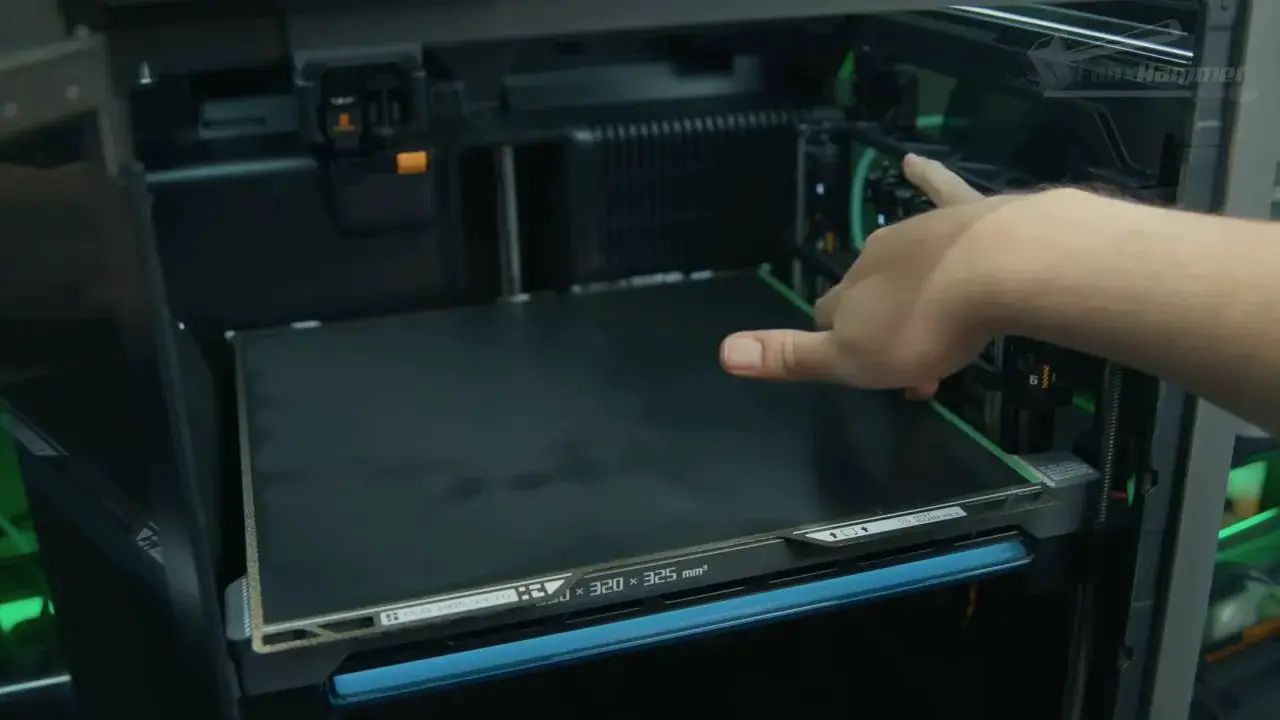
The H2 range is not bad. Quite the opposite. The problem is that the lineup design creates friction where there should have been clarity.
It is easy to imagine a more straightforward version of this family:
- all machines share the same clear, usable build area
- you move up the range for more features
- spending more always feels like getting more
Instead, Bambu has created a set of sibling machines where upgrading often means accepting a downside. You might gain multi-material capability while losing straightforward build volume. You might gain colour efficiency while giving up space. You might spend more and end up with a machine that is less suited to large single-colour parts than the cheaper one.
That is not an engineering failure so much as a product-positioning failure. The machines make sense individually. The range is what feels messy.
And that is why this comparison is needed at all.
Upgrade Paths – Can You Buy One Now and Change Later?
In theory, yes. In practice, maybe.
At the time covered here:
- all three standard printers could be upgraded to laser versions
- the H2S is limited to the 10W laser due to its smaller power supply
- the 40W laser is not compatible with the H2S
- the H2S cannot be upgraded into an H2D
- both the H2S and H2D were intended to have upgrade paths to the H2C
That sounds promising until you look at the complexity involved. Some of these upgrades and repair procedures are not casual, consumer-friendly modifications. They are involved and better suited to advanced users.
And that creates a mismatch. Bambu printers are sold largely as polished appliances. Appliance buyers generally do not want deep mechanical conversion projects later on.
If upgradability is your highest priority, that remains an area where more modular brands have a philosophical advantage. But with those brands you often lose some of Bambu’s ease of use and ecosystem polish.
Realistically, most people should choose the machine they actually want from the start rather than planning around future conversion kits.
Which Bambu H2 Printer Should You Buy?
This is the part that matters most.
If you keep spiralling into “what if?” scenarios, you can stay stuck forever.
What if you want the biggest prints, but maybe one day you will do loads of colour? What if you want colour, but maybe you will end up needing bigger parts? What if you want balance, but later wish you had specialised harder in one direction?
That way lies paralysis.
The cleanest way to decide is to ignore build volume for a moment and first decide what kind of printing you actually do most of the time.
Buy the H2S if you want the best all-round value
For most people, this is the right answer.
Get the H2S if:
- you mostly print in one material or one colour
- you want the largest straightforward print area
- you value simplicity
- you want the least compromised machine in the lineup
- you only occasionally expect to use AMS-based multi-colour printing
It is the easiest machine to recommend because it does not demand that you give up obvious things to get its benefits.
Buy the H2D if you specifically want dual-material capability
The H2D is the sweet spot for uncertainty, but only in a specific way.
It is not the biggest. It is not the most colour-efficient. But it does offer a meaningful functional upgrade: true dual-nozzle printing for things like support interfaces and two-material jobs.
Get the H2D if:
- you want cleaner support interfaces
- you want two-material printing more than lots of colours
- you are happy to trade some build-volume simplicity for capability
- you want a balanced middle ground rather than a specialist machine
If your use case is practical dual-material printing rather than colourful display pieces, the H2D makes a lot of sense.
Buy the H2C if multi-colour printing is central to your work
The H2C should be bought on purpose.
Not because it is the top model. Not because it sounds exciting. And not because you might occasionally print something colourful at Christmas.
Get the H2C if:
- multi-colour printing is a major, repeated part of what you want to do
- you care about reducing waste compared with standard AMS colour changes
- you want to stay inside Bambu’s workflow and ecosystem
- you are willing to accept some build-volume compromises for colour capability
This is the most specialised machine in the family, and that is exactly how it should be approached.
Pros and Cons of the Bambu H2 Range
Pros | Cons |
|---|---|
Excellent overall user experience and software ecosystemEnclosed heated/dried AMS options are genuinely usefulStrong print convenience and automationUseful specialisation across the modelsQuick-swap nozzles on the H2S-style systemLaser and cutter/plotter add-ons available for those who want them | The lineup is far more confusing than it needs to bePaying more often reduces straightforward usable build volumeSingle-nozzle AMS colour changes remain slow and wastefulTPU remains awkward with AMS-based workflowsUpgrade paths exist, but are likely too involved for most buyersNo standard Ethernet on consumer models |
Final Verdict – A Great Set of Printers with Frustrating Trade-Offs
The Bambu H2S, H2D and H2C are all good machines.
That needs saying clearly, because this comparison can sound harsher than it really is. The frustration comes precisely because the hardware is good enough that the buying decision should have felt more satisfying than it does.
The H2S is probably the strongest recommendation for most people. It is the largest, simplest and least compromised machine in day-to-day use.
The H2D is the thoughtful middle choice if you genuinely want dual-material capability, especially for support interfaces and cleaner functional results.
The H2C is the specialised answer for users who know colour is not a side quest, but the main event.
The real lesson is not that one machine is universally best. It is that Bambu hasn’t produced a clear “best at everything” option here. Instead, it has produced three good printers that each ask for a different sacrifice.
So if you are stuck, stop chasing the fantasy of the perfect one. Decide what matters most: size, balance or colour. Then buy the printer that matches that answer and ignore the rest.
Bambu H2S/H2D/H2C FAQ
Which Bambu H2 printer is best for most people?
For most buyers, the H2S is the best choice. It is simpler, cheaper and offers the most straightforward large build volume without the nozzle-reach compromises of the H2D and H2C.
What is the difference between the H2D and H2C?
The H2D is a dual-nozzle printer aimed at two-material or two-colour printing, especially useful for support interfaces. The H2C is a more specialised colour machine that uses Bambu’s Vortex system to reduce waste during material changes.
Does the H2C eliminate all waste in multi-colour printing?
No. It reduces waste compared with standard single-nozzle AMS colour changes, but it does not eliminate all inefficiency. It improves the problem rather than solving it completely.
Can the Bambu AMS print TPU?
Not reliably in the normal AMS workflow. TPU is too flexible to be pushed consistently through the longer PTFE path used by the AMS. TPU generally needs a more direct feed path.
Are the advertised build volumes fully usable?
Not always. The H2S has the cleanest and most straightforward usable build area. On the H2D and H2C, nozzle reach limitations reduce the practical width depending on which nozzle is being used and whether a job uses one nozzle or both.
Should I buy a combo version with AMS?
If you already know you want an AMS, buying the combo version usually makes sense because it is discounted compared with adding the AMS later. If you only plan to print single-colour work manually, a non-combo machine may be enough.
Can the H2S be upgraded to the H2D or H2C?
The H2S cannot be upgraded into an H2D. Planned upgrade paths to the H2C were intended for the H2S and H2D, but these upgrades are complex and likely impractical for many normal users.
Is the laser version worth buying?
Only if you genuinely want occasional laser functionality. The laser implementation appears strong, but if laser work will be a major part of your workflow, a dedicated laser machine is still likely the better long-term choice.
If you are choosing between these three, the short version is simple:
- H2S for size and simplicity
- H2D for balance and dual-material printing
- H2C for regular multi-colour work inside the Bambu ecosystem
Once you know which of those actually describes your printing habits, the whole H2 range becomes much easier to understand.
Please Note: This site uses affiliate links. Our Affiliate Partners are shown below
(Affiliate links will result in compensation to the site on qualifying purchases)
Click this link & buy your hobby stuff from Element Games for the UK & Europe to support FauxHammer.com – Use Code “FAUX2768” at the checkout for double reward points.
Our Affiliates / Hobby Stores
- UK: Element Games, The Outpost, Wayland Games, Mighty Lancer, Goblin Gaming, Forbidden Planet, Model Scenery Supplies, eBay, Amazon
- US/Canada: MTechCave, GameKastle, eBay (US), eBay (CA), Amazon
- Germany: Taschengelddieb
- Europe: eBay (DE), eBay (FR), eBay (ES), eBay (IT), Amazon
- Australia: eBay, Amazon
- Global: RedGrass Games, Warcolours
- 3D Printers: Phrozen 3D, Elegoo, Anycubic