
Anycubic Kobra X Review: A Clever A1-Style Bedslinger That Might Be Anycubic’s Best Yet

If you look at the Anycubic Kobra X and immediately think, “that looks awfully familiar,” you are not wrong.
It is clearly cut from the same modern bedslinger cloth as the machines currently dominating this category. And honestly, pretending otherwise would be daft. The more interesting question is not whether the Anycubic Kobra X resembles what the market already likes. The real question is whether Anycubic have finally worked out how to take those ideas, solve some genuine user problems, and turn them into a better-value machine rather than just another yearly revision.
Because this printer is doing a few things that are genuinely smart.
Most notably, it offers four-material capability out of the box without forcing you to buy an external multi-material unit on day one. It also brings a 260 x 260 x 260 mm build volume, modern quality-of-life features, Wi-Fi connectivity, app control, RFID support, a built-in camera, and a toolhead design that is trying to reduce both waste and hassle.
That is a lot of promise for a beginner-friendly FDM printer.
And, in use, the Anycubic Kobra X gets a surprising amount right.
This review looks at assembly, hardware design, toolhead engineering, multi-material workflow, slicer and software, print quality, and the bigger question hanging over the whole machine: has Anycubic actually improved as a brand, or is this still another short-lived release in an overstuffed product cycle?
Please Note: This site uses affiliate links. Our Affiliate Partners are shown below
(Affiliate links will result in compensation to the site on qualifying purchases)
Click this link & buy your hobby stuff from Element Games for the UK & Europe to support FauxHammer.com – Use Code “FAUX2768” at the checkout for double reward points.


Our Affiliates / Hobby Stores
- UK: Element Games, The Outpost, Wayland Games, Mighty Lancer, Goblin Gaming, Forbidden Planet, Model Scenery Supplies, eBay, Amazon
- US/Canada: MTechCave, GameKastle, eBay (US), eBay (CA), Amazon
- Germany: Taschengelddieb
- Europe: eBay (DE), eBay (FR), eBay (ES), eBay (IT), Amazon
- Australia: eBay, Amazon
- Global: RedGrass Games, Warcolours
- 3D Printers: Phrozen 3D, Elegoo, Anycubic
FauxHammer – Latest Video on YouTube
Anycubic Kobra X Specifications at a Glance
Printer type: Bedslinger FDM printer
Build volume: 260 x 260 x 260 mm
Multi-material support: 4 materials out of the box, expandable up to 16 with ACE Pro 2 units
Build plate: Magnetic PEI plate
Nozzle system: Quick-swap nozzle with separated nozzle/heatsink design
Connectivity: USB, Wi-Fi, cloud integration
Camera: Built-in 720p monitoring and timelapse camera
Other features: Nozzle wiper, RFID reader, touchscreen, filament runout handling
On paper, the Anycubic Kobra X looks extremely competitive. In practice, what matters is whether those features are implemented sensibly.
Assembly and First Impressions
The Anycubic Kobra X does not arrive fully assembled. It is more flat-packed than some competing machines, but setup is still straightforward enough that most people should have no trouble with it.
The process is simple:
remove the packaging and cable ties,
stand the upper gantry into the base,
secure it with screws,
attach the covers,
plug in the underside cables,
remove the transport clamps from the Z mechanism,
fit the filament mounts and filament kicker.
Compared with some rivals, it sits in a sensible middle ground. It asks for a bit more than a machine that ships mostly prebuilt, but it avoids some of the more awkward assembly steps found on other popular bedslingers.
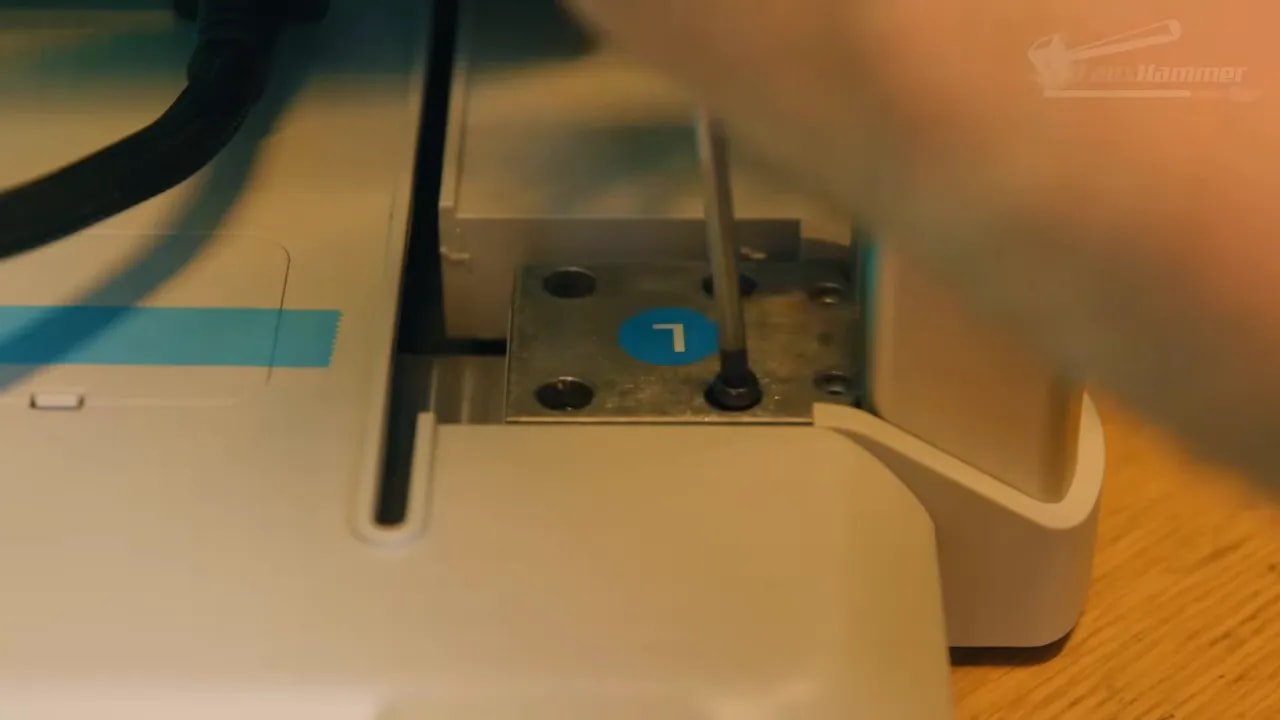
Initial build quality is also better than expected. Yes, the styling is derivative, but the actual feel of the machine matters more than that once it is on your desk. The plastics do not feel like the absolute cheapest possible shell wrapped around a marketing pitch. There is more substance here, and the use of metal rails helps reinforce that impression.
There are also some odd little stumps with holes on the corners of the production version that appear to be there for future accessory mounting. The most likely use is some kind of adapter solution for mounting external units, though at this stage that is more implication than confirmed feature.
The Smartest Part of the Anycubic Kobra X: Four Materials Without the Big Box
This is the bit that really makes the Anycubic Kobra X stand out.
On top of the printer are two dual spool holders, giving you space for four reels in total. Four PTFE tubes then run directly from those reels into dedicated ports on the top of the toolhead. Left to right, they map cleanly into channels 1, 2, 3, and 4.
That means the Anycubic Kobra X can handle four materials straight out of the box without requiring an AMS, CFS, ACE, or other separate multi-material feeder as a mandatory extra purchase.
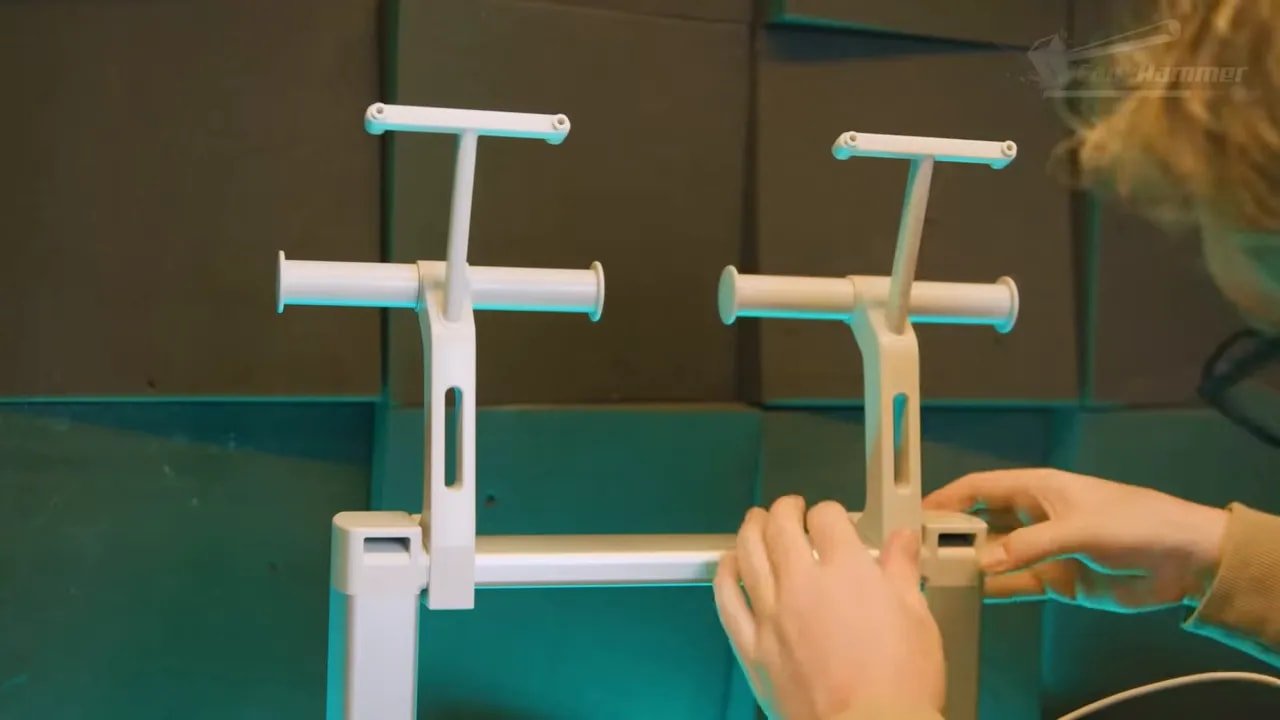
And this is such a sensible idea that it almost feels obvious once you see it.
For many people, the dream of multi-colour printing dies the second they realise how much extra money and desk space the ecosystem requires. Here, Anycubic have reduced that barrier by moving more of the material-selection mechanics into the print head itself. The result is a machine that offers much of the same practical capability for casual multi-material use, but in a cheaper, tidier, and less horizontally sprawling format.
There is a trade-off, of course. The filaments are exposed in the open air. That means moisture can become an issue over time, just as it does with any openly mounted spool arrangement. If you print infrequently or live somewhere humid, that matters.
However, the machine can also be extended with up to four enclosed ACE Pro 2 units, which add drying and airflow and increase capacity to as many as 16 materials. That means the Anycubic Kobra X can start simple and scale later.
One caution here: older ACE Pro units do not appear to be supported, and there is little sign that backwards compatibility is a priority. So if you are buying into this system, assume the old hardware stays old.
Design, Features, and Hardware Overview
Once assembled, the Anycubic Kobra X presents itself as a very modern medium-format bedslinger.
Key physical features include:
a 260 mm cube build volume,
a magnetic PEI plate,
a nozzle wiping system,
a side-mounted touchscreen,
a built-in camera in the printer arm,
USB and ACE connection ports,
onboard Wi-Fi.
The 260 x 260 x 260 mm build volume is a nice sweet spot. It is slightly larger than the 256 mm standard that has become very common, and that extra few millimetres can be surprisingly useful. Most models designed for the current crop of mid-size printers should fit on the Anycubic Kobra X with a little breathing room.
The screen does not swivel. Some people will inevitably complain about this because people complain about everything. In practice, it is hard to care. A swivelling screen sounds nice in a checklist, but if omitting that mechanism saves cost and complexity without affecting day-to-day use in any meaningful way, that seems like a perfectly sensible compromise.
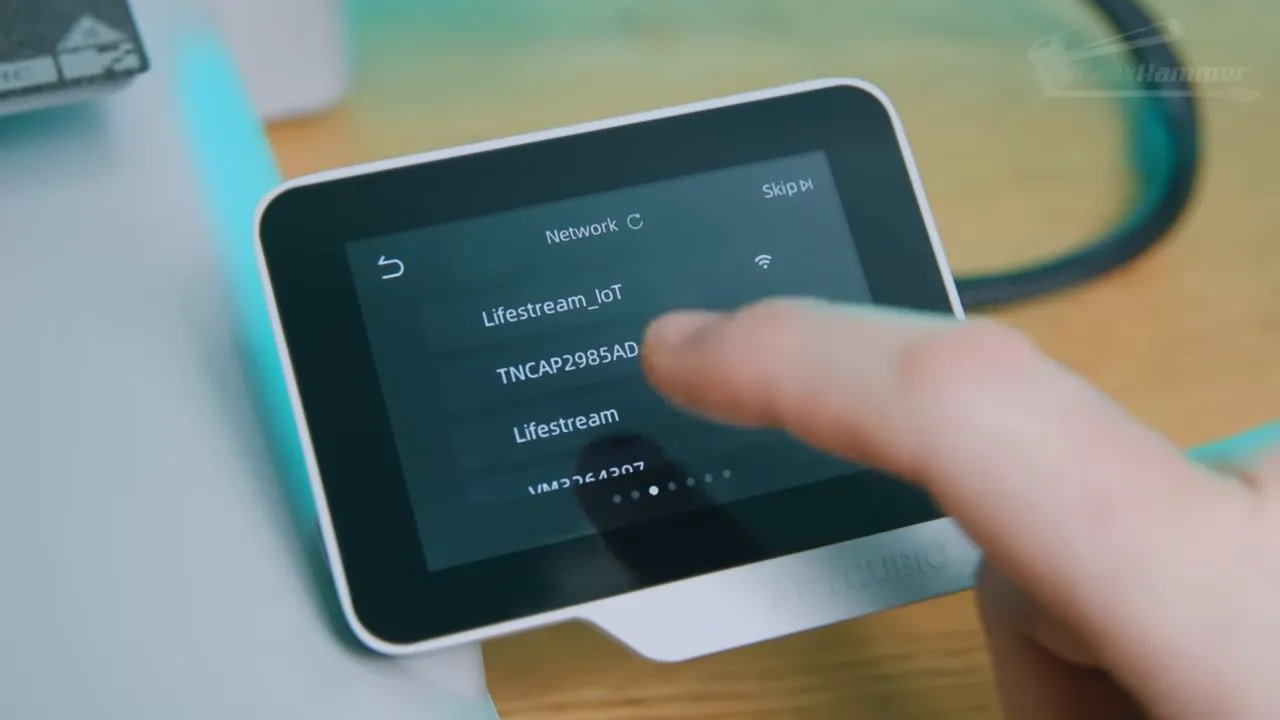
The camera, meanwhile, supports remote monitoring and 720p timelapses. It works, though its viewing angle is a bit lower than ideal. There is often too much of the machine base in frame and not enough of the print itself. It is usable, but the camera should really be centred more directly on the nozzle and active print area.
The privacy cover is another small detail where elegance falls short. Instead of a more refined translucent flap that doubles as a light diffuser, the Anycubic Kobra X uses a simple opaque cover that swings away and dangles. Functional, yes. Nicely done, not particularly.
The Toolhead Is Where the Real Engineering Work Happened
The best engineering in the Anycubic Kobra X is concentrated in the toolhead.
This is where the machine justifies itself as more than a visual copy of something popular.
In its default configuration, you manually feed filament from the four top-mounted reels into the top of the toolhead. The printer then uses internal selection mechanics to choose the active channel and pull the material through. In other words, some of the job normally done by an external multi-material system has been integrated into the head itself.
That is why the Anycubic Kobra X can offer four-material support without forcing an external box onto your desk from day one.
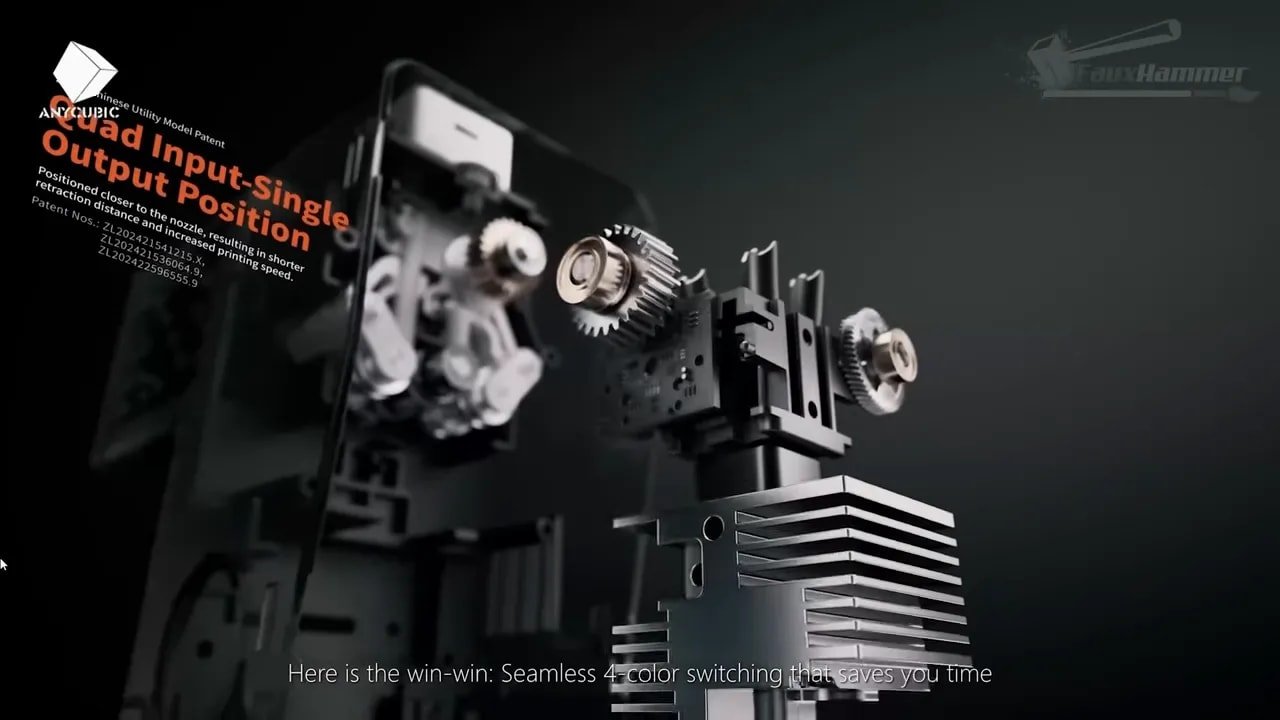
Then there is the nozzle design.
Anycubic have used quick-swap nozzles before, but here the nozzle is separated from the heatsink. To change it, you remove the silicone sock, unlatch the heatsink, fold it back, remove the retaining clip, and swap only the small nozzle tube rather than a larger combined assembly.
The practical benefit is that the filament cutter can cut lower down in the hotend path. Combined with the fact that the filaments are already preloaded into the head, this reduces both the time and material needed during colour changes.
And the claimed savings do not sound absurd. Relative to many competing systems, reductions of roughly 30% to 40% in time and waste seem believable based on the design choices here.
That said, there is a broader truth worth stating: even with better efficiency, purge-based colour printing still creates a lot of waste. Less waste is better than more waste, but it is still waste. For users who hate seeing money turned into purge towers and poop piles, the Anycubic Kobra X improves the experience without fundamentally changing that reality.
Multi-Colour Printing: Better, But Not Magic
The Anycubic Kobra X is clearly trying to make multi-colour printing more practical and less expensive, and in that sense it succeeds.
It cuts lower. It stores four feed paths in the toolhead. It avoids the compulsory add-on box. It reduces changeover overhead. All of that is good.
But if you are hoping this suddenly makes multi-colour printing efficient in the absolute sense, it does not.
The core problem with purge-based colour changes remains the same: every swap costs time and filament. Even relatively small decorative prints can generate more discarded material than many hobbyists will feel comfortable with.
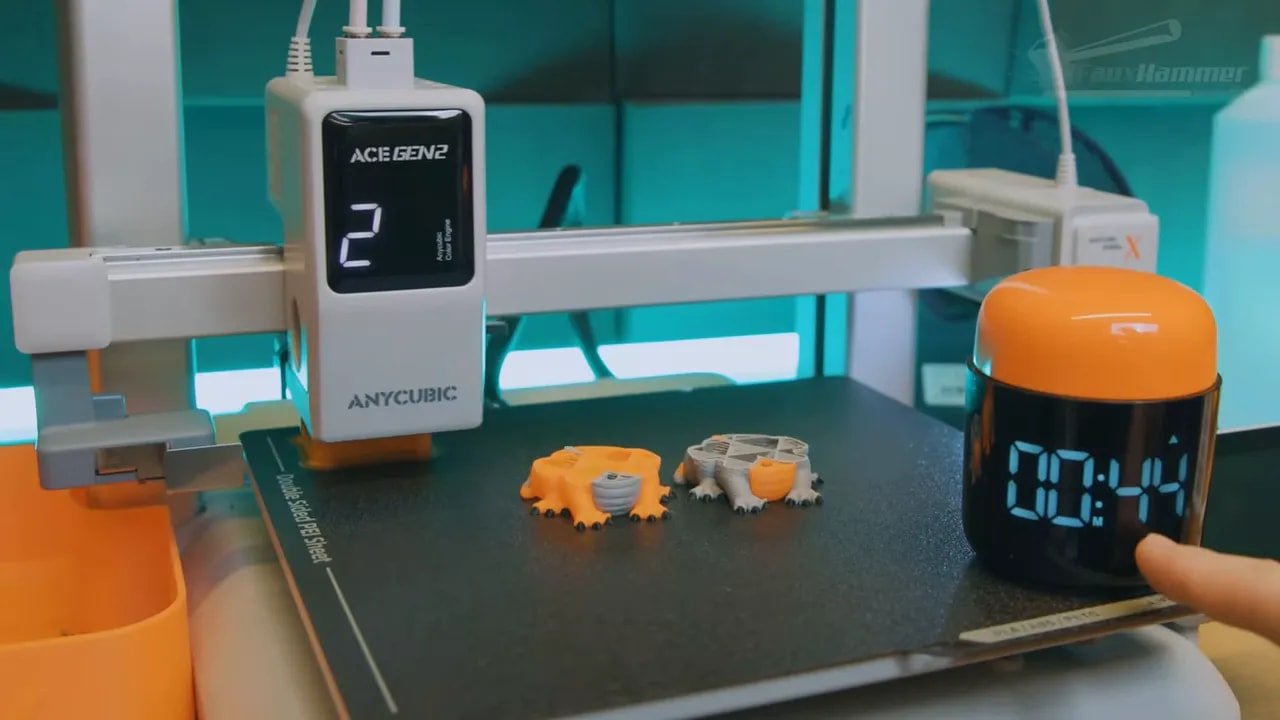
So the best way to think about the Anycubic Kobra X is not “this fixes the waste problem,” but rather “this makes a wasteful process meaningfully less wasteful.” That is still a worthwhile improvement.
It is also worth remembering who this machine is for. This is not a high-end industrial colour system. It is a consumer-friendly bedslinger designed to get beginners into modern convenience features at a realistic price. Against that brief, the choices here make sense.
Single-Colour Users Still Benefit
One of the nicest practical benefits of the Anycubic Kobra X has nothing to do with printing in four colours at all.
If you are a single-colour user, you can load multiple rolls of the same material and colour and treat them as backups. That means when one spool runs out, the machine can move to the next one automatically. It is also very handy for using up near-empty rolls that you would otherwise forget about or throw into a drawer forever.
For terrain, prototypes, workshop parts, paintable models, or anything else where exact spool continuity is not precious, this is genuinely useful.
Even better is the way runout is handled. When filament runs out, the printer detects it in the printhead, pauses, cuts the filament, and then ejects the remaining back end through side channels in the toolhead itself. That means you do not have to start yanking PTFE tubes apart to recover the tail end of the old spool.
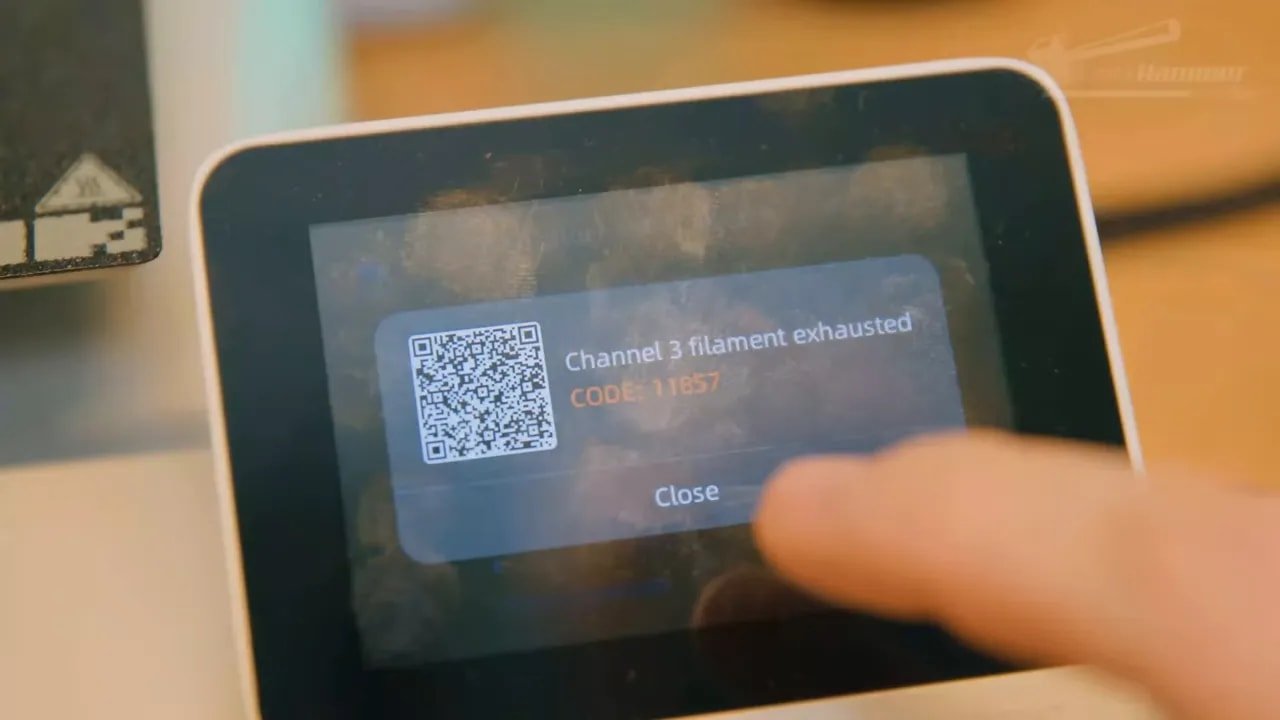
That is proper convenience engineering.
And it is one of the strongest signs that the Anycubic Kobra X is not just imitating the market leader on the surface. In this area, Anycubic have solved a real annoyance in a smart way.
UI, RFID, and Software: Mostly Fine, Occasionally Maddening
The user interface on the Anycubic Kobra X is simple, clear, and generally well translated. The core functions are where you expect them to be, which is more important than fancy graphics.
Unfortunately, it also contains one of the most irritating little software failures imaginable: a persistent warning during printing that reads, “the heat bed is hot, please.”
Please what?
Please do not touch? Please stand by? Please leave a kind review? It is such a tiny thing, but tiny badly translated interface problems have a unique power to get under your skin because they are so easily avoidable.

The RFID implementation is another mixed bag. There is a reader on the front right side of the printer below the bed. Even without an ACE connected, you can scan filament tags there. The problem is in how the assignment works. Rather than reading the tag and then letting you choose a slot on screen, the printer gives you a short time window and assigns the data to whichever slot receives filament input next.
Some people may like that. Personally, a simple “scan, then choose the slot” prompt would be cleaner and less annoying.
As for software, the slicer is essentially Anycubic’s take on OrcaSlicer. That means it is competent, familiar, and not especially glamorous. It supports the usual profile adjustments and calibrations, syncs loaded material data from the printer, and gives access to remote device information. It also ties into Anycubic’s cloud system and mobile app for monitoring and remote print submission.
There is also Maker Online, which has apparently improved. It still is not the benchmark ecosystem in this segment, but better curation and improved surfacing of decent models make it more usable than before.
Overall, the software side of the Anycubic Kobra X is acceptable. Not category-leading, but functional enough for the typical home user.
Print Quality on the Anycubic Kobra X
This is the part where all the feature talk either earns its place or collapses.
Thankfully, the Anycubic Kobra X prints very well.
Initial test prints came out solid, including the usual benchmark boat and what was described as one of the best first-layer tests seen on a machine of this type. That matters, because first-layer consistency is one of the strongest indicators of whether a printer will feel appliance-like in day-to-day use or become an ongoing low-level argument in your workshop.
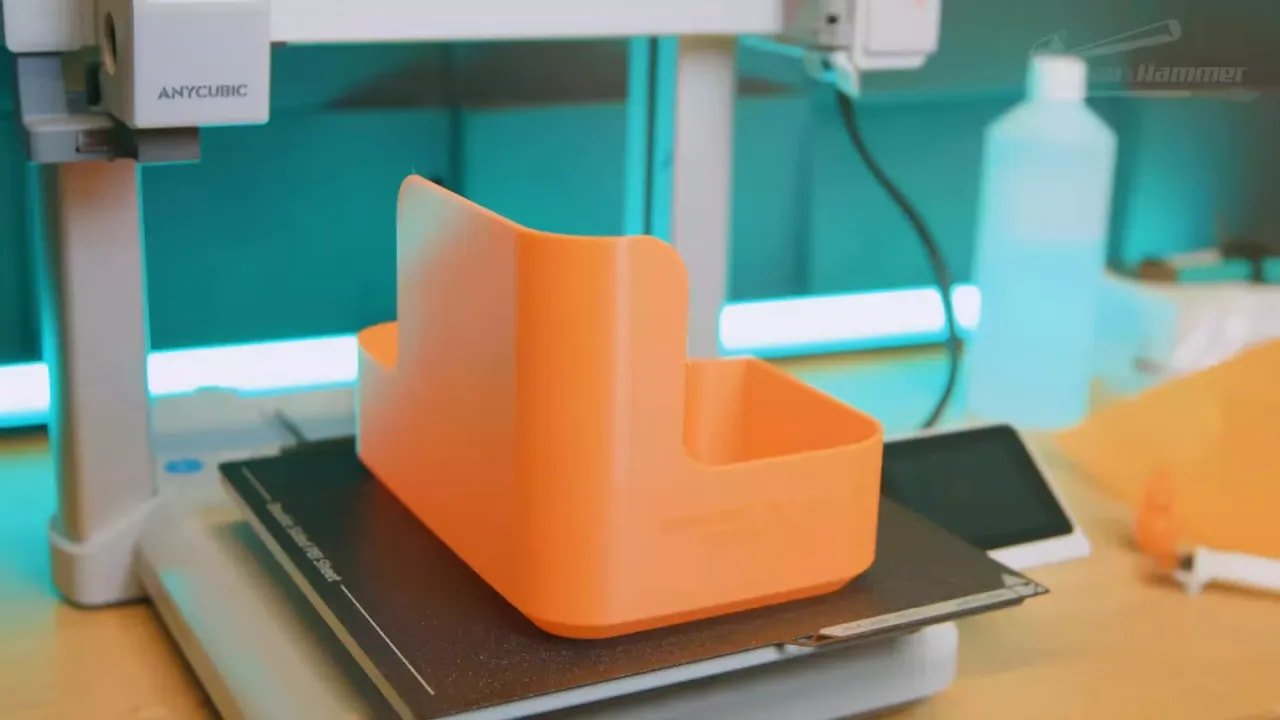
Beyond test prints, the machine handled:
a waste bin print,
multi-colour articulated dragons,
ornaments from Maker Online,
decorative Japandi-style vases,
vase mode printing without issue.
The general verdict was that output was consistently solid and reliable across these jobs. No major drama, no obvious quality failures, and no sense that the hardware was fighting the process.
That is exactly what you want from a machine in this class.
It is also important because Anycubic’s reputation has not always been built on long-term confidence and premium refinement. A printer like the Anycubic Kobra X needs to do more than print a nice first Benchy. It needs to feel like a product whose design team actually considered ownership experience.
Here, at least in the short term, it does.
What the Anycubic Kobra X Gets Right
There is quite a lot to like here.
Excellent value proposition: four-material capability without mandatory extra hardware is a genuinely compelling selling point.
Thoughtful engineering: the runout handling and side-channel filament ejection are clever and user-friendly.
Strong print quality: early print results are consistently very good.
Sensible compromises: omitting gimmicks like a swivelling screen in favour of lower cost is the right kind of cost cutting.
Good build volume: 260 mm cubed is a practical and flexible size.
Upgradeable ecosystem: it starts simple but can expand significantly.
Most importantly, the Anycubic Kobra X feels like a machine where cost has been managed through smarter design choices rather than simply shaving pennies off everything.
That is a meaningful distinction.
What Still Needs Work
The Anycubic Kobra X is not flawless.
Open filament storage: the included four-spool arrangement is smart, but exposed filament is still exposed filament.
Camera angle is mediocre: good enough for monitoring, not ideally framed.
UI annoyances: little translation and workflow issues make the software feel less polished than the hardware.
RFID workflow is clumsy: workable, but not intuitive.
Some components still feel a bit cheaper than top-tier rivals: not badly so, but enough to notice in places like the nozzle system.
Long-term quality is still unknown: this is the biggest caveat of all.
And that last point matters more than any of the others combined.
The Big Caveat: Can Anycubic Be Trusted to Stick With It?
The hardest thing about reviewing the Anycubic Kobra X is separating the product from the brand history.
Because on raw features and apparent value, this machine is extremely impressive.
But Anycubic have spent the past few years releasing product after product after product: Kobra 2, Kobra 3, revisions, variants, and now this. Seen from one angle, that is steady iteration. Seen from another, it is a rapid cycle that risks making buyers feel like their printer is obsolete six months after they buy it.
That is why the real message surrounding the Anycubic Kobra X is not “do not buy this printer.” It is almost the opposite.
The real message is: Anycubic, do not touch this printer.
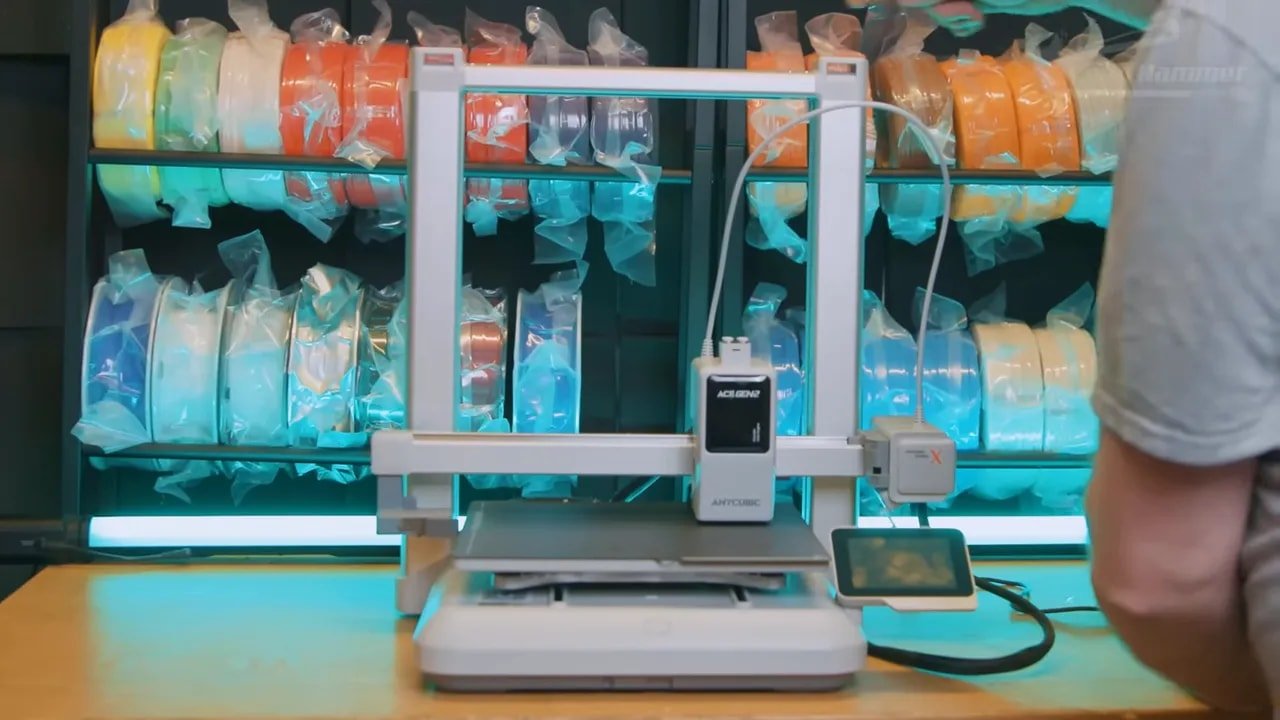
In other words, stop rushing to replace it. Stop abandoning hardware in pursuit of the next annual launch. Keep this on the market. Improve the firmware. Improve the software. Improve the ecosystem. Improve support. Let this generation build trust instead of being sacrificed for another release cycle.
Because if Anycubic actually commit to the Anycubic Kobra X, this could be the machine that resets how people think about the brand.
Who Is the Anycubic Kobra X For?
The Anycubic Kobra X makes the most sense for:
beginners who want a modern FDM printer without paying premium-brand prices,
hobbyists who want to experiment with four-colour or four-material printing without buying a separate feeder immediately,
users who value convenience features and appliance-like setup,
makers who want a medium-format bedslinger with room to expand later.
It is less ideal for:
people who demand proven long-term reliability above all else,
users who strongly prefer enclosed dry storage as standard,
anyone expecting waste-free multi-colour printing,
buyers who are already deeply invested in older ACE hardware and expect frictionless compatibility.
Is the Anycubic Kobra X Better Than the A1?
This is the unavoidable comparison, so it is worth tackling directly.
In sheer design language, yes, the Anycubic Kobra X is clearly following the same successful modern bedslinger formula. But in raw product offering, it has a real case.
The four-material setup without a required external unit is clever. The convenience touches in the toolhead are excellent. The feature integration feels practical rather than box-ticky. And the value proposition is exceptionally strong.
So rather than saying the Anycubic Kobra X is merely “as good as” its most obvious rival, the stronger argument is this: based on feature set and price-to-function ratio, it may well be the most compelling medium-size bedslinger currently available.
That is not the same as declaring it the undisputed best ownership experience over years of use. That trust still has to be earned.
Final Thoughts on the Anycubic Kobra X
The Anycubic Kobra X is a very good printer.
More than that, it is a very good sign.
It suggests that Anycubic are finally learning the right lessons from the market. Not just “copy the shape people like,” but “solve the things people actually find annoying.” It shows signs of engineering intelligence in the places that matter most for ownership: loading, spool handling, failover, waste reduction, material routing, and overall convenience.
It also offers a remarkably strong package for the money. The out-of-box four-material capability is the headline feature, but it is not the only reason the Anycubic Kobra X stands out. The print quality is strong, the hardware is thoughtfully specced, and the compromises mostly feel sensible rather than cheap.
The problem is not the printer.
The problem is whether Anycubic can resist undermining it.
If the company keeps iterating too fast, neglects firmware, or continues to frustrate customers with weak support, then even an excellent machine will struggle to build long-term confidence. But if Anycubic treat the Anycubic Kobra X as a platform worth nurturing rather than just another rung on the product ladder, they may finally have a printer that deserves to become a staple recommendation.
So where does that leave the buying advice?
If you want the safest possible purchase based on years of established trust, caution is still fair. But if you are looking for the best beginner-friendly printer at a very aggressive price, and you are willing to take a calculated chance on a newer platform, the Anycubic Kobra X looks like one of the most attractive options in its class.
Put bluntly: on features, practicality, and value, the Anycubic Kobra X is fantastic.
Now Anycubic just need to prove they deserve it.
Anycubic Kobra X Review Summary
Pros | Cons |
|---|---|
|
|
Bottom line: the Anycubic Kobra X is one of the most interesting and best-value medium-sized bedslingers available right now. It is not just another clone with a cheaper badge. It includes some genuinely excellent engineering ideas. But whether it becomes a classic recommendation depends as much on Anycubic’s long-term support as it does on the hardware itself.
Please Note: This site uses affiliate links. Our Affiliate Partners are shown below
(Affiliate links will result in compensation to the site on qualifying purchases)
Click this link & buy your hobby stuff from Element Games for the UK & Europe to support FauxHammer.com – Use Code “FAUX2768” at the checkout for double reward points.
Our Affiliates / Hobby Stores
- UK: Element Games, The Outpost, Wayland Games, Mighty Lancer, Goblin Gaming, Forbidden Planet, Model Scenery Supplies, eBay, Amazon
- US/Canada: MTechCave, GameKastle, eBay (US), eBay (CA), Amazon
- Germany: Taschengelddieb
- Europe: eBay (DE), eBay (FR), eBay (ES), eBay (IT), Amazon
- Australia: eBay, Amazon
- Global: RedGrass Games, Warcolours
- 3D Printers: Phrozen 3D, Elegoo, Anycubic






 English (UK)
  Deutsch
  Français
  Italiano
  Español