
Bambu X2D Review – Great Value, Smart Features, and One Big Problem
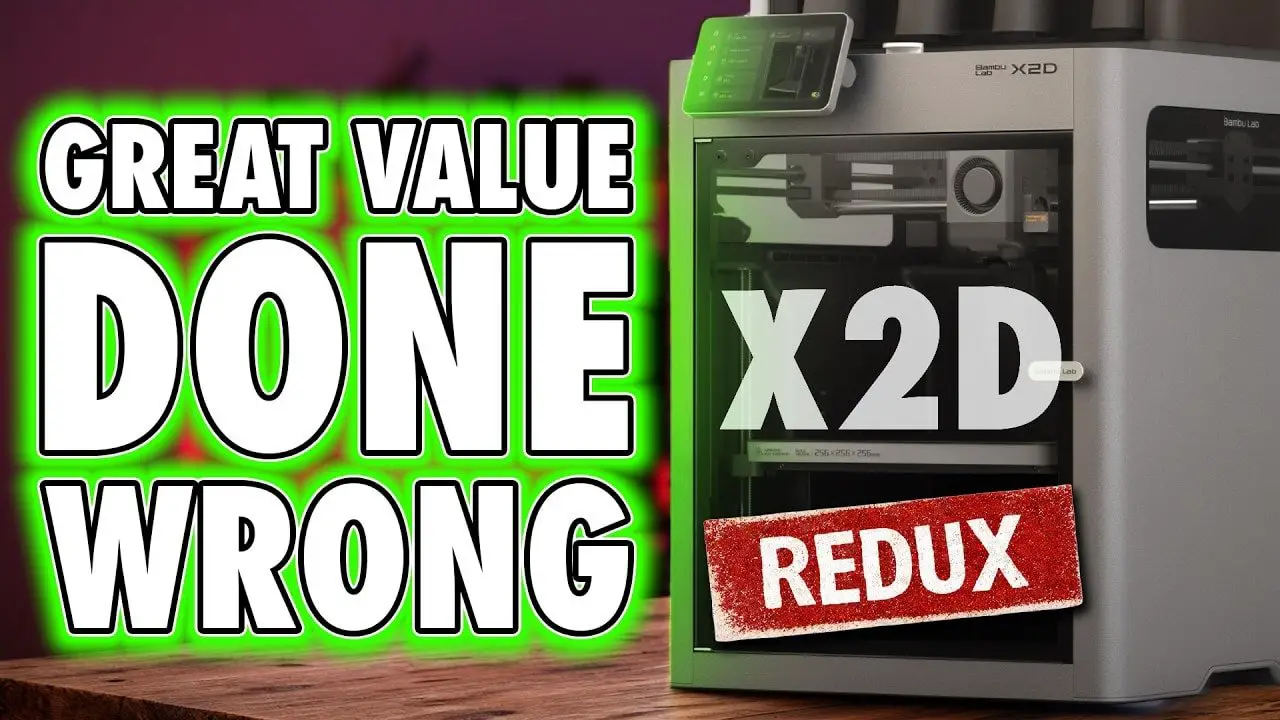
If you are looking at the Bambu X2D, the short version is this: it is a very good printer, it adds genuinely useful features over the P2S, and at its current pricing it is difficult not to recommend over the cheaper machine. But it is also one of the least elegant products Bambu has put out.
That matters more than it sounds, to me anyway… You’ll still buy it. But my issues stem more from this slip from pure elegance, to more of a that’ll do approach – and that was the thing that seperated Bambu from everyone else – It’s not “THE END OF BAMBU” or anything even slightly dramatic, but now that gap is closing and Bambu’s choices are letting it happen. I believe this reviews will look more appropriate 6-months to a year after publication.
Bambu built a reputation on printers that felt clean, simple, integrated, and unusually polished. The Bambu X2D still prints well. It still has the familiar ecosystem strengths, the easy setup, the strong software, and the “just works” factor that has made the brand so popular. Yet the way its headline features are implemented feels compromised in a way that simply does not line up with what many of us have come to expect from Bambu.
So this is not a takedown. It is not even a bad review. In fact, financially, the Bambu X2D may be one of the best-value printers in Bambu’s current range. The issue is that it feels like a stopgap: a machine packed with useful ideas, but assembled in a way that is less cohesive than the company’s best work.
Below, I’m going to break down exactly what the Bambu X2D gets right, where it improves on the P2S, how the dual-nozzle system really works, what the print results were like across different materials, and why the biggest frustration here is not quality, but But consistency.
Please Note: This site uses affiliate links. Our Affiliate Partners are shown below
(Affiliate links will result in compensation to the site on qualifying purchases)
Click this link & buy your hobby stuff from Element Games for the UK & Europe to support FauxHammer.com – Use Code “FAUX2768” at the checkout for double reward points.


Our Affiliates / Hobby Stores
- UK: Element Games, The Outpost, Wayland Games, Mighty Lancer, Goblin Gaming, Forbidden Planet, Model Scenery Supplies, eBay, Amazon
- US/Canada: MTechCave, GameKastle, eBay (US), eBay (CA), Amazon
- Germany: Taschengelddieb
- Europe: eBay (DE), eBay (FR), eBay (ES), eBay (IT), Amazon
- Australia: eBay, Amazon
- Global: RedGrass Games, Warcolours
- 3D Printers: Phrozen 3D, Elegoo, Anycubic
FauxHammer – Latest Video on YouTube
Table of Contents
- Bambu X2D Review – Summary
- Unboxing and Setup
- Design and Exterior Changes
- Rear Panel, Buffer, Exhaust, and Auxiliary Extruder
- Build Volume and the First Real Nitpick
- Internal Heating, Cooling, and Filtration
- Camera, Privacy, and Small Quality-of-Life Details
- The Toolhead and What the Bambu X2D Dual Nozzle Really Is
- Bowden vs Direct Drive – Why It Matters Here
- The Build Area Restriction Is the Real Frustration
- Missing Compatibility with Other Bambu Add-ons
- AMS and Recommended Setup
- Software and User Experience
- Bambu X2D Print Quality Across Materials
- The Chamber Heater and Engineering Materials
- Support Interface Printing – The Best Argument for the Bambu X2D
- Bambu X2D vs P2S – Which One Should You Buy?
- Why This Printer Feels “Just Not Bambu”
- Who the Bambu X2D Is Actually For
- Bambu X2D Pros and Cons
- Final Thoughts on the Bambu X2D
- FAQ – Bambu X2D
Bambu X2D Review – Summary
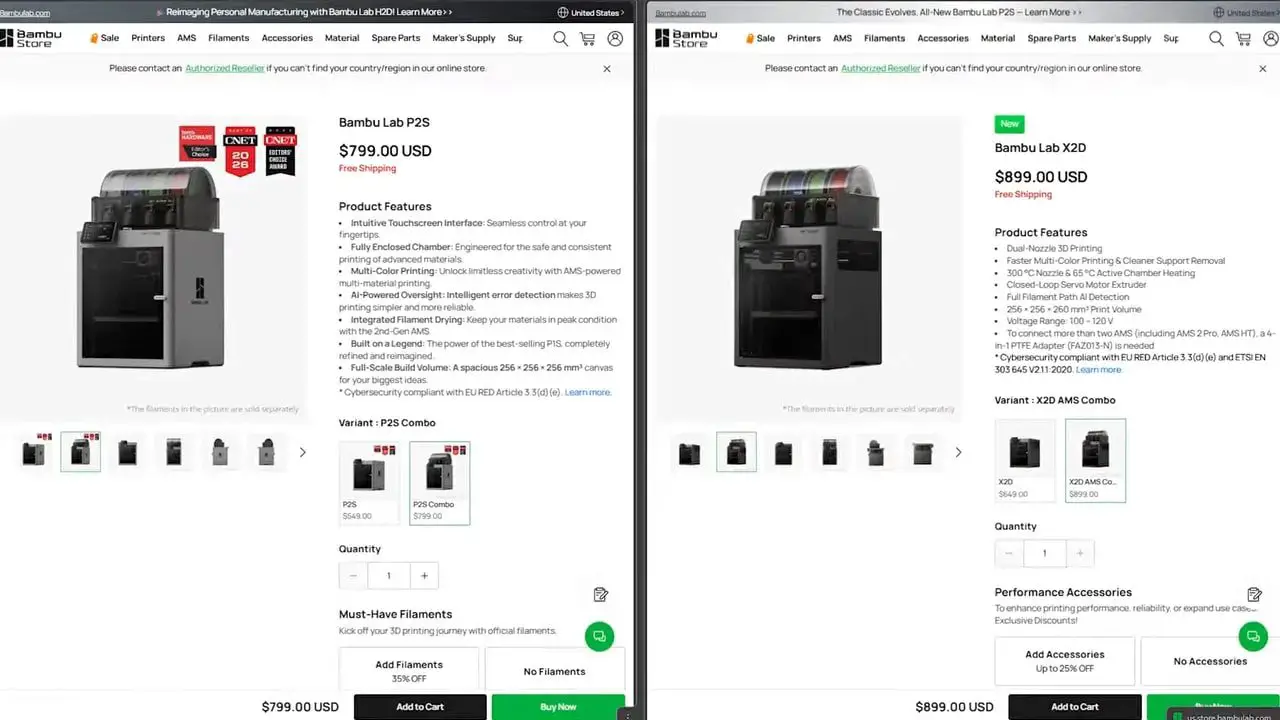
The easiest way to understand the Bambu X2D is to think of it as a P2S with extras:
A heated chamber
Improved belt pitch for better precision
An external exhaust filtration module
A second nozzle intended mainly for support material and limited secondary use
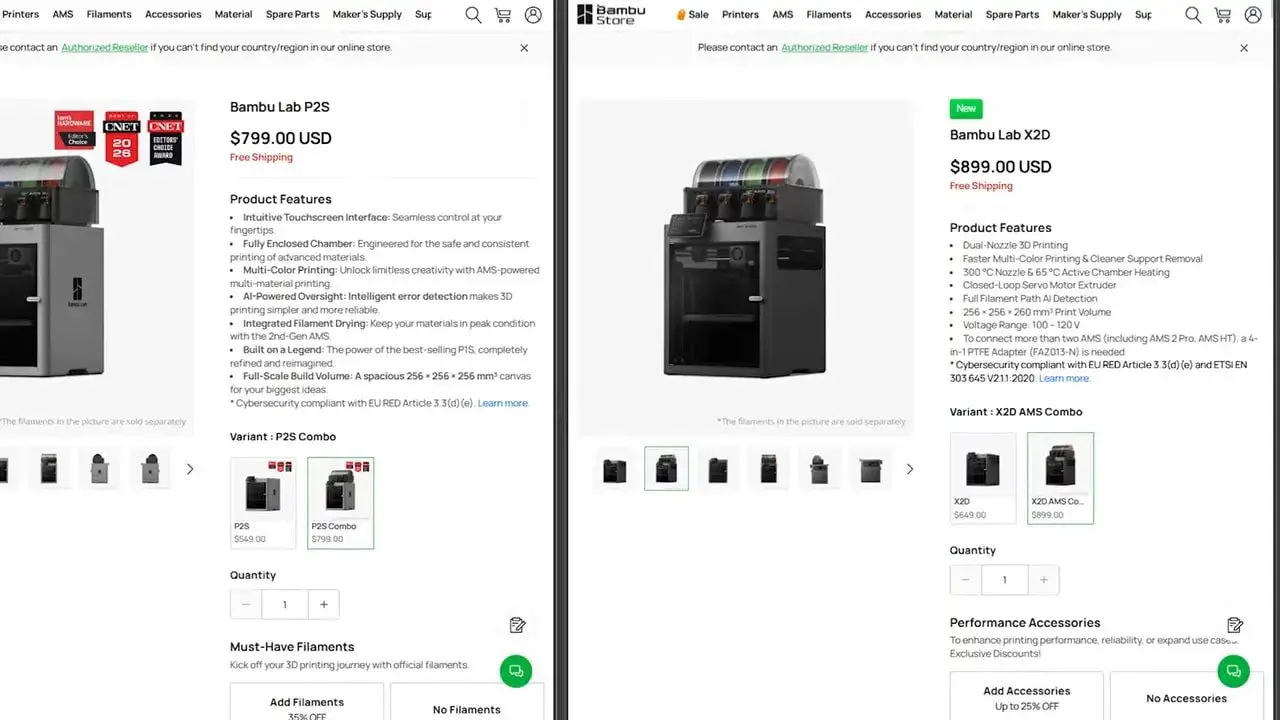
At the time of testing, that package cost only around $100 / £70 more than the P2S. At that price difference, it becomes very hard to argue against the Bambu X2D on raw value alone.
But the recommendation needs nuance.
This is not the spiritual successor to the X1 in the sense of being a clear, must-have leap forward. It is not bad at all. It is just full of “if,” “but,” and “however.” The chamber heater is useful. The support interface benefits are real. The second nozzle can reduce multi-material print times massively. Yet the implementation of that second nozzle introduces restrictions that affect build area, workflow, and convenience more often than they should.
That is the core tension of the Bambu X2D: excellent value, but messy execution.
Unboxing and Setup

Setup is one of the places where Bambu still does Bambu things very well.
Unboxing is premium and well thought out. As soon as you open the box, there is a QR code you can scan to get a guided setup video. Even for people who have used several printers before, this kind of hand-holding is genuinely useful because it keeps the process quick and avoids missed steps.
The core setup is familiar:
Remove all packaging foam
Cut the transport ties
If you bought the combo, remove the AMS unit from inside the printer
Undo the transport screws securing the bed
Attach the screen
If you do not have the combo, attach the rear spool holders
After that, the machine walks you through self-calibration on first boot.
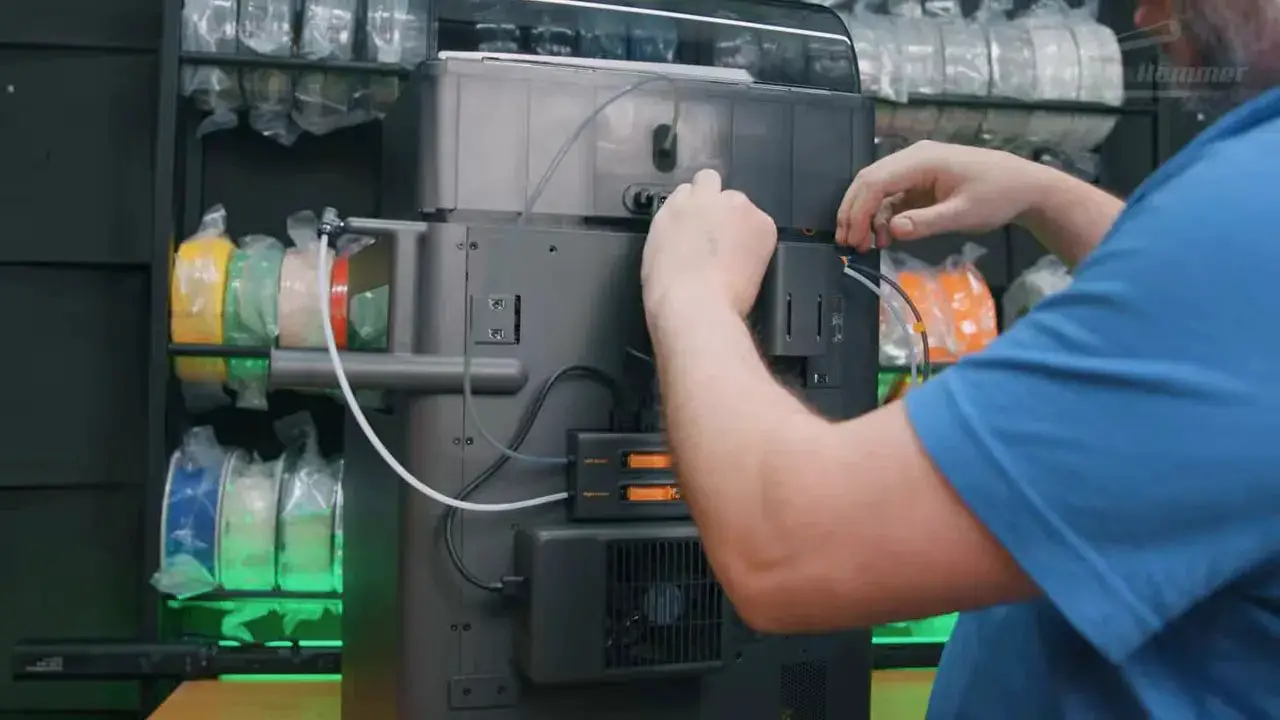
There are, however, two additions that make the Bambu X2D less tidy than earlier Bambu printers: the external exhaust fan and the rear-mounted auxiliary extruder. Both are easy enough to install, but they look and feel like bolt-ons rather than properly integrated design elements.
That distinction may sound cosmetic, but it runs through the whole experience of this machine.
Design and Exterior Changes
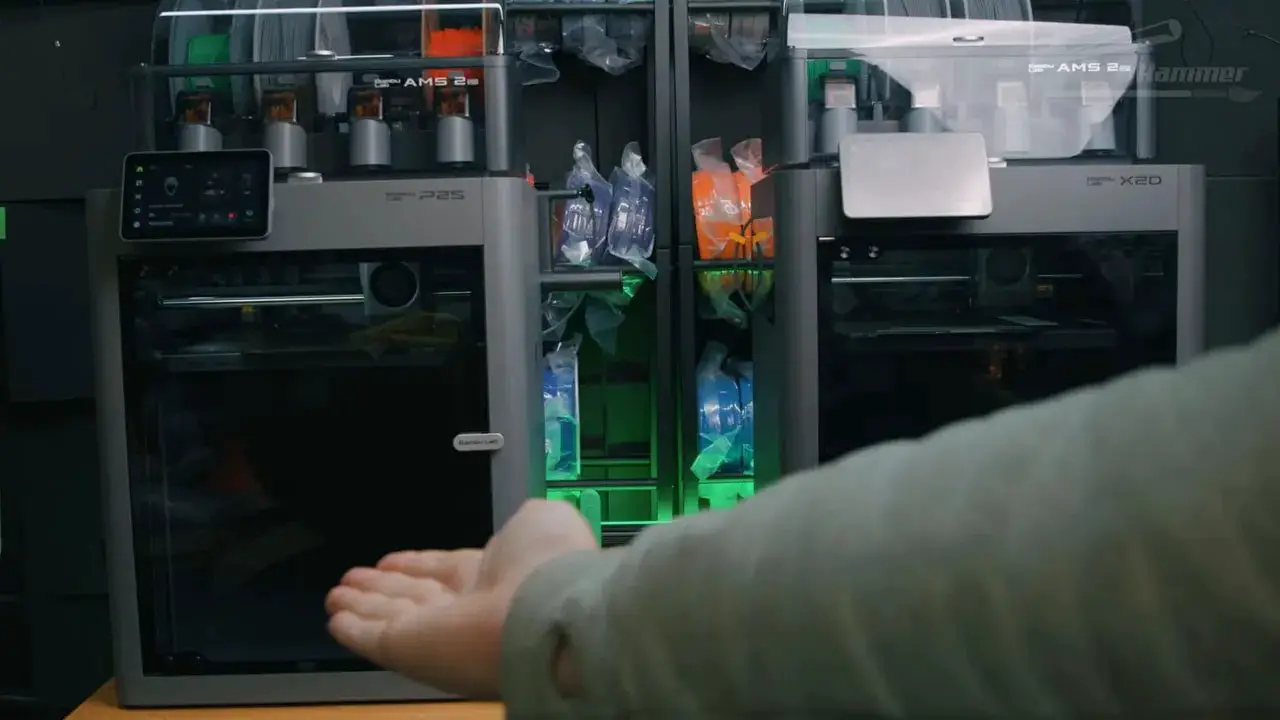
At a glance, the Bambu X2D looks very close to the P2S. The silhouette is essentially the same, but Bambu has made a few cosmetic tweaks.
The casing is now a much darker grey, matching the look of the H2 series machines. The side panels use Perspex windows, and unlike some other Bambu models, the side logos do not light up. Honestly, that is absolutely fine. Not every printer needs to look like a gaming PC.
Around the front, there is a glass door and glass lid. The door does not swing fully open, though it opens far enough for most normal use. The USB port sits on the top behind the screen, and a low-profile drive is the best fit here. The screen itself can tilt upward a bit, but not downward.
These are all small details, but they show the machine still carries much of Bambu’s normal refinement. The trouble begins at the back.
Rear Panel, Buffer, Exhaust, and Auxiliary Extruder
The rear of the Bambu X2D is where the design starts to feel more improvised.
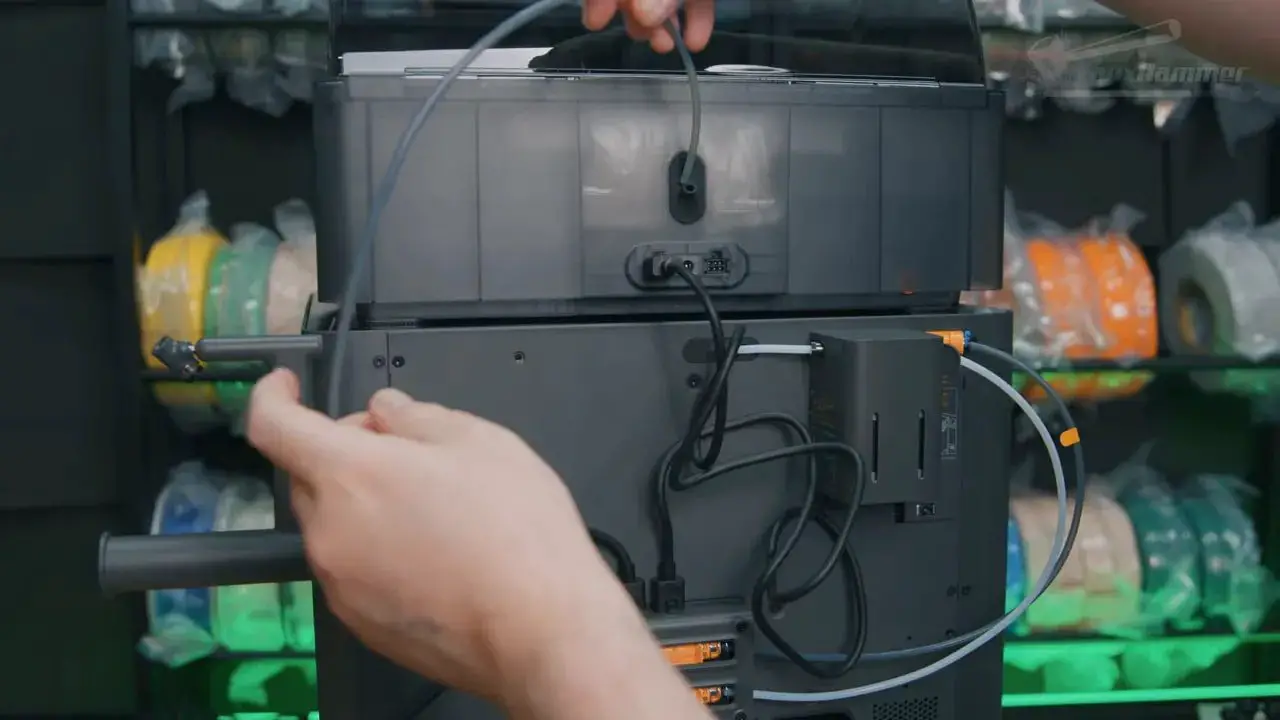
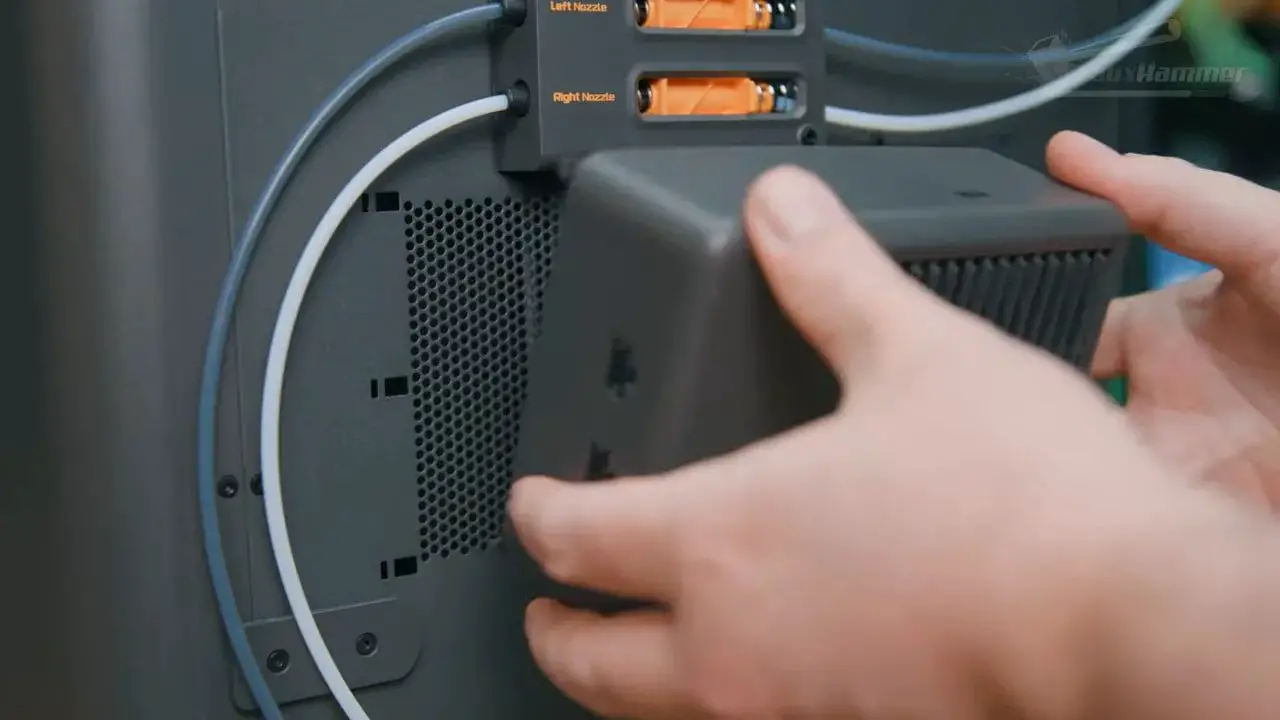
From the bottom up, you have the power connection, the waste chute, and a dual-feed buffer in the middle. This buffer is not just a splitter. It also detects line tension and instructs the AMS units to feed faster or slower, reducing load on the extruder gears. That is clever and useful.
Above and around this area are the filament inlets for the two nozzles. The left nozzle uses a fixed coupler. The right nozzle feeds through a separate PTFE tube into what Bambu calls the auxiliary extruder.
In plain 3D printing language, that auxiliary extruder is a Bowden extruder mounted on the rear of the printer.
It plugs into the back with a data and power cable, slides into place, and then gets secured with a small locking nut. The exhaust fan module also mounts externally at the rear, taking power and data from the six-pin connection on the buffer assembly.
Functionally, this all works. Visually, it is untidy.
Once everything is fitted, the rear of the Bambu X2D looks busier and more cobbled together than a Bambu printer usually does. That does not make it poor design in a functional sense, but it does make it feel like the chassis was adapted after the fact rather than designed from scratch around these features.
Build Volume and the First Real Nitpick
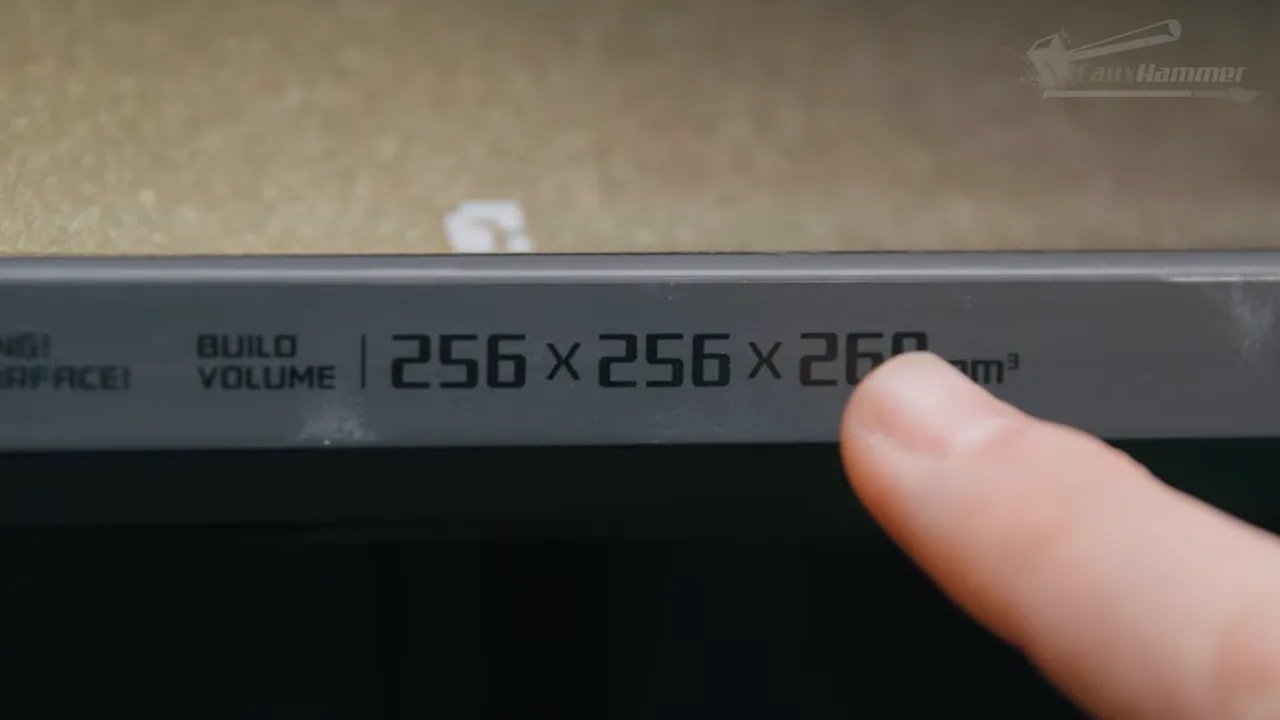
The Bambu X2D uses the familiar 256 x 256 mm spring steel PEI plate found across the recent Bambu lineup. On paper, build height is now 260 mm.
But only on the left nozzle.
The moment you use the right nozzle, the Z height drops back to 256 mm. The X dimension also becomes restricted to 235 mm, leaving a chunk of the plate effectively unusable when the secondary nozzle is involved.
Now, 4 mm of lost height is not the problem. The issue is presentation.
Bambu has generally done a better job than many competitors of keeping specifications clear and straightforward. Advertising the best-case number up front and then adding caveats later is exactly the kind of thing that usually gets criticised of weaker in this space – those so desperate to look better than they are, they have little choice but to massage the marketing prose. So while this sounds like a tiny complaint, it is actually part of a bigger point: the Bambu X2D breaks from the simplicity and clarity that helped define the brand.
That same caveat-driven design crops up again and again.
Internal Heating, Cooling, and Filtration
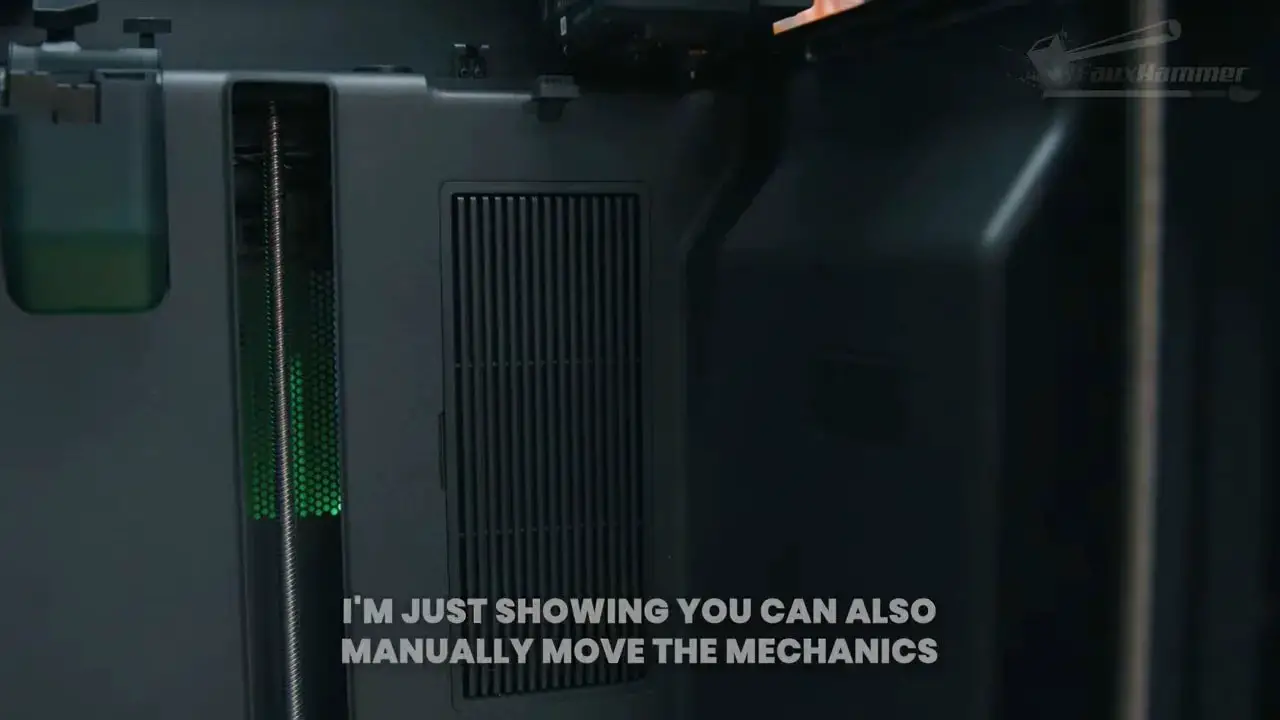
One area where the Bambu X2D does offer a meaningful upgrade is environmental control inside the chamber.
On the right side sits the auxiliary part cooling system. When printing cooler materials such as PLA and PETG, internal vents open and the machine pulls in cooler outside air from intake holes in the base. This helps keep chamber temperature down while still allowing the door and lid to stay shut.
For warmer materials like ABS and similar engineering filaments, those vents close. The machine then recirculates air internally through a carbon filter, pushing it back into the chamber to retain heat while giving fumes multiple passes over the filter media.
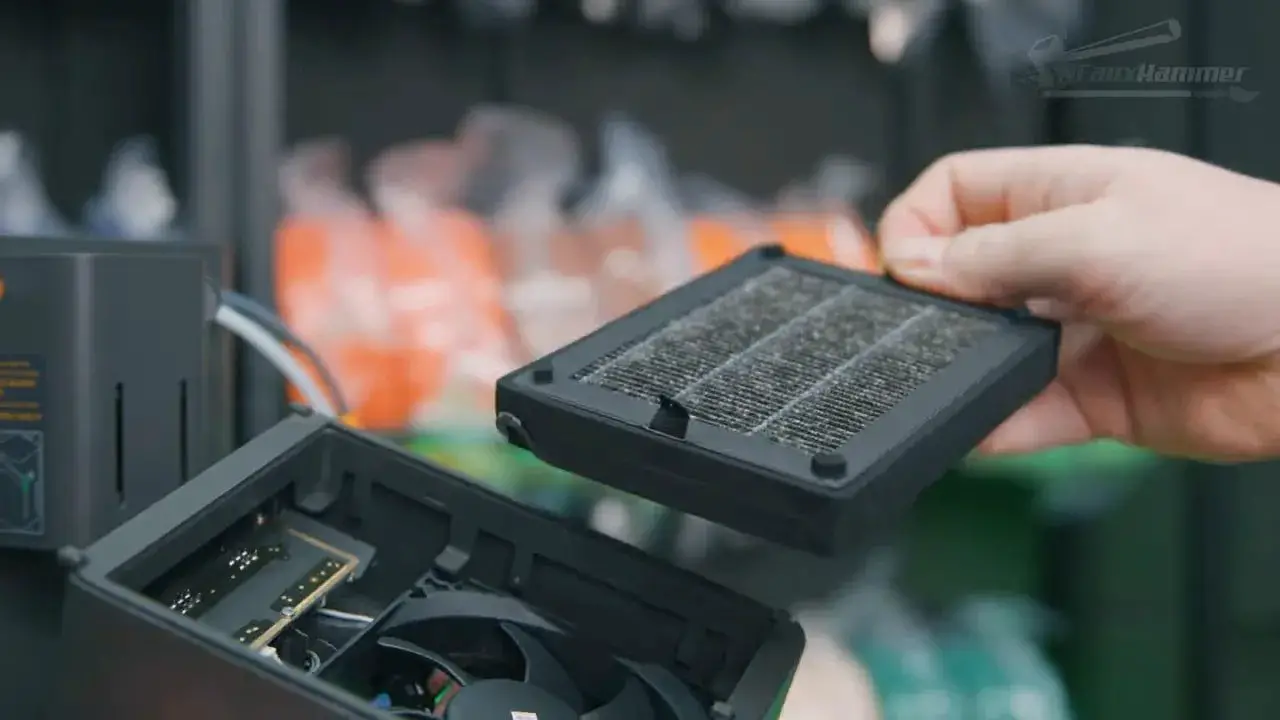
The external rear exhaust module adds another layer. It can pull chamber air out over its own carbon block, and it supports hose attachment if you want to direct fumes elsewhere. The useful detail here is that the internal recirculation can run during printing, while the external exhaust can run afterward to clear remaining VOCs before opening the printer.
On the left side is the chamber heater, which can heat the chamber to 65°C.
This is one of the most valuable features on the Bambu X2D. Even where a warmer chamber does not dramatically change whether a print succeeds visually, it can still improve layer bonding strength on more demanding materials. That is an important distinction. A print that does not curl is not automatically a print with ideal inter-layer adhesion.
Camera, Privacy, and Small Quality-of-Life Details
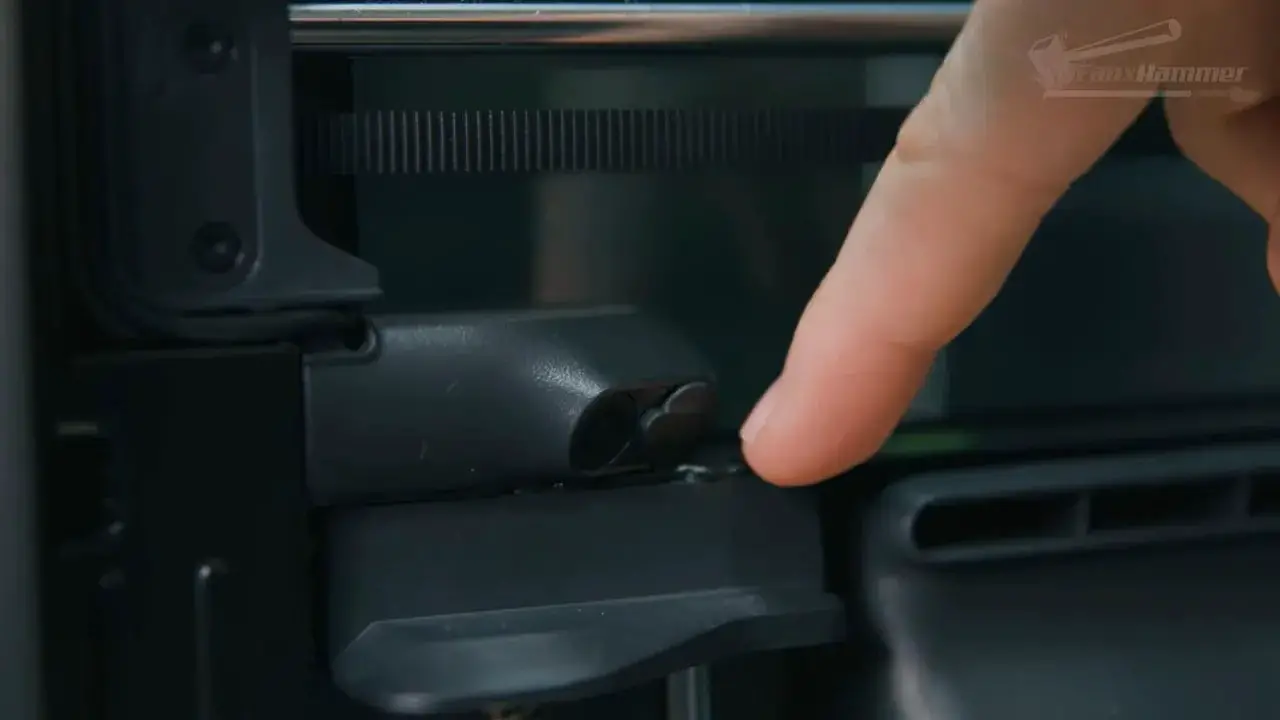
The camera remains in the top-left corner and supports remote print monitoring through the app. Time-lapses can be recorded and exported in 1080p, though only if you have a USB drive inserted despite the printer having onboard memory.
That feels like one of those minor software limitations Bambu really could smooth out. Storing at least a few recent time-lapses internally would be welcome.
One sensible update is the privacy filter. Like the A1 series, the Bambu X2D camera now includes a physical privacy flap, which is useful given the camera angle can slightly see into the room around the printer.
It is a small touch, but a good one, and exactly the kind of thing you like to see included rather than treated as an aftermarket fix.
The Toolhead and What the Bambu X2D Dual Nozzle Really Is
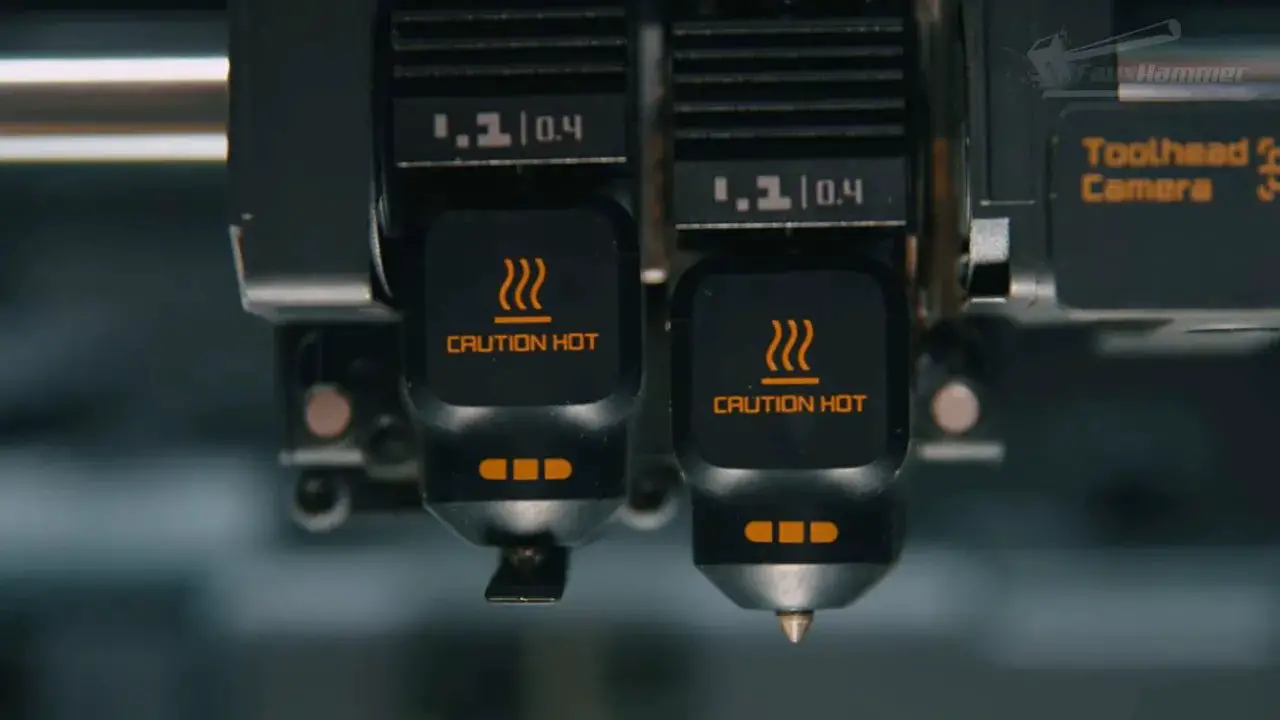
The headline feature of the Bambu X2D is the dual-nozzle system, but it needs to be understood properly.
Yes, the printer has two nozzles. Yes, it can reduce time on multi-material jobs versus a single-nozzle machine doing repeated filament swaps. But this is not a full-fat, unrestricted dual-nozzle implementation in the same sense as a more capable multi-tool system.
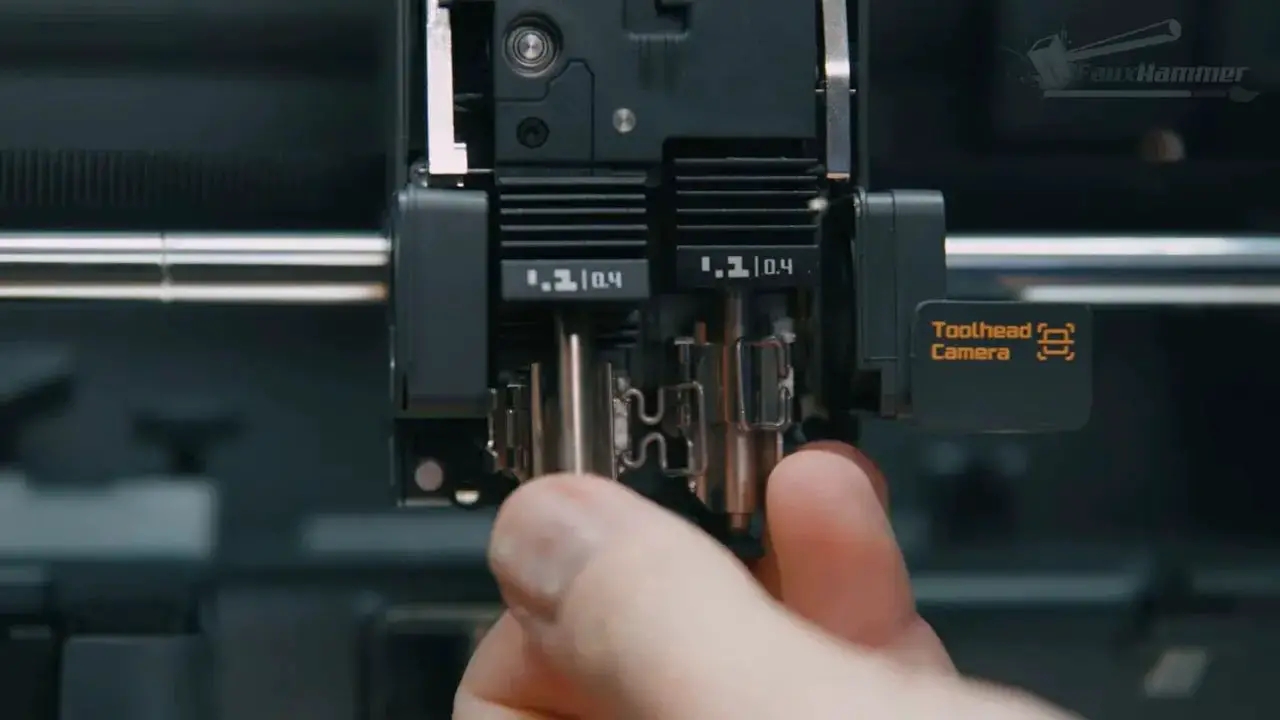
The toolhead itself is pleasantly compact. It is smaller and lighter than the larger H2-style dual-nozzle arrangement, and it uses the same nozzle style already found across the H series and P2. That means good parts compatibility, good availability, and existing third-party nozzle options.
That cross-compatibility is one of the strongest things in Bambu’s ecosystem.
However, the way Bambu made this dual-nozzle head smaller was by moving one extrusion system out of the toolhead and onto the rear of the machine. So the left nozzle is driven in the normal direct-drive style. The right nozzle relies on the rear-mounted Bowden extruder.
And that is where the compromises begin.
Bowden vs Direct Drive – Why It Matters Here
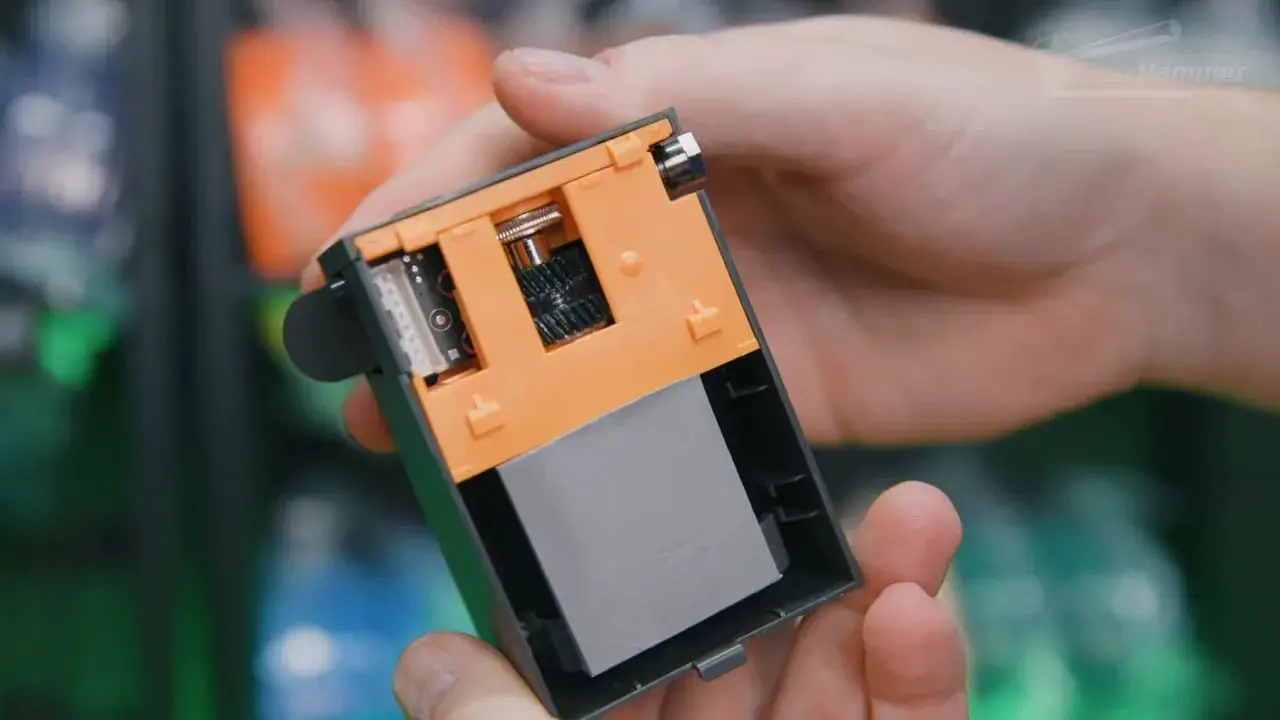
If you are newer to FDM printing, this is worth explaining because it directly affects what the Bambu X2D can do well.
In a direct-drive system, the gears that push filament sit right above the hotend. The distance between push mechanism and nozzle is short, which makes material flow and retraction more accurate and responsive.
In a Bowden system, the extruder sits away from the printhead and pushes filament through a PTFE tube before it reaches the hotend. That extra distance introduces more room for compression, slack, and material-specific behaviour. Softer or stretchier materials can amplify those effects.
Bambu has mitigated some of this with locking fittings rather than simple press-fit couplers, but it does not erase the limitation.
Testing reflected that. In retraction tests, the right nozzle showed more stringing than the left. In practical prints like simple Benchy models, the difference was not obvious by eye. So this is not a disaster. It just means the right nozzle is not equally capable in every scenario.
That is why Bambu positions it more as an auxiliary support nozzle than a completely equivalent second printing nozzle.
In practical terms, think of the Bambu X2D as a printer with one main nozzle and one specialist helper.
The Build Area Restriction Is the Real Frustration
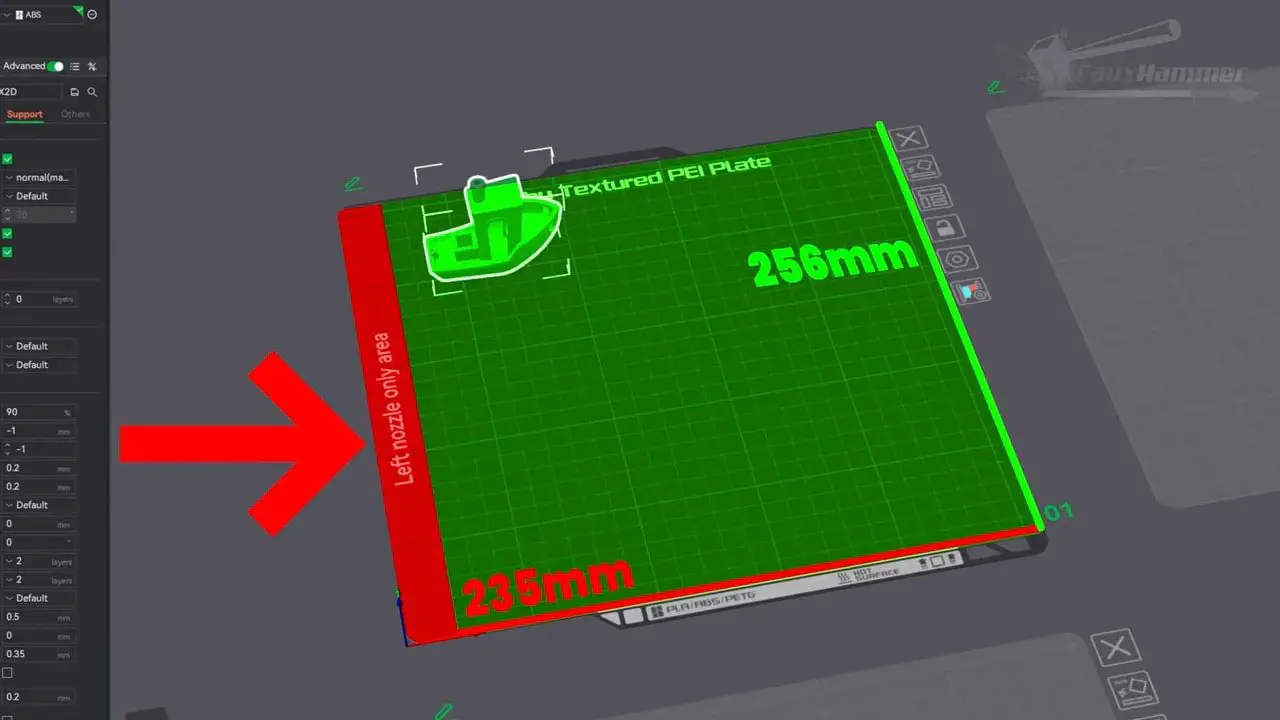
For me, the single most annoying thing about the Bambu X2D is not the Bowden setup. I can live with that. It is the inconsistent plate coverage.
When using the right nozzle, the print area is restricted. That means part of the bed becomes an exclusion zone. And while that sounds manageable on paper, it becomes a constant friction point in actual use.
The slicer’s auto-layout function treats the restricted area as unusable even for jobs that are otherwise simple. Models get moved around unnecessarily. Pre-arranged plate layouts do not always fit as intended. Some jobs need splitting into multiple plates. And if a large supported model extends into the exclusion zone, you may not be able to use the support interface material at all.
This is exactly the sort of thing that turns a clever feature into one you avoid.
The best analogy is voice assistants. When something only works cleanly most of the time rather than all the time, the inconvenience builds until you just stop using it. The path of least resistance wins. That is the danger here for the second nozzle on the Bambu X2D.
If both nozzles had full build plate access, this would be far easier to love.
Missing Compatibility with Other Bambu Add-ons
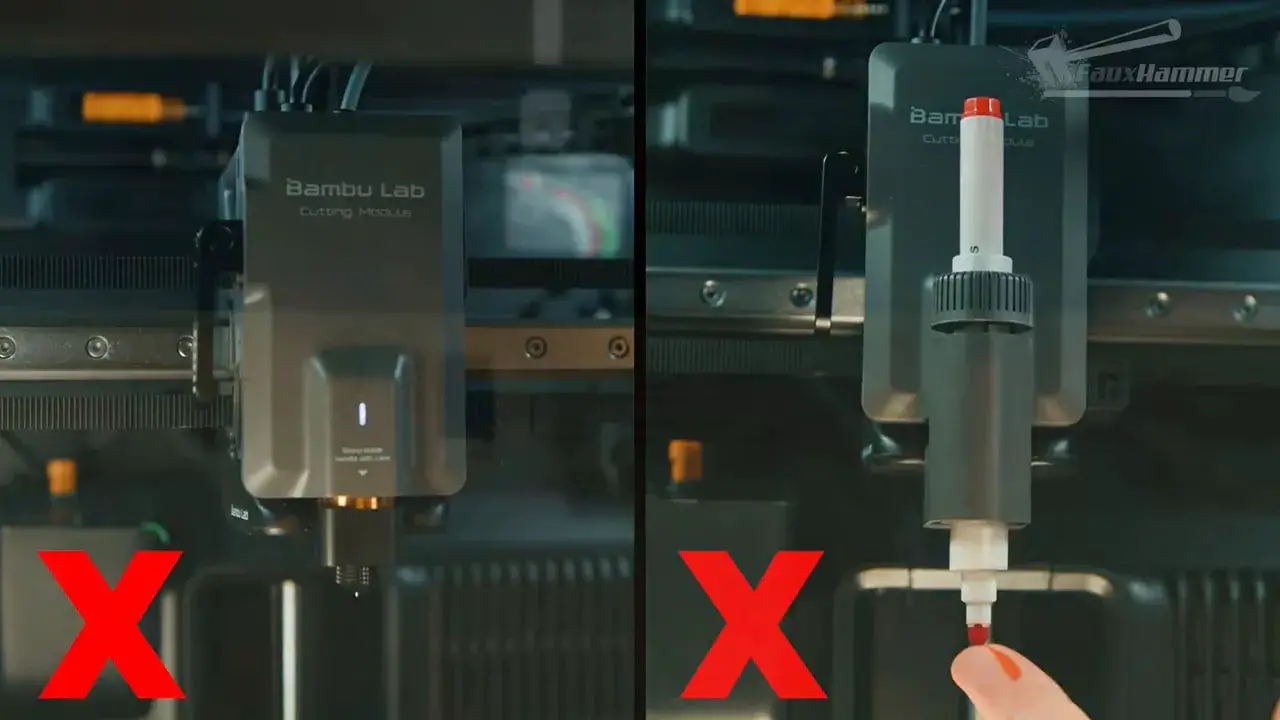
Another disappointment is that the Bambu X2D does not support the pen plotter, drag cutter, or laser module add-ons.
The laser is probably the least significant omission for many people, but the broader point still stands: Bambu already has parts of the software and ecosystem in place for these tool options elsewhere. Even if only a minority would use them, additional compatibility would add value and strengthen the platform.
One of Bambu’s biggest strengths has always been ecosystem cohesion. Restricting that here only adds to the feeling that this machine sits awkwardly between generations rather than representing a fully unified product.
AMS and Recommended Setup
The combo version includes the AMS 2 Pro, a four-material automated feeder. You can route it to either nozzle, but the most logical setup is to use it with the left nozzle and reserve the right nozzle for dedicated support material.
That configuration makes the most sense because support materials often benefit from being kept dry, and because the main value of the second nozzle is not really rainbow-colour printing. It is cleaner support interfaces and reduced waste in multi-material jobs.
For users who dislike the waste associated with multi-colour printing, the Bambu X2D makes more sense as a single-colour machine with a dedicated support material loaded in the second nozzle.
In an ideal world, Bambu would offer bundles that reflect that use case more directly, perhaps pairing the printer with more drying-focused AMS options.
Software and User Experience
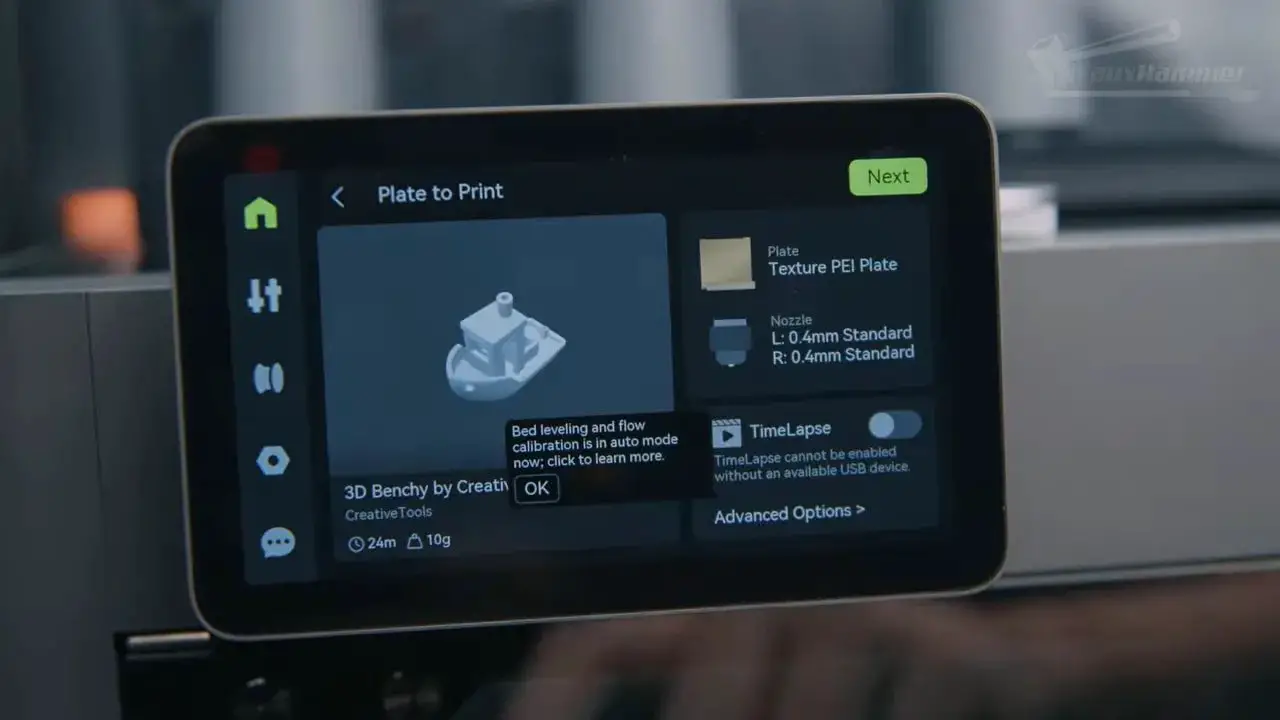
On the software side, Bambu remains one of the best in the business.
The printer UI is clean, modern, and intuitive. The slicer is equally approachable, especially for average users who want good results without spending weeks tweaking settings. On the Bambu X2D, it can also recognise compatible support materials and suggest interface configurations automatically.
That is exactly the kind of guided experience Bambu does well.
There are still some things I would like to see improved:
More onboard storage for print files
Internal time-lapse storage without needing a USB drive
A proper print queue, either local or cloud-based, so multiple jobs can be sent in advance
These are not deal-breakers, but they are becoming more noticeable as other brands push further into workflow automation.
Bambu X2D Print Quality Across Materials
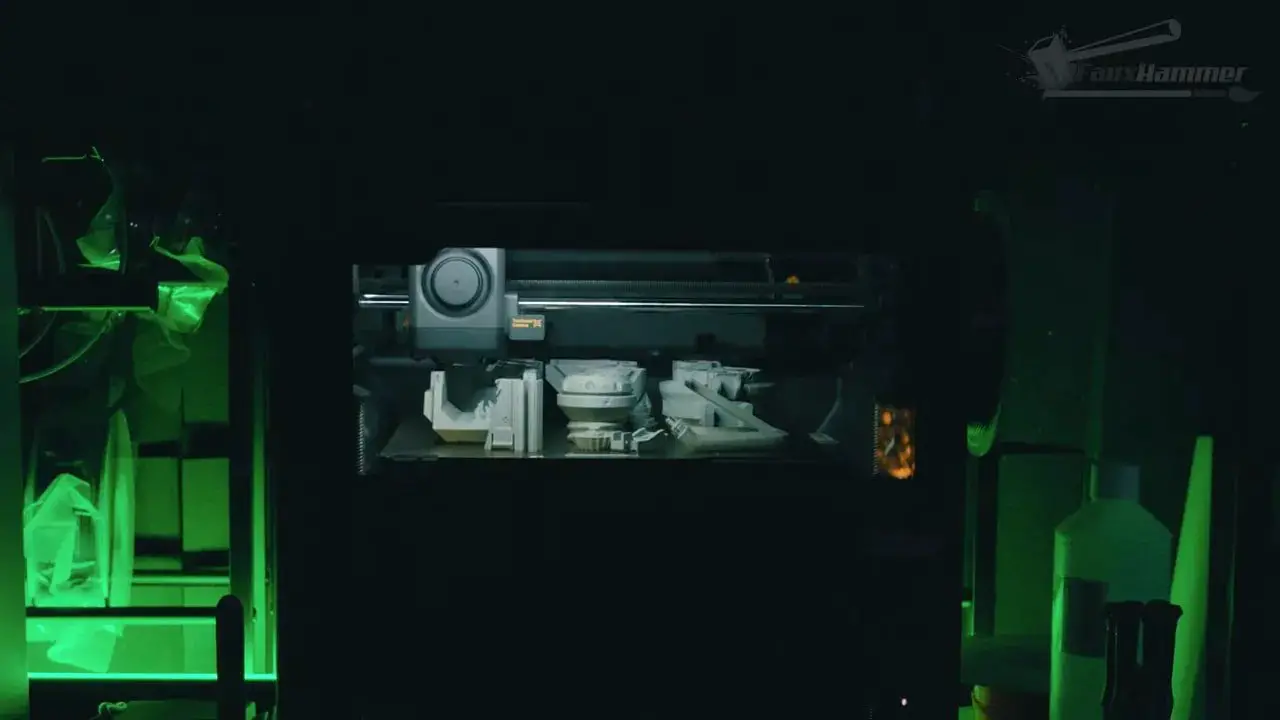
In straightforward print quality terms, the Bambu X2D is a strong printer.
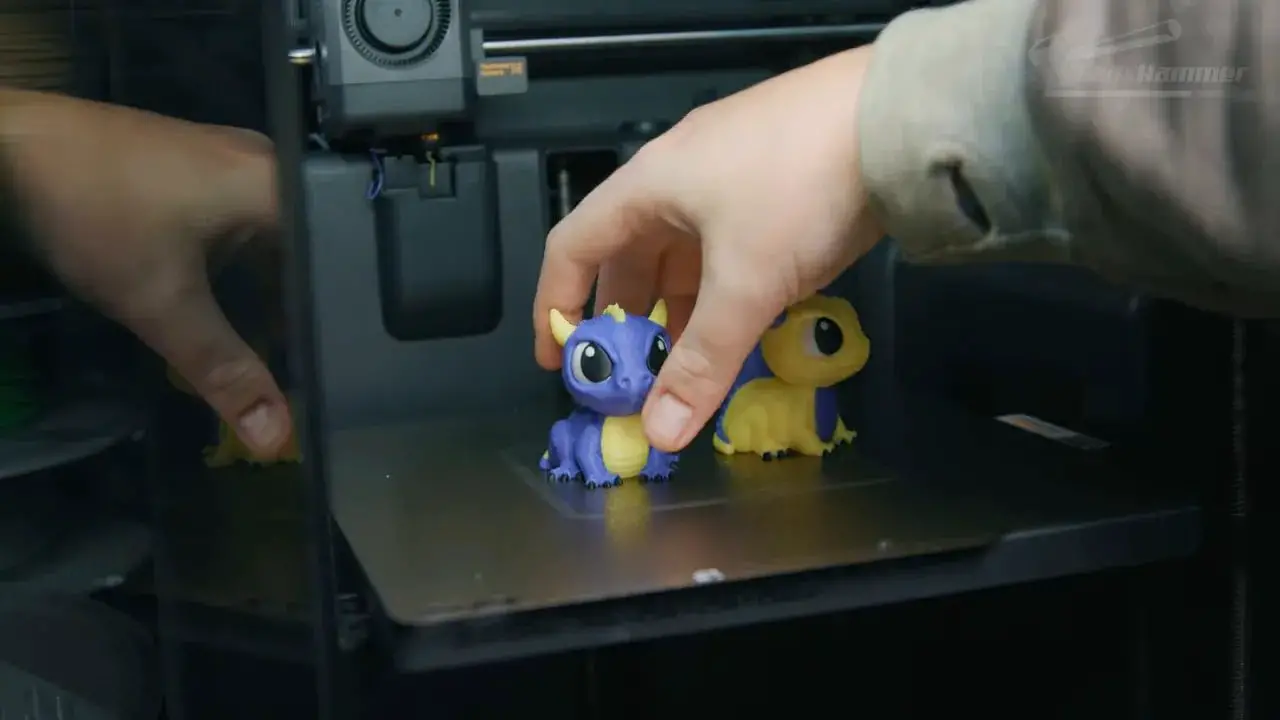
PLA performance was solid. Single-colour prints came out clean, and practical prop-style parts fitted together properly. Multi-colour prints using both nozzles also looked good, and there was a substantial speed advantage versus a single-nozzle machine relying on repeated material changes.
One example reduced a job that took around 16 hours on the P2S to roughly 9 hours and 12 minutes on the Bambu X2D. Naturally, exact gains depend on the model, but the time savings can be significant.
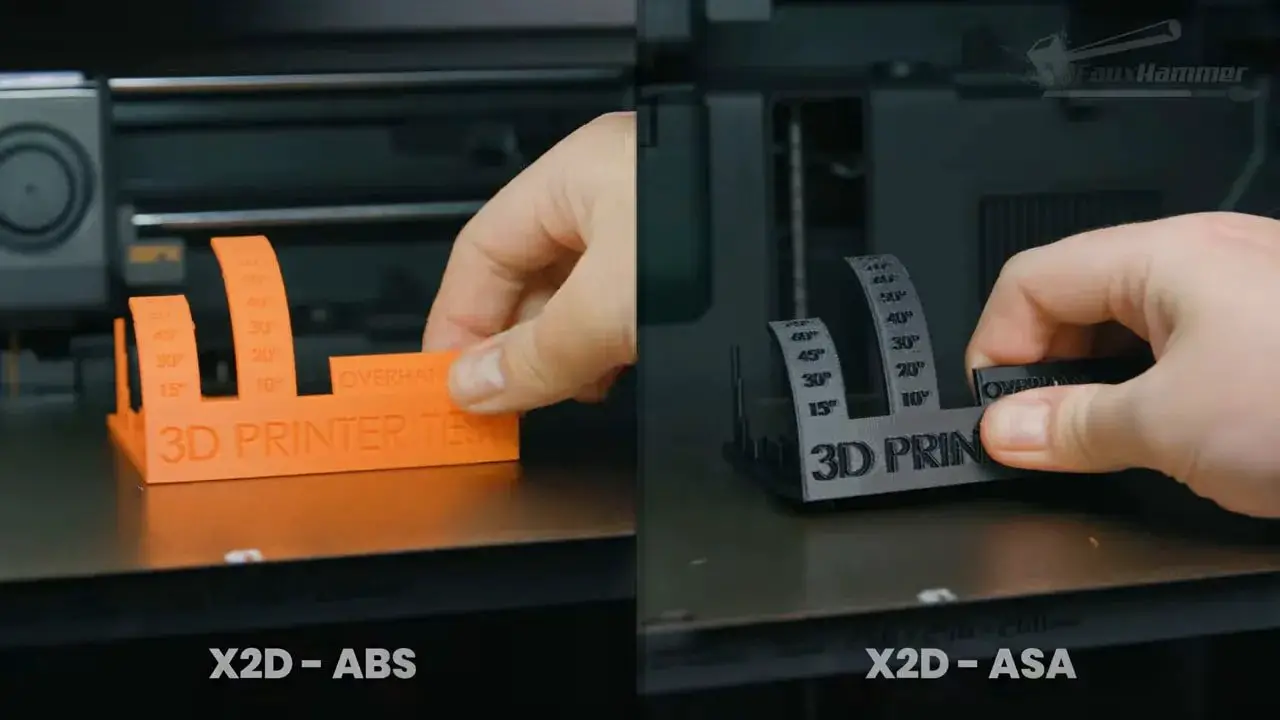
PETG, ABS, and ASA all produced generally good results, with decent bridging and smooth extrusion. There was a visible layer step around a 60-degree overhang during testing, but this appeared likely to be an individual machine issue or something related to early profiles rather than a platform-wide problem.
That is worth noting because the early software and profile state always matters with a new printer. Bambu has a strong history of iterative improvements, so first-wave behaviour is rarely the final word.
The Chamber Heater and Engineering Materials
Where the Bambu X2D starts to separate itself more clearly from the P2S is on tougher materials.
Nylon printed successfully with a brim, although it could also be printed on the standard P2S with the same precaution. Polycarbonate was the notable standout. On the P2S it curled no matter what was tried. On the Bambu X2D, it printed properly.
That matters.
Even if you are not printing PC every day, the chamber heater is not only about preventing visible failure. Warmer chamber conditions can improve layer adhesion strength, and that can matter a great deal for parts intended to handle stress.
So if your printing is mostly PLA, PETG, and occasional ABS or ASA in a reasonably warm room, the P2S may still be plenty. But if you want more confidence with engineering materials, the Bambu X2D starts to justify itself much more easily.
Support Interface Printing – The Best Argument for the Bambu X2D
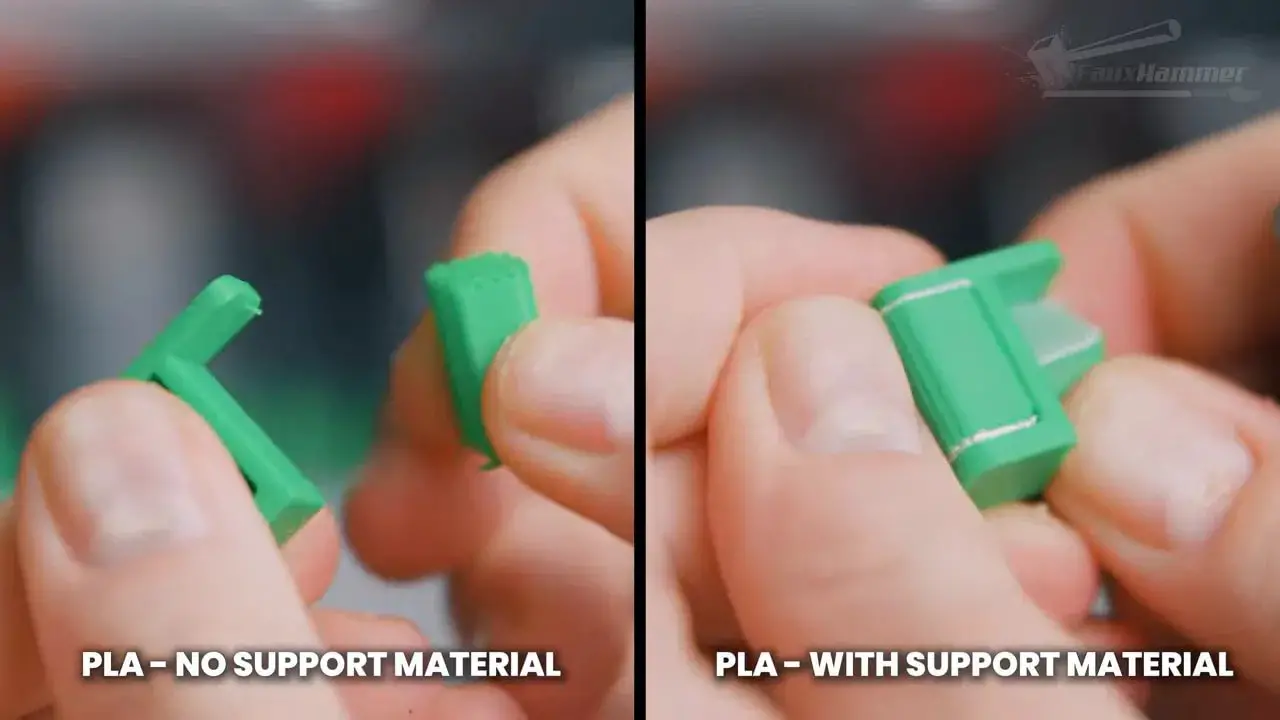
The clearest practical advantage of the Bambu X2D is support interface printing with a second nozzle.
Testing with PLA, PETG, and ABS support interfaces showed exactly what you would hope to see: supports removed more easily and left cleaner surfaces behind. In one ABS case, normal support removal damaged the part, while using an interface material produced a far better outcome.
This is where the second nozzle earns its keep.
Even using PETG as a support interface for PLA worked well. So on the surface, the value proposition is obvious. The Bambu X2D can give you cleaner supported parts, less pain in post-processing, and faster multi-material jobs.
The issue is not whether the feature is good. It is whether the restrictions on where and how it can be used will stop you from reaching for it as often as you expected.
Bambu X2D vs P2S – Which One Should You Buy?
If the price gap remains as small as it was at the time of testing, this is the awkward bit: most people considering the P2S should probably just buy the Bambu X2D instead.
Not because it is cleaner. Not because it is more elegant. But because the added features are worth more than the extra money.
For roughly another $100 / £70, you get:
A chamber heater
Finer-pitch belts
An external exhaust system
A second nozzle with real support-interface value
Any one of those might be enough to justify the difference on its own. Together, they create a package that is difficult to ignore.
However, if your printing is mostly casual PLA props, toys, decorative models, and the sort of things that do not need specialist materials or dedicated support interfaces, then the P2S may still be the more sensible emotional choice because it is simpler and cleaner in concept.
The Bambu X2D wins the value argument. The P2S may still win the purity argument.
Why This Printer Feels “Just Not Bambu”
This is the heart of the review.
The complaint is not that the Bambu X2D is a bad printer. It is not. The complaint is that by Bambu’s own standards, it feels untidy.
The external fan and extruder feel bolted on. The second nozzle has uneven capability. The build area changes depending on what you are doing. The slicer restrictions create soft limits that affect normal use. The whole product feels like it was made by taking an existing chassis and cramming in as many new ideas as possible.
That is unusual for Bambu, and that is why it stands out.
For a company whose appeal has long rested on integration, clarity, and polish, the Bambu X2D feels like a transitional machine rather than the finished answer. A stopgap. A halfway house between where Bambu was and where it probably needs to go next.
And that next step, for many people, will likely be a proper tool changer or a cleaner multi-nozzle solution without these compromises.
Who the Bambu X2D Is Actually For
The Bambu X2D is best for people who fall into one or more of these groups:
You are already looking at the P2S and the price difference is still small
You want the option of a heated chamber for more demanding materials
You print parts with supports often enough to benefit from dedicated interface material
You want faster multi-material jobs without moving to a larger and more expensive machine
You prefer having extra capability available even if you do not use it every day
It is less compelling if:
You only print simple PLA models
You rarely use supports
You strongly value clean, uncomplicated workflow over optional capability
You will be constantly frustrated by build-area caveats and slicer workarounds
That is why this machine feels niche in principle, yet broadly recommendable in practice. The use case is specific, but the price makes it hard to pass up.
Bambu X2D Pros and Cons
To boil it down further, here is the balance of the Bambu X2D.
Pros
Excellent value compared with the P2S if the price gap remains small
Heated chamber improves capability with engineering materials
Second nozzle is genuinely useful for support interface material
Major time savings on some multi-material prints
Strong print quality across common materials
Great Bambu software and UI
Cross-compatible nozzle ecosystem
Useful privacy filter and familiar easy setup
Cons
The second nozzle is not a fully equal dual-nozzle system
Rear-mounted modules feel bolted on
Restricted build area when using the right nozzle
Slicer auto-layout can make those restrictions more annoying than necessary
No support for Bambu pen, cutter, or laser add-ons
Requires more caveat-explaining than a Bambu printer ideally should
Final Thoughts on the Bambu X2D
The Bambu X2D is a strange one to conclude because two apparently opposite things are true at the same time.
First, I do not love how this printer has been designed. It feels compromised. It lacks the clean, from-the-ground-up integration that made earlier Bambu machines feel so sharp. The dual-nozzle implementation is useful but limited, and the reduced usable build area creates exactly the kind of low-level friction that can stop a feature from becoming part of your regular workflow.
Second, I would still buy it over the P2S at the current price difference.
That is the nuance. The Bambu X2D is not the Bambu printer I wanted. But it may still be the Bambu printer that makes the most financial sense for a lot of people right now.
If Bambu takes the lessons from this machine and turns them into a cleaner, fully integrated multi-tool or proper tool-changing platform later, that could be something special. Until then, the Bambu X2D sits in an odd place: a very capable machine, very good value, and yet somehow still disappointing by the standards of the brand that made it.
FAQ – Bambu X2D
Is the Bambu X2D worth buying over the P2S?
If the price gap remains around $100 / £70, then yes, the Bambu X2D is probably worth buying over the P2S for most people. The chamber heater, exhaust module, finer belts, and second nozzle collectively add more value than the price increase suggests.
Is the Bambu X2D a true dual-nozzle printer?
Not in the sense of two fully equal nozzles with identical capability. The left nozzle is the main direct-drive nozzle. The right nozzle uses a rear-mounted Bowden extruder and is better thought of as an auxiliary nozzle, especially for support material and lighter-duty secondary use.
What is the biggest downside of the Bambu X2D?
The biggest downside is the restricted build area when using the right nozzle. That limitation, combined with slicer behaviour around exclusion zones, can make the second nozzle less convenient in practice than it first appears.
Does the Bambu X2D print engineering materials better than the P2S?
Yes, especially thanks to the heated chamber. In testing, polycarbonate printed successfully on the Bambu X2D where it did not on the P2S. The warmer chamber should also help with layer adhesion strength on demanding materials.
Is the second nozzle on the Bambu X2D useful for support materials?
Yes, this is arguably the best reason to buy the machine. Support interface materials came away more easily and left much cleaner results, especially on more difficult materials like ABS.
Does the Bambu X2D support Bambu’s laser, drag cutter, or pen plotter modules?
No, the Bambu X2D does not support those add-ons. That is one of the more disappointing ecosystem omissions on this model.
Who should skip the Bambu X2D?
If you only print simple PLA models, rarely use supports, and want the cleanest possible workflow without caveats, the P2S may be the better fit. The Bambu X2D makes most sense when you will actually benefit from the heater or second nozzle.
The final verdict, then, is simple enough: the Bambu X2D has real value, real capability, and real frustrations. It is easy to recommend, but not easy to admire.
Please Note: This site uses affiliate links. Our Affiliate Partners are shown below
(Affiliate links will result in compensation to the site on qualifying purchases)
Click this link & buy your hobby stuff from Element Games for the UK & Europe to support FauxHammer.com – Use Code “FAUX2768” at the checkout for double reward points.
Our Affiliates / Hobby Stores
- UK: Element Games, The Outpost, Wayland Games, Mighty Lancer, Goblin Gaming, Forbidden Planet, Model Scenery Supplies, eBay, Amazon
- US/Canada: MTechCave, GameKastle, eBay (US), eBay (CA), Amazon
- Germany: Taschengelddieb
- Europe: eBay (DE), eBay (FR), eBay (ES), eBay (IT), Amazon
- Australia: eBay, Amazon
- Global: RedGrass Games, Warcolours
- 3D Printers: Phrozen 3D, Elegoo, Anycubic






 English (UK)
  Deutsch
  Français
  Italiano
  Español