
HeyGears Reflex Review – The Home Resin Printer for Professional Results
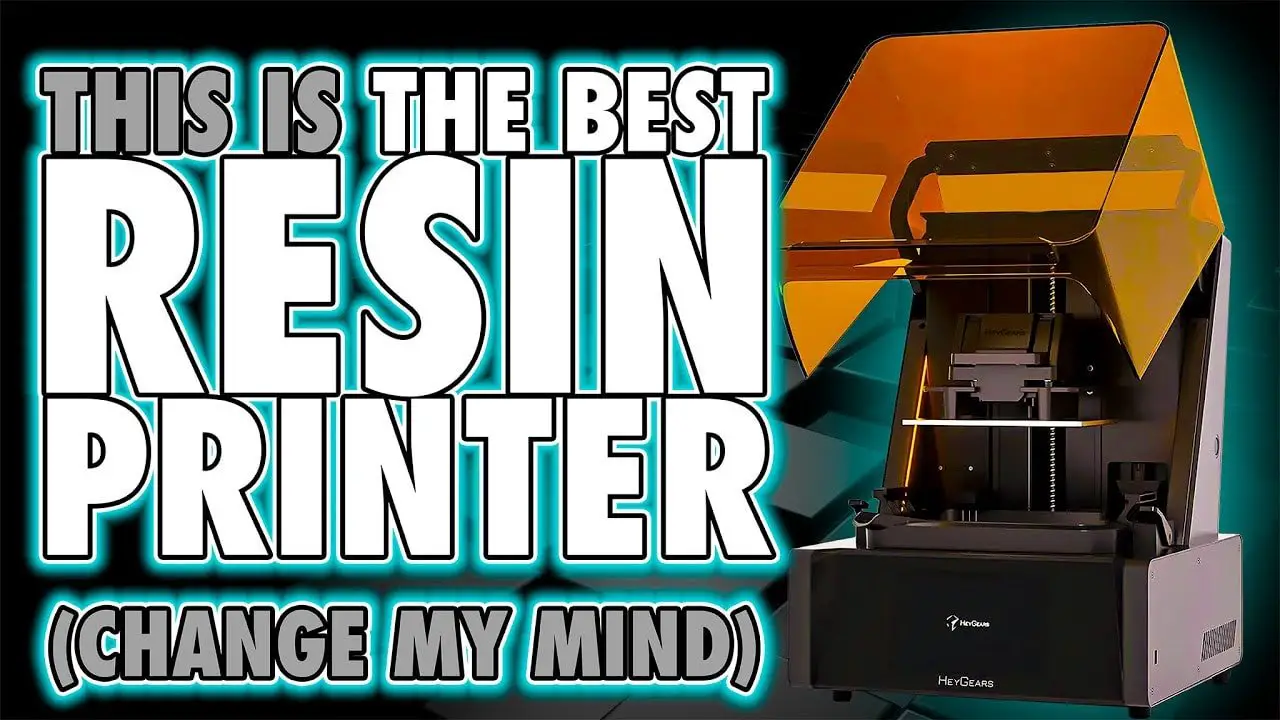
If you’ve spent any serious time with resin printing, you’ll know the reality is rarely as simple as “load file, pour resin, print model.” In practice, most machines demand a constant balancing act of exposure tuning, support adjustments, resin testing, temperature awareness, and post-processing compromises. That is exactly why the HeyGears Reflex stands out.
This is not just another high-resolution resin printer with a few upgraded specs and a marketing-heavy feature list. The real appeal of the HeyGears Reflex is that it behaves more like a complete printing system than a standalone machine. Hardware, software, resin profiles, supports, and print strategy are all designed to work together. In a market where most resin printers still leave users to do the hard work themselves, that makes a substantial difference.
For anyone printing miniatures, display models, or detailed hobby parts, the promise here is obvious: better reliability, more accurate output, less cleanup, and far less time wasted chasing the “perfect settings” for every bottle of resin. The tradeoff, of course, is equally obvious: proprietary resin is central to the experience.
So is the HeyGears Reflex really the best resin printer currently available for home users who want professional-grade results? After spending more time with the machine, the answer presented here is a very strong yes — with a few important caveats.
If you want to check current pricing, bundles, or promotions, you can find the printer on the official HeyGears store.
Notez s'il vous plaît: This site uses affiliate links. Our Affiliate Partners are shown below
(Affiliate links will result in compensation to the site on qualifying purchases)
Cliquez sur ce lien et achetez vos articles de loisir sur Element Games pour le Royaume-Uni et l'Europe pour soutenir FauxHammer.com - Utilisez le code "FAUX2768" au moment du paiement pour obtenir des points de fidélité doublés.


Nos affiliés / magasins de loisirs
- ROYAUME-UNI: Element Games, L'avant-poste, Jeux Wayland, Mighty Lancer, Goblin Gaming, Planète interdite, Fournitures de décor de modèle, eBay, Amazon
- États-Unis / Canada: MTechCave, GameKastle, eBay (États-Unis), eBay (CA), Amazon
- Allemagne: Taschengelddieb
- L'Europe : eBay (DE), eBay (EN), eBay (ES), eBay (IT), Amazon
- Australie: eBay, Amazon
- Global: RedGrass Games, Couleurs de guerre
- Imprimantes 3D: Phrozen 3D, Élégoo, Anycubique
FauxHammer - Dernière vidéo sur YouTube
HeyGears Reflex – Quick Summary
If you just want the short version, here it is.
La HeyGears Reflex appears to be the closest resin printing has come to the “it just works” experience that transformed FDM printing in recent years. Rather than chasing incremental gains in resolution or speed alone, it focuses on what most hobbyists actually care about:
Reliable results
Minimal calibration
Highly accurate detail reproduction
Reduced support damage
A workflow that feels like a tool, not a second hobby
Its biggest weakness is also inseparable from its biggest strength. The system works so well because the resin, supports, and printer behavior are tightly controlled. That means the best experience depends on HeyGears resin, and that will immediately put off a lot of experienced resin users who value open material choice above everything else.
But if your priority is output quality and ease of use rather than endless tinkering, the HeyGears Reflex makes an exceptionally compelling case for itself.
HeyGears Reflex – Why This Printer Matters
One of the most interesting arguments around the HeyGears Reflex has less to do with this individual printer and more to do with where resin printing is as a category.
FDM printing has moved forward rapidly in the last few years. The major leap was not just speed. It was usability. Machines became easier to trust. Slicers improved. Apps got smarter. Reliability increased. Community knowledge grew around machines that behaved consistently. The result was that a far wider group of hobbyists could buy a printer and treat it like a practical workshop tool rather than a constant engineering project.
Resin printing, by comparison, has often remained trapped in a loop of incremental hardware improvements. Screens got sharper. print speeds increased. vats and films evolved. Some machines added heaters, sensors, or other nice extras. Yet for the average user, the everyday experience often stayed fundamentally the same:
Try a Resin
Run tests
Adjust exposure
Tweak lift settings
Fight supports
Clean damage off the model
Repeat the whole process when you switch resin
That is the gap the HeyGears Reflex is trying to close. The key idea is simple: most people do not want more resin choices if every choice creates more work. They want dependable output with minimal effort.
For beginners, that means fewer reasons to fail. For experienced users, it means less time burned on setup and more time making actual things. For miniature hobbyists in particular, that distinction matters a lot. Printing is usually not the hobby. It is there to serve the hobby.
HeyGears Reflex – The Real Value Is Time
Specs matter. Resolution matters. Surface finish matters. But the strongest case for the HeyGears Reflex is time.
Every resin user knows how much invisible time disappears around a machine. It is not just the print duration. It is:
Searching for settings online
Running exposure tests
Comparing community profiles
Trying to understand if failures came from resin, supports, temperature, or orientation
Repairing support scars
Testing a second resin because the first one was too brittle or too soft
That time has a real cost, especially if you print regularly. Even users who enjoy calibration rarely enjoy repeating it for every resin change.
The philosophy behind the HeyGears Reflex is that if the printer manufacturer already knows the resin behavior intimately, then much of that burden can be removed from the user. Instead of asking people to tune exposure, lift, retract, wait times, XY compensation, anti-aliasing, and temperature effects by hand, the system handles far more of the work behind the scenes.
This is the central reason the machine becomes so attractive with extended use. When the novelty wears off, convenience becomes more valuable, not less.
HeyGears Reflex – Calibration Versus Convenience
There is a familiar progression in resin printing.
New users often hope they can simply copy someone else’s settings and be done with it. More experienced users move on to exposure tools such as the Photonsters XP Range Finder or cones-style calibration tests. Advanced users go further and start checking XY accuracy, tuning lift and retract settings, adjusting wait times, and refining supports manually for every model.
That process absolutely can produce excellent results. The issue is that it is exhausting.
A technically perfect resin workflow involves far more than exposure time alone. You may need to account for:
Lift speed
Retract speed
Light-off delay or wait times
UV power behavior
XY compensation
Anti-aliasing settings
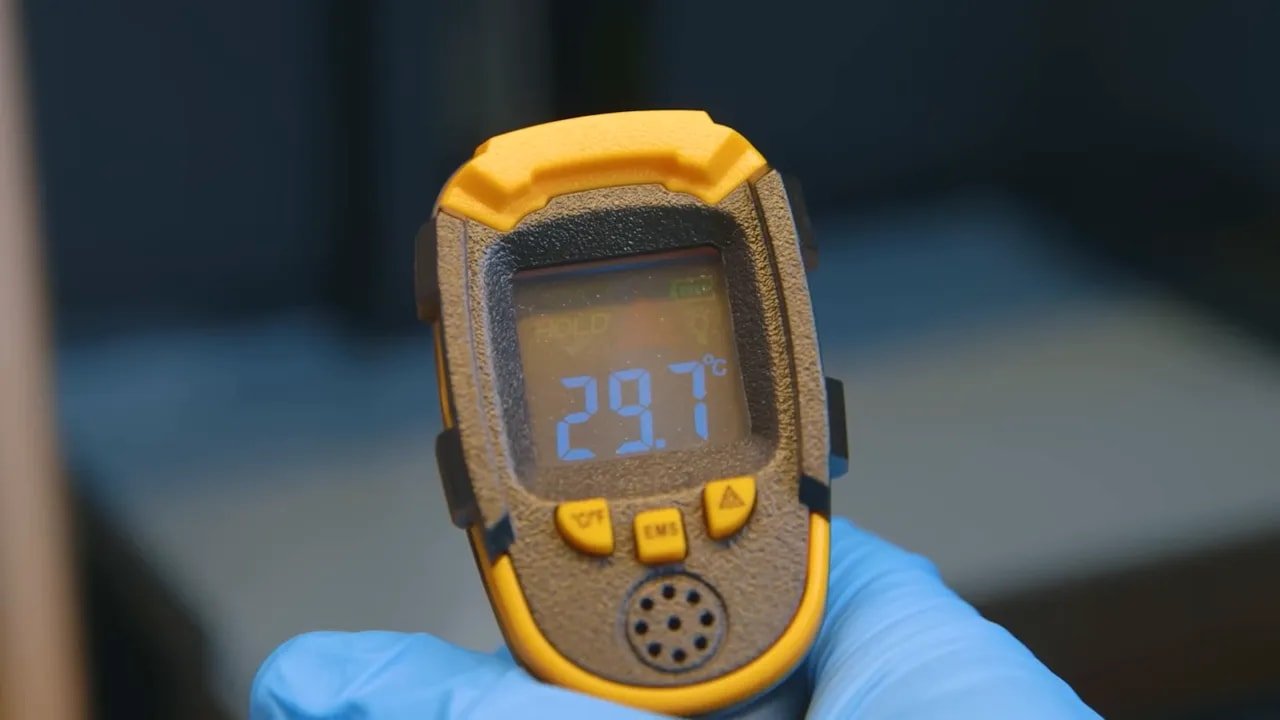
Resin temperature
If you want to calibrate other machines properly, a useful starting point is the Photonsters XP Range Finder, and there is also a related beginner guide to printing perfect miniatures that walks through the process in a practical way.
But this is also the point: very few people want to do all of that every time they buy a new bottle of resin. The HeyGears Reflex is appealing precisely because it reduces the need for that ongoing manual intervention.
HeyGears Reflex – Resin System and the Proprietary Tradeoff
Let’s get straight to the biggest objection, because there is no point dodging it.
La HeyGears Reflex is built around proprietary resin.
Yes, alternative resins can be used, but the machine does not open up the usual level of manual tuning that users expect from more traditional resin printers. In practical terms, that means if you stray outside the intended ecosystem, you are relying more on luck than control. And even if you do get an alternative resin to work, you also lose much of what makes the system special.
That sounds restrictive because it is restrictive. However, the counterargument is stronger than it first appears.
Resin printing does not have the same level of material standardisation that exists in FDM printing. PLA is not identical across brands, but it is close enough that broadly sensible defaults often get you moving. Resin is different. One brand’s ABS-like can behave very differently from another’s. A resin that worked beautifully last year may even change formulation without much warning.
So the supposed freedom of open resin ecosystems often means this:
More options
More uncertainty
More failed prints
More wasted time
La HeyGears Reflex effectively chooses consistency over material freedom. Whether you like that will depend on what kind of user you are. If you love experimenting with resins, this machine may frustrate you. If you want repeatable quality with minimal setup, the restriction starts to feel less like a flaw and more like the cost of admission.
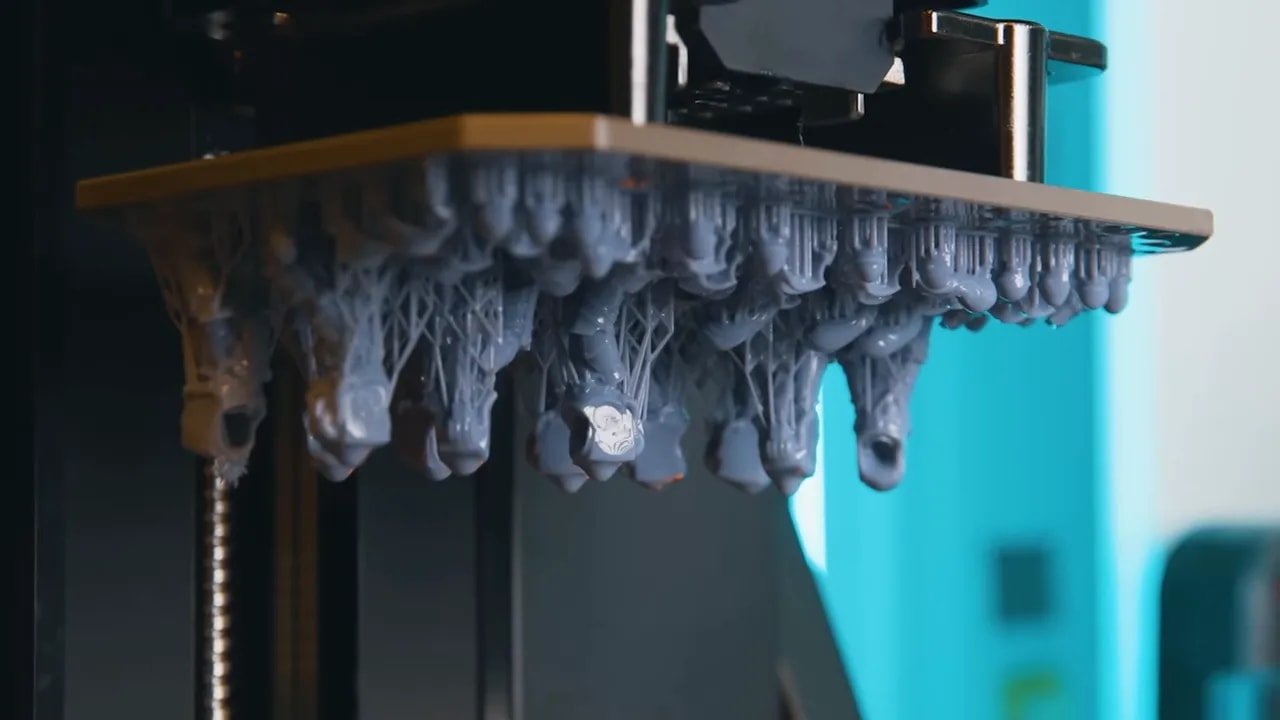
HeyGears Reflex – Testing with Part 10 Resin
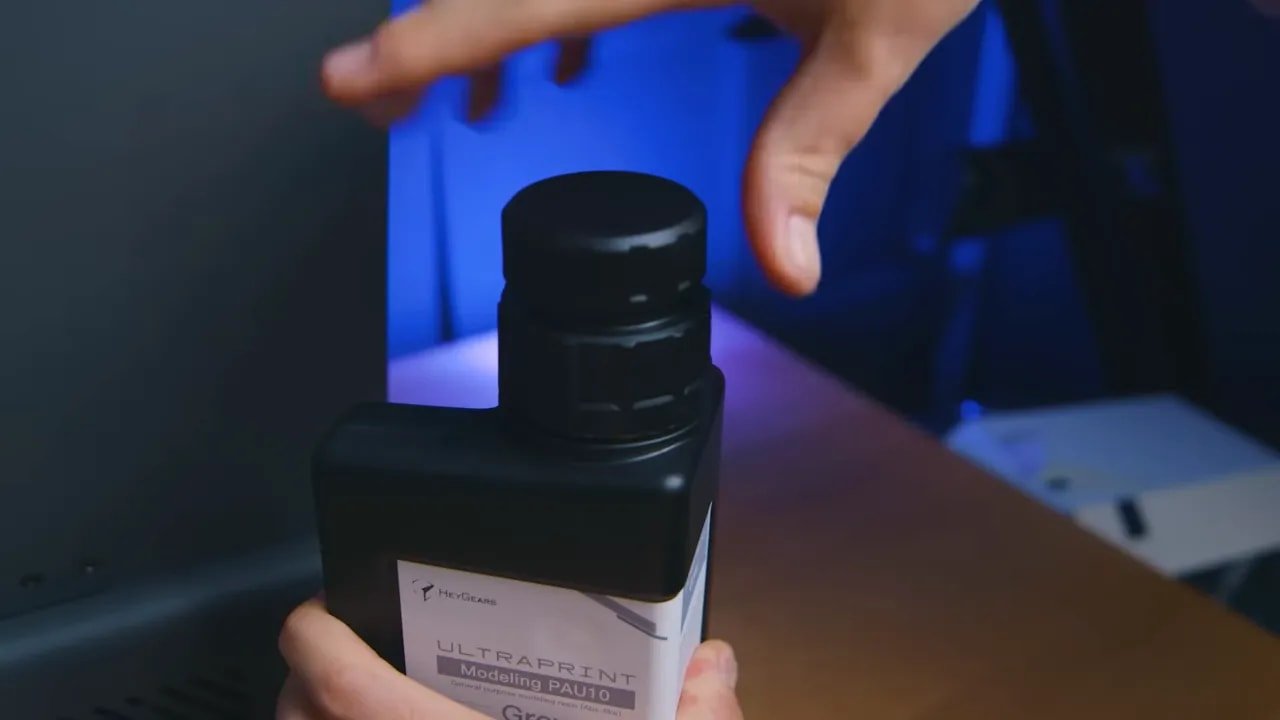
The more affordable Part 10 resin plays an important role in the case for the HeyGears Reflex. Earlier pricing made the ecosystem harder to justify. A high-performing closed system becomes much easier to recommend once the resin cost moves into a more realistic range for hobby use.
In use, Part 10 is described as particularly strong for miniatures because it balances detail accuracy with a little flex. That combination matters. Ultra-sharp detail is fantastic, but not if every sword, antenna, or finger becomes a brittle liability the moment you touch it. For tabletop miniatures and small display parts, a bit of resilience is a very welcome trait.
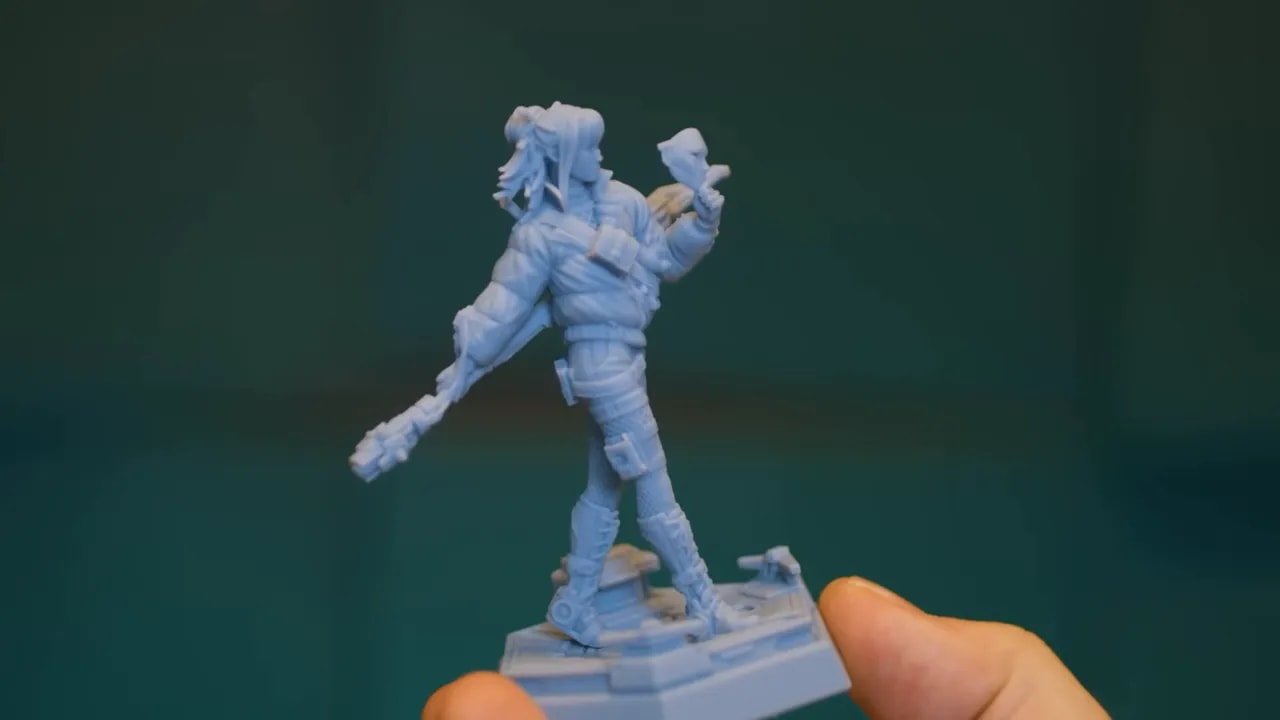
The surface character is also highlighted favorably, with comparisons to premium DLP hobby resins that have long had a good reputation for miniature work. More importantly, the print output is described as exceptionally accurate, especially in tiny surface details.
That matters because many resin printers are capable of looking good in broad shots. Far fewer maintain crispness in the smallest recesses, edges, and textures without heavy cleanup or profile tuning.
HeyGears Reflex – Print Quality and Surface Finish
One of the strongest impressions from extended use of the HeyGears Reflex is how clean the surfaces appear. Not just detailed, but unusually smooth and consistent.
The claim is not simply that the machine captures fine detail. It is that the full system is tuned so effectively that common artifacts are dramatically reduced. That includes problems such as early-layer compression and visible surface inconsistency that often give resin prints away even when the geometry itself is sharp.
When everything is dialled in properly, a good resin print can look excellent. What makes the HeyGears Reflex notable is that this level of finish is being achieved without the user having to do all the dialing in personally.
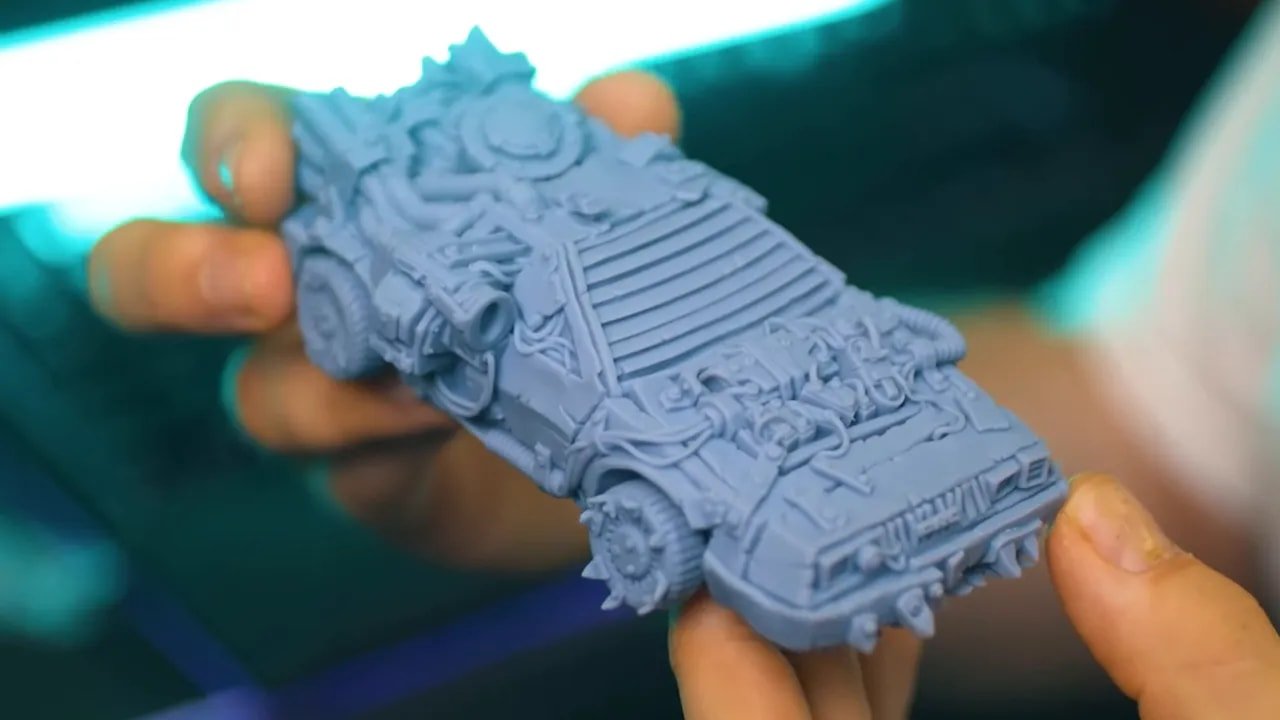
That leads to an experience that feels slightly strange the first time you see it: the print can look less like a typical home resin print and more like a physical rendering of the digital sculpt. Smooth transitions, sharp micro-detail, and minimal visual noise are a big part of that impression.
For miniature painters, this has obvious benefits. You spend less time removing evidence of the manufacturing process and more time painting the model you actually wanted.
HeyGears Reflex – Auto Supports That Actually Matter
Auto supports are one of those features that almost every slicer offers and many experienced users distrust. Usually with good reason.
Traditional auto supports tend to aim for broad success rather than elegance. They create something that might work on many machines and many resins, but often at the expense of cleanup. Meanwhile, most professionally pre-supported miniatures are built around unofficial community standards that try to balance print reliability with reasonably small contact points.
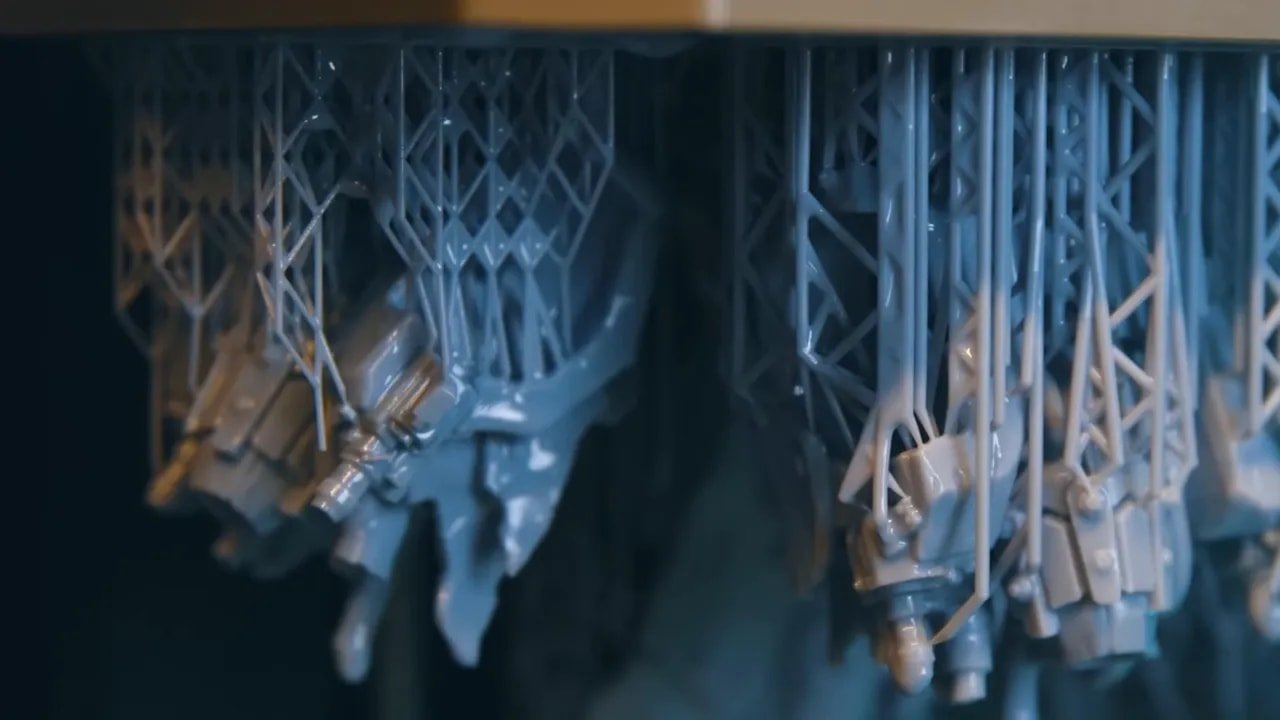
La HeyGears Reflex approaches the problem differently because the system has confidence in its own resin behavior. That lets it place thinner, more precise supports based on the actual load they need to hold. The aim is very specific: the smallest possible support contacts touching the fewest possible areas of the model.
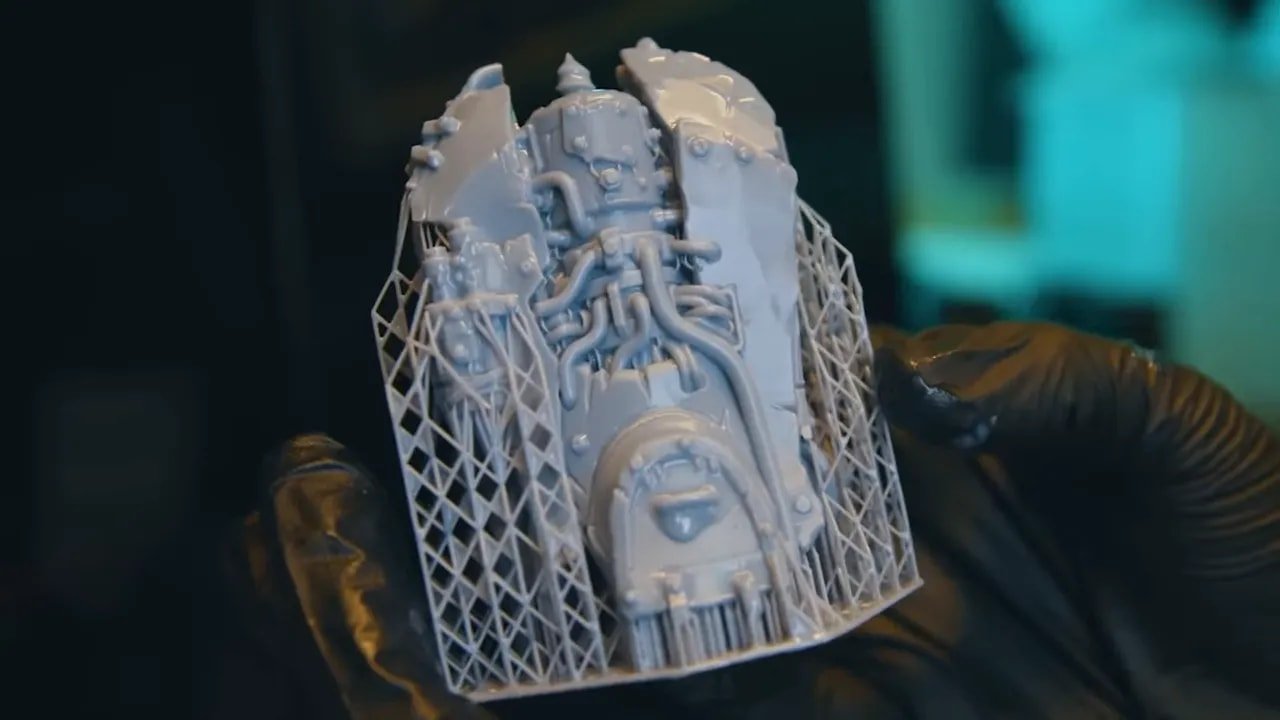
That is a huge deal for resin printing. Support placement is not just about whether a model succeeds. It also determines how much damage you need to repair afterwards.
The machine’s support strategy is strong enough that it is preferred even over high-quality pre-supported files from established creators. In the testing discussed, models from Puppetswar Miniatures were printed even though they were already supported well, yet the HeyGears support solution was still favored for the final result.
HeyGears Reflex – Intelligent Regional Exposure
One of the smartest features in the HeyGears Reflex workflow is intelligent regional exposure.
In plain English, this means the printer treats support contact points differently from the visible surfaces of the model. The support tips are cured more aggressively so they become harder and more brittle than the model itself. The result is that when supports break away, they are more likely to leave tiny removable nubs rather than tear chunks from the model surface.
If you have printed miniatures on more open resin systems, you will know exactly why this matters. Support removal often creates one of two problems:
A small raised mark that can be cleaned away fairly easily
A torn pit or divot that permanently damages visible detail unless repaired
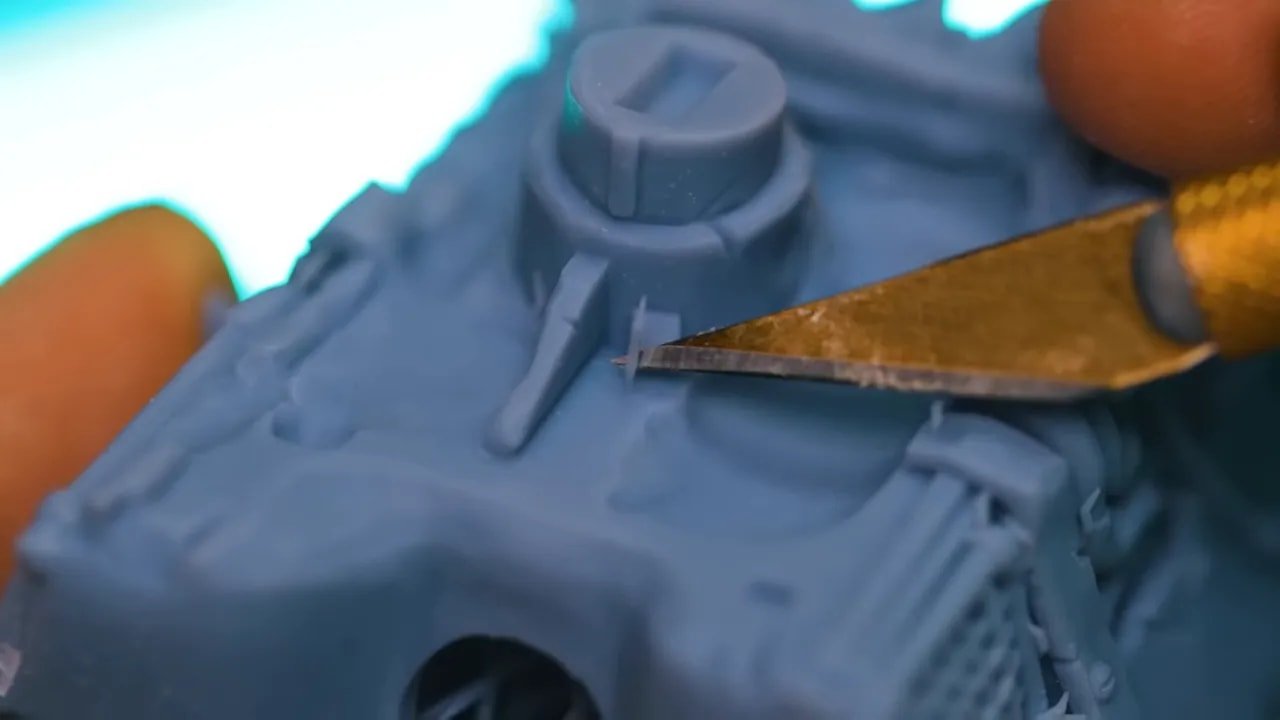
La HeyGears Reflex is clearly aiming for the first outcome as consistently as possible. For miniatures, statues, and display pieces, that can dramatically reduce cleanup time and preserve sharp detail in vulnerable places.
This is the kind of feature that sounds minor on a specification sheet but feels major in day-to-day use.
HeyGears Reflex – Hardware, Software, and the “System” Advantage
It is tempting to judge the HeyGears Reflex like any other printer: compare the screen, compare the speed, compare the price, compare the vat. But that misses the point somewhat.
The strongest argument for the machine is not one isolated hardware component. It is the fact that HeyGears appears to have built a coherent ecosystem where each part informs the others:
The printer knows the resin
The slicer knows the resin
The support strategy knows the resin
The exposure behavior is built around that knowledge
That is what creates a smoother experience and allows the machine to behave differently from typical consumer resin printers.
It is very similar to what happened in FDM when certain manufacturers stopped treating the slicer, the hardware, and the user as separate problems. Once everything was aligned, reliability improved in a way that brute-force hardware upgrades alone never achieved.
La HeyGears Reflex feels like one of the first resin printers seriously pushing in that direction.
HeyGears Reflex – Printing Miniatures and Hobby Models
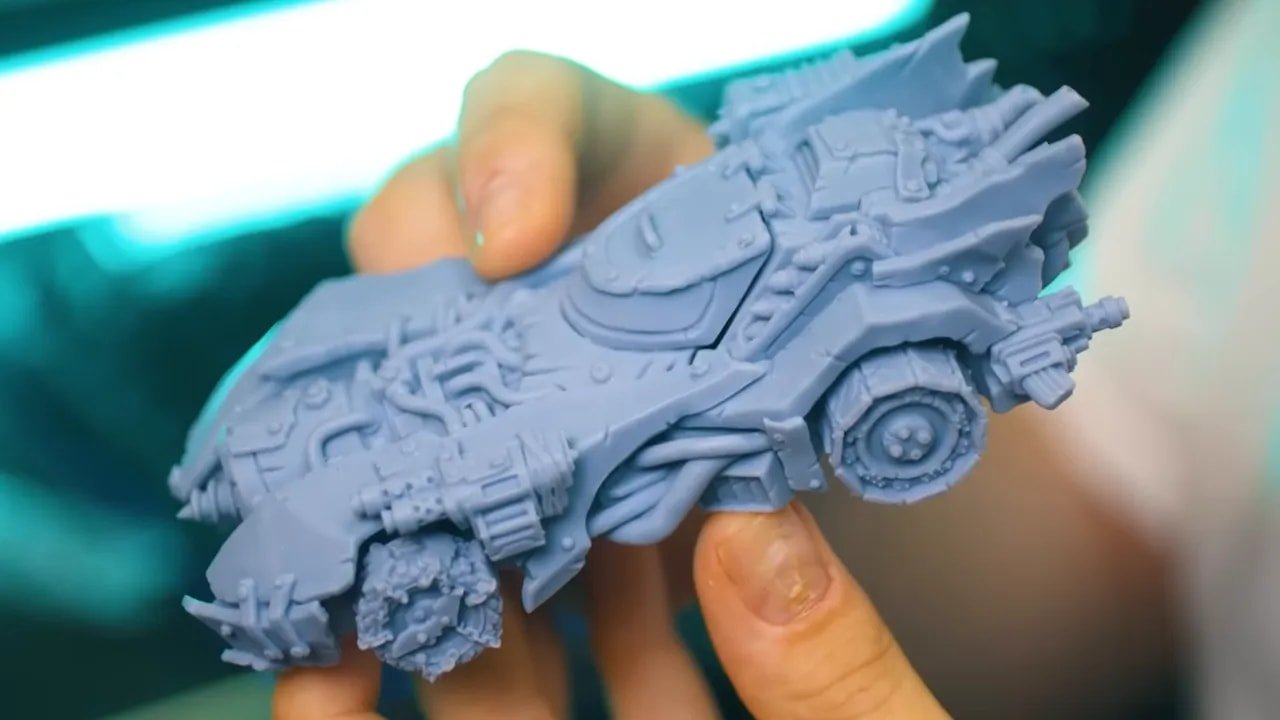
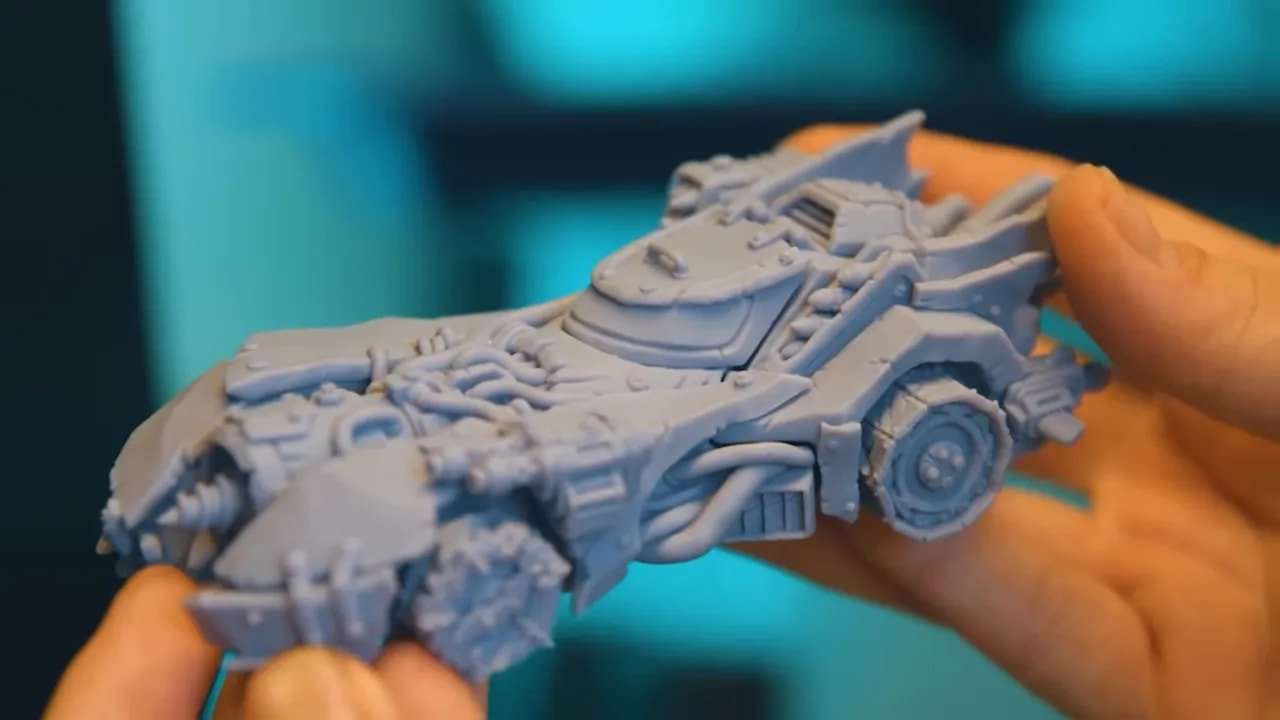
The machine was tested using detailed “Auk” vehicle models from Puppets War, a range inspired by various iconic 1980s film aesthetics. While the comment was made that the range really ought to include more Mad Max-style vehicles, the important point here is that these are excellent examples for judging detail capture, surface finish, and support performance.
These kinds of models are a useful stress test because they combine:
Fine surface textures
Mechanical detail
Clean edges
Areas where support cleanup would be highly visible
For that sort of print, a machine either reveals its flaws immediately or looks superb. The HeyGears Reflex is positioned firmly in the latter camp.
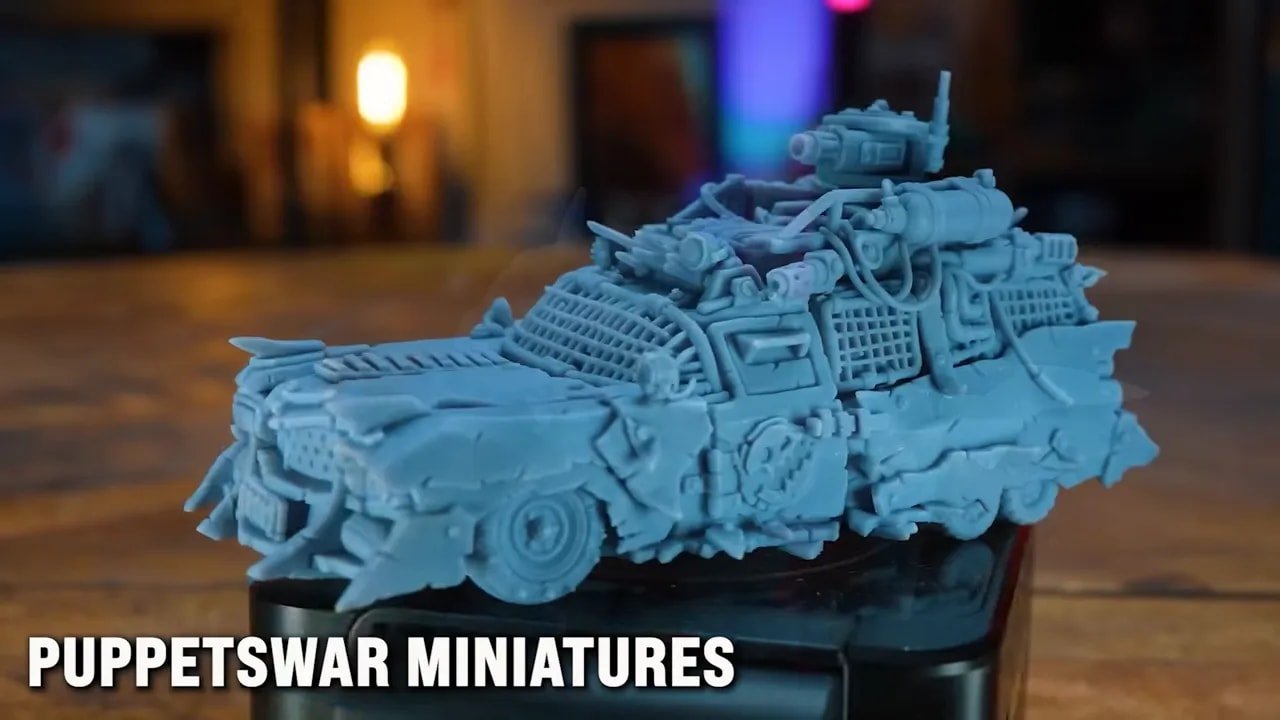
If your interests are in tabletop gaming, display miniatures, busts, small vehicles, accessories, or other highly detailed hobby pieces, this is exactly the sort of use case where the system’s strengths are easiest to appreciate.
For a broader look at where this machine sits in the current market, FauxHammer also maintains a guide to the best 3D printers for miniatures.
HeyGears Reflex – Price, Resin Cost, and Value
The price conversation around the HeyGears Reflex needs to be split into two parts: printer cost and ongoing resin cost.
On hardware alone, the machine is considered to justify its asking price, especially when compared to other printers in the same range. In fact, the suggestion is that the hardware package may be priced aggressively, with the company likely recovering margin through resin sales instead.
That business model is common enough in other industries, and it fits the ecosystem approach here. The important question for buyers is whether the resin cost makes the whole thing worth it.
At roughly £70 per litre, the answer was previously a hard no. At under £50 for a bottle of a resin that delivers this level of performance, the proposition changes significantly.
Is it still more expensive than bargain third-party resin? Yes, of course. But if your current workflow is eating time through failed prints, endless support cleanup, and constant re-tuning, then cheap resin may not be cheap in any meaningful sense.
La HeyGears Reflex asks you to think about cost in terms of total experience, not just bottle price.
HeyGears Reflex – Pros and Cons
Pour
Outstanding print accuracy and fine-detail reproduction
Extremely smooth surface finish with minimal visible artifacts
Excellent support strategy that reduces contact damage
Intelligent regional exposure improves cleanup dramatically
Closed system reduces calibration and setup burden
Ideal for hobbyists who want printing to feel like a tool, not a project
PAP 10 resin makes the ecosystem more affordable than before
Contre
Best experience depends on proprietary resin
Limited appeal for users who enjoy tuning open resin systems
Consumable costs remain higher than generic budget resins
The ecosystem approach may feel restrictive if material experimentation matters to you
HeyGears Reflex – Who Should Buy It?
La HeyGears Reflex makes the most sense for a very specific kind of buyer.
You should seriously consider it if:
You want the best quality resin prints possible with minimal hassle
You print miniatures, vehicles, statues, or highly detailed hobby pieces
You are tired of endless calibration and support cleanup
You value your time as much as your print quality
You want a printer that behaves more like a polished product than a kit of variables
You may want something else if:
You specifically want to use a wide range of third-party resins
You enjoy the experimentation side of resin printing
Your primary goal is the lowest possible cost per bottle rather than the easiest route to excellent output
This is an especially attractive printer for people whose main hobby is painting, gaming, modelling, or collecting — not printing itself.
HeyGears Reflex – Final Verdict
The strongest endorsement of the HeyGears Reflex is not a benchmark number or a spec-sheet comparison. It is the simple fact that, given a choice of many printers, this is the one repeatedly chosen for personal projects.
That says a lot.
There are plenty of resin printers that can produce beautiful results when everything is tuned correctly. Far fewer make those results feel easy. That is where the HeyGears Reflex separates itself.
Is the proprietary resin model controversial? Absolutely. Is it worth it for everyone? No. But if your priority is to get professional-looking resin prints at home, with less friction and less wasted time, then the HeyGears Reflex currently makes one of the strongest cases in the entire market.
For anyone asking what the best resin printer is right now — not the most open, not the cheapest, but the best overall experience for this specific use case — the answer here is the HeyGears Reflex.
HeyGears Reflex – Additional Resources
If you want to explore a few related resources, these are useful places to continue:
Browse the official HeyGears store for the printer, resins, and offers.
Find pre-supported sci-fi files through Loot Studios Sci-Fi.
Explore fantasy releases through Loot Studios Fantasy.
Grab sample files from the Loot Studios freebies pack.
Join the printer-focused HeyGears IdeaShapers community.
See the campaign page for The Damned from Wargames Atlantic and MiniWargaming.
Check-out WARGAMER resin for miniature-focused material options on other machines.
A silicone cleaning mat is also a practical addition for keeping resin workspaces under control.
For community discussion, you can join the FauxHammer 3D Printing Group, les PaintHub Facebook Group, or the FauxHammer Discord.
HeyGears Reflex – FAQ
Is the HeyGears Reflex good for miniatures?
Yes. The HeyGears Reflex is especially well suited to miniatures and other highly detailed hobby models because of its strong dimensional accuracy, smooth surface finish, and support system that minimizes cleanup damage.
Can the HeyGears Reflex use third-party resin?
It can, but that is not really the point of the machine. The best results come from using the HeyGears resin ecosystem. Alternative resins may work, but you lose much of the system-level optimization that makes the printer stand out.
Why is the proprietary resin approach such a big deal?
Because it is both the main drawback and the main reason the printer works so well. Tight control over the resin lets HeyGears optimize exposure, support behavior, and print quality in ways that open resin systems usually cannot guarantee.
Is the HeyGears Reflex worth the higher resin cost?
For many hobbyists, yes. If you value time, consistency, and easier cleanup, the higher bottle price may be worth it. The equation becomes much more favorable if you are currently spending a lot of time calibrating and troubleshooting other resin printers.
Who should avoid the HeyGears Reflex?
Users who specifically want maximum freedom to experiment with many resin brands and custom settings may prefer a more open machine. The HeyGears Reflex is best for people who prioritize dependable results over endless material flexibility.
Is the HeyGears Reflex the best resin printer overall?
For users who want a polished, low-hassle, professional-quality resin printing experience at home, it makes an extremely strong case. If your priorities match that goal, it is easy to see why the HeyGears Reflex is considered the best current option.
Notez s'il vous plaît: This site uses affiliate links. Our Affiliate Partners are shown below
(Affiliate links will result in compensation to the site on qualifying purchases)
Cliquez sur ce lien et achetez vos articles de loisir sur Element Games pour le Royaume-Uni et l'Europe pour soutenir FauxHammer.com - Utilisez le code "FAUX2768" au moment du paiement pour obtenir des points de fidélité doublés.
Nos affiliés / magasins de loisirs
- ROYAUME-UNI: Element Games, L'avant-poste, Jeux Wayland, Mighty Lancer, Goblin Gaming, Planète interdite, Fournitures de décor de modèle, eBay, Amazon
- États-Unis / Canada: MTechCave, GameKastle, eBay (États-Unis), eBay (CA), Amazon
- Allemagne: Taschengelddieb
- L'Europe : eBay (DE), eBay (EN), eBay (ES), eBay (IT), Amazon
- Australie: eBay, Amazon
- Global: RedGrass Games, Couleurs de guerre
- Imprimantes 3D: Phrozen 3D, Élégoo, Anycubique





 Français
  English (UK)
  Deutsch
  Italiano
  Español