
The Best Resin Printers of 2026: The Ultimate Buyer’s Guide for Miniatures, Statues and More
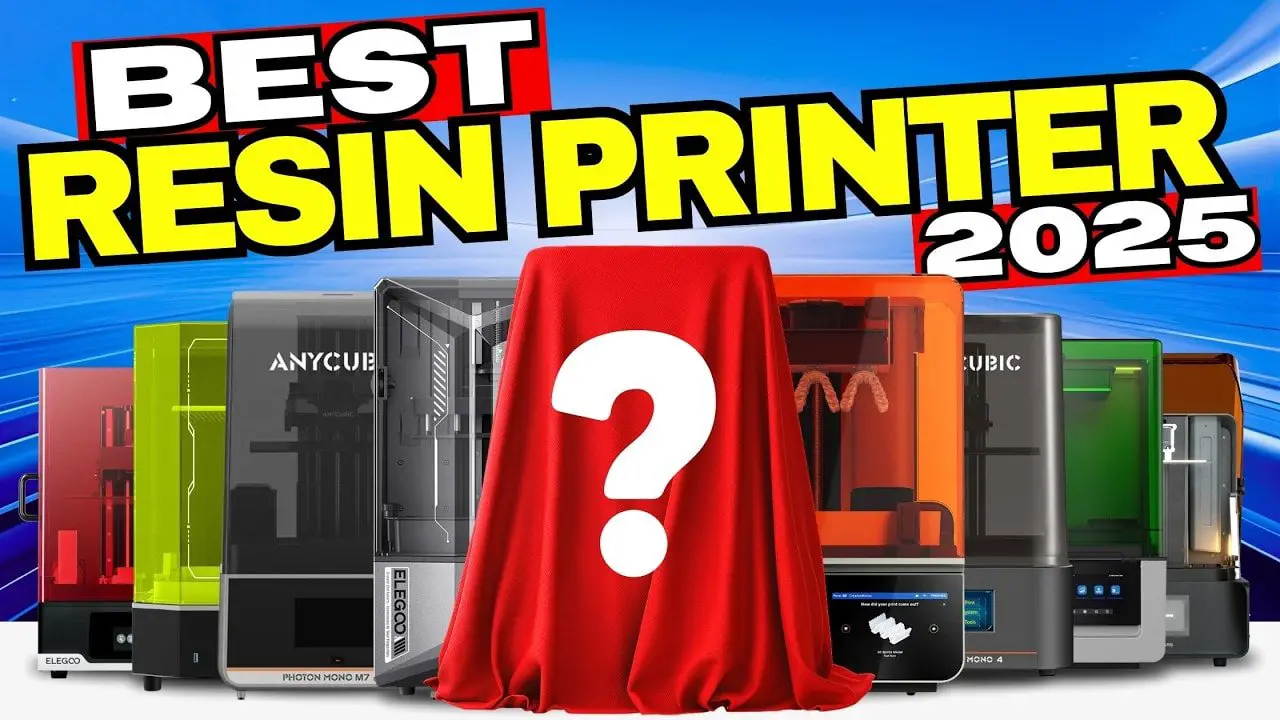
It’s that time of year again. Sales start popping up, resin printer brands start shouting a bit louder than usual, and suddenly everybody is convinced the next machine is about to revolutionise the hobby.
Only, this year has been a bit odd.
Despite all the marketing noise, resin printing hasn’t actually leapt forward in the way many of us have been trained to expect. There have been a few genuinely new machines, a couple of upgrades, and more than a few re-releases or mild refreshes of printers that already existed. So if you’re trying to choose the right resin printer for miniatures, busts, scale models, statues, dental sculpts or hobby parts, the real challenge isn’t chasing a dramatic breakthrough. It’s cutting through the chaff you;re willing to live with!.
That is what this guide is for.
This is not a spec-sheet regurgitation exercise. It’s a practical buying guide built around the machines that have actually been tested and compared, with a focus on what matters in real use: reliability, workflow, maintenance, heating, general usability, and whether the fancy features are genuinely useful or just box-ticking.
Before diving into the list, there’s one thing worth getting out of the way because it affects almost every buying decision below.
Notez s'il vous plaît: This site uses affiliate links. Our Affiliate Partners are shown below
(Affiliate links will result in compensation to the site on qualifying purchases)
Cliquez sur ce lien et achetez vos articles de loisir sur Element Games pour le Royaume-Uni et l'Europe pour soutenir FauxHammer.com - Utilisez le code "FAUX2768" au moment du paiement pour obtenir des points de fidélité doublés.


Nos affiliés / magasins de loisirs
- ROYAUME-UNI: Element Games, L'avant-poste, Jeux Wayland, Mighty Lancer, Goblin Gaming, Planète interdite, Fournitures de décor de modèle, eBay, Amazon
- États-Unis / Canada: MTechCave, GameKastle, eBay (États-Unis), eBay (CA), Amazon
- Allemagne: Taschengelddieb
- L'Europe : eBay (DE), eBay (EN), eBay (ES), eBay (IT), Amazon
- Australie: eBay, Amazon
- Global: RedGrass Games, Couleurs de guerre
- Imprimantes 3D: Phrozen 3D, Élégoo, Anycubique
FauxHammer - Dernière vidéo sur YouTube
1. Stop Chasing Pixel Size Alone
For years, resin printer marketing has leaned heavily on one idea: smaller pixel size equals better detail. In theory that sounds sensible, and in isolation it is. But in practice, the print result is affected by more than the screen resolution alone. The light source matters too, and at this stage the industry has largely reached the point where many machines are already beyond the practical rendering limit of the resins people commonly use.
That’s especially true for the kinds of things most hobbyists care about:
Miniatures
Busts
Statues
Scale models
Cars and railways
Dollhouse parts
Dental and technical sculpts
Once you are in the current generation of decent monochrome resin printers, the practical detail differences become far less dramatic than the marketing suggests. Add in anti-aliasing and image blur, which many users already apply to reduce layer lines and voxelisation, and the gap narrows further.
So yes, some printers are technically sharper than others. But for most people, the decisive factors now are less about raw resolution and more about the day-to-day experience of owning the machine.
That means things like:
How easy it is to replace the screen
Whether the vat or resin is heated properly
How reliable the mechanics are
How messy the workflow becomes
Whether the software helps or hinders
How practical the build plate is to use
With that in mind, let’s go through the printers one by one.
The Best Small Resin Printers of 2026
When you’re looking to dive into the world of resin 3D printing—especially during the peak sales season—the Small Printer Category is often the first stop. These machines are the traditional entry point for hobbyists, but in 2026, the landscape has shifted. While they remain the most accessible options, choosing one requires looking past the flashy marketing numbers.
The Appeal: Why Go Small?
The most obvious draws for small printers are le prix et footprint. If you are working with limited desk space or a tight budget, these machines offer a low-barrier entry into the hobby without sacrificing the ability to produce stunning miniatures, jewelry, or scale models.
Furthermore, there is a persistent myth that small printers are inherently “sharper” because they boast smaller pixel sizes (some down to 18 microns). While they are capable of incredible detail, the reality is that we reached a plateau in visible print quality nearly two years ago. For most users printing gaming minis or statues, the results from a modern small printer will be indistinguishable from their larger counterparts, or in most cases, they are worse.
The Gotchas: What to Watch Out For
Don’t let the “high resolution” marketing fool you. While a small screen might have tiny pixels, the light source under the hood matters just as much. In many cases, larger 10 inch printers actually feature more advanced light engines that can produce a crisper result than a “budget” small printer.
The biggest “gotcha,” however, is versatility. While a small printer is great for a few single 28mm heroes, you will quickly find yourself limited if you want to print more models, larger terrain pieces, vehicle kits, or multiple squads at once. Additionally, many budget models skip out on “quality of life” features like built-in heating or reliable resin sensing, which can lead to more failed prints in colder environments.
The Bottom Line: Buy a small printer if you are space-constrained or strictly focused on small-scale boutique pieces. But if you have the room, don’t assume “smaller” automatically means “more detailed”—often, the mid-sized machines provide a better balance of tech and usabilit for their respective price.
5.Anycubic Photon Mono 4
If absolute budget is the priority and you simply want a basic resin printer from a brand people actually know, the Anycubique Photon Mono 4 is one of the easiest recommendations in the entry-level category.
There is nothing flashy about it. That is almost the point.
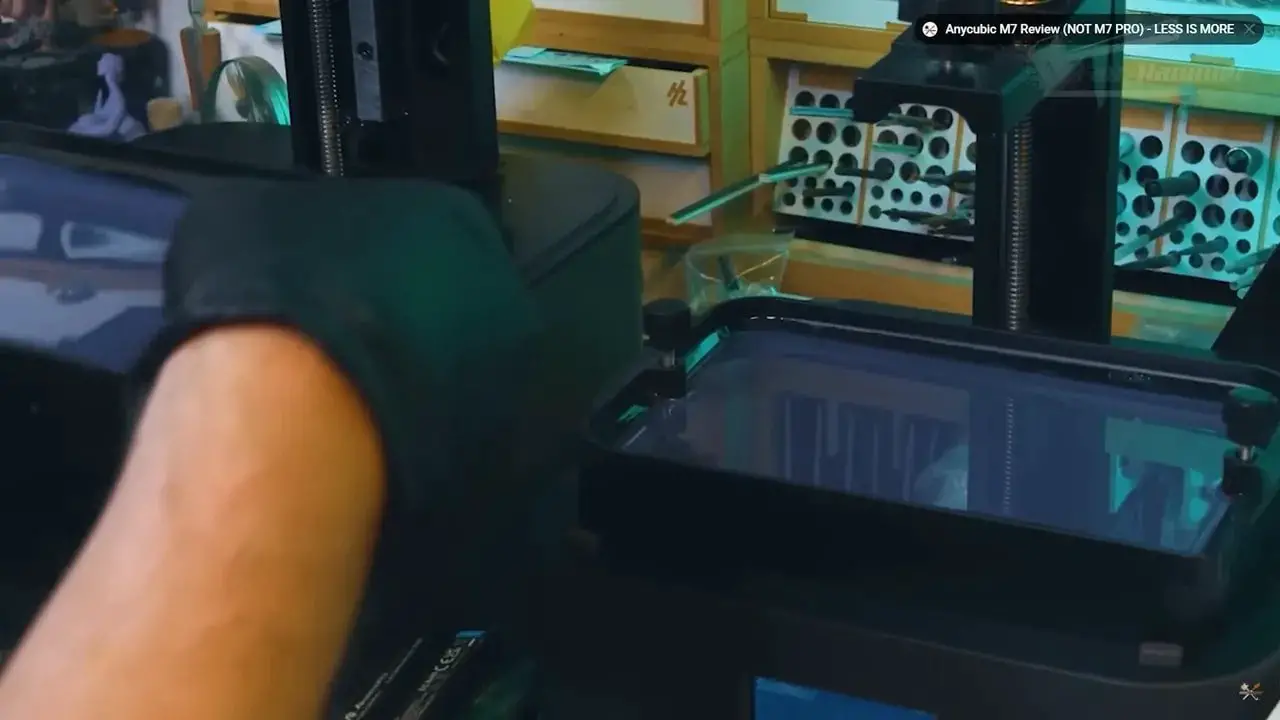
La Mono 4 does not pretend to be smarter than it is. It doesn’t wave around dubious automation claims and it doesn’t try to win on gimmicks. It is a straightforward, conventional resin printer that does the job. In a market full of suspiciously cheap machines from brands that seem to exist only on marketplace listings, there is genuine value in basic competence from a recognisable manufacturer.
Compared with its most obvious rival, the Elegoo Mars 5, the Mono 4 gets the nod largely because it avoids an overcomplicated build plate design. It also has a marginally larger build area, though only by a few millimetres, so it is unlikely to make or break a decision.
What matters more is that it feels honest. It isn’t trying to sell “auto-leveling” as a miracle feature, because in this class of machine that promise is often more marketing than substance.
If you want cheap and functional, this is a strong start.
4. Elegoo Mars 5
The Elegoo Mars 5 sits in almost exactly the same buying lane as the Mono 4: small format, beginner-friendly, and relatively affordable. In terms of actual print output, there is very little between the two.
Where the Mars 5 becomes more divisive is the build plate setup. The two-tier plate design and the way “auto-leveling” is presented here is enough to put some buyers off, because the phrase suggests more than the machine truly delivers. In practical terms, you still need to understand leveling and setup. The printer does not free you from that responsibility.
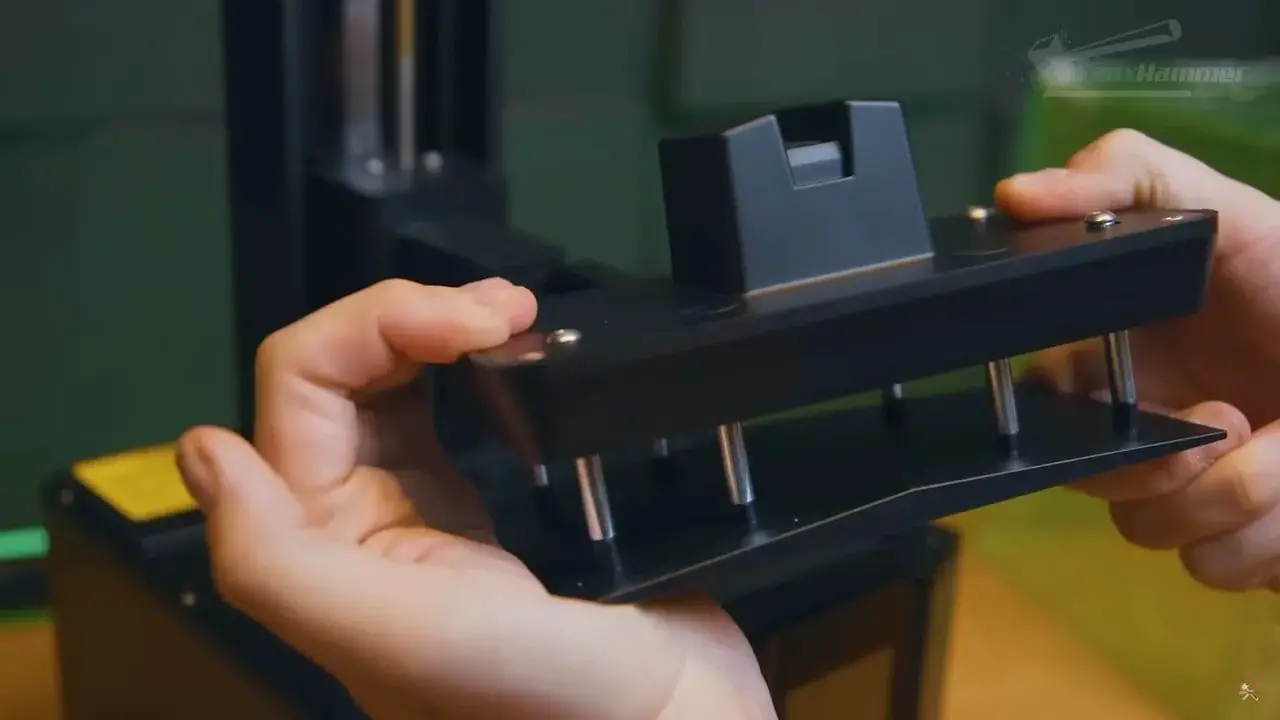
That does not make it a bad machine. It just means the feature set is less impressive in real life than it sounds on the box.
If you already prefer Elegoo, if you find a better deal on the Mars 5, or if its ecosystem suits you better, there is no reason to panic. This is still one of those cases where the differences are so minor that price, availability and gut feeling can reasonably decide the matter.
But if both printers were sitting side by side at roughly the same price, the edge here goes to the Mono 4.
3. Anycubic Photon Mono 4 Ultra
La Photon Mono 4 Ultra is where the smaller format printers start adding meaningful convenience features.
Most notably, it includes pressure sensing in the build plate. That opens the door to some genuinely handy functions such as resin level detection before a print starts, along with dynamic detection of layer peeling to help optimise print speed during the job.
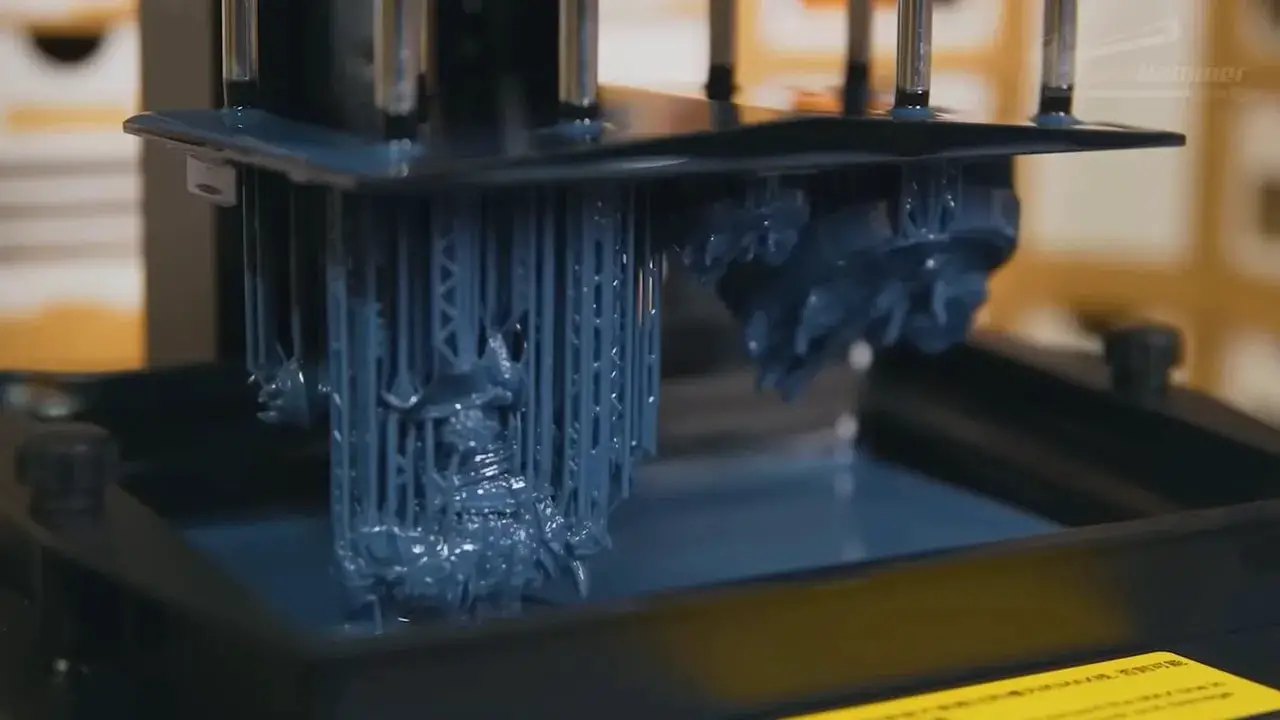
Those are not earth-shattering innovations, but they are useful. They are the sort of incremental improvements that make sense now that the big jumps in raw print quality have slowed down.
La Mono 4 Ultra also retains a slightly larger build volume than its direct Elegoo rival. Again, this is not a huge increase, but it’s there. More importantly, the printer leans on a more traditional, tried-and-tested mechanism rather than something needlessly fancy.
That gives it a slightly more legacy feel, but not in a bad way. There is comfort in simple systems that are easy to understand and have fewer odd surprises.
For people who want a compact resin printer with a few modern quality-of-life additions, the Mono 4 Ultra is a very fair option.
2. Elegoo Mars 5 Ultra
The Mars 5 Pro goes head-to-head with the Mono 4 Ultra, and like several comparisons in this guide, it is not a clean knockout in either direction.
Its standout feature is the tilting vat. Unlike some gimmicks in consumer resin printing, a tilting vat is actually useful. It can help with peel forces and speed, and it is one of the more practical modern additions to recent machines.
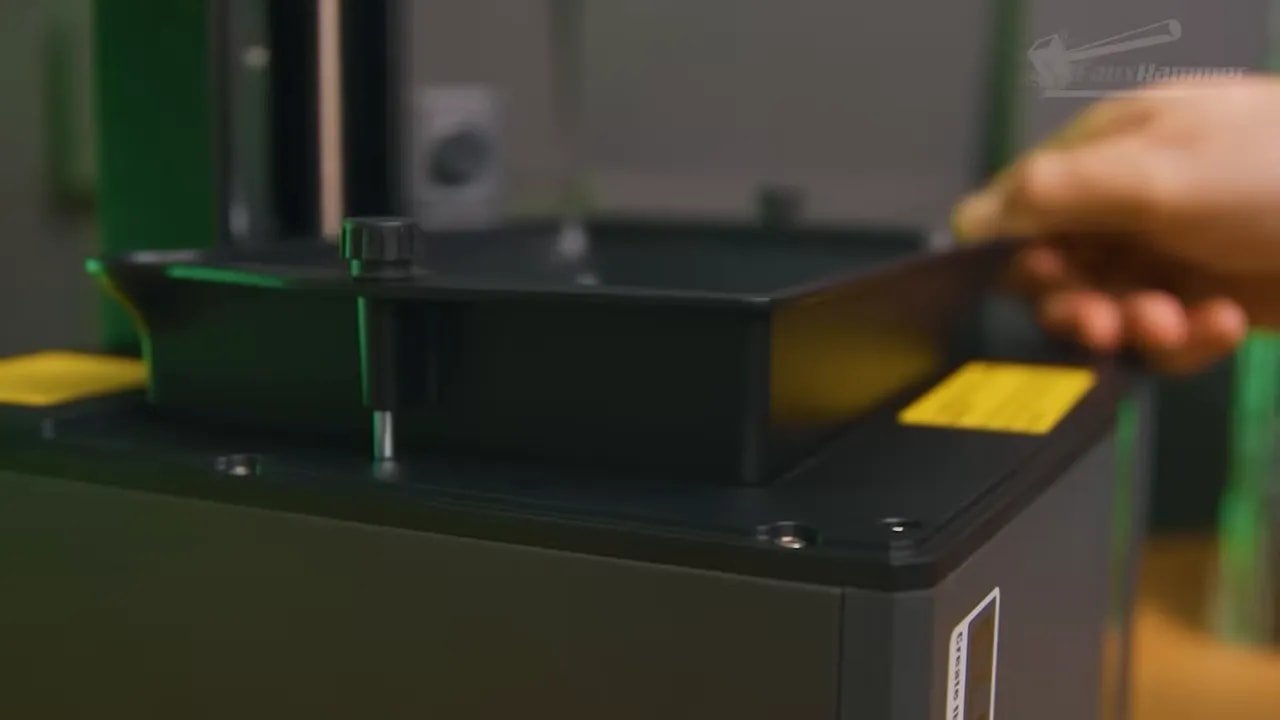
The trouble is that the printer still carries the same awkward build plate design that makes the non-Pro Mars 5 less appealing in direct comparison. So you end up with a machine that has one genuinely attractive engineering feature, but one annoying physical design choice that keeps it from feeling like an easy win.
This is very much a “watch the full reviews, compare prices, and then go with your gut” sort of printer. Neither the Mars 5 Pro nor the Mono 4 Ultra is so much better than the other that one completely invalidates the other. In the mid-tier consumer resin space, that happens a lot.
They can both be excellent. They can both be frustrating. Welcome to resin printers.
1. Phrozen Sonic Mini 8K S
If you specifically want a small-format printer but still want what is arguably the best machine in that category, the Phrozen Sonic Mini 8K S remains an especially compelling choice.
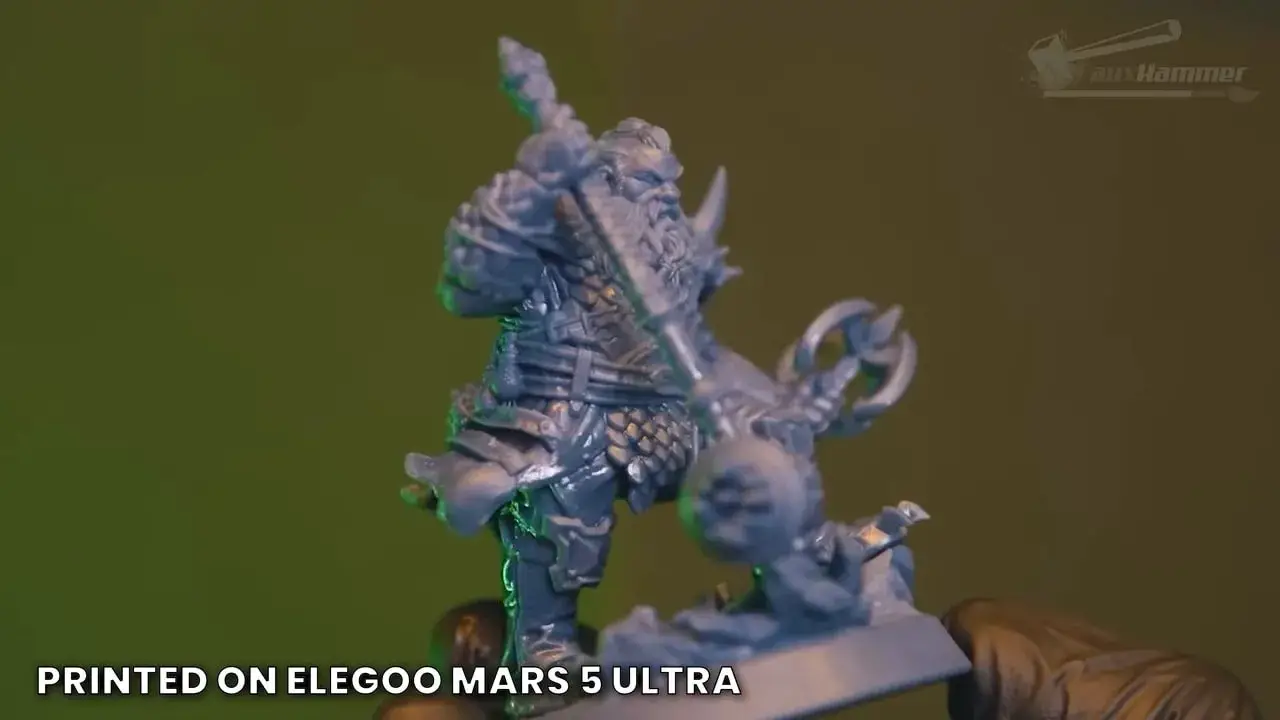
Like the basic Mono 4, it is not trying to overwhelm anybody with smart features. There’s no Wi-Fi, no pressure sensing, no elaborate convenience layer built on top. It is, at heart, a basic resin printer.
But what time has shown is that this machine has something many newer printers struggle to prove quickly: long-term credibility.
The Sonic Mini line has built a reputation for reliability, and the Mini 8K S continues that trend. It is also marginally sharper than many of its competitors, though again, this should be understood in context. The practical difference in final prints will often be subtle. What matters more is that the printer has shown itself to be a dependable workhorse.
There is also a larger philosophical point here. Now that the market is slowing down, brands that make solid machines with staying power deserve more credit than brands that rush out a replacement every few months.
If you already own an original Mini 4K and it still largely does what you need, the smart move may be repairing it, buying another, or stepping up to a larger class of printer rather than chasing tiny gains in small-format resolution.
Notez s'il vous plaît: This site uses affiliate links. Our Affiliate Partners are shown below
(Affiliate links will result in compensation to the site on qualifying purchases)
Cliquez sur ce lien et achetez vos articles de loisir sur Element Games pour le Royaume-Uni et l'Europe pour soutenir FauxHammer.com - Utilisez le code "FAUX2768" au moment du paiement pour obtenir des points de fidélité doublés.
Nos affiliés / magasins de loisirs
- ROYAUME-UNI: Element Games, L'avant-poste, Jeux Wayland, Mighty Lancer, Goblin Gaming, Planète interdite, Fournitures de décor de modèle, eBay, Amazon
- États-Unis / Canada: MTechCave, GameKastle, eBay (États-Unis), eBay (CA), Amazon
- Allemagne: Taschengelddieb
- L'Europe : eBay (DE), eBay (EN), eBay (ES), eBay (IT), Amazon
- Australie: eBay, Amazon
- Global: RedGrass Games, Couleurs de guerre
- Imprimantes 3D: Phrozen 3D, Élégoo, Anycubique
FauxHammer - Dernière vidéo sur YouTube
The Best Medium Resin Printers of 2026
The move to the 10-inch category is where resin printing gets interesting, but it’s also where you’ll find the most marketing noise to cut through. This is the segment where we see the most competition between the big players, yet the reality is that the differences between the top machines are often so small that we are effectively splitting hairs. While these printers offer more versatility than the smaller models, choosing one usually comes down to which specific practical features fit your workflow rather than one brand being objectively superior to another.
The main attraction here is the introduction of genuine convenience features that move beyond basic printing. You’re looking at machines that offer pressure sensing to detect resin levels, dynamic lift heights to speed up the process, and tilting vats that offer a faster, simpler alternative to legacy mechanisms. Perhaps most importantly for those of us printing in garages or sheds, this is the level where heated vats become a standard option, ensuring your resin stays at the right temperature for a successful print even in cold environments.
However, the gotchas in this category are significant, starting with the obsession over screen resolution. Whether it’s 14K or 16K, these numbers are often a distraction; in some cases, the jump to 16K can actually mean a smaller build area or a screen that simply doesn’t last as long. You also have to consider the long-term maintenance of these machines, specifically the fact that screens are consumables like laptop batteries. If you aren’t prepared for the reality of screen replacement, you might find yourself contributing to e-waste sooner than you think. Ultimately, because the print quality across these machines is so similar, the decision often comes down to looking at the price, watching the full reviews, and then going with your gut feeling.
14. PioCreat Halot X1
La PioCreat Halot X1 is one of the more unusual entries in this roundup because of how differently it handles motion. Rather than moving the build plate while the vat stays put, this printer moves the vat while the build plate remains stable.
The reasoning is sensible enough: with the plate fixed more rigidly, there should be less flex in the build arm and therefore less chance of Z wobble. Whether that is meaningfully better than simply making the Z rail more robust is another question, but either way, the machine does feel distinct.
There are some genuinely appealing convenience features here and the core concept is not bad at all. But the printer is undermined by two things.
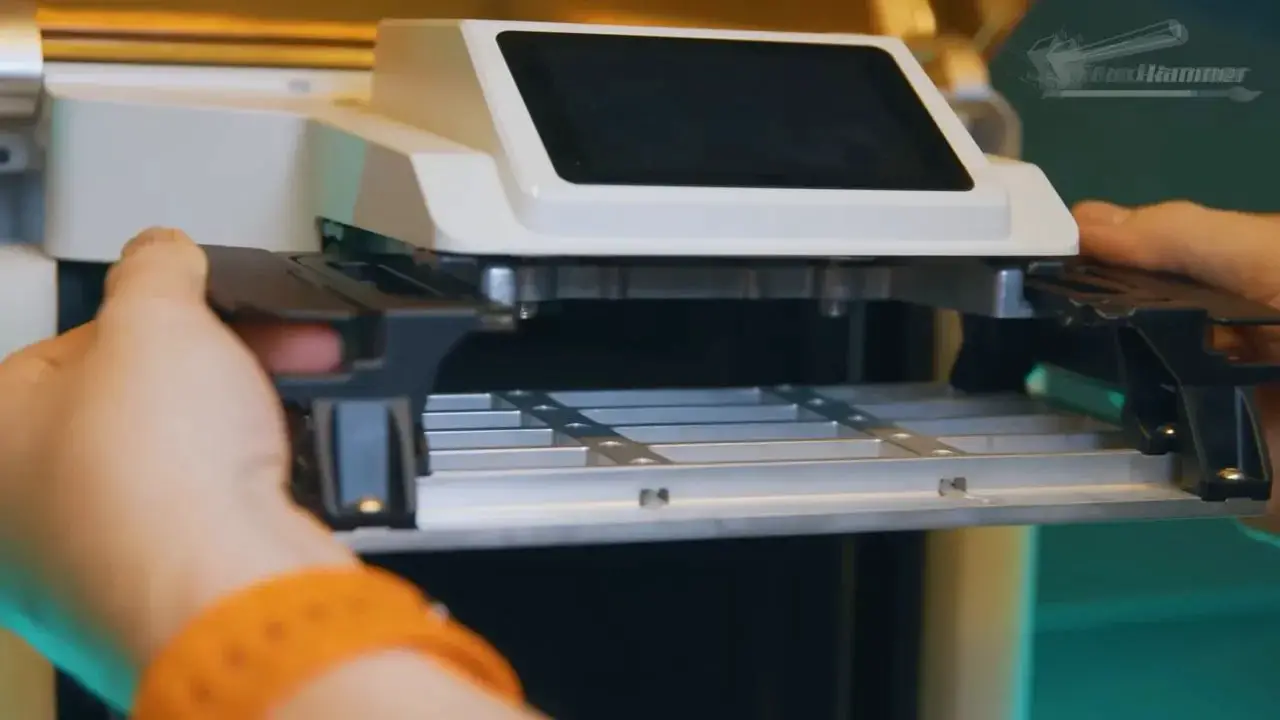
First, the resin warming accessory is a daft implementation. Heating resin once before pumping it into the tank is a clumsy answer to a very real problem. Resin heating is useful. This version of it is not especially elegant.
Second, the software is classic Creality energy in all the least flattering ways. If you have experience with Creality printers, you will know exactly what that means. If you do not, the short version is simple: the software side leaves a lot to be desired.
So while the Halot X1 is not terrible, it is difficult to recommend wholeheartedly when the surrounding experience feels less polished than it should.
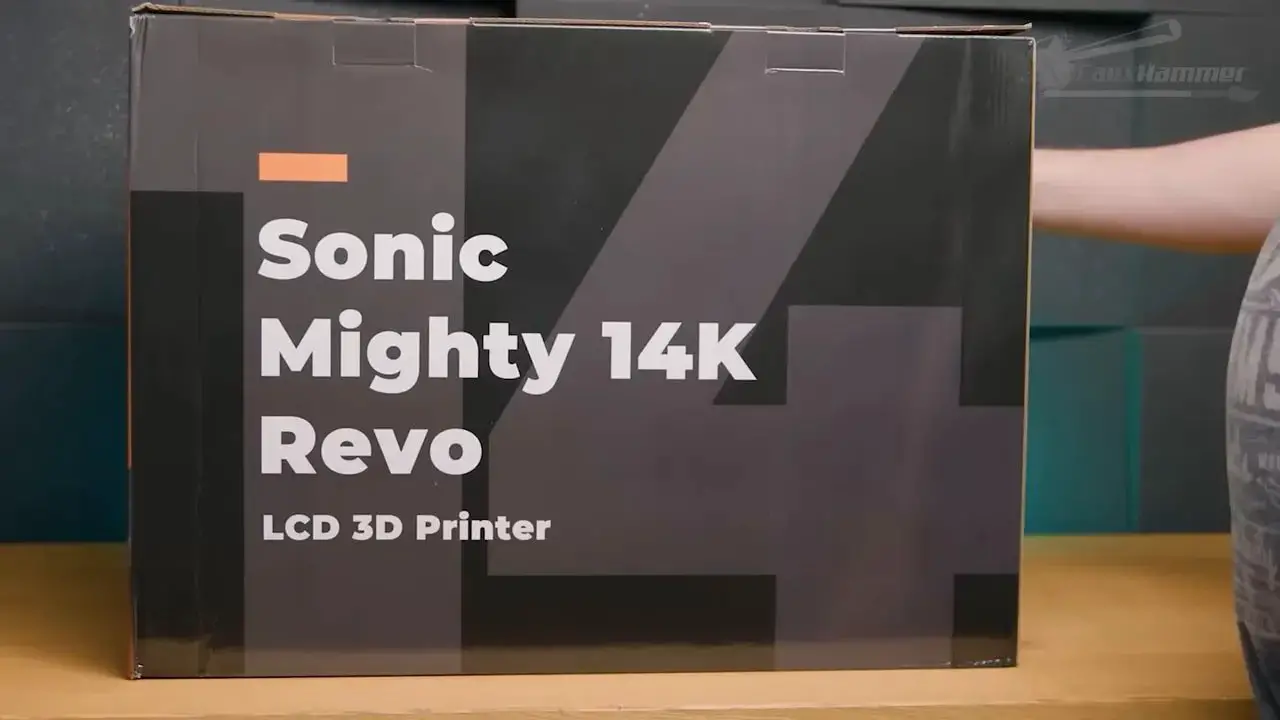
13. Phrozen Sonic Mighty Revo
The Sonic Mighty Revo is an interesting machine because the hardware and the software tell two very different stories.
On the hardware side, this is a solidly built printer. Phrozen generally makes robust machines, and one of the most valuable practical benefits here is the relatively easy LCD replacement. That matters more than many buyers realise, because the screen is a consumable. It will eventually die. How painful that replacement process is should absolutely be part of a buying decision.
On the software side, though, things are shakier.
Phrozen appears to have lost some momentum here, likely due in part to focus being split elsewhere. The Sonic Mighty line is also in the awkward process of shifting from a 14K panel to a 16K panel because of supply changes, and that shift should not automatically be read as an upgrade. In this case, the newer 16K panel comes with a smaller build area and a shorter life expectancy.
There are also weak points in feature implementation. The heater and filter have not been especially well realised, and the firmware development since release has not fully given the machine the polish it deserved.
So what you end up with is a printer that is still respectable from a hardware and reliability perspective, but held back by weaker software support and some undercooked extras.
12. Concepts3D Athena II
La Athena II is one of the most interesting resin printers in the entire list, not because it is chasing the same mass-market convenience angle as the bigger brands, but because it is trying to be something more open and expandable.
Its concept is excellent. Built-in resin profiles directly on the printer and a generally open philosophy make it feel less like a sealed appliance and more like a serious platform.
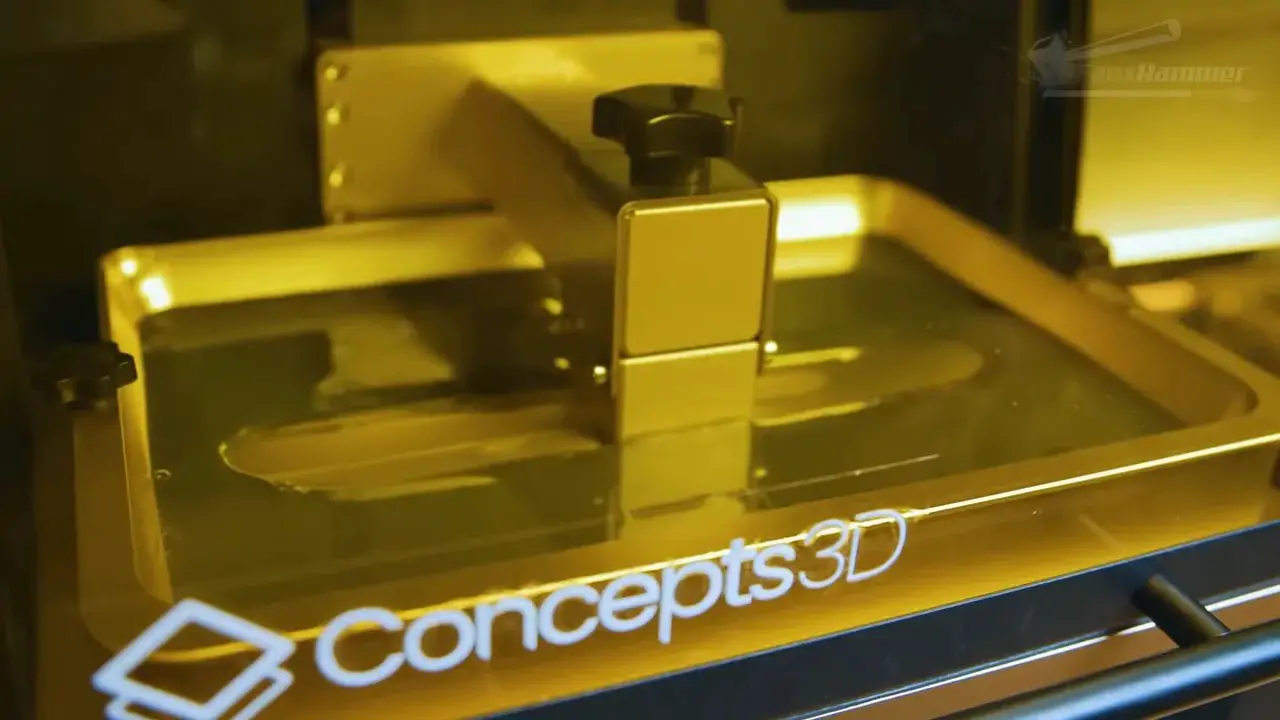
That flexibility is appealing, but it comes with complexity. This is not really aimed at the person who wants to know as little about resin printing as possible and simply hit print. It is aimed more at the sort of user who enjoys the technology itself and wants access to a broader range of settings and control.
A fair comparison is that this is the “producer” version of resin printing. The upside is obvious: if the platform succeeds, it could be the last resin printer you need to buy for a long time because it is designed to grow and evolve rather than be replaced on a short cycle.
The downside is equally obvious: not everybody wants that level of involvement.
It is expensive, ambitious, and deeply interesting. Whether it is right for you depends entirely on whether you want a machine to use or a system to learn.
11. HeyGears Ultracraft Reflex 2
La Reflex 2 is where the conversation starts moving beyond hobbyist buying advice and into more professional or engineering-oriented territory.
On paper, it has an obvious strength: the largest screen among the 10-inch class machines discussed here. That alone can make it attractive for some use cases.
But the execution is surprisingly disappointing in places. Build quality and finish do not live up to the premium image people may associate with previous HeyGears machines. There are cheap-feeling or poorly implemented elements that stand out far more than they should on a machine in this bracket.
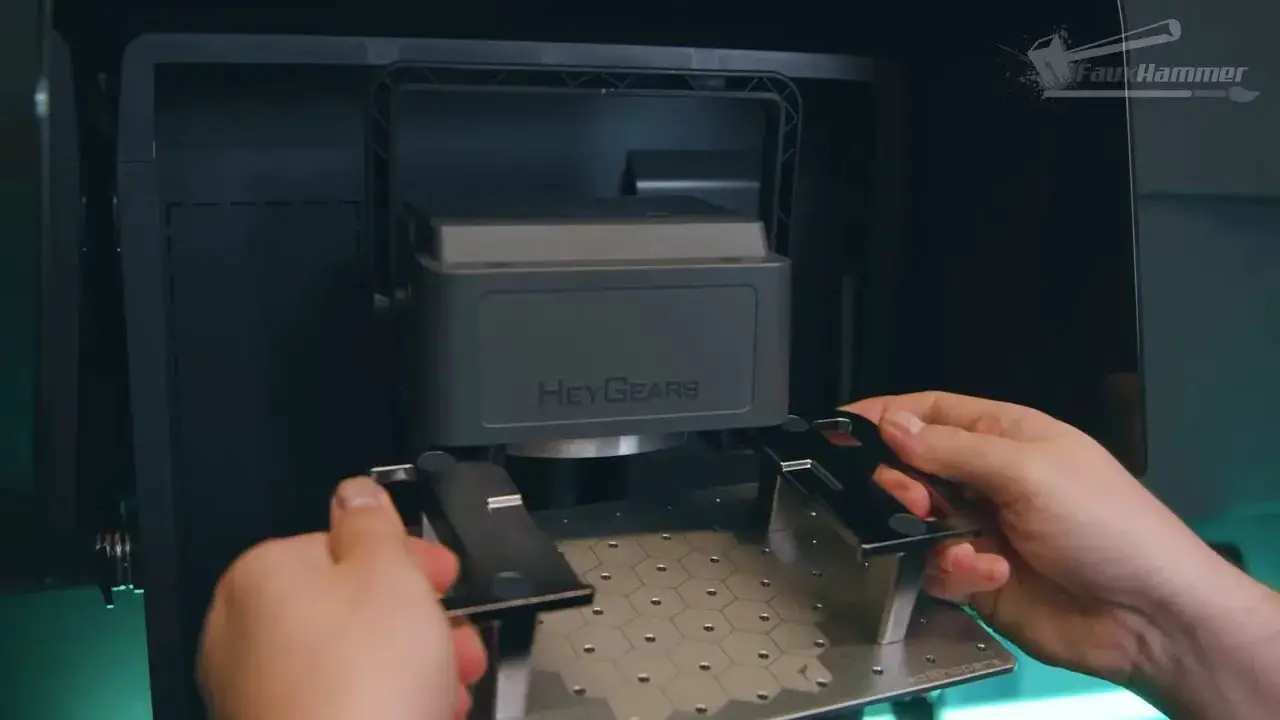
One especially baffling issue is that the tape around the screen can intrude on the printable area because it is hand-placed and not always aligned consistently. That is the sort of thing that feels utterly out of place on an expensive machine.
To be fair, this printer was designed around engineering-grade materials. The investment is clearly focused on the light engine and on making it capable of printing stronger, more practical resins rather than producing the prettiest fantasy miniatures. For artistic models, that focus is less compelling.
And that is the problem. If you are spending this kind of money for practical, strong parts, there is a brand sitting above it that makes the comparison rather uncomfortable.
10. Formlabs Form 4
La Formlabs Form 4 is not a consumer hobbyist recommendation in the same way most of the printers in this guide are. It sits in a different class, at a different price, for a different kind of buyer.
But it deserves mention because in terms of overall resin printing experience, it is the best resin printer in this comparison for the right use case.
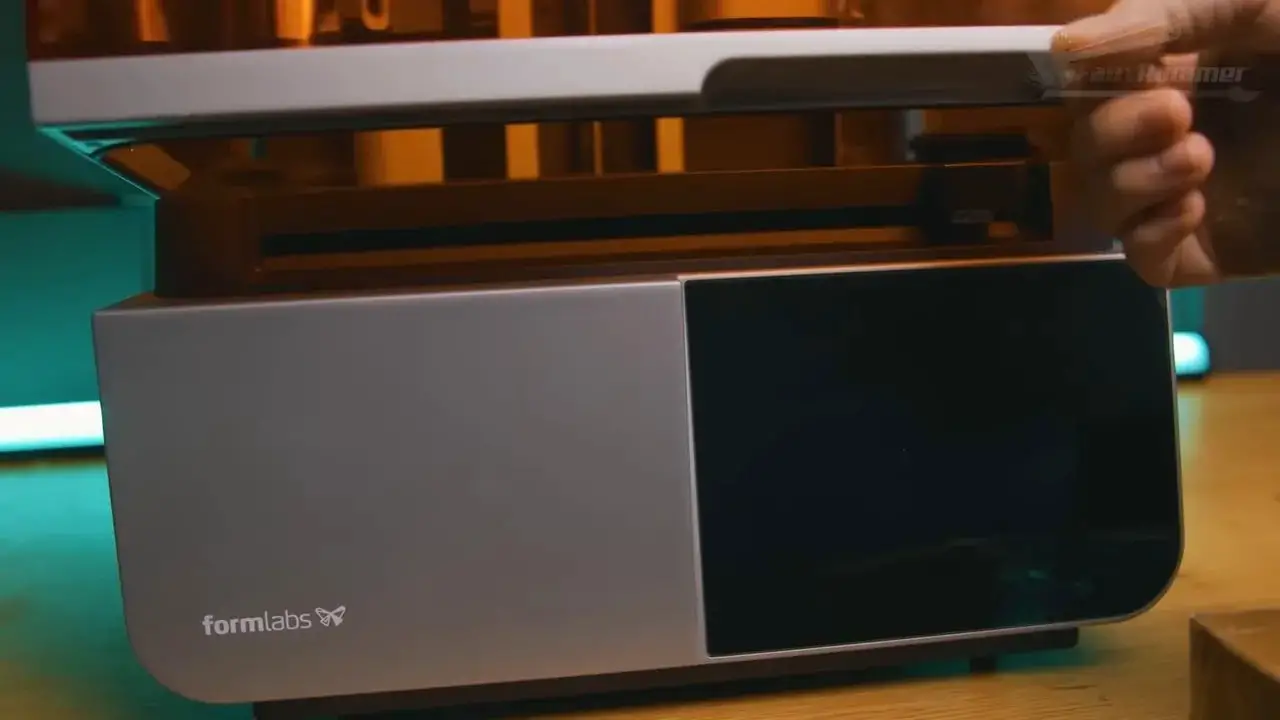
The build quality is excellent. The workflow is polished. The support infrastructure, materials library and ecosystem are all far beyond what cheaper challengers currently offer. It is very obviously the benchmark that brands like HeyGears are trying to emulate.
Where it falls down for miniature hobbyists is not in competence, but in suitability. The 4K screen and the resulting support contact sizes simply do not align well with highly intricate small-scale artistic models. For engineering materials and practical components, that trade-off makes sense. For delicate miniatures, it often does not.
So this is the printer you pick by deciding on your material needs first and then choosing the machine accordingly. If your priority is strong technical output and premium workflow, it is superb. If your priority is tiny ornate models, it may not be the best fit despite how good it is overall.
9. Anycubic Photon M7 Pro
The Photon M7 Pro takes the regular M7 and adds a resin heating system, but unfortunately it does so in one of the least appealing ways possible: through a pump.
That means resin has to move through a pumping system attached to the vat and then be pumped back into the tank. In theory that sounds clever. In reality it creates extra mess, extra maintenance, and extra frustration whenever it is time to clear the resin out.
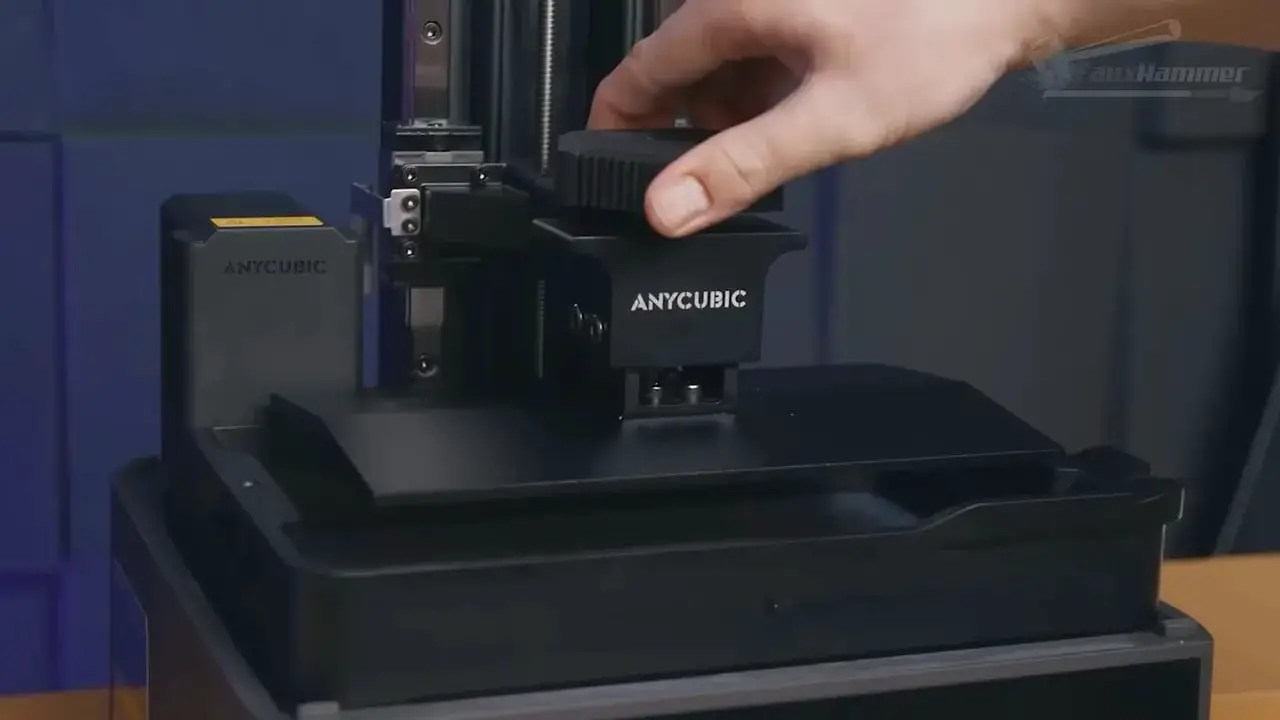
And this matters because resin printing is already messy enough.
Anything that introduces more difficult cleanup needs to justify itself strongly. Here, it simply doesn’t. The M7 Pro is not a bad printer in the sense that it still inherits the capable core of the M7, but the resin pump solution drags down the ownership experience.
If you were deciding between this and a good alternative in the same broad tier, the better call is usually elsewhere.
8. Uniformation GK3 Pro
La GK3 Pro is much more specialised than the standard GK3, and for most hobby users it is the wrong place to spend extra money.
Its key difference is the 385nm light source, which is better suited to curing transparent materials. That sounds impressive, but it only matters if transparent resin printing is something you genuinely do frequently and with a clear purpose.
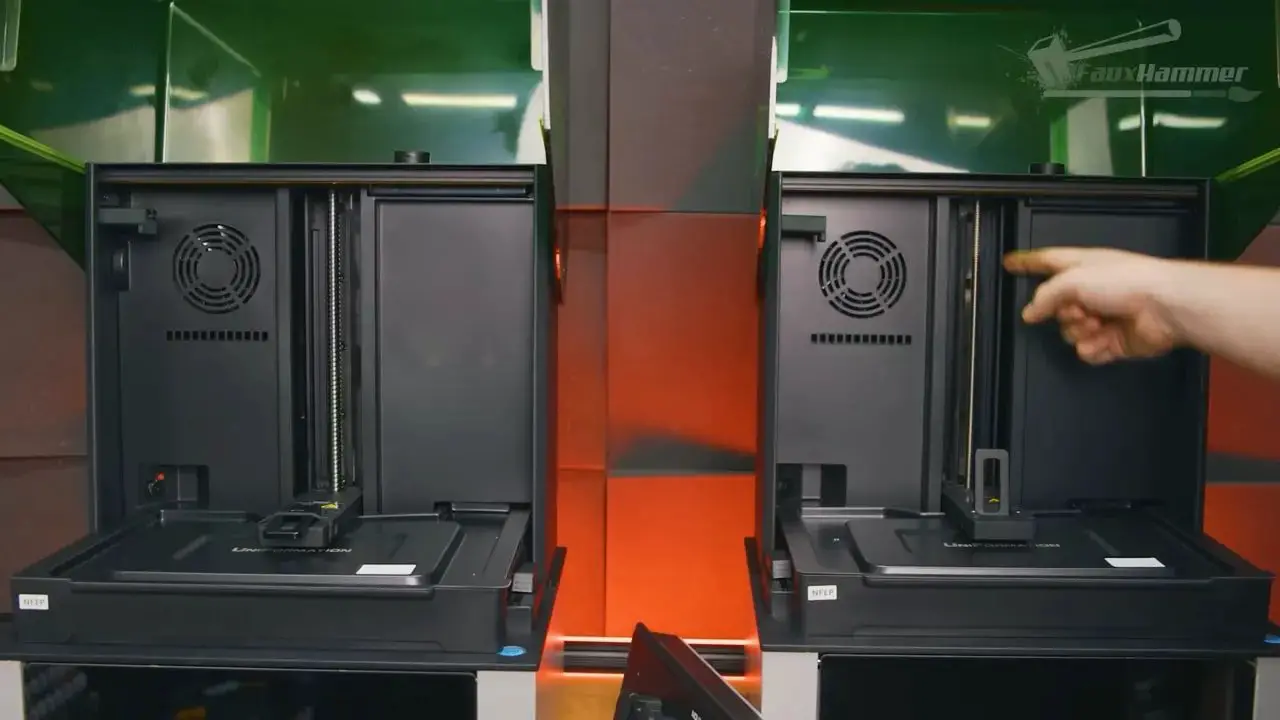
Even then, the question is not just whether you print transparents, but whether you need those transparencies to preserve internal voids or optical clarity in ways that benefit from that specific setup.
For typical miniatures, busts, statues and hobby parts, the answer is usually no.
So unless transparent material performance is central to your workflow, the standard GK3 remains the smarter buy.
7. Elegoo Saturn 4
The Elegoo Saturn 4 is not a bad printer. In fact, describing it as “fine” is probably the fairest quick summary. The issue is that “fine” is not always enough when another machine in the same bracket feels slightly more sensible.
Again, the build plate design is the sticking point. It is not that the Saturn 4 fails to print well. It is that some of its design decisions remain harder to love than those of its direct competitors.
That may sound like splitting hairs, and honestly, it is. But that is exactly where the market is right now. The lower and mid-range resin printers are so close in overall capability that buying decisions increasingly come down to small frustrations and small conveniences.
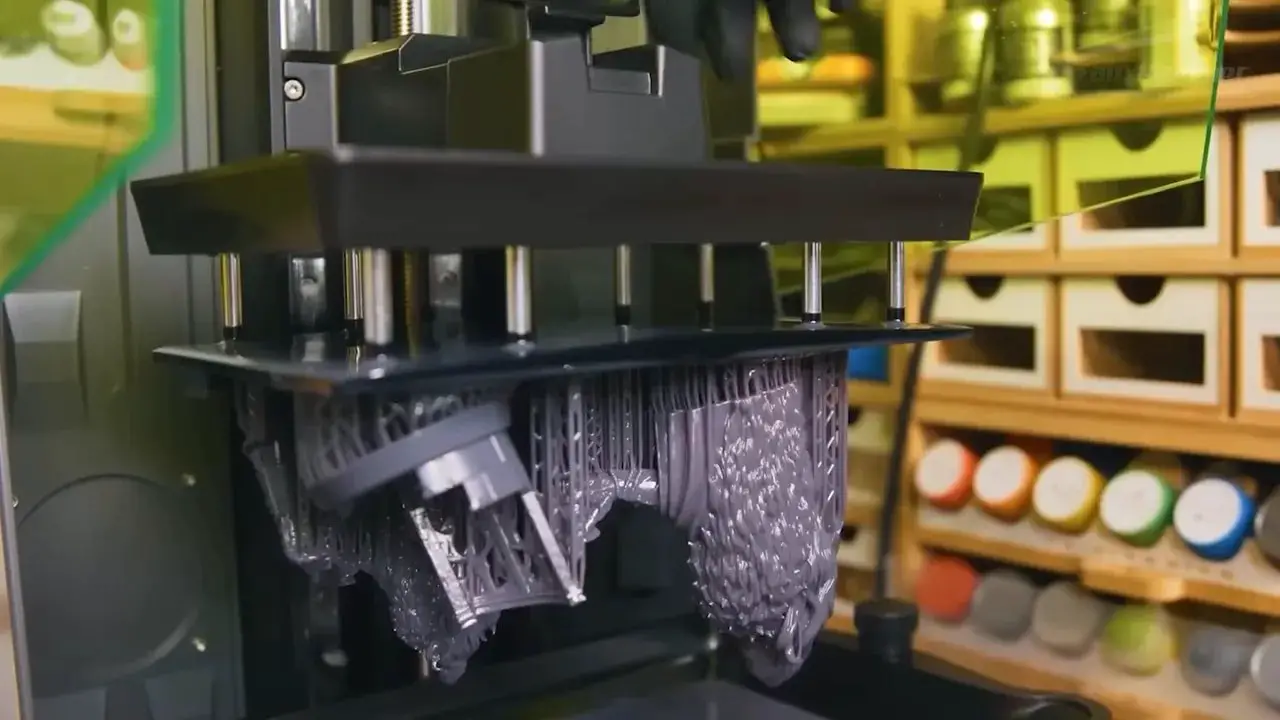
If the Saturn 4 is on sale, if you like Elegoo’s wider ecosystem, or if its specific combination of features appeals to you, it remains perfectly usable. It just doesn’t quite become the default recommendation against the M7.
6. Anycubic Photon M7
Once you step into the 10-inch class, things get more versatile very quickly. For many people, this is the sweet spot in resin printing: large enough to be useful, not yet so large that the machine becomes awkward to live with.
The Anycubic Photon M7 is one of the strongest entry points into that category.
It offers pressure sensing, dynamic lift height, and the familiar “auto-leveling” language that should still be treated with a healthy amount of skepticism. In practical terms, you still need to level the printer properly. Springs behind the screen do not magically remove that requirement.
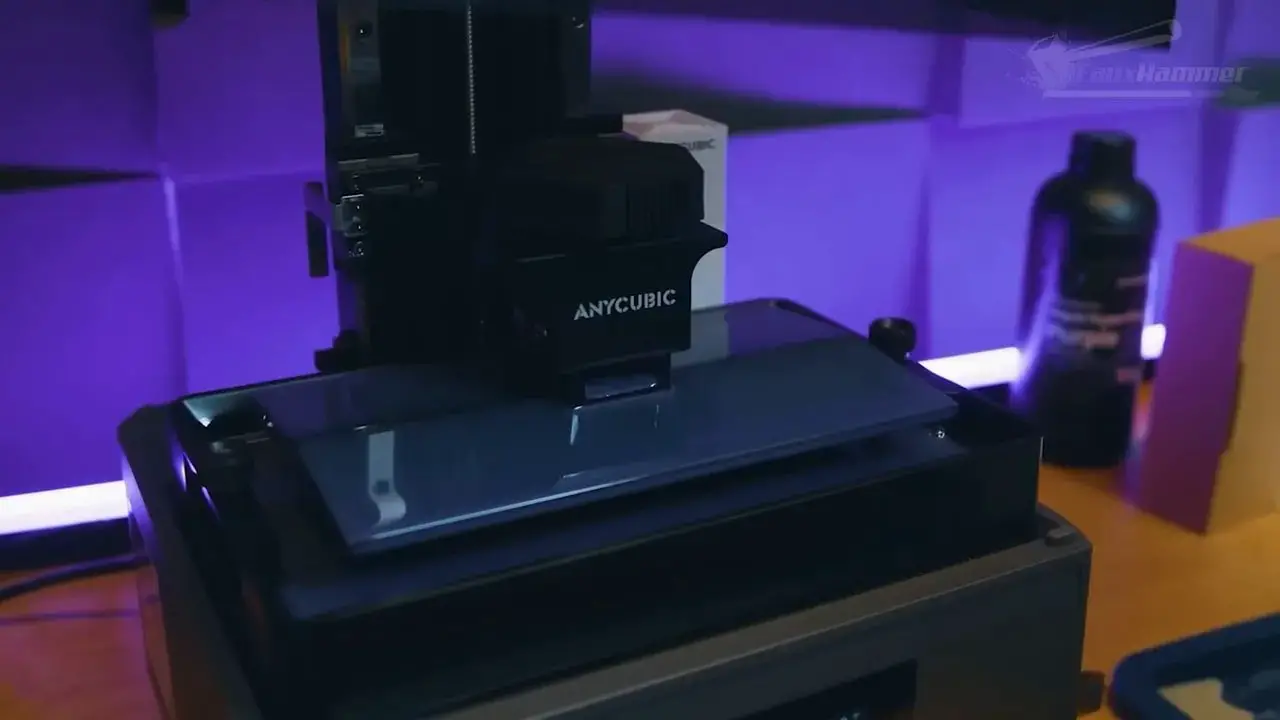
That said, the M7 is solid. It is basic in the right ways, sensible in the right ways, and a very approachable route into 10-inch resin printing.
Compared with the Saturn 4, the preference here leans toward the M7 largely because of the overall physical experience of using it. This is one of those comparisons where the distinction is less about headline print quality and more about which machine you would rather live with if both were offered for roughly the same money.
For many people, the answer is the M7.
5. Elegoo Saturn 4 Ultra
La Saturn 4 Ultra is, in many ways, the better answer to what the M7 Pro is trying to be.
It has the same screen size, and although it still carries the same build plate design that has already been criticised a few times, the tilting vat works well enough to balance that out more effectively here. It is fast, simple, and practical.
This is where Elegoo’s more modern approach starts to feel genuinely beneficial rather than merely different. The machine is easy to understand, easy to use, and clearly aimed at making the print process smoother.
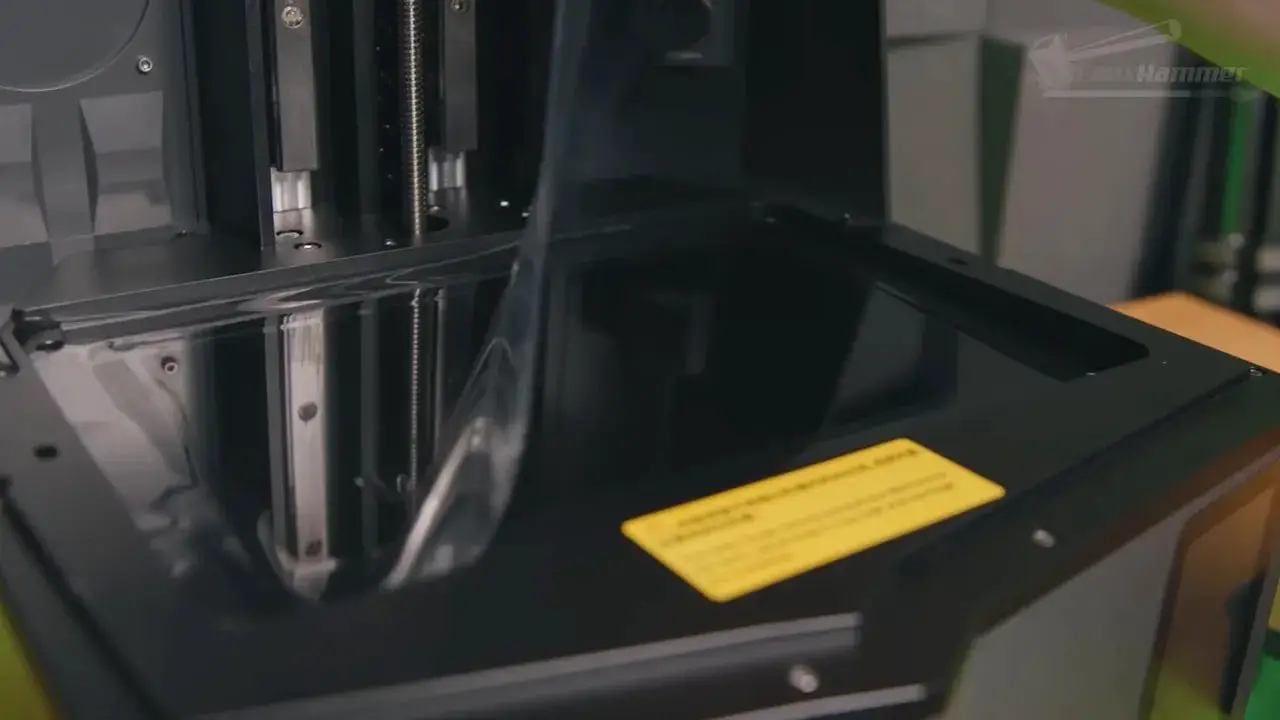
For a lot of people, the Saturn 4 Ultra lands in that ideal consumer sweet spot where the convenience features actually improve the workflow rather than complicate it.
Even so, there is now an even better version of the same idea.
4. Elegoo Saturn 4 Ultra 16K
If you can stretch the budget a little further, the Saturn 4 Ultra 16K is arguably one of the best all-round consumer resin printers available from a usability perspective.
It takes the original Saturn 4 Ultra concept and fixes three key weaknesses.
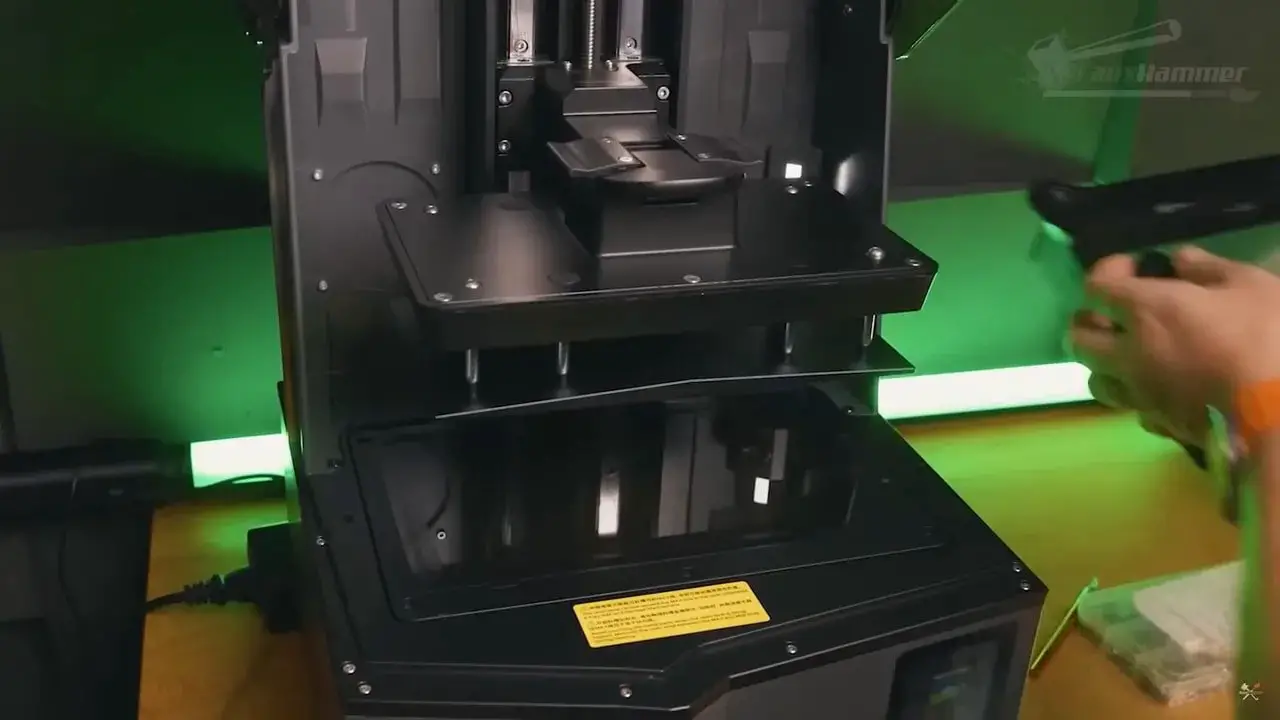
The build plate now has handles, which should never have been missing in the first place.
The printer now includes proper lighting for the camera, making live monitoring and time-lapses actually useful.
The software and app support have improved enough to make remote monitoring feel like a real feature rather than a bullet point.
Most importantly, the vat is heated.
That is a genuinely meaningful upgrade. If you print in a garage, shed, loft, basement or any other environment where temperature swings are normal, heated resin can be the difference between repeated frustration and reliable output. At minimum, it helps create the right conditions for the resin to behave consistently.
This printer also benefits from good accessory support, particularly when it comes to alternative vat systems that make release film changes easier and faster.
For a modern hobbyist resin printer that is trying to make life easier rather than simply shout about screen numbers, this is one of the strongest examples.
3. Uniformation GK3
La Uniformation GK3 is a machine that suffered badly from expectation management.
The disappointment around it was never really because it was bad. It was because the GK2 had set such a high bar for clever, user-friendly design that many people expected Uniformation to outclass the competition all over again. Instead, the GK3 line arrived in a confusing way, with multiple versions of what felt like the same printer, making the buying process less clear than it needed to be.
That confusion hurt it.
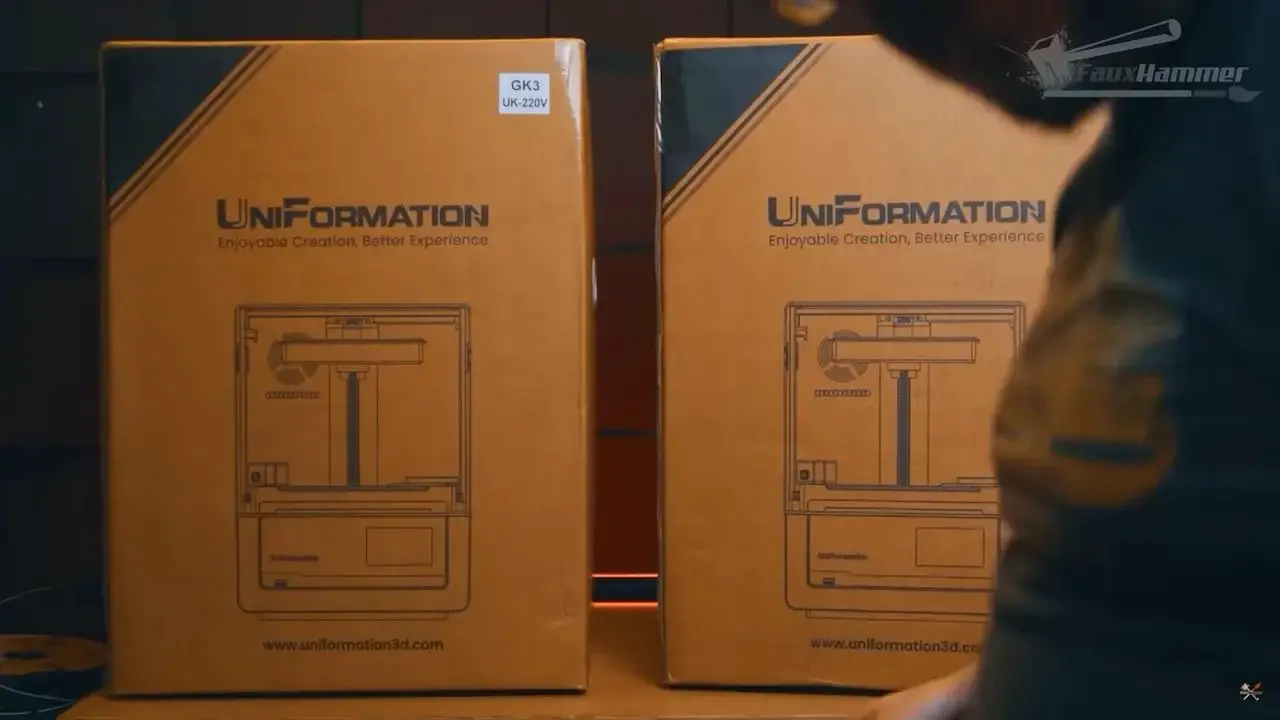
But taken on its own merits, the GK3 is still one of the most compelling printers in this whole class. It does nearly everything its competitors do: webcam, monitoring app, comparable print resolution, and one of the best consumer build plates available. The vat also allows the build plate to be mounted sideways as a drip tray, which is the sort of practical touch that shows somebody was actually thinking about resin mess.
The biggest reason to care, though, is the screen replacement process.
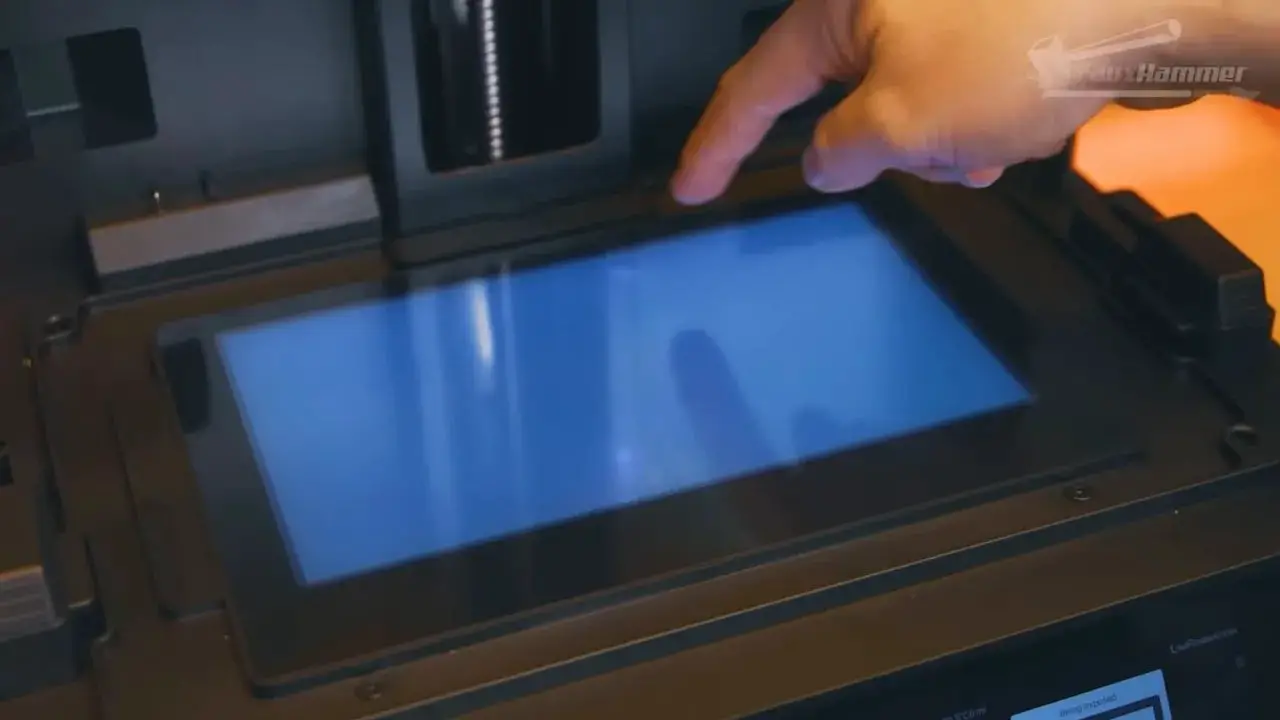
Resin printer screens are consumables. This is not optional knowledge; it is central to owning one of these machines. When the screen fails, you either replace it or replace the whole printer. And because newer 16K screens are proving less durable than older generations, ease of replacement matters more than ever.
This is where the GK3 stands out. Its screen is easily swappable, and that alone makes it more attractive than many rivals. For anyone who wants to buy a printer with the long term in mind, that is a serious advantage.
As for the variants, the normal GK3 comes with either a T-screw or ball screw arrangement, with the ball screw intended to last longer. Neither one meaningfully improves print quality, so the practical advice is simply to get whichever is available.
2. HeyGears Ultracraft Reflex RS and RS Turbo
If there is a consumer resin printer line that most closely resembles what Bambu Lab did for FDM printing, it is the HeyGears Reflex RS family.
That comparison is not perfect, but it gets at the same idea: a machine built around workflow and ease of success rather than endless tweaking.
La RS et RS Turbo are both printers that fit the “drag, drop, print” ideal more closely than most resin machines. That is still a slight exaggeration, because resin printing always involves orientation, model repair and support considerations, but the general experience is dramatically easier than the old-school tinkering approach.
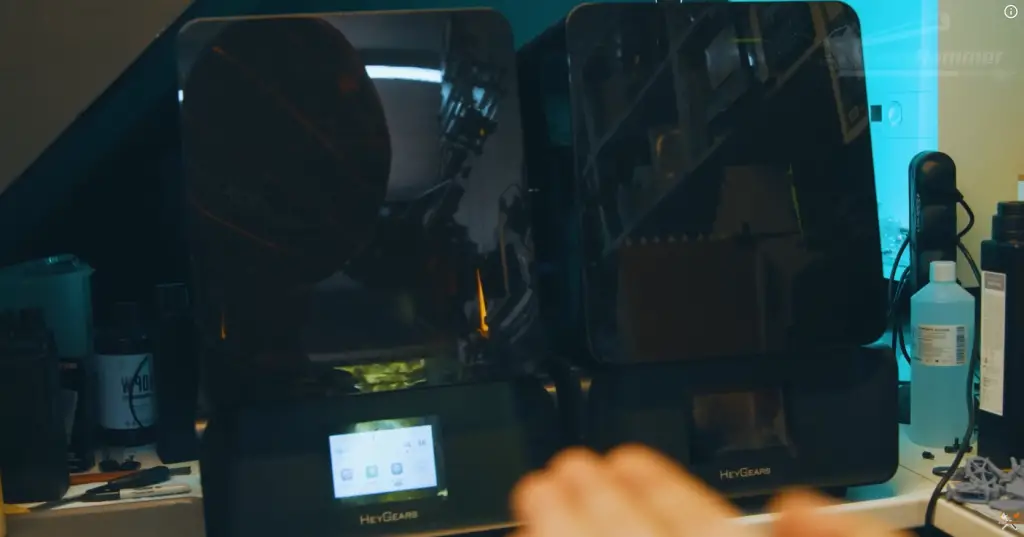
Some people object strongly to HeyGears’ closed ecosystem and business model. That is a valid criticism. If you dislike locked-down approaches on principle, there is nothing unreasonable about avoiding the brand. But in pure practical use, many people have come around on these machines because they simply work well.
The community support around them has also grown, and once users realised they were not forced into only one resin path forever, the value proposition improved further. Their own resin offerings have also moved into more affordable territory.
La RS Turbo is essentially the RS with a newer screen that allows slightly faster printing. If both are available, the cheaper regular RS is arguably the better buy because the screen can be upgraded later when it eventually dies. And again, easy screen swaps matter.
For sheer workflow, this remains one of the top picks in consumer resin printing.
1. Anycubic Photon P1
The Photon P1 is a strange beast. Visually, it is a massive step forward for Anycubic with a clean, professional, and almost medical aesthetic. It is packed with high-end ambition, featuring a built-in resin heater, a solid stainless steel build plate, and an industrial-grade ball screw. It even includes a built-in camera and a proprietary vent system for fumes, which are genuine quality of life wins.
However, it is important to see through the prosumer clothing. While the marketing pushes professional specs, the hardware underneath is built from the cheapest viable versions of those parts to hit a consumer price point. The most controversial choice is the wavy, corrugated layer bonded to the screen to reduce peel forces. While it helps with print success, it acts as a hardware bottleneck that softens fine detail compared to a standard screen.
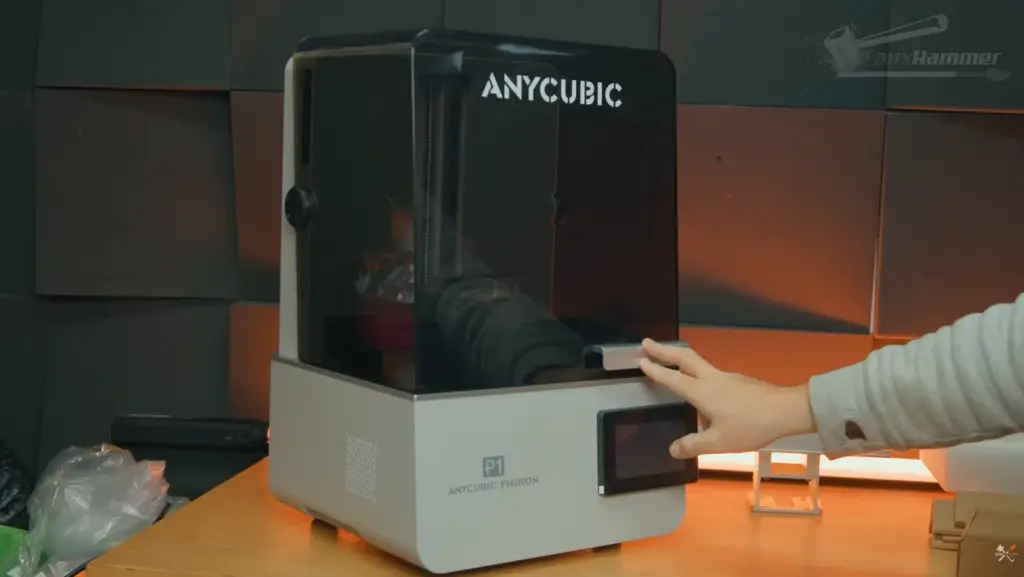
It is also worth noting that the community played a huge role here. My initial review found several hardware and software oversights that Anycubic originally refused to change. Thankfully, after the community kicked off, they listened and resolved most of those issues before the final release. While it is a capable machine, it still shows that Anycubic has a way to go in proving they fully understand what a truly pro product requires.
If you are looking for a modern, feature-rich 10 inch printer and you aren’t obsessing over microscopic sharpness, the P1 is a solid choice. But if you want the best version of this tech, you should actually consider the P1 Max. It is the only time so far I have recommended jumping to the larger version of a printer, as the added build volume makes the most of the pro features Anycubic is trying to offer.
Notez s'il vous plaît: This site uses affiliate links. Our Affiliate Partners are shown below
(Affiliate links will result in compensation to the site on qualifying purchases)
Cliquez sur ce lien et achetez vos articles de loisir sur Element Games pour le Royaume-Uni et l'Europe pour soutenir FauxHammer.com - Utilisez le code "FAUX2768" au moment du paiement pour obtenir des points de fidélité doublés.
Nos affiliés / magasins de loisirs
- ROYAUME-UNI: Element Games, L'avant-poste, Jeux Wayland, Mighty Lancer, Goblin Gaming, Planète interdite, Fournitures de décor de modèle, eBay, Amazon
- États-Unis / Canada: MTechCave, GameKastle, eBay (États-Unis), eBay (CA), Amazon
- Allemagne: Taschengelddieb
- L'Europe : eBay (DE), eBay (EN), eBay (ES), eBay (IT), Amazon
- Australie: eBay, Amazon
- Global: RedGrass Games, Couleurs de guerre
- Imprimantes 3D: Phrozen 3D, Élégoo, Anycubique
FauxHammer - Dernière vidéo sur YouTube
The Best Large Resin Printers of 2026
Go Big or Go Home? The Reality of Large Resin Printers
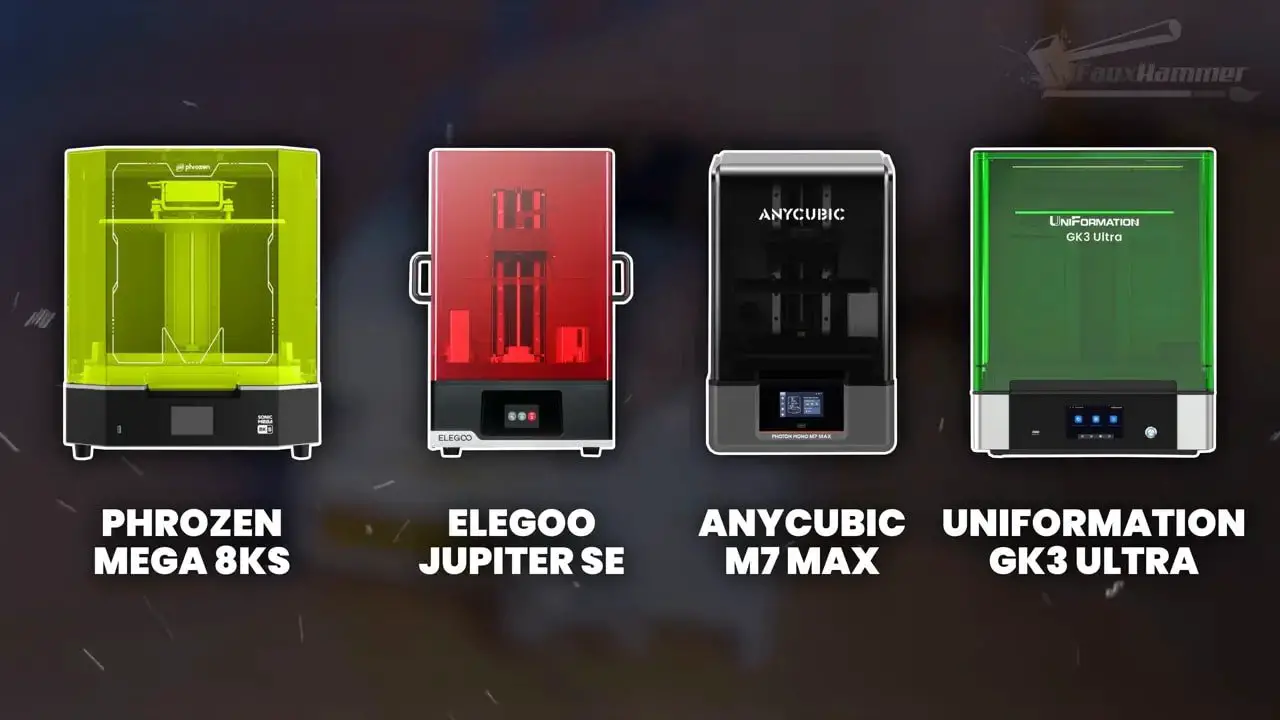
When we move into the big printers, we are looking at the Phrozen Mega 8KS, the Jupiter SE, the M7 Max, and the GK3 Ultra. But before you get lured in by the size, you need to understand that bigger is not always better. In fact, for the average hobbyist, these can become unwieldy immediately.
The main, almost only, reason to look at this category is if you have a genuine need for the scale, such as printing statue sized sculpts or churning out entire armies of miniatures. You generally have to choose between higher resolution with softened detail or lower resolution with a sharper light source. However, there is a standout here where you can get both. While I often tell people to stick to 10 inch machines, the P1 Max is the only time so far I have actually recommended going for the larger version. It takes the “pro” (in name) features Anycubic is aiming for and gives them the room they actually need to be useful.
If you have never had a large resin printer before, be aware that they are much messier… With a big, heavy plate and big, heavy models. You will also likely need to buy a bigger wash and cure station just to keep up.
The most important thing to remember is that every print reduces the life of your LCD. If you aren’t maximizing every inch of that usable space on the plate every time you print, you are running a far less efficient printer over time. Personally, I would avoid larger printers unless you are printing massive sculpts or constant armies. Don’t buy a large printer unless you actually intend to use that space regularly.
6. Elegoo Jupiter 2
If you were expecting the Jupiter 2 to be the definitive upgrade to the large format line, prepare for a massive letdown. This machine was revealed over a year ago, yet somehow it feels like Elegoo spent that time making it more frustrating to use. While it gets the absolute basics right, being a solid, heavy machine with a fixed screen and a great build plate, the smart features are a total nightmare of poor implementation.
The biggest gotcha which was spotted by Uncle Jessy, is the 2GB file limit! On a printer this size, especially when you enable anti-aliasing to make use of that volume, your file sizes are going to breach this with ease. Most prints for a plate this large will easily exceed that limit, effectively bricking your ability to use the printer’s full potential.
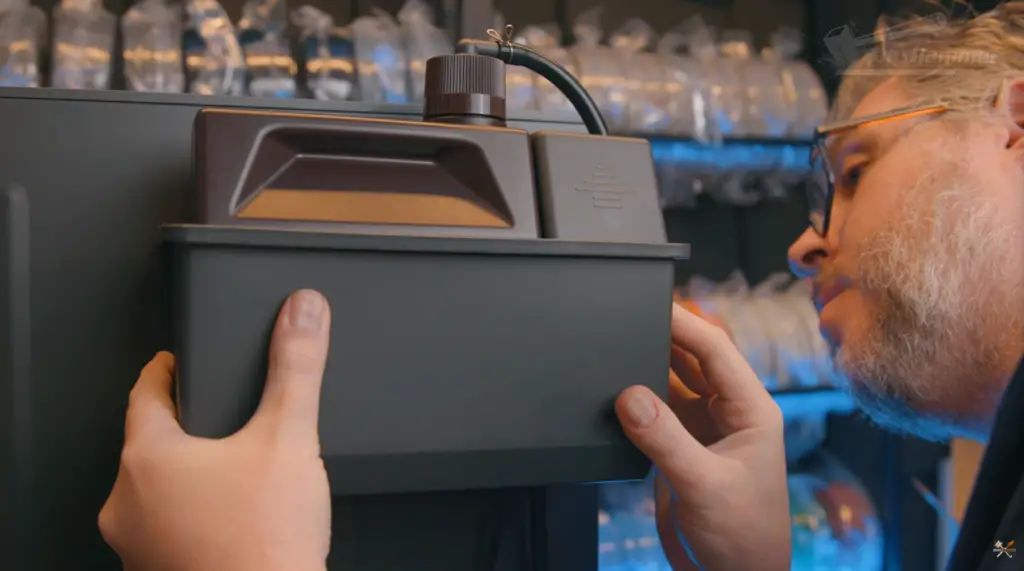
The issues with this machine are a genuine minefield. The swing out doors require a ridiculous 111 cm of clearance to open fully, which is over a meter of desk space for a printer that is only 46 cm wide. The included resin pump is fragile and messy, with the hose pulling away from the pump on my unit almost immediately. To make it worse, the software forces you to manually walk over and press a mandatory printing button at the start of every remote print just to acknowledge the pump is disabled.
Then there is the advertised 300 mm build height, which is essentially a lie because you literally cannot remove the build plate if you print to that height. It simply won’t clear the edge of the vat. When I raised this, Elegoo actually suggested I use two people to hold the vat while removing the plate, which is a hilarious solution for a home user. The UI is another unintuitive mess that times out to show a pulsing circle instead of the time remaining, which is tucked away in tiny, unreadable grayscale text. Combine that with a dark viewing window that has terrible UV resistance and a shallow vat that barely holds a single bottle of resin, and you have a machine that feels like a legacy approach in a modern chassis. It prints sharp, but it is too little and too late.
5. Phrozen Sonic Mega 8K S
Now for the truly large-format machines.
The Phrozen Sonic Mega 8K S remains one of the major names in this category and is, broadly speaking, the dependable giant. It is also the largest of the big printers discussed here.
What it does not offer is a modern pile of convenience features. There is no pressure sensing, no Wi-Fi flourish, no strong smart-feature pitch. It is large, capable and relatively straightforward.
That may actually be a positive for some buyers. In a machine of this size, reliability matters enormously because everything becomes more expensive, more awkward and more messy. A giant printer does not need gimmicks nearly as much as it needs to keep doing the job.
If you need sheer build volume and want a machine with a solid reputation, the Mega 8K S still makes sense.
4. Elegoo Jupiter SE
The Elegoo Jupiter SE occupies a similar lane to the big Phrozen, but in a slightly more accessible package.
It is a bit smaller and a bit cheaper, which makes it the more palatable of the large-format options for many people. Like the Mega 8K S, it is not overloaded with extra features. It is a big resin printer with a relatively straightforward proposition.
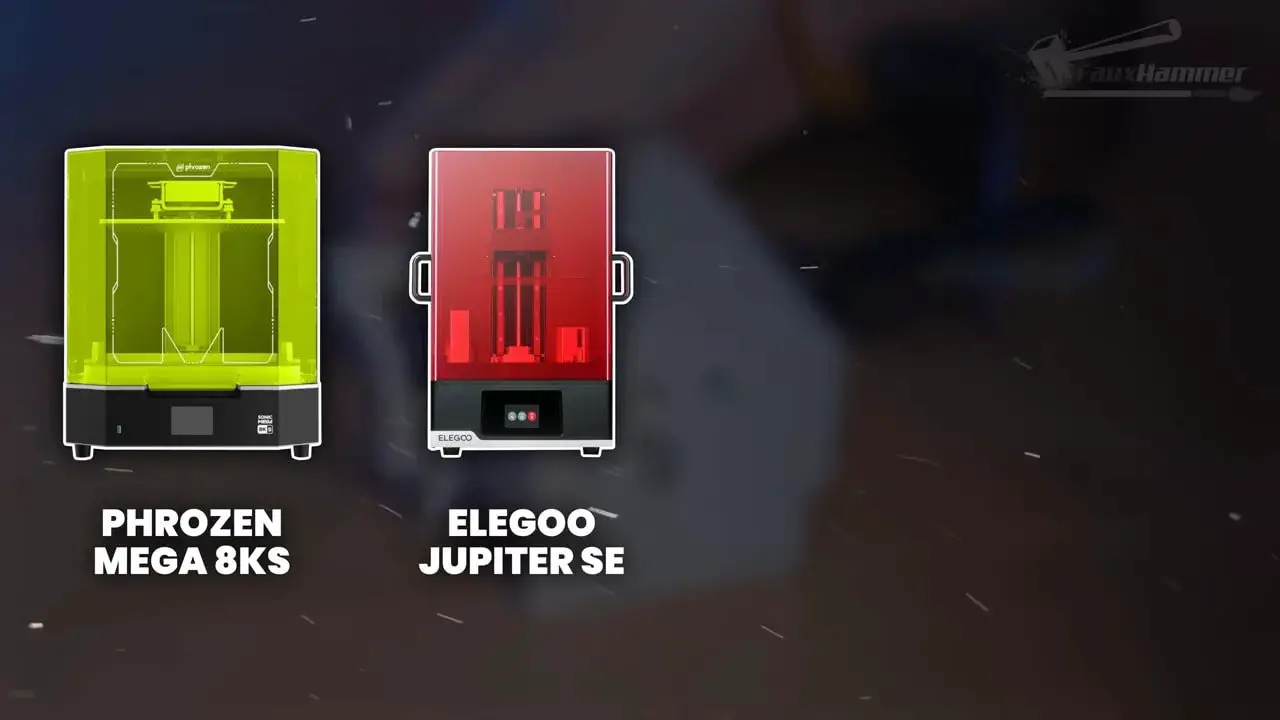
That simplicity can be useful because once you reach this scale, the logistical downsides of large-format resin printing start escalating quickly. Big vats, heavy build plates, larger wash and cure requirements and greater general mess all become part of the deal.
For buyers who want to step into large-format resin without going as far as some of the pricier or more feature-heavy machines, the Jupiter SE is one of the easier choices to justify.
3. Anycubic Photon M7 Max
The Anycubic M7 Max is one of the two standout favourites in the large-format class.
Compared with the Uniformation alternative, it has a lower resolution screen but a sharper COB light source. In practical terms that means slightly less theoretical detail, but a crisper result. Once anti-aliasing is involved, the gap becomes very small indeed.
More importantly, the M7 Max has the kind of usability that makes a large machine less intimidating. It has strong pressure sensing and proved itself as a reliable workhorse from the very first use. It just keeps churning out print after print.
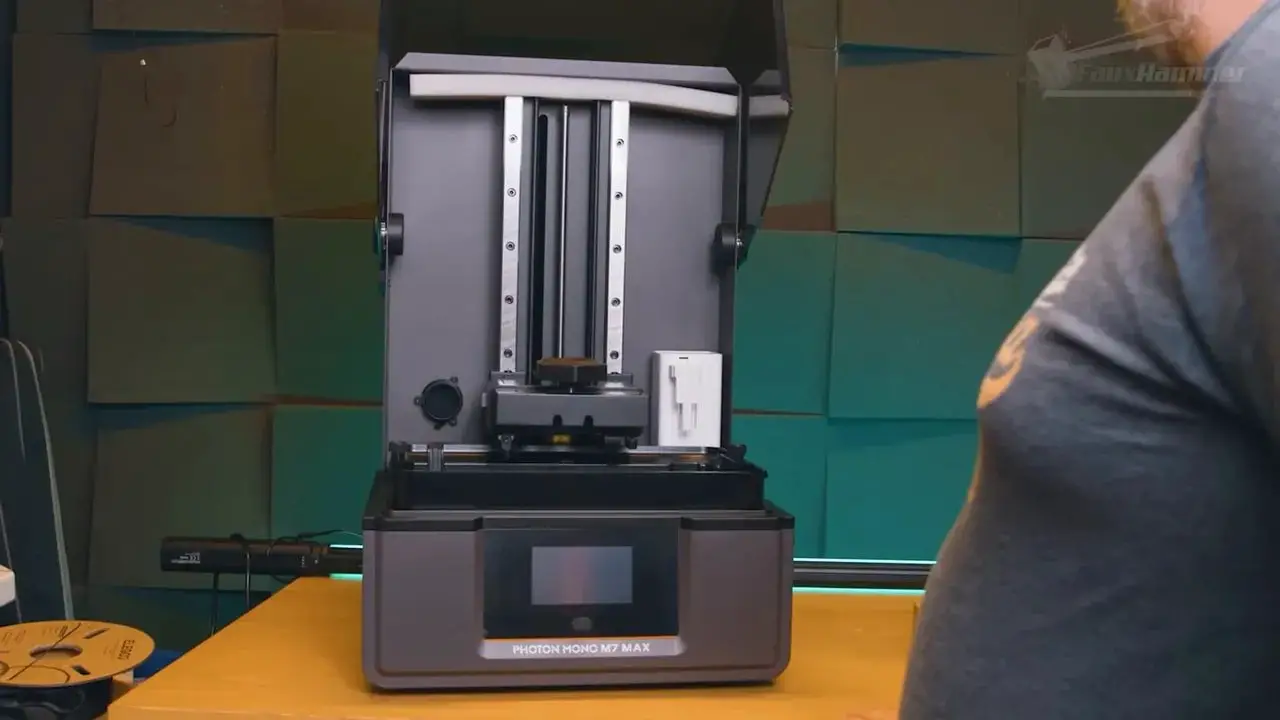
That is exactly what you want at this size. A large resin printer should not feel delicate or temperamental.
If your priorities are dependable output, solid feature implementation and a less fussy ownership experience, the M7 Max is very easy to like.
2. Uniformation GK3 Ultra
La GK3 Ultra is the other standout favourite among the large printers, and the choice between this and the M7 Max really is one of those “flip a coin and follow your gut” scenarios.
La GK3 Ultra has a higher resolution screen paired with a matrix LED light source. The result is a touch more detail overall, but with slightly softer rendering compared with the sharper but lower-resolution M7 Max setup.
Once again, the practical gap is smaller than the raw specifications might suggest. The difference is there, but it is not dramatic enough to settle the buying decision on its own.
What pushes the GK3 Ultra forward are the convenience and usability details. It has a camera, an excellent build plate, and the ability to mount that plate sideways as a drip tray, which is exactly the sort of quality-of-life feature that becomes more valuable as machines get heavier and messier.
The caveat is that large-format resin printing is not automatically “better” just because it is bigger. These machines become unwieldy very quickly, and they make the most sense when you are regularly printing statue-scale parts or filling the plate efficiently with miniatures. Otherwise, you are using up LCD life without taking proper advantage of the available area.
For those who truly need a big machine, though, the GK3 Ultra is one of the most attractive options currently available.
1. Anycubic Photon P1 Max
La Anycubic Photon P1 Max is a genuine standout in the 2026 large format class, primarily because it is the first machine to flip the usual buying decision on its head. Historically, hobbyists had to choose between a medium printer for detail or a large printer for scale, but with the P1 Max, that tradeoff finally disappears. It is a very capable hobbyist machine wearing prosumer clothing, offering a package that makes people looking at medium printers seriously consider going large instead.
The heart of this machine is the beautiful 14 inch screen, which uses a 4:3 ratio rather than the standard 16:9. This choice is a massive win, making the screen 33% deeper than the competition and providing a huge amount of bonus usable space. Without the usually wide footprint of a larger machine. With square 25 micron pixels, it sits well within the range of the highest possible quality for resin printing. While it features a wavy film layer to reduce peel forces, the impact on sharpness is so marginal in the real world that you will struggle to see any practical difference in your miniatures.
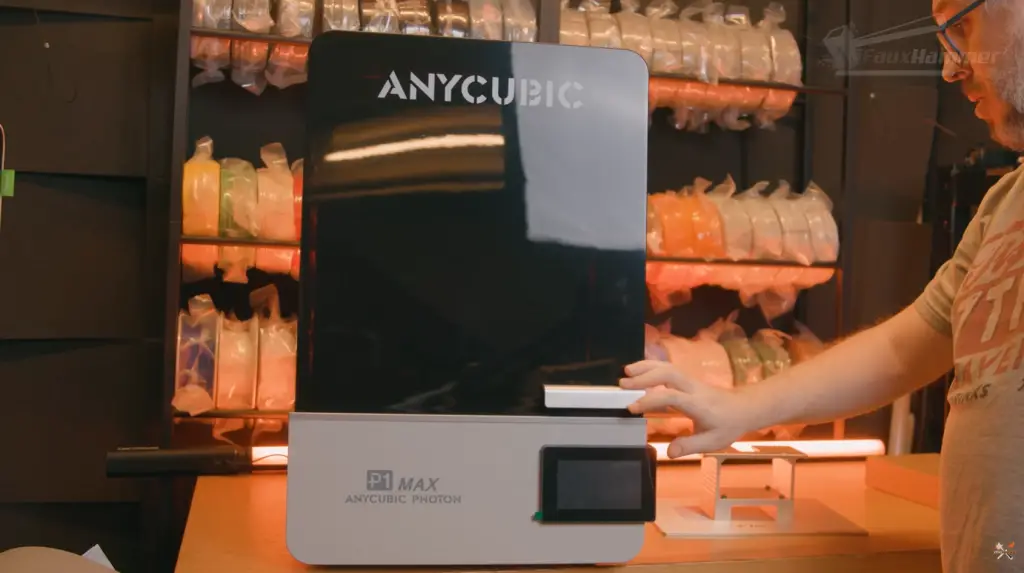
In terms of workflow, Anycubic has made some smart moves, the biggest being the total absence of a resin pump. I hate resin pumps with a passion because they are messy, prone to failure, and a nightmare to clean. By ditching the pump and sticking to a simple pour or syringe method, the P1 Max actually offers a much better day to day ownership experience. It is a reliable, modern, and well featured machine that focuses on what actually matters for someone who intends to spend their time printing rather than troubleshooting.
Of course, there is still enough classic Anycubic in here to keep things interesting with a few “daft” quirks. The stainless steel build plate is premium but bloody heavy at 3.5 kilos, and the screen sits on a springy frame for pressure sensing. This springy design means those early layers end up thick because the springs do not apply enough force to compress the resin, essentially leaving you beholden to Anycubic’s software algorithms to compensate. It is also a bit cheeky that they released this right after the P1 Kickstarter, likely annoying a few backers who bought into the smaller machine first.
Ultimately, the P1 Max earns its place as a top 2026 contender by being the first large printer that doesn’t feel like a compromise. It handles high detail miniatures and massive statues with equal ease, all while staying under the thousand pound mark. It is not a professional grade industrial beast, but it is the closest Anycubic has come to greatness in years. If you want a machine that offers genuine versatility without the usual legacy headaches of large scale printing, this is the one to get.
Just be aware that Anycubic still needs to prove themselevs in terms of product quality, this “could” be the one where they do it!
Notez s'il vous plaît: This site uses affiliate links. Our Affiliate Partners are shown below
(Affiliate links will result in compensation to the site on qualifying purchases)
Cliquez sur ce lien et achetez vos articles de loisir sur Element Games pour le Royaume-Uni et l'Europe pour soutenir FauxHammer.com - Utilisez le code "FAUX2768" au moment du paiement pour obtenir des points de fidélité doublés.
Nos affiliés / magasins de loisirs
- ROYAUME-UNI: Element Games, L'avant-poste, Jeux Wayland, Mighty Lancer, Goblin Gaming, Planète interdite, Fournitures de décor de modèle, eBay, Amazon
- États-Unis / Canada: MTechCave, GameKastle, eBay (États-Unis), eBay (CA), Amazon
- Allemagne: Taschengelddieb
- L'Europe : eBay (DE), eBay (EN), eBay (ES), eBay (IT), Amazon
- Australie: eBay, Amazon
- Global: RedGrass Games, Couleurs de guerre
- Imprimantes 3D: Phrozen 3D, Élégoo, Anycubique
FauxHammer - Dernière vidéo sur YouTube
What Actually Matters More Than Specs
After going through this many machines, a pattern becomes pretty clear. The real differentiators in 2026 are not just resolution numbers. They are ownership realities.
If you are deciding between printers that all produce excellent-looking miniatures, start asking harder practical questions:
How easy is the screen to replace?
Is the resin heated properly, or through some awful pump system?
Does the build plate make handling easier or harder?
Is the app and firmware support useful or half-baked?
Will this printer fit not just your hobby goals, but your workspace?
Do you need a small, medium or genuinely large printer?
That last point matters more than many people realise.
Small printers still make sense if you are restricted by budget or space. But if you have room and can afford the jump, 10-inch printers are usually the more versatile and often the more sensible long-term purchase. Very large printers should be reserved for users who genuinely need the volume and can manage the extra mess, cost and weight that come with them.
Final Verdict: Which Resin Printer Should You Buy?
If the priority is pure workflow and ease of successful printing, the HeyGears Reflex RS ou RS Turbo remains one of the strongest overall picks despite the controversy around the company’s policies. An alternative but not as high quality despite them pretending otherwise is the Anycubic P1
If the priority is all-round consumer usability with excellent modern convenience features, the Elegoo Saturn 4 Ultra 16K is one of the best-balanced machines available.
If the priority is long-term maintainability and easy screen replacement, the Uniformation GK3 deserves serious attention.
If the priority is budget and simplicity, the Anycubic M7 or even lower, Photon Mono 4 is hard to argue with.
If the priority is a small-format printer that has proven itself over time, the Phrozen Sonic Mini 8K S is still a standout.
And if the priority is strong engineering materials over tiny artistic detail, the Formlabs Form 4 sits in a class of its own.
The broader truth, though, is that resin printers are now close enough in print quality that the best machine is less about a universal winner and more about matching the printer to the person using it.
Pick based on workflow. Pick based on maintenance. Pick based on whether the machine suits your space, your temperature, your appetite for tinkering and your willingness to eventually replace a screen.
That is how you end up with the Best Resin printer for you rather than simply… the newest one.
The Best Resin Printers of 2026 – FAQ
Is a higher resolution resin printer always better for miniatures?
No. Higher resolution helps on paper, but practical results are also affected by the light source, resin behaviour, anti-aliasing and overall machine design. At this stage, many modern printers are close enough in output that workflow and usability matter more.
What size resin printer is best for most hobbyists?
For most people, the 10-inch class is the sweet spot. It offers much more versatility than very small printers without becoming as awkward and messy as the truly large machines.
Do I need a heated resin printer?
If you print in cold or variable environments, a heated vat can be a major benefit. It helps resin stay in a better operating range, which improves consistency and reduces failures.
Are resin printer screens replaceable?
Yes, and they should be treated as consumables. Every resin printer owner should assume the screen will eventually need replacing, so ease of screen replacement is an important part of choosing a machine.
Should beginners buy a large resin printer?
Usually not. Large printers are heavier, messier and require bigger wash and cure solutions. They make sense if you regularly print large statues or full plates of miniatures, but they can be overkill for casual use.
What is the best budget resin printer in this guide?
La Anycubique Photon Mono 4 is the standout budget recommendation here because it is simple, competent and comes from a more established brand than many ultra-cheap alternatives.
What is the easiest resin printer to use overall?
For workflow alone, the HeyGears Reflex RS family is among the easiest to use, especially for people who value convenience and strong print success without a lot of manual tweaking.
If you’re still narrowing it down, the safest next step is simple: decide the size you actually need, decide whether easy screen replacement matters to you, and decide how much “smart” convenience you want versus how much tinkering you are happy to tolerate. That will usually cut the shortlist down far faster than comparing one more resolution number.
Notez s'il vous plaît: This site uses affiliate links. Our Affiliate Partners are shown below
(Affiliate links will result in compensation to the site on qualifying purchases)
Cliquez sur ce lien et achetez vos articles de loisir sur Element Games pour le Royaume-Uni et l'Europe pour soutenir FauxHammer.com - Utilisez le code "FAUX2768" au moment du paiement pour obtenir des points de fidélité doublés.
Nos affiliés / magasins de loisirs
- ROYAUME-UNI: Element Games, L'avant-poste, Jeux Wayland, Mighty Lancer, Goblin Gaming, Planète interdite, Fournitures de décor de modèle, eBay, Amazon
- États-Unis / Canada: MTechCave, GameKastle, eBay (États-Unis), eBay (CA), Amazon
- Allemagne: Taschengelddieb
- L'Europe : eBay (DE), eBay (EN), eBay (ES), eBay (IT), Amazon
- Australie: eBay, Amazon
- Global: RedGrass Games, Couleurs de guerre
- Imprimantes 3D: Phrozen 3D, Élégoo, Anycubique


 Français
  English (UK)
  Deutsch
  Italiano
  Español