
Bambu P2S Review: The Most Boring Printer You Might Actually Want to Buy
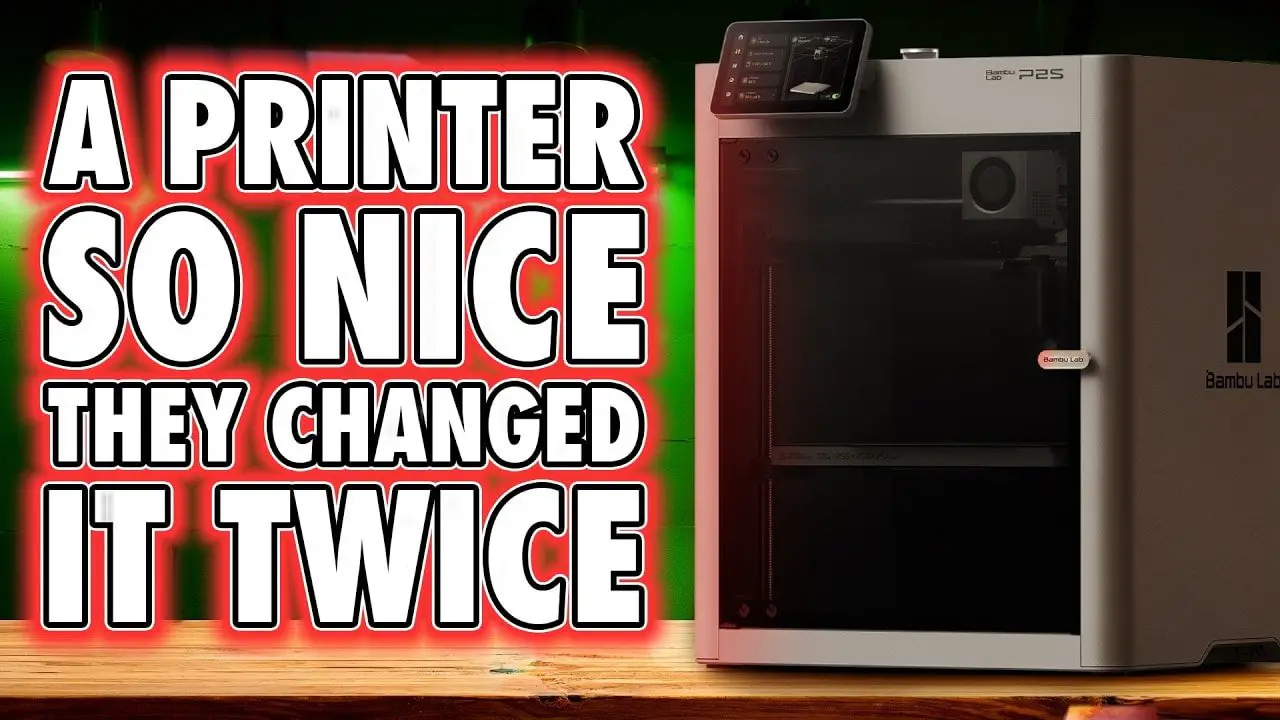
I know a lot of people have been waiting for a proper long-term take on the Bambu P2S, and honestly, that delay was probably for the best. First impressions are easy. Almost any modern printer can look impressive on day one when it’s fresh out of the box, neatly calibrated, and still wrapped in the glow of launch hype. What matters more is where a machine sits once that excitement wears off.
And that is exactly why the Bambu P2S is interesting.
Because on paper, it isn’t trying to be the biggest machine, the cheapest machine, or the most feature-stuffed machine in Bambu’s range. It sits squarely in the middle. In a market full of printers desperately trying to stand out with oversized claims and half-finished ideas, the Bambu P2S instead feels like a very deliberate product. It’s not flashy. It’s not revolutionary. It’s just extremely competent.
In some ways, that makes it a bit dull. In more important ways, that is exactly what makes it good.
Table des matières
- Bambu P2S Review – Summary
- Where the Bambu P2S Fits in the Lineup
- Unboxing and Setup
- Design and External Features
- The Rear Buffer and a Slightly Strange Filament Arrangement
- Cooling, Filtration, and the External Exhaust Update
- Toolhead, Nozzles, and Maintenance
- Camera and Privacy
- Build Volume, Bed, and Core Mechanics
- AMS 2 Pro, AMS HT, and Material Handling
- Software, UI, and App Experience
- Print Quality and Material Testing
- What It’s Like to Actually Print Bigger Things
- Pros and Cons
- Who Should Buy the Bambu P2S?
- Bambu, Ecosystems, and Why This Printer Will Divide Opinion
- Bambu P2S Review – Final Thoughts
- FAQ
Notez s'il vous plaît: This site uses affiliate links. Our Affiliate Partners are shown below
(Affiliate links will result in compensation to the site on qualifying purchases)
Cliquez sur ce lien et achetez vos articles de loisir sur Element Games pour le Royaume-Uni et l'Europe pour soutenir FauxHammer.com - Utilisez le code "FAUX2768" au moment du paiement pour obtenir des points de fidélité doublés.




Nos affiliés / magasins de loisirs
- ROYAUME-UNI: Element Games, L'avant-poste, Jeux Wayland, Mighty Lancer, Goblin Gaming, Planète interdite, Fournitures de décor de modèle, eBay, Amazon
- États-Unis / Canada: MTechCave, GameKastle, eBay (États-Unis), eBay (CA), Amazon
- Allemagne: Taschengelddieb
- L'Europe : eBay (DE), eBay (EN), eBay (ES), eBay (IT), Amazon
- Australie: eBay, Amazon
- Global: RedGrass Games, Couleurs de guerre
- Imprimantes 3D: Phrozen 3D, Élégoo, Anycubique
FauxHammer - Dernière vidéo sur YouTube
Bambu P2S Review – Summary
The short version is this: the Bambu P2S is a solid enclosed CoreXY printer that feels like it knows exactly what it is supposed to be. It has the polished setup process, reliable software ecosystem, quick-swap nozzles, AMS compatibility, and generally excellent print quality that people have come to expect from Bambu. It also handles a broader range of materials than a basic PLA-focused machine, including PETG, ABS, ASA, nylon and, with some caveats, polycarbonate.
What it does not do is wow you with some giant leap forward.
It uses the familiar 256 x 256 x 256 mm build volume, it looks fairly plain, and it skips some of the more exotic extras seen elsewhere in Bambu’s lineup. But taken in context, that “average” position is actually one of its biggest strengths. It is easy to understand, easy to recommend, and for many people it may be the most sensible place to start if they want a proper workhorse rather than a project.
If you want a machine that feels finished, supported, and genuinely consumer-friendly, the Bambu P2S makes a very strong case for itself.
- Best for: beginners who want a serious first printer, hobbyists who value reliability, cosplay and prop makers, farms, and anyone who wants an enclosed all-rounder
- Less ideal for: people specifically chasing the largest build area, tinkerers who want a highly open platform, or buyers looking for the absolute cheapest option
Where the Bambu P2S Fits in the Lineup
The easiest way to understand the Bambu P2S is to stop asking whether it is the “best” printer and instead ask where it belongs.
Bambu’s current range is increasingly segmented. At one end you have more budget-conscious bed slingers. At the other, the bigger and more feature-rich machines. The P2S lands in the middle of that spread, which means it inherits a lot of Bambu’s mature ecosystem without trying to be a flagship.
That middle ground matters.
Very often, buying decisions get harder when a product is loaded with edge-case features you may never use. Here, the Bambu P2S is almost refreshingly straightforward. It is enclosed, capable, fast, polished, and compatible with the accessories and workflow people already associate with the brand. For many buyers, that simplicity is not a compromise. It is the appeal.
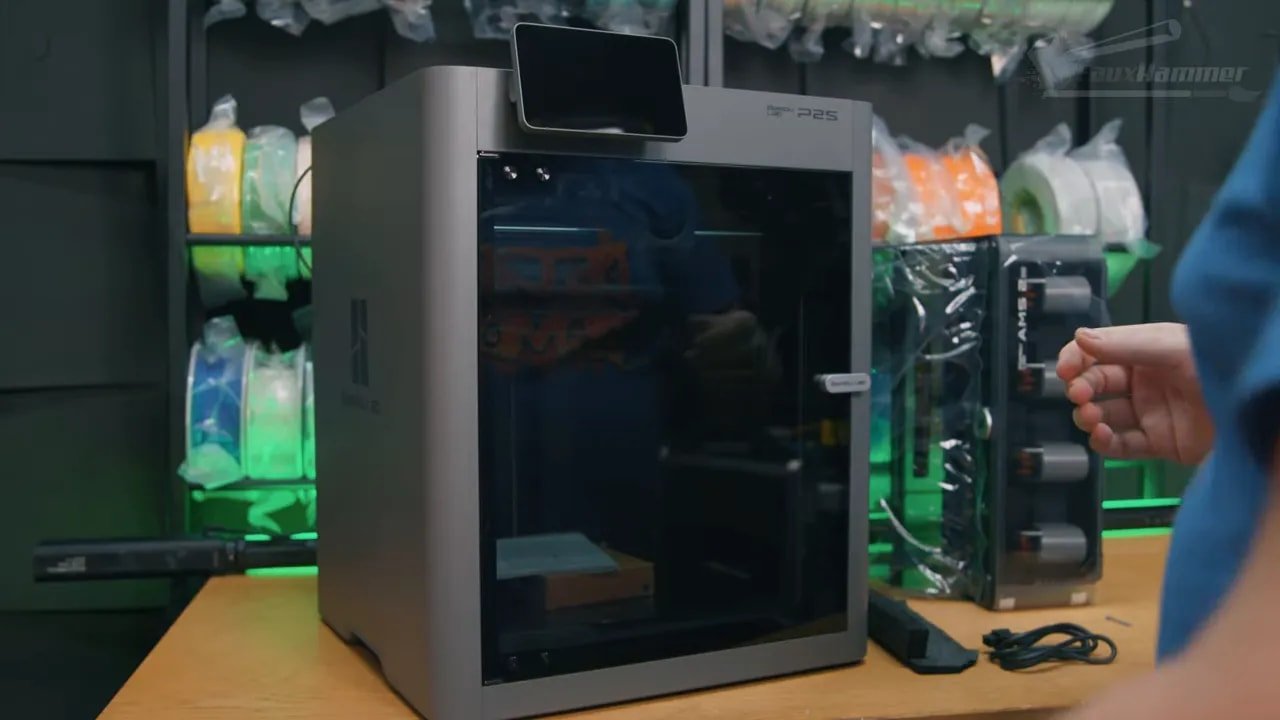
There are still a few things that feel like obvious future upgrade paths, and some omissions that may hint at where Bambu is going next with a successor to the older X-series concept. But as it stands, the Bambu P2S feels less like a teaser for what comes next and more like a refined answer to what many users actually need now.
Unboxing and Setup
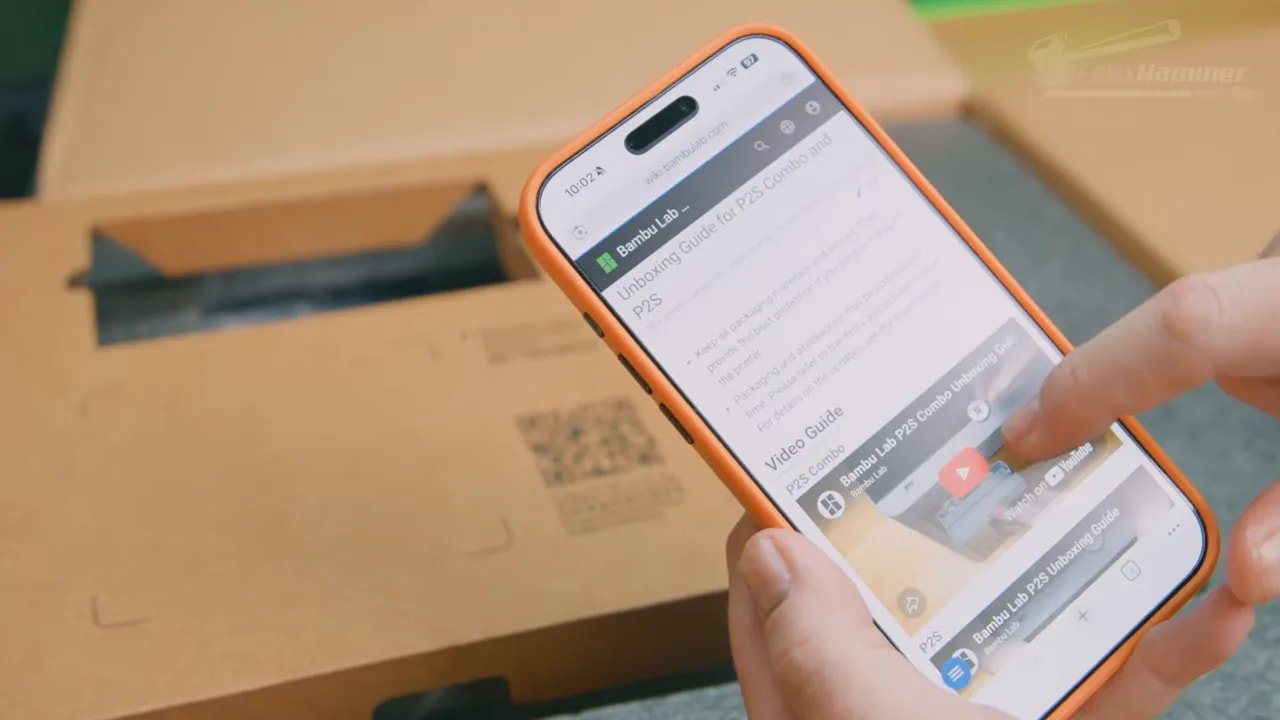
This is one area where Bambu continues to understand the average user better than much of the market. The unboxing process is clean and guided in a way that lowers friction immediately. Open the machine up and you are presented with a QR code linking to setup guidance, which is exactly the kind of small quality-of-life touch that makes these products feel more considered.
Initial setup is mostly a case of removing packaging materials, tape, shipping foam and transport restraints. If you buy the combo version, that also means removing and unscrewing the AMS unit and its retaining clamps. The bed is secured for shipping and needs to be unscrewed, and there are protective guards on the left and right lead screws that also need to come off.
Importantly, if you miss any of this, the printer’s interface will warn you on first boot. Again, that sounds like a small thing, but details like that are exactly what separate a polished appliance-like experience from a machine that assumes you already know what you are doing.
If you buy the standalone printer, you mount the external spool holder on the right side and route the PTFE tube through the rear filament buffer. If you buy an AMS-equipped version, setup is similarly straightforward, though the rear buffer arrangement raises an odd question that lingers over the whole design.
Design and External Features
Let’s get this out of the way: the Bambu P2S is not a dramatic-looking machine.
It has a fairly subdued dark grey chassis that strongly evokes the older P1 family. It is not ugly, but it is not exactly exciting either. If you were hoping for some premium visual flourish to distinguish it, you will not find much here.
That said, the machine is sensible rather than sloppy.
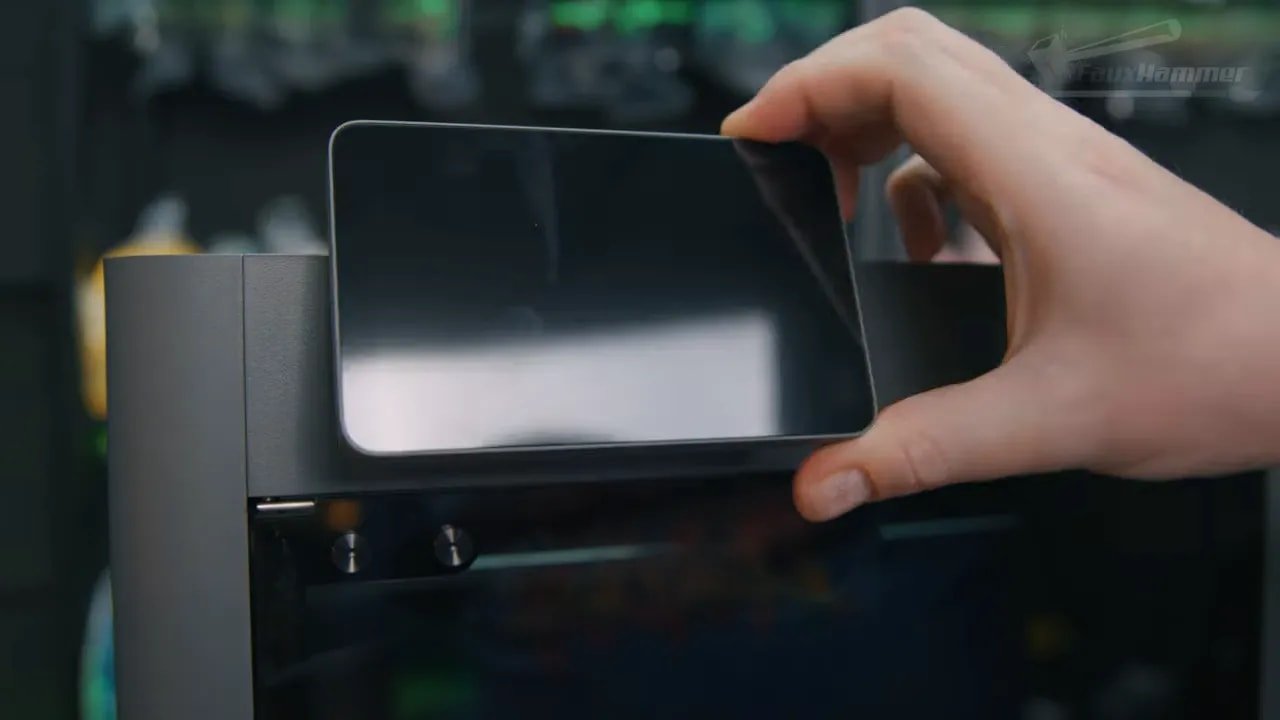
At the front you get a manually installed screen that protrudes slightly from the body and can be angled upward for easier viewing. It cannot tilt downward, which feels like a missed opportunity for rack-mounted farm use. There is also an Ethernet port, which may not matter to everyone, but is still appreciated in more fixed setups.
The front door is glass, the top lid is removable glass, and there is a USB port behind the screen on the top surface rather than an SD card slot. A low-profile USB drive is a good idea here to avoid damaging the port. The drive is needed if you want to store multiple files at once or record timelapses, because the machine will not save timelapse footage to its internal memory.
Underneath are soft rubber feet for vibration damping, and built into the side grab handles are vent holes that become important once you start looking at the cooling and filtration system.
Round the back you will find the filament buffer, belt tensioners, waste chute, rear ventilation, and power input with a rocker switch. It is all functional, but one thing still stands out as slightly odd: the buffer itself.
The Rear Buffer and a Slightly Strange Filament Arrangement
On a standalone machine, the rear buffer makes some sense. It allows manual feeding through the external reel holder. But on an AMS-equipped Bambu P2S, the logic is less obvious. If you are using an AMS, the external spool holder starts to feel redundant, aside from very specific use cases.
There may be a practical reason for wanting both manual loading and AMS support connected at the same time, or for daisy-chaining certain material paths, but in day-to-day use it is hard not to question why this arrangement exists in this particular form instead of something simpler.
There is also a note worth making on the stock spool holder placement: the PTFE tube can rub against the edge of the reel, which looks like it could become a wear point over time.
None of this is disastrous, but it is one of those spots where the Bambu P2S stops feeling immaculate and starts feeling merely good.
Cooling, Filtration, and the External Exhaust Update
This is one of the more interesting parts of the Bambu P2S, especially because it shows how Bambu handles criticism after launch.
The printer uses a smart airflow system with two distinct modes.
When printing cooler materials like PLA and PETG, the auxiliary fan on the right side pulls in fresh air from the side vents and blows it toward the print. This helps keep the chamber cooler without removing the lid, which in turn keeps noise down a little compared with older machines that often needed to be run open for these materials.
However, in this “cool mode,” the airflow does not pass through the carbon filter in the way many people might assume. Air is effectively exchanged and then escapes from the machine through various gaps and vents.
When printing hotter materials like ABS, ASA, polycarbonate or nylon, internal flaps change the airflow path so the machine recirculates chamber air through the carbon filter instead. That keeps heat in the chamber and repeatedly passes the same air through filtration, which is exactly what you want for enclosed high-temperature printing.
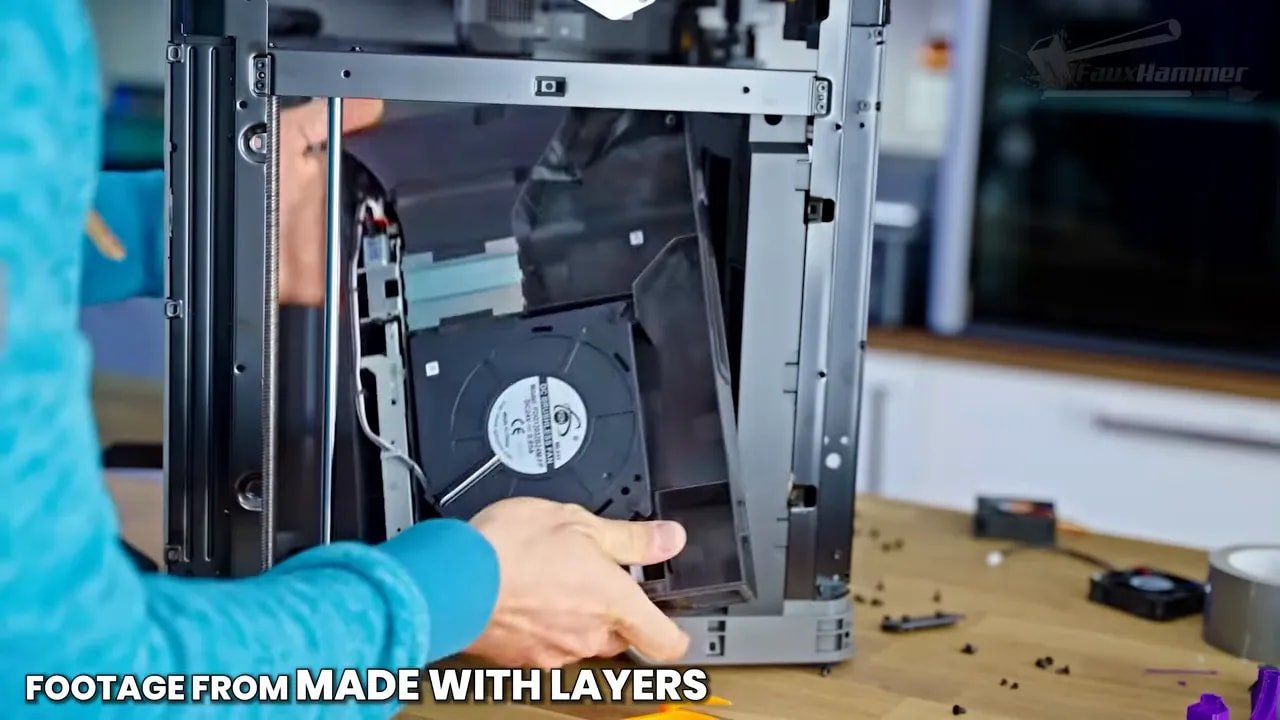
This design sparked discussion because in the cooler-material mode, filtration is not really doing much. Personally, I think that concern depends heavily on how you view PLA and PETG emissions compared with more challenging engineering materials. Either way, the more important point is that Bambu responded.
An updated rear panel and optional external exhaust fan kit have since been released, allowing the Bambu P2S to actively vent externally and integrate that behavior into the firmware. That is a very good sign. A lot of brands would have quietly fixed this in a later revision and left early adopters behind. Bambu instead improved the existing product.
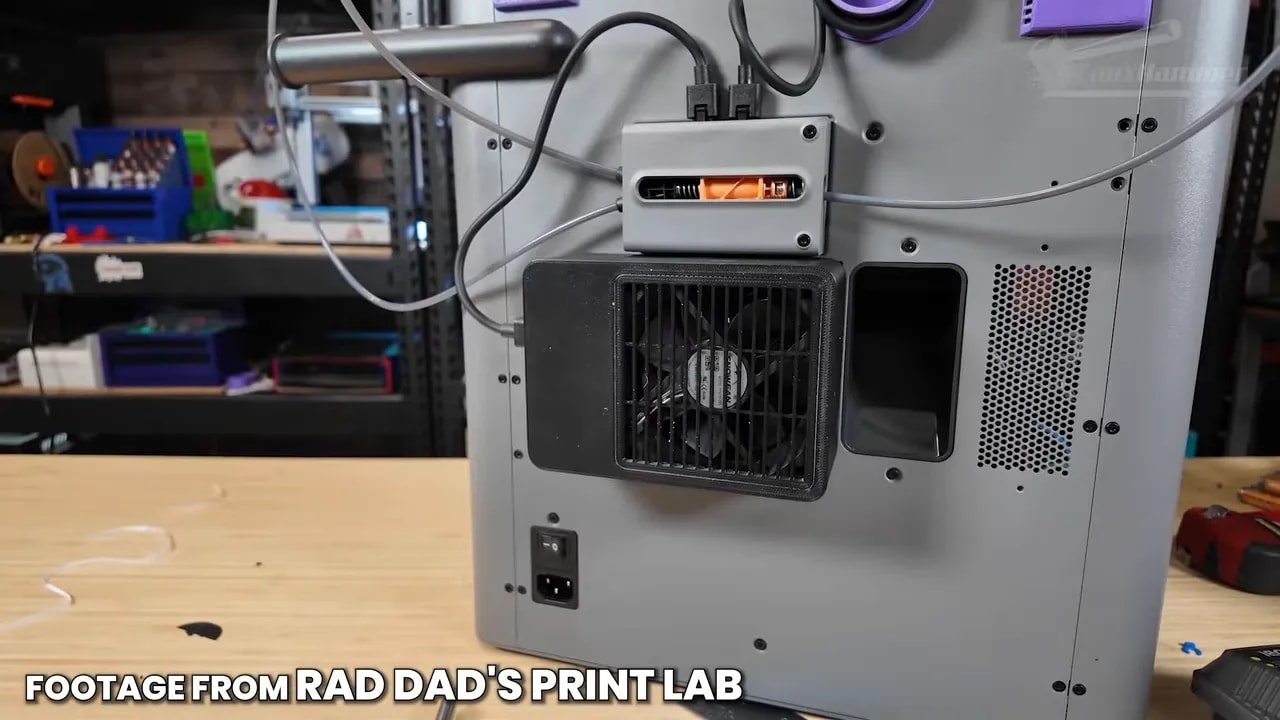
That kind of post-launch support is easy to undervalue, but it is one of the reasons these printers feel more complete than many competitors.
Toolhead, Nozzles, and Maintenance
Inside the machine, the toolhead is mostly familiar territory if you know Bambu’s recent hardware. The nozzle is quick-swap and shared with the H2 series, which is excellent for ecosystem compatibility. If you already own spare nozzles, or you upgrade later to another machine in the range, that investment carries over.
Changing nozzles is simple: remove the sock, unclamp the nozzle, and swap it out. Third-party options such as high-flow nozzles also benefit from that shared platform.
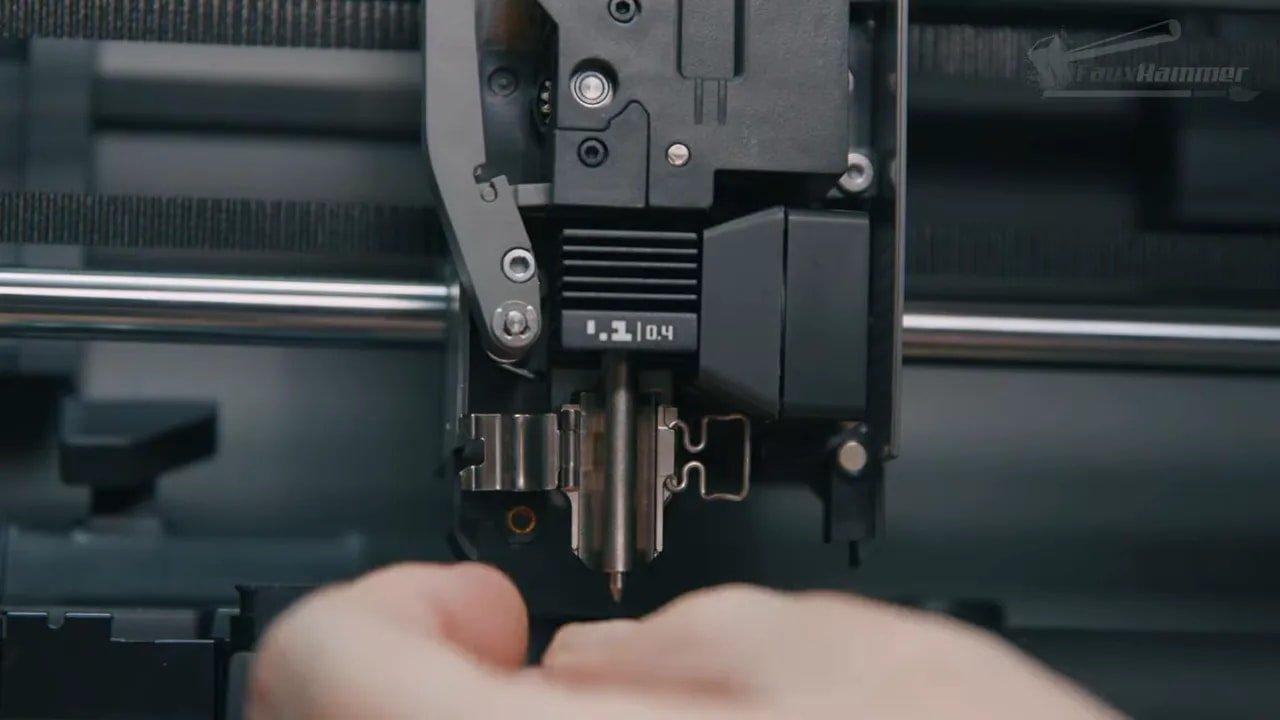
One surprise, though, is that the toolhead does not appear to inherit some of the more user-friendly elements from Bambu’s other machines, such as easier extruder movement diagnostics. That becomes more noticeable if you ever run into a clog.
To be fair, clogs are not described as common here, and the one encountered during testing was likely down to using old silk PLA that had been sitting out for over a year without being dried first. Still, when it happens, getting into the extruder gear is not especially difficult, but it is also not as convenient as it could be.
This is one of those boring but important realities of 3D printing: extruder jams are the FDM equivalent of paper jams in a 2D printer. They will happen eventually. So easier access is always welcome.
La P2S includes the expected practical features too: nozzle wiper, waste chute, internal lighting upgrade over the older P1 series, and a built-in camera for monitoring and timelapses.
Camera and Privacy
The built-in camera is good enough for live monitoring via the app and records timelapses in full 1080p, which is genuinely useful rather than just a box-ticking extra.
There is, however, a small privacy wrinkle. Depending on the angle, the camera can see slightly out through the door glass and may catch some of the room beyond the printer. Unlike some machines with physical privacy shutters, the Bambu P2S does not include a simple integrated cover. There is a printable privacy cover file included, but it blocks the camera entirely rather than selectively masking the doorway area.
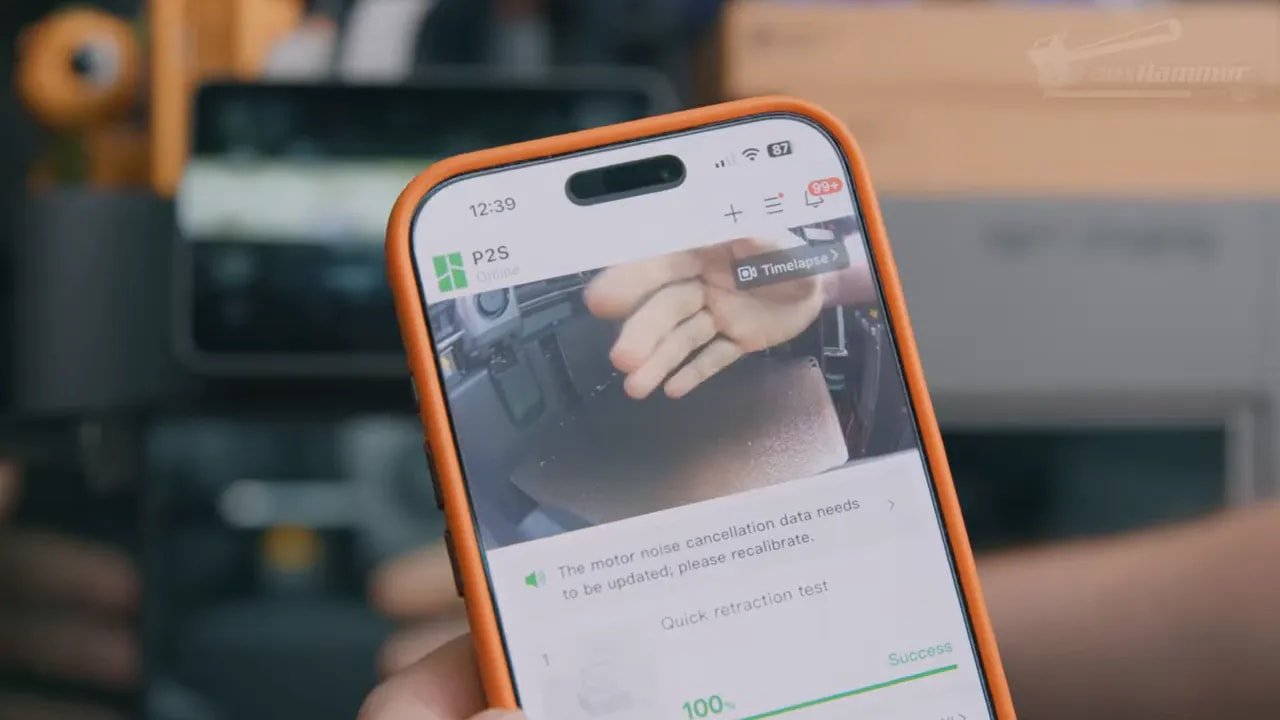
For many people, this will not matter at all. For others, especially those with printers in more visible shared spaces, it is worth being aware of.
Build Volume, Bed, and Core Mechanics
La Bambu P2S sticks with a 256 mm cube build volume, which has both upsides and downsides.
On the positive side, that means compatibility with a huge number of existing third-party accessories, build plates, and model design assumptions. The market has had time to standardise around this size, and there is real value in buying into something mature rather than just marginally larger.
The printer uses a spring steel PEI plate that removes easily and aligns cleanly when put back. The Z-axis is supported by three lead screws and three guide rods for stability, and while the rear lead screw is somewhat tucked away for maintenance, access is still better than on some of Bambu’s larger machines.
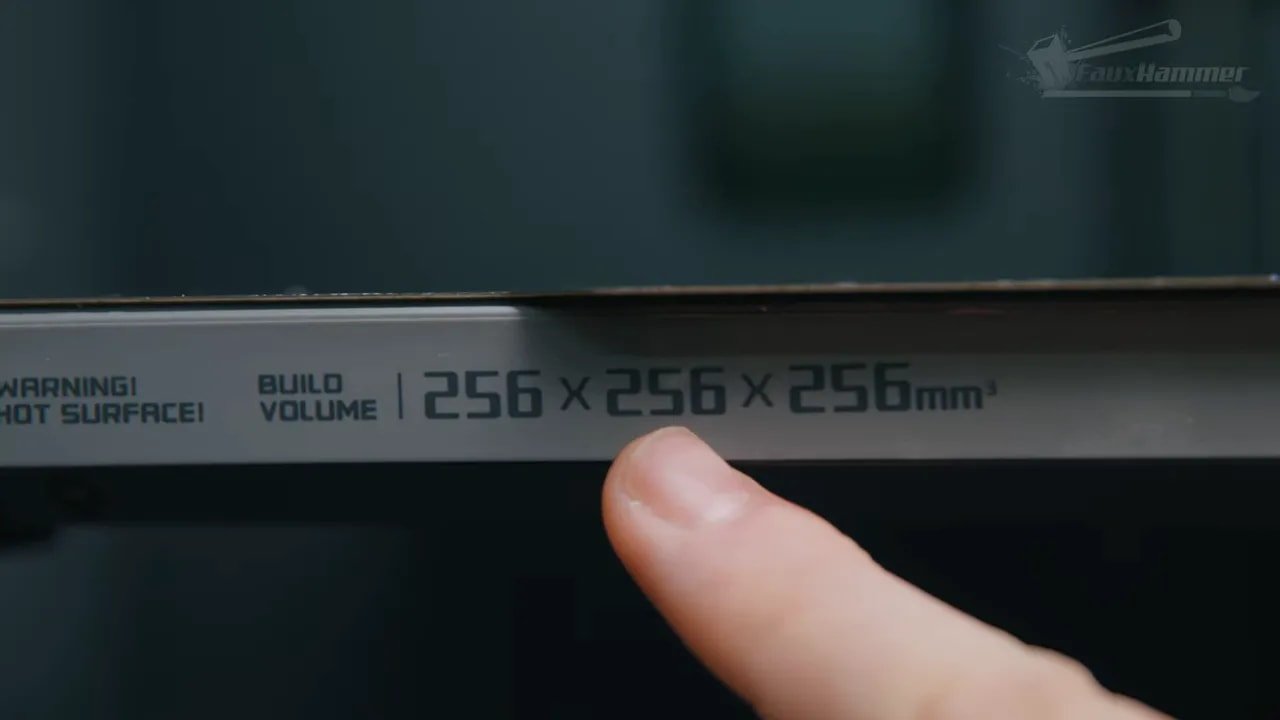
The downside is psychological as much as practical. Competing brands are now hitting 260 mm in this category. Four millimetres does not matter much in real use, but spec-sheet shopping is rarely rational. “260” just sounds more substantial than “256,” and that may sway buyers who are comparing boxes rather than lived experience.
AMS 2 Pro, AMS HT, and Material Handling
If you buy the combo package, the Bambu P2S comes with the AMS 2 Pro, which adds one of the strongest convenience features in Bambu’s ecosystem: integrated filament drying support and multi-material handling in the same workflow.
These machines support up to four standard AMS units or AMS 2 Pro units, and can also work with up to four AMS HT single-reel units, for a maximum of 20 material slots depending on the configuration.
That is undeniably powerful. But there is an interesting argument here that not everyone actually needs four-slot AMS boxes on a single-nozzle printer.
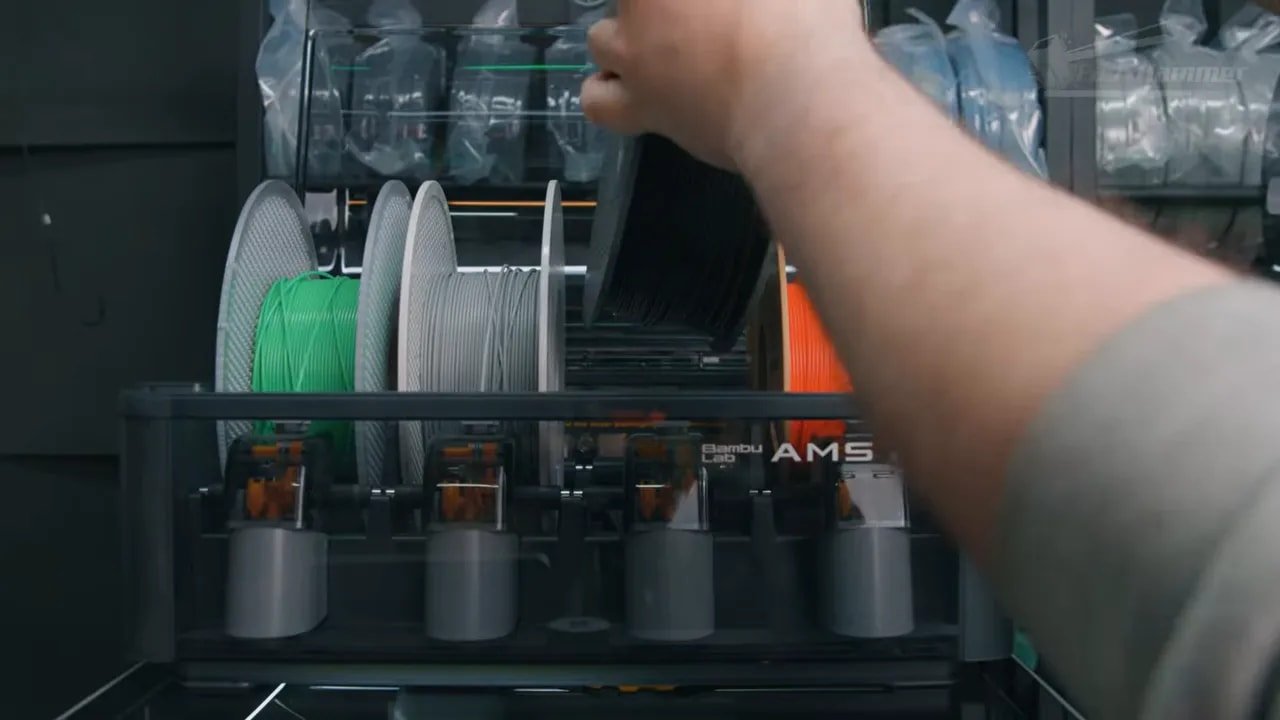
For a lot of users, two reels would be enough: one active reel and one failover reel for runout protection. In that sense, the AMS HT concept is arguably more practical for many day-to-day jobs than a larger multi-slot unit, particularly if you are not regularly printing multicolour decorative pieces.
This is one of the more nuanced takes on the Bambu ecosystem. The AMS is excellent, but on single-nozzle machines the value proposition depends heavily on how you print. If your goal is multicolour models, it is great. If your goal is reliable material swapping and failover, a simpler dual-reel approach would actually make a lot of sense.
Software, UI, and App Experience
One of the biggest reasons the Bambu P2S is easy to recommend is software. Not because it is necessarily the most advanced in every technical sense, but because it consistently focuses on usability.
The printer UI closely follows Bambu’s newer interface design and gives you far more on-device control than older monochrome-screen generations ever did. That matters more now that AMS units have functions like drying, material type assignment, and colour management that users may actually want to interact with directly.
Bambu Studio remains one of the strongest beginner-friendly slicers around. It handles a lot of complexity without making basic operations feel intimidating. Features like colour assignment via straightforward dropdowns are still much easier here than in many slicer forks.
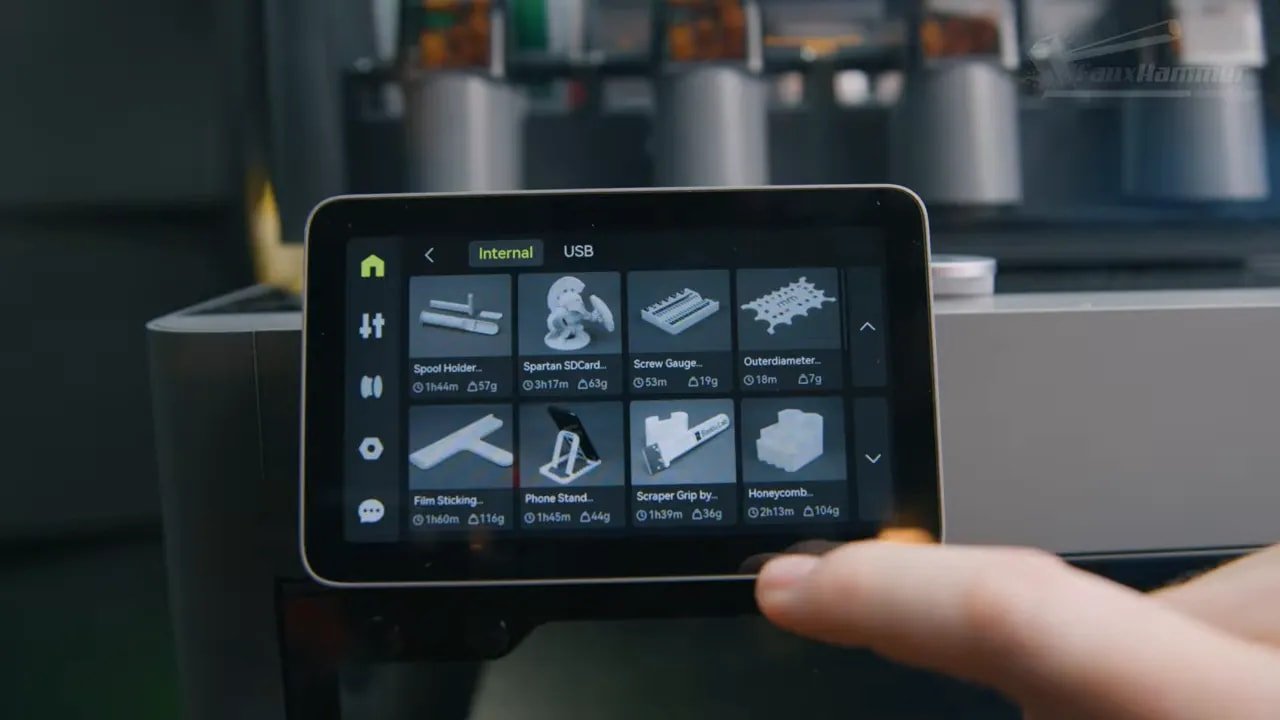
That said, OrcaSlicer still has some advanced features that power users may prefer. The printer profiles exist, but file sending is less seamless unless you use an additional app or simply transfer via USB.
Then there is the phone app, which includes live monitoring, sensible notifications, and even direct printing from MakerWorld for some models. It is convenient, though naturally less flexible than the desktop slicer for support generation, layout control and fine tuning.
This all feeds into the same central point: the Bambu P2S does not just print well, it fits into a well-developed workflow that reduces friction from start to finish.
Print Quality and Material Testing
This is where a lot of reviews stop at PLA, print a Benchy, declare victory, and call it a day. But the Bambu P2S deserves a broader look than that because its enclosure and chamber behavior clearly aim beyond basic hobby plastic.
Starting with PLA, the results are exactly what you would hope for from a Bambu machine. The initial Benchy was fine, first layers were smooth, and practical prints came out clean using standard profiles. A travel pouch print and a multicolour baby dragon both turned out well, with the usual caveat that single-nozzle colour printing still takes ages and wastes an enormous amount of material in purge.
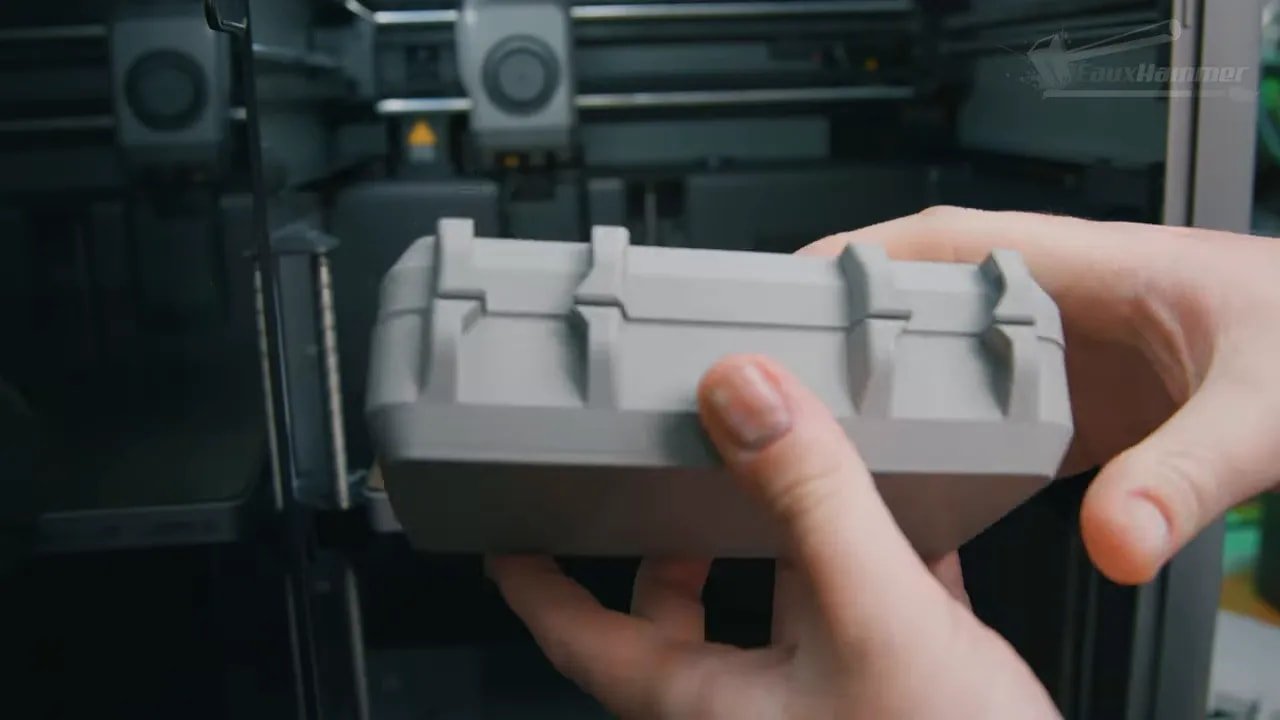
That waste is worth discussing honestly. The AMS makes multicolour printing accessible, but it does not make it efficient. A 19-hour print with a pile of discarded purge material behind the machine is still the tradeoff.
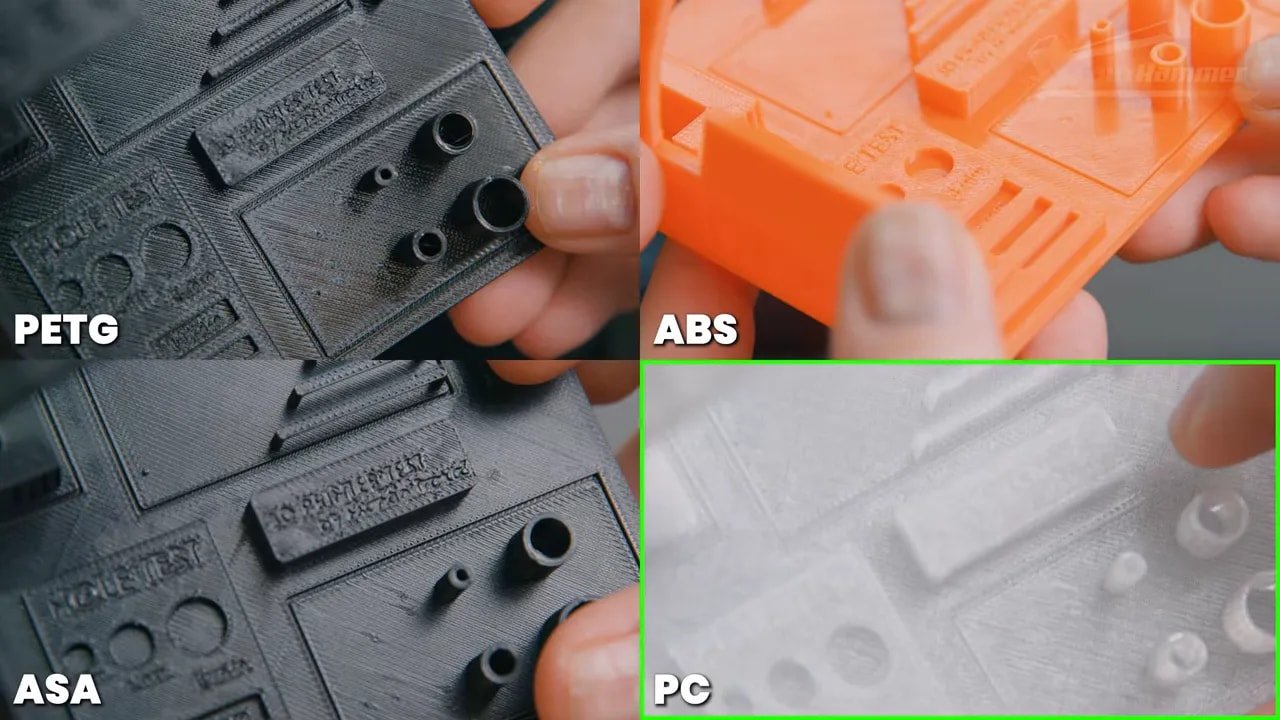
PETG, which is often more stringy than PLA, also printed nicely on generic profiles. ABS was excellent, and ASA performed similarly well with good overhangs, clear bridging, minimal stringing and strong top-surface quality.
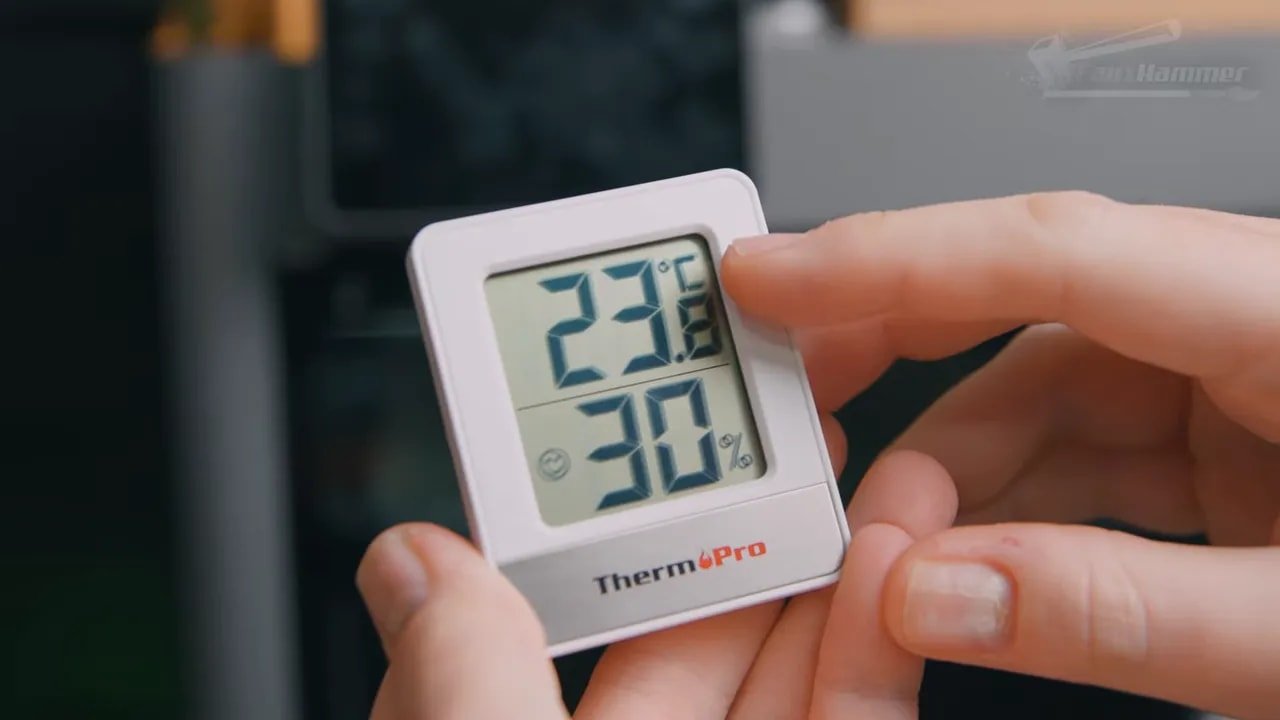
Testing took place in a typical room environment at roughly 21 to 23°C with around 30% ambient humidity, and in those conditions the Bambu P2S could get its chamber to around 50°C using radiant bed heat alone. That is respectable for a machine without an active chamber heater, but it is also a reminder that your own environment will affect results.
Polycarbonate was more mixed. A clear PC filament printed only half-successfully, with the main issue being corner lift and bed adhesion problems rather than complete functional failure. Nylon was initially a disaster, curling so badly that it pulled the faceplate off the toolhead and triggered a print stop. Once a brim was added, though, the nylon print improved dramatically.
That is an important distinction. The printer was not necessarily incapable of the material; the print setup simply needed to respect the material’s behavior. Polycarbonate still remained the more problematic of the two in this test set.
So the practical takeaway is this:
- PLA: excellent
- PETG: very good
- ABS: excellent
- ASA: excellent
- Nylon: good with the right adhesion strategy
- Polycarbonate: possible, but less reliable in this setup
For most users, that is a very strong spread of real-world capability.
What It’s Like to Actually Print Bigger Things
As useful as test pieces are, what most people really want to know is whether a machine can produce large practical or hobby prints without becoming a constant side quest.
On that front, the Bambu P2S does well. A large Grey Fox helmet prop printed in basic PLA served as the showcase piece here, and there were also ongoing prints of larger prop weapons for future projects. That says a lot about confidence in the machine. When someone has multiple printers available and still reaches for one machine for actual jobs, that matters more than any synthetic benchmark.

This is where the P2S’ “boring” nature becomes its biggest compliment. It is not a novelty machine. It is a machine you use.
Pros and Cons
Pour
- Very polished out-of-box experience
- Strong software ecosystem with Bambu Studio, app support and MakerWorld integration
- Excellent print quality in PLA, PETG, ABS and ASA
- Good enclosed design for a wider range of materials
- Quick-swap nozzles with cross-compatibility across Bambu’s ecosystem
- AMS 2 Pro support and flexible material management options
- Useful camera and 1080p timelapse support
- Bambu continues to improve the machine after release, such as the external exhaust update
- Feels like a finished consumer product rather than a DIY project
Contre
- Looks plain and does little to excite visually
- 256 mm build volume is now being edged out on paper by 260 mm competitors
- Rear buffer and spool arrangement feel a little odd in AMS-equipped setups
- Extruder gear access could be more convenient for rare but inevitable clog clearing
- No downward screen tilt for higher shelf or farm use
- Single-nozzle multicolour printing still wastes a lot of time and material
- Polycarbonate performance appears less dependable than easier engineering materials
Who Should Buy the Bambu P2S?
La Bambu P2S is easy to recommend for a very specific type of buyer: someone who wants to actually get on with 3D printing instead of constantly troubleshooting the printer itself.
If this is your first proper printer and you are serious about the hobby, this is a very strong place to start. Not because it is the cheapest entry point, but because it avoids a lot of the friction that causes people to bounce off 3D printing entirely.
It is also a good fit for:
- Hobbyists printing props, helmets and functional parts
- People who want an enclosed machine without stepping all the way up to larger or pricier flagships
- Print farm users who value network connectivity and consistency
- Existing Bambu users who want ecosystem compatibility without paying for the absolute top end
On the other hand, if you specifically want the biggest machine for the money, or you place a premium on an open, highly tweakable platform over a polished closed ecosystem, the Bambu P2S may not be your ideal choice.
Bambu, Ecosystems, and Why This Printer Will Divide Opinion
It is impossible to talk about a Bambu product without acknowledging the broader split in the hobby.
Some people want a printer that is open, tweakable, hackable and endlessly customisable, even if that means a rougher experience. Others want something simple, consistent and consumer-friendly, even if it is more locked down. The Bambu P2S sits firmly in that second camp.
Whether that is a problem or a benefit depends on what you value.
But there is a reason these machines keep being recommended despite all the noise around them: they feel finished. They feel supported. They are not sold as endless experiments that might become good later. Even when there are flaws, Bambu tends to iterate on the product after release rather than quietly abandoning it for a corrected replacement a few months later.
That does not mean the company is beyond criticism. It simply means that in practical use, the total ownership experience is often better than many competitors.
Bambu P2S Review – Final Thoughts
The most interesting thing about the Bambu P2S is that there is nothing especially dramatic about it.
It is not trying to change the world. It is not trying to be outrageous value. It is not overloaded with attention-grabbing gimmicks. It is just really good at being the kind of printer most people should probably buy.
And that matters.
Because in context, this machine is effectively delivering a user experience and performance level that would once have been considered premium-tier, but at a point in the range that is easier to justify. That is where the value starts to become obvious.
If you want a printer that works, improves after purchase, and does not feel like an unfinished side project, the Bambu P2S is one of the easiest recommendations in its class.
It may be boring.
But boring, in this case, is another word for dependable. And dependable is exactly what most people actually need.
Bambu P2S – FAQ
Is the Bambu P2S a good first 3D printer?
Yes, especially if you want a serious first printer rather than the cheapest possible starting point. The Bambu P2S has a polished setup process, strong software, and a much more consumer-friendly experience than many competing machines.
What materials can the Bambu P2S print?
La Bambu P2S handled PLA, PETG, ABS, ASA, nylon and polycarbonate in testing, though polycarbonate showed more adhesion-related issues and nylon benefited significantly from using a brim.
Does the Bambu P2S need an AMS?
No, the Bambu P2S works as a standalone printer. The AMS adds convenience for multicolour printing, material switching and filament management, but it is not required. Whether it is worth it depends heavily on how you print.
Is the Bambu P2S good for ABS and ASA?
Yes. ABS and ASA both performed very well, with solid overhangs, clear bridging and minimal stringing. The enclosed design and chamber heat retention make the Bambu P2S well suited to these materials.
How big is the build volume on the Bambu P2S?
La Bambu P2S has a 256 x 256 x 256 mm build volume. While some competitors now advertise 260 mm in this class, the difference in practice is small.
Does the Bambu P2S have filtration and exhaust?
Yes, but the airflow behavior depends on the material. In cooler-material mode the airflow prioritises cooling rather than filtered recirculation. Bambu has also released an external exhaust fan kit and updated rear panel for improved ventilation options.
Is the Bambu P2S worth buying over cheaper alternatives?
If you value reliability, support, software integration and a machine that feels finished, then yes. The Bambu P2S is not the cheapest route into 3D printing, but it makes a strong case as a buy-once option for people who want fewer headaches.
Notez s'il vous plaît: This site uses affiliate links. Our Affiliate Partners are shown below
(Affiliate links will result in compensation to the site on qualifying purchases)
Cliquez sur ce lien et achetez vos articles de loisir sur Element Games pour le Royaume-Uni et l'Europe pour soutenir FauxHammer.com - Utilisez le code "FAUX2768" au moment du paiement pour obtenir des points de fidélité doublés.
Nos affiliés / magasins de loisirs
- ROYAUME-UNI: Element Games, L'avant-poste, Jeux Wayland, Mighty Lancer, Goblin Gaming, Planète interdite, Fournitures de décor de modèle, eBay, Amazon
- États-Unis / Canada: MTechCave, GameKastle, eBay (États-Unis), eBay (CA), Amazon
- Allemagne: Taschengelddieb
- L'Europe : eBay (DE), eBay (EN), eBay (ES), eBay (IT), Amazon
- Australie: eBay, Amazon
- Global: RedGrass Games, Couleurs de guerre
- Imprimantes 3D: Phrozen 3D, Élégoo, Anycubique





 Français
  English (UK)
  Deutsch
  Italiano
  Español